
Okwu mmalite
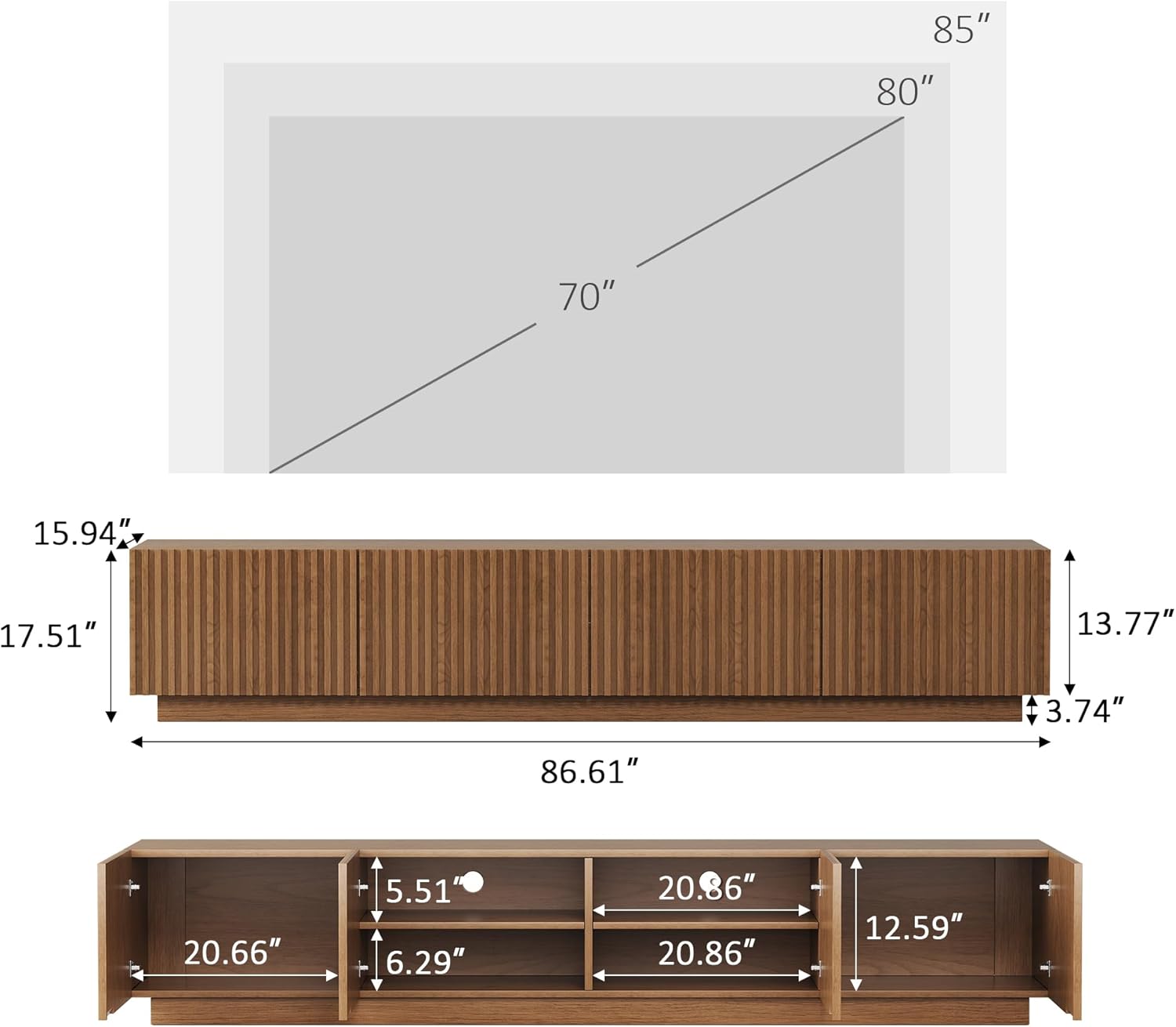
Daalụ maka ịzụrụasing the Generic 86.61-inch Mid-Century Modern TV Stand. This entertainment console is designed to accommodate TVs up to 85 inches, offering ample storage and a stylish walnut finish. This manual provides essential information for assembly, operation, maintenance, and troubleshooting to ensure safe and optimal use of your new TV stand.
Ozi nchekwa
Always ensure that the TV and other items placed on the stand do not exceed the stand's weight capacity. Use appropriate mounting hardware and techniques to secure the stand to the wall, if desired, to prevent tipping. Keep the area around the stand clear of obstructions to minimize the risk of accidents.
Ihe ngwugwu
Tupu ịmalite mgbakọ, chọpụta na akụrụngwa niile dị na enweghị mmebi. Ọ bụrụ na akụkụ ọ bụla na-efu ma ọ bụ mebie, biko kpọtụrụ nkwado ndị ahịa.
- TV Stand Panels (various sizes)
- 4 Ọnụ ụzọ kabinet
- Shelves nwere ike idozi
- Ngwa Mgbakọ (skru, dowels, mkpọchi cam, wdg)
- Akwụkwọ ntuziaka
Ntọala na Mgbakọ
Basic assembly is required for this TV stand. Each part is clearly labeled, and step-by-step instructions are included in the package to ensure a smooth and frustration-free assembly process. It is recommended to assemble the unit on a soft, clean surface to prevent scratches. Two people are recommended for assembly.
- Wepu akụrụngwa: Carefully remove all parts from the packaging and lay them out on a protected surface. Verify all parts against the included parts list.
- Chịkọta Nhazi Ntọala: Follow the diagrams to connect the main base panels using the provided hardware. Ensure all connections are secure.
- Wụnye Shelf dị n'ime: Insert the adjustable shelves into the designated slots within the compartments.
- Tinye ọnụ ụzọ kabinet: Mount the four cabinet doors using the silent soft-close hinges. Adjust as necessary for proper alignment.
- Ntinye ikpeazụ: Position the assembled TV stand in your desired location. Ensure it is level and stable before placing any items on it.

Ntuziaka ọrụ
The TV stand is designed for versatile use and easy organization.
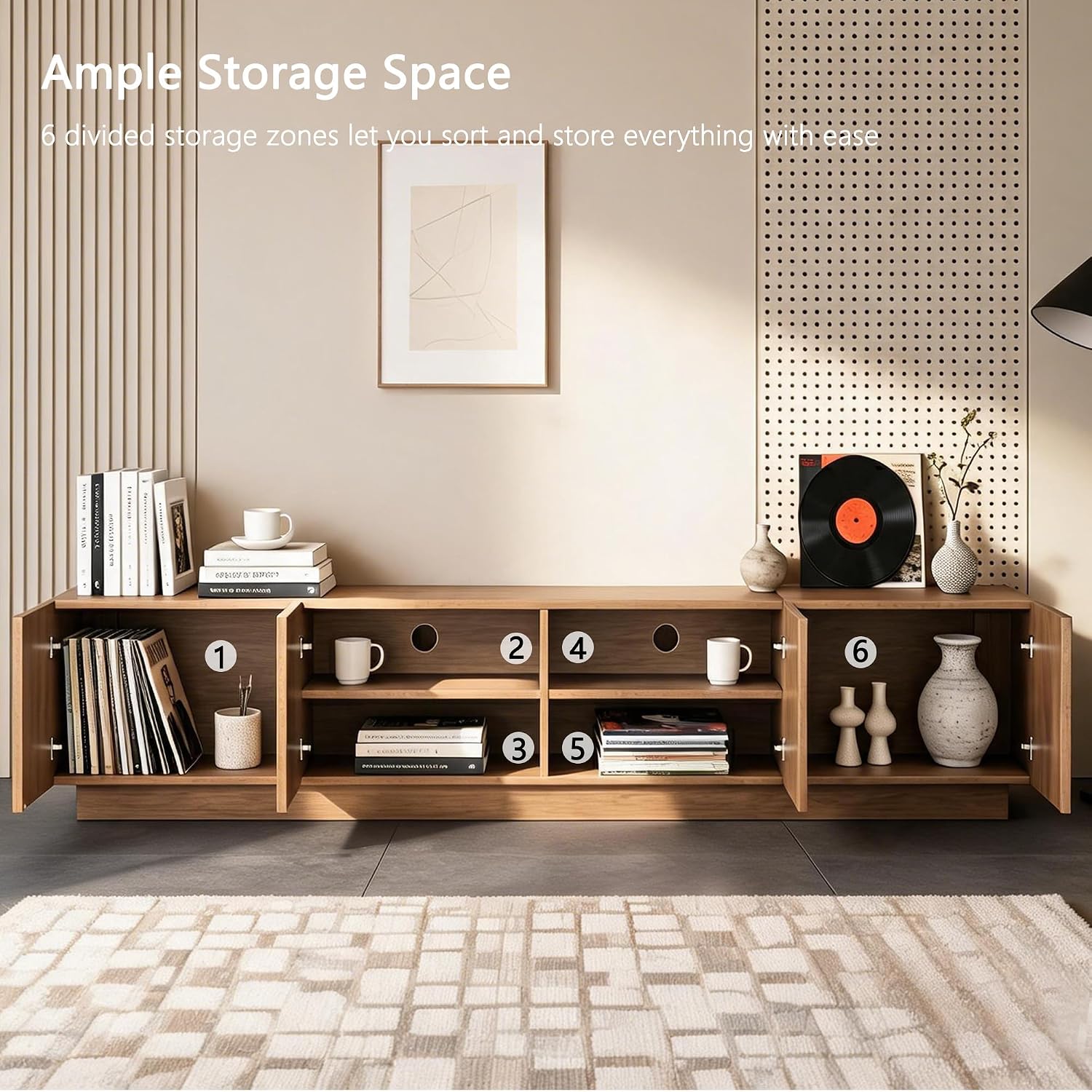
- Ikike Nchekwa: Utilize the four cabinet doors and six interior compartments to store media devices, books, gaming systems, and decorative items. The spacious design helps keep your living area organized.
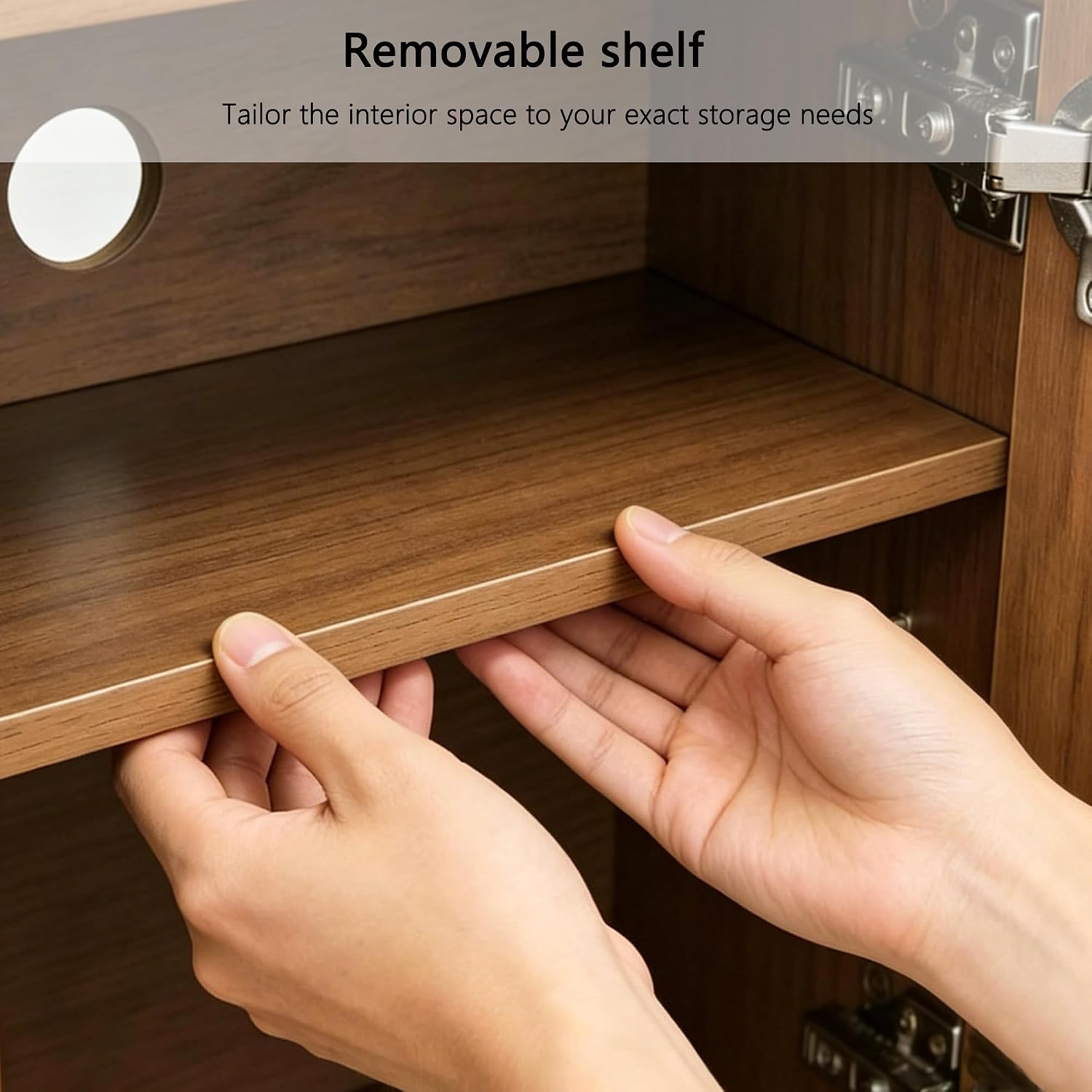
- Shelves nwere ike idozi: The interior shelves are adjustable, allowing you to customize the space to fit items of various heights.
- Njikwa USB: Built-in cable openings at the back of the unit help route wires neatly and keep them out of sight, ensuring a clutter-free entertainment area.
- Soft-Close Hinges: The cabinet doors feature silent soft-close hinges for smooth, quiet operation, preventing loud slams.


Vidiyo 1: Agafeeview of the 86.61-inch Mid-Century Modern TV Stand, highlighting its features and design.
Nlekọta
To maintain the appearance and longevity of your TV stand, follow these simple care instructions:
- Nhicha: Wipe the surface with a dry, soft cloth. Avoid abrasive cleaners or harsh chemicals that may damage the finish.
- Mwụfu: Hichaa ihe ọ bụla gbapụtara ozugbo iji gbochie ntụpọ ma ọ bụ mmebi mmiri.
- Ìhè anyanwụ: Zere ka anwụ ghara ịcha ma ọ bụ gbanwee agba nke osisi ahụ ruo ogologo oge.
- Okpomọkụ: Etinyela ihe ndị na-ekpo ọkụ kpọmkwem n'elu ya. Jiri ihe mkpuchi ma ọ bụ ihe mkpuchi nchebe.
Nchọpụta nsogbu
Ọ bụrụ na ị na-enwe nsogbu ọ bụla na ihe nkwụnye TV gị, rụtụ aka na ngwọta ndị a na-emekarị:
- Na-ama jijiji: Ensure all assembly hardware is tightened securely. Check that the stand is placed on a level surface.
- Ọnụ ụzọ anaghị ejikọta: Adjust the hinges on the cabinet doors. Most hinges allow for minor adjustments to align the doors properly.
- Ọkpụkpụ/Ọkụkụ: For minor imperfections, wood repair kits or markers can be used to touch up the finish.
- Akụkụ na-efu: If any parts were missing upon delivery, contact customer support with your purchase details for assistance.
Nkọwapụta
| Ụdị | N'ozuzu |
| Nọmba nlereanya | GPJTV0724-A1 |
| Akụkụ ngwaahịa (D x W x H) | 15.94"D x 86.61"W x 17.51"H |
| Ibu Ibu | 109.1 pound |
| Ihe onwunwe | Osisi injinia |
| Ụdị osisi | Ukpa |
| Agba | Agba aja aja |
| Ọnụọgụ ọnụ ụzọ | 4 |
| Ọnụọgụ nke Ụlọ | 6 |
| Ọnụọgụ nke shelf | 2 (nwere ike idozi) |
| Nha TV akwadoro | Ruo 85 sentimita asatọ |
| Mgbakọ chọrọ | Ee |
| Ụdị nkwụnye | Ala Ugwu |
Akwụkwọ ikike na nkwado
For warranty information or customer support, please refer to the documentation included with your purchase or contact the retailer. Keep your purchase receipt for any warranty claims.