
1. Okwu mmalite
Thank you for choosing the FREDEES Arched Display Cabinet. This manual provides essential information for the safe and efficient assembly, operation, and maintenance of your new cabinet. Please read all instructions carefully before beginning assembly and retain this manual for future reference.
2. Ozi nchekwa
- Na-achịkọta kabinet mgbe niile n'elu dị nro ma dị ọcha iji gbochie ncha.
- Hụ na akụkụ niile dị ma ghara imebi tupu e jikọta ha. Ejila akụkụ ndị mebiri emebi.
- Debe obere akụkụ n'ebe ụmụaka nọ n'oge mgbakọ ka ịzenarị ihe egwu na-akpagbu.
- Ngwa mgbochi ndụmọdụ: For safety, especially in households with children or pets, it is highly recommended to secure the display cabinet to the wall using the provided anti-tip kit. This prevents accidental tipping and enhances stability.

Image: Anti-Tip Kit Installation Diagram. This diagram illustrates the proper method for securing the cabinet to the wall using the anti-tip kit to prevent tipping.
3. Ihe ngwugwu
Nyochaa na etinyere akụrụngwa niile edepụtara n'okpuru na ngwugwu gị:
- Arch Display Cabinet x1
- Installation Package (Hardware) x1
- Akwụkwọ ntuziaka onye ọrụ x1
4. Ntọala na Mgbakọ
Assembly of the FREDEES Arched Display Cabinet is designed to be straightforward. Follow the step-by-step instructions provided in the included installation package. It is recommended to have a second person assist with lifting and positioning larger components.
4.1 Akụkụ ngwaahịa

Image: Product Dimensions. This image details the overall dimensions of the cabinet and individual shelf sizes.
4.2 Shelves ndị nwere ike idozi
The cabinet features two adjustable shelves and two fixed shelves. The adjustable shelves can be moved up or down by 2.5 inches to accommodate items of various heights. To adjust, carefully remove the shelf, reposition the shelf pins to the desired height, and reinsert the shelf.

Image: Adjustable Shelves. This image highlights the flexibility of the shelves to customize storage space.
5. Ntuziaka ọrụ
Sistemụ ọkụ ọkụ 5.1 LED
Your display cabinet is equipped with integrated LED lighting offering three color modes: blue, white, and yellow. The lighting system also includes a smart human sensor for automatic operation.
- Agba ọkụ na-agbanwe: Locate the control button on the side of the cabinet. Short press the button to cycle through the blue, yellow, and white light modes.
- Human Sensor: The built-in sensor automatically turns on the lights when a person is detected within approximately 1 meter and turns them off after 30 seconds of no detection.
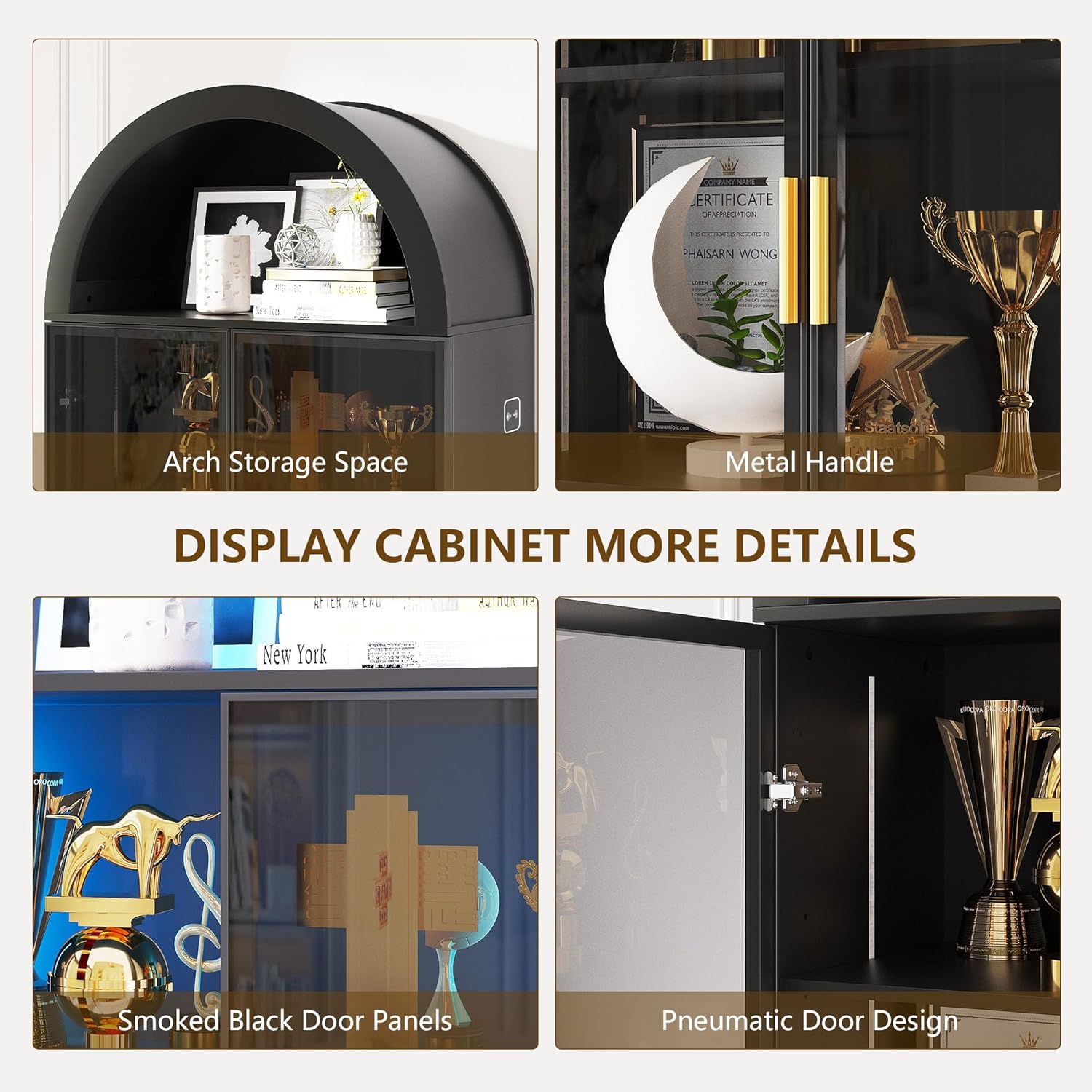
Image: LED Light Control. This image demonstrates the three available light colors and the control interface.

Image: Smart Human Sensor. This diagram explains how the human sensor activates and deactivates the cabinet lighting.
5.2 Smoked Black Acrylic Doors
The cabinet features smoked black acrylic doors with gold handles. These doors provide a modern aesthetic while allowing a subtle view of your displayed items. The doors can be opened and closed using the handles. If desired, the doors can be omitted during assembly for an open cabinet design.

Image: Smoked Black Acrylic Doors. This image provides a clear view of the cabinet's doors and handles.
6. Nlekọta
To ensure the longevity and appearance of your FREDEES Arched Display Cabinet, follow these maintenance guidelines:
- Nhicha: The cabinet's surface is waterproof and scratch-resistant. Wipe surfaces with a soft, damp akwa . Zere ihe nchacha abrasive ma ọ bụ kemịkalụ siri ike nke nwere ike imebi njedebe.
- Nchara Regularly dust the interior and exterior with a dry, soft cloth.
- Mkpịsị ọnụ ụzọ: Periodically check door hinges for tightness and adjust if necessary to ensure smooth operation.
7. Nchọpụta nsogbu
If you encounter any issues with your display cabinet, refer to the following common troubleshooting tips:
- Igwe ọkụ LED anaghị arụ ọrụ:
- Ensure the power adapter is securely plugged into both the cabinet and a working electrical outlet.
- Lelee ma oghere ọkụ na-arụ ọrụ site na nkwụnye na ngwaọrụ ọzọ.
- Verify that the light control button is being pressed correctly to cycle through modes.
- Ọnụ ụzọ anaghị emechi nke ọma:
- Inspect hinges for any loose screws and tighten them.
- Ensure the cabinet is placed on a level surface. Uneven flooring can cause doors to misalign.
- Enweghị nkwụsi ike nke ụlọ ọrụ:
- Confirm all assembly screws are tightened.
- Ensure the anti-tip kit is correctly installed and secured to the wall.
For issues not covered here, please contact FREDEES customer support.
8. Nkọwapụta
| Njirimara | Nkọwa |
|---|---|
| Ụdị | EZIOKWU |
| Nọmba nlereanya | QM-97053-27 |
| Agba | Arch-black |
| Ihe onwunwe | Osisi injinia |
| Akụkụ ngwaahịa | 13.78"D x 27.55"W x 76.77"H |
| Ibu Ibu | 80.7 pound |
| Ọnụọgụ nke shelf | 6 (2 adjustable, 4 fixed) |
| Atụmatụ ndị ọzọ | 3-Color LED Lights, Human Sensor, Smoked Black Acrylic Doors, Arch Storage Space |
| Mgbakọ chọrọ | Ee |
9. Akwụkwọ ikike na nkwado
For warranty information or technical support, please refer to the contact details provided with your purchase documentation or visit the official FREDEES websaịtị. Debe nnata nzụta gị dị ka ihe akaebe nke ịzụrụ ihe maka akwụkwọ ikike ọ bụla.