
1. Ngwaahịa gafereview
Thank you for choosing the Merax L-Shaped Computer Desk. This versatile desk is designed to adapt to your space and needs, functioning as a straight desk, corner desk, vanity, or compact sideboard. It features a robust 4 cm thick tabletop, ample storage with three drawers and two doors, and mobile, lockable wheels for easy repositioning.
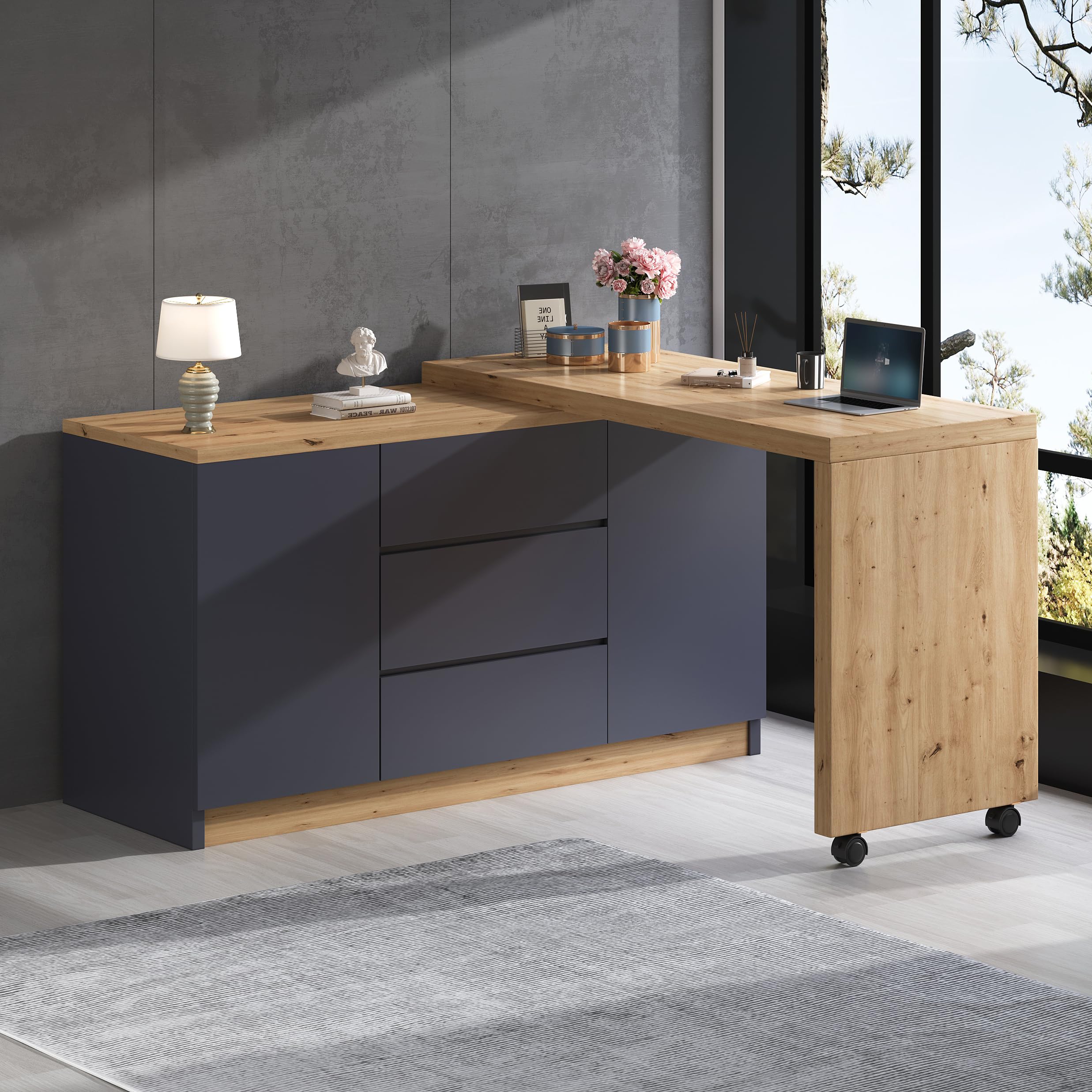
Figure 1: Merax L-Shaped Computer Desk in L-configuration.
2. Ozi nchekwa
- Ịkpachara anya Mgbakọ: Assemble the desk with care, following all instructions precisely.
- Oke ibu: Do not overload the desk beyond its maximum weight capacity of 50 kg (110 lbs). Distribute weight evenly.
- Nkwụsi ike: Ensure all fasteners are tightened securely after assembly. Periodically check and re-tighten as needed to maintain stability.
- Ụmụaka: Keep small parts away from children during assembly. Do not allow children to climb on or play with the desk.
- Nkwanye: Place the desk on a level surface to prevent tipping.
3. Ntọala na Mgbakọ
Your Merax L-Shaped Computer Desk is delivered in two packages. Please ensure both packages have arrived before beginning assembly. Refer to the included assembly instructions for detailed, step-by-step guidance.
3.1 Mwepu na nyocha
- Carefully unpack all components and hardware from both packages.
- Hụ na akụkụ niile edepụtara n'akwụkwọ ntuziaka nhazi ahụ dị ma ọ bụ na ha emebighị emebi. Kpọtụrụ ndị ahịa ozugbo ma ọ bụrụ na akụkụ ọ bụla efuola ma ọ bụ mebie.
3.2 Nzọụkwụ Mgbakọ (General)
While specific steps are detailed in your separate assembly manual, the general process involves:
- Assembling the main storage unit (with drawers and doors).
- Attaching the swivel/foldable desk section, including the universal wheels with brakes.
- Installing drawers and doors according to the provided diagrams.

Figure 2: Desk dimensions and internal storage layout.

Figure 3: Internal storage with drawers and adjustable shelves.
4. Ntuziaka ọrụ
4.1 Swivel and Foldable Functionality
The desk features a flexible design allowing it to be configured in various ways:
- L-Shape Configuration: To create an L-shaped workspace, unlock the universal wheels on the movable section. Gently pivot the desk section until it forms the desired L-shape. Once in position, lock the wheels to secure the desk.
- Straight Configuration: To convert to a straight desk or sideboard, unlock the wheels and pivot the movable section until it aligns with the main unit. Lock the wheels to stabilize.

Figure 4: Desk in L-shaped configuration.
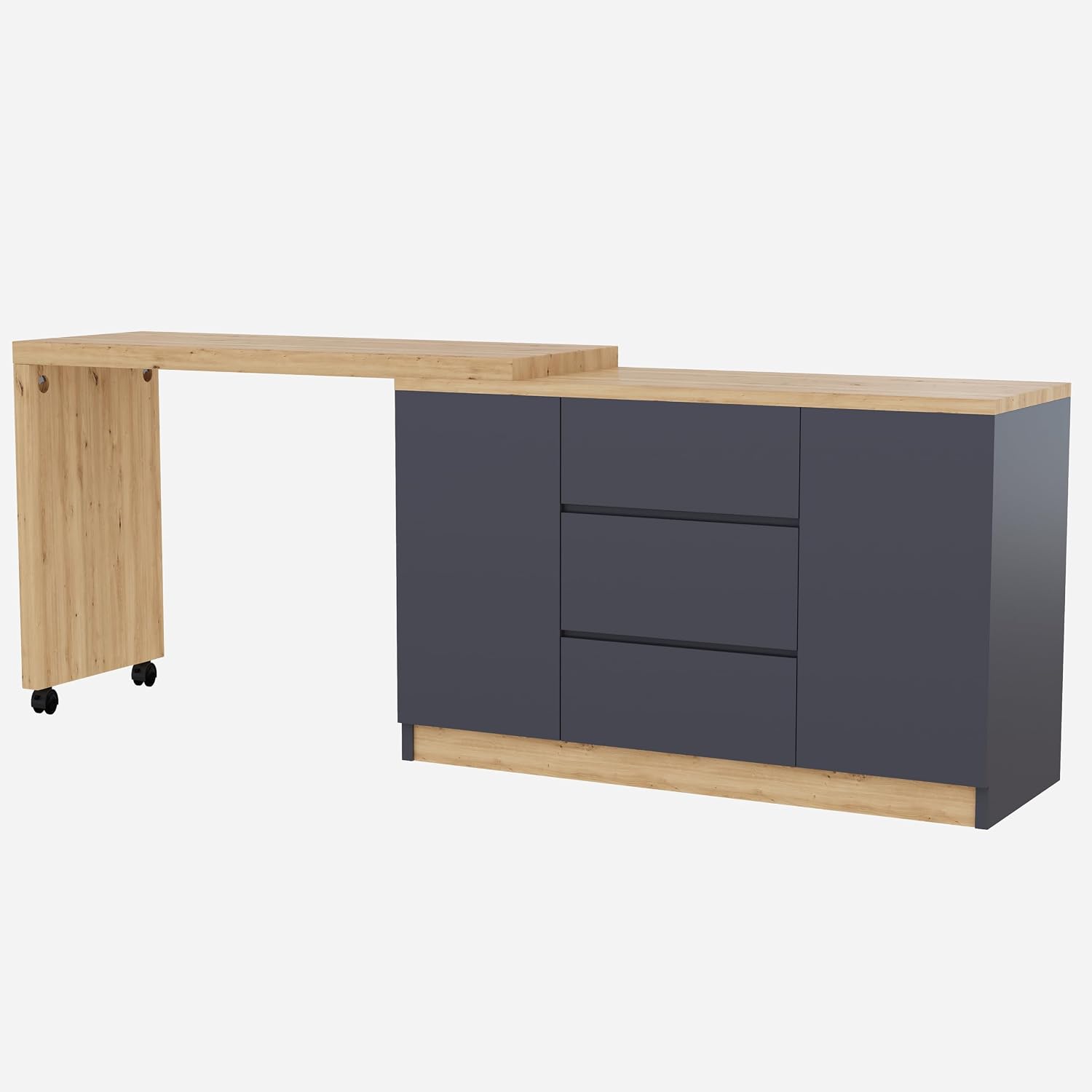
Figure 5: Desk in straight configuration.
4.2 Njirimara nchekwa
- Drawers: The desk includes three smooth-gliding drawers for organizing office supplies, documents, or personal items.
- Ọnụ ụzọ: Two cabinet doors conceal additional storage space with adjustable shelves. The maximum adjustment range for shelves is 19.2 cm.
- Wheel: The two universal wheels on the movable section are equipped with brakes. Press the brake lever down to lock the wheels and prevent movement. Lift the lever to unlock.
5. Nlekọta
- Nhicha: Jiri nwayọ hichaa elu ala, damp ákwà. Zere kemịkalụ siri ike ma ọ bụ ihe nhicha ihe na-emebi emebi nke nwere ike imebi ihe mkpuchi ahụ.
- Ihe nkwụnye: Periodically check all screws and bolts to ensure they remain tight. Re-tighten as necessary to maintain the desk's structural integrity.
- Mwụfu: Clean up spills immediately to prevent moisture damage to the particle board material.
6. Nchọpụta nsogbu
- Desk is unstable: Ensure all assembly screws are fully tightened. Check that the desk is placed on a flat, level surface. If using the swivel feature, ensure the wheels are locked.
- Drawers are sticking: Check that the drawer slides are properly aligned and free of obstructions. Ensure the desk is level.
- Wheels not locking/unlocking: Inspect the brake mechanism for any debris or damage. Ensure the lever is fully engaged or disengaged.
- Akụkụ na-efu: If you discover missing parts during assembly, refer to the contact information in the Warranty and Support section.
7. Nkọwapụta ngwaahịa
| Njirimara | Nkọwapụta |
|---|---|
| Ụdị | Merax |
| Nlereanya | L-Shaped Computer Desk with Swivel and Foldable Wheels |
| Akụkụ (L x W x H) | 120 x 50 x 76.5 cm (47.2 x 19.7 x 30.1 inch) |
| Ọkpụrụkpụ tabletop | 4 cm (1.6 sentimita) |
| Ihe onwunwe | Osisi Injinia (Paratikal Board) |
| Ụdị mmecha | Laminated (Dark Grey + Wood Color) |
| Ike ibu kacha | 50 n'arọ (110 lbs) |
| Onu ogugu | 3 |
| Ọnụọgụ ọnụ ụzọ | 2 |
| Shelves nwere ike idozi | Yes, max adjustment range 19.2 cm |
| Atụmatụ pụrụ iche | Swivel, Foldable, Universal Wheels with Brakes |
| Mgbakọ chọrọ | Ee |
| Ọnụọgụ nke ngwugwu | 2 |
8. Akwụkwọ ikike na nkwado
For warranty information, missing parts, or any product-related inquiries, please contact Merax customer support through the retailer where you purchased the product. Please have your model number (B0FX3QML2Y) and purchase date available when contacting support.
Anyị na-agba mbọ ịnye ngwaahịa na nkwado dị elu iji hụ na afọ ojuju gị.