
Okwu mmalite
This manual provides detailed instructions for the installation, operation, and maintenance of your Orbitell M52 1080p Wireless Wi-Fi Video Doorbell Camera. Please read this guide thoroughly before using the device to ensure proper functionality and safety. The Orbitell M52 is designed to enhance your home security with features such as 1080p video, two-way audio, night vision, and smart motion detection.
Ihe ngwugwu
Nyochaa na etinyere ihe niile edepụtara n'okpuru na ngwugwu gị:
- Orbitell M52 Doorbell Camera
- Mounting Accessories (screws, anchors)
- Igwe nchaji USB
- Akwụkwọ ntuziaka onye ọrụ

Image: The Orbitell M52 doorbell camera shown with icons highlighting its main features: AI Human Detection, Two-way Talk, Night Vision, 2.4GHz Wi-Fi, and Cloud Storage.
Atụmatụ igodo
- AI-Powered Smart Detection: Advanced AI technology accurately identifies people, filtering out vehicles and animals to reduce false alerts.
- Secure Cloud Storage: Protect your recordings with AES-128 encrypted cloud storage. A 30-day free trial is available for recording, reviewing, and sharing. Cloud subscribers also benefit from pre-capture functionality.
- Reliable 2.4GHz Wi-Fi Connection: Optimized for stable, uninterrupted performance on 2.4GHz networks only. Not compatible with 5GHz Wi-Fi.
- Exceptional Night Vision: Equipped with four powerful infrared LEDs and an advanced image sensor for sharp, detailed footage in total darkness.
- Instant Two-Way Audio: Communicate clearly with visitors using the built-in microphone and speaker.
- Instant Motion Alerts: Receive real-time notifications on your smartphone when motion is detected or the doorbell is pressed.
- Obosara akụkụ View Mkpuchi: Captures a broad view of your doorstep and surroundings.
- Nhazi na-eguzogide ihu igwe: IP65-rated build ensures durability against rain, snow, and extreme temperatures (14°F to 140°F).
- Nchaji na-enweghị mbọ: Rechargeable via the included USB cable with a standard DC 5V 1A or 5V 2A adapter (not included).
Ntuziaka nhazi
1. Ịchaji mgbịrịgba ọnụ ụzọ
Before initial use, fully charge the doorbell camera. Remove the insulation strip from the battery compartment. Connect the included USB cable to the doorbell and a standard DC 5V 1A or 5V 2A USB power adapter (not included). The charging indicator light will show the charging status. Ensure the device is fully charged before proceeding with installation.
2. Ntinye Ngwa na Ịmepụta Akaụntụ
Download the official Orbitell app from your smartphone's app store (available for Android and iOS). Follow the in-app instructions to create an account and log in.
3. Ijikọ na Wi-Fi
Ensure your Wi-Fi network is 2.4GHz. The Orbitell M52 is not compatible with 5GHz Wi-Fi networks. In the app, select "Add Device" and follow the prompts to connect your doorbell camera to your home Wi-Fi network. Keep the doorbell close to your Wi-Fi router during the initial setup process.
4. Mounting the Doorbell
Choose a suitable location near your door for optimal viewing. Use the provided mounting accessories (screws and anchors) to securely attach the doorbell to the wall or door frame. Ensure the camera has a clear, unobstructed view nke mpaghara ịchọrọ inyocha.
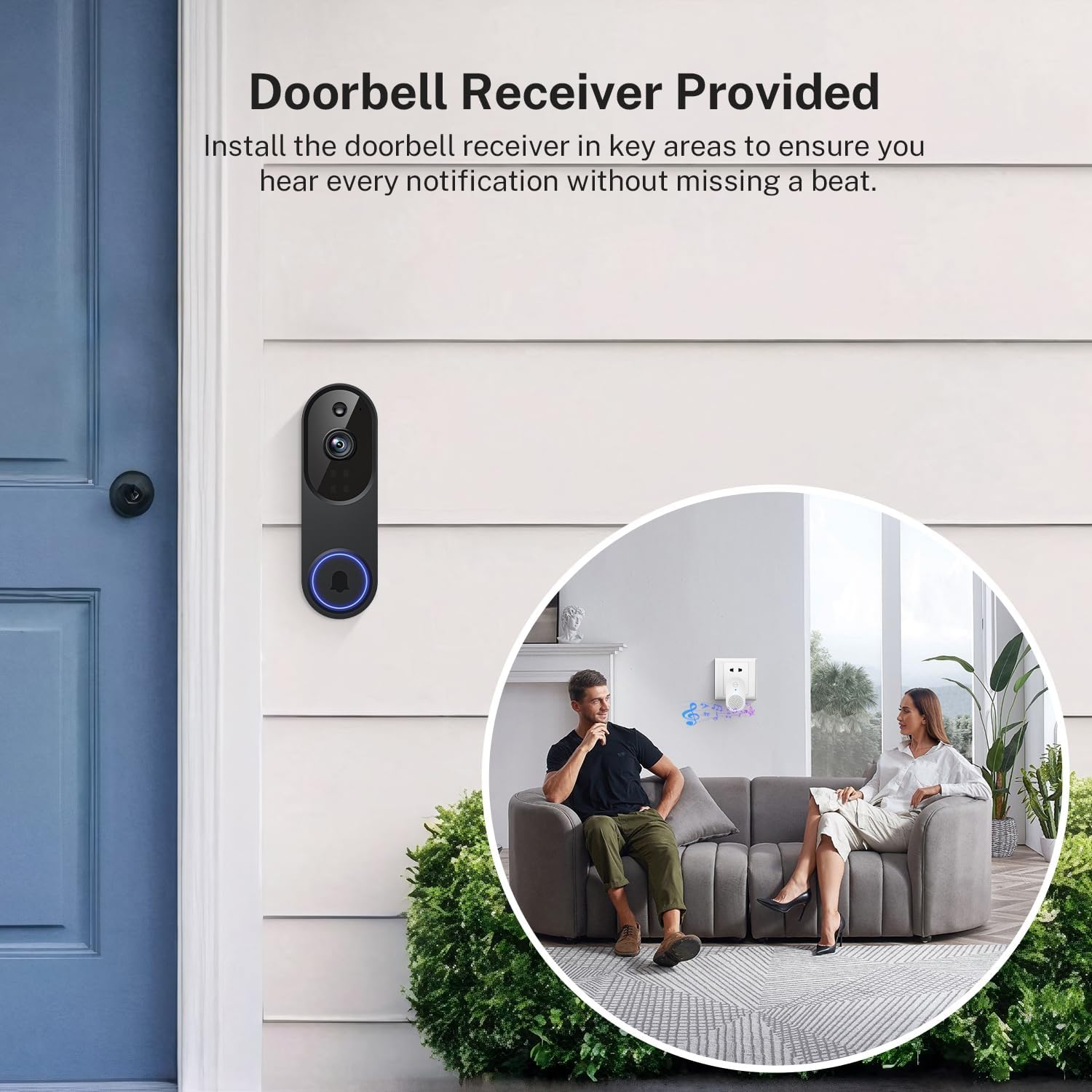
Image: The Orbitell M52 doorbell camera mounted on an exterior wall next to a door. An interior view shows a couple on a sofa with a doorbell receiver plugged into a wall outlet, indicating the chime functionality.
Ntuziaka ọrụ
Dị ndụ View na Audio-ụzọ Abụọ
Open the Orbitell app to access the live video feed from your doorbell camera. To speak with a visitor, tap the microphone icon in the app. Your voice will be transmitted through the doorbell's speaker, and you will hear the visitor's response through your phone's speaker.

Image: A person at a doorstep holding a package, while another person interacts with them remotely via the doorbell camera and a smartphone app, demonstrating two-way communication.
Nchọpụta ngagharị na ọkwa
The doorbell camera uses AI to detect human motion and sends instant notifications to your smartphone. You can adjust motion detection sensitivity and set activity zones within the app to minimize unwanted alerts.

Image: A graphic illustrating the doorbell's Smart AI Human Detection, showing a person being detected and triggering a notification, while a small dog is ignored, preventing false alarms.
Ọhụụ abalị
The doorbell automatically switches to night vision mode in low-light conditions, providing clear black-and-white video footage using its infrared LEDs.

Image: A split image showing the same house scene in daylight (Day Vision) and at night (Night Vision), demonstrating the clarity of the doorbell camera's infrared night vision.
Nchekwa igwe ojii
Recordings are stored securely in the cloud with AES-128 encryption. Access your video history, review events, and share clips through the app. A 30-day free trial is available, and cloud subscription plans are sold separately for continued service, including pre-capture functionality.
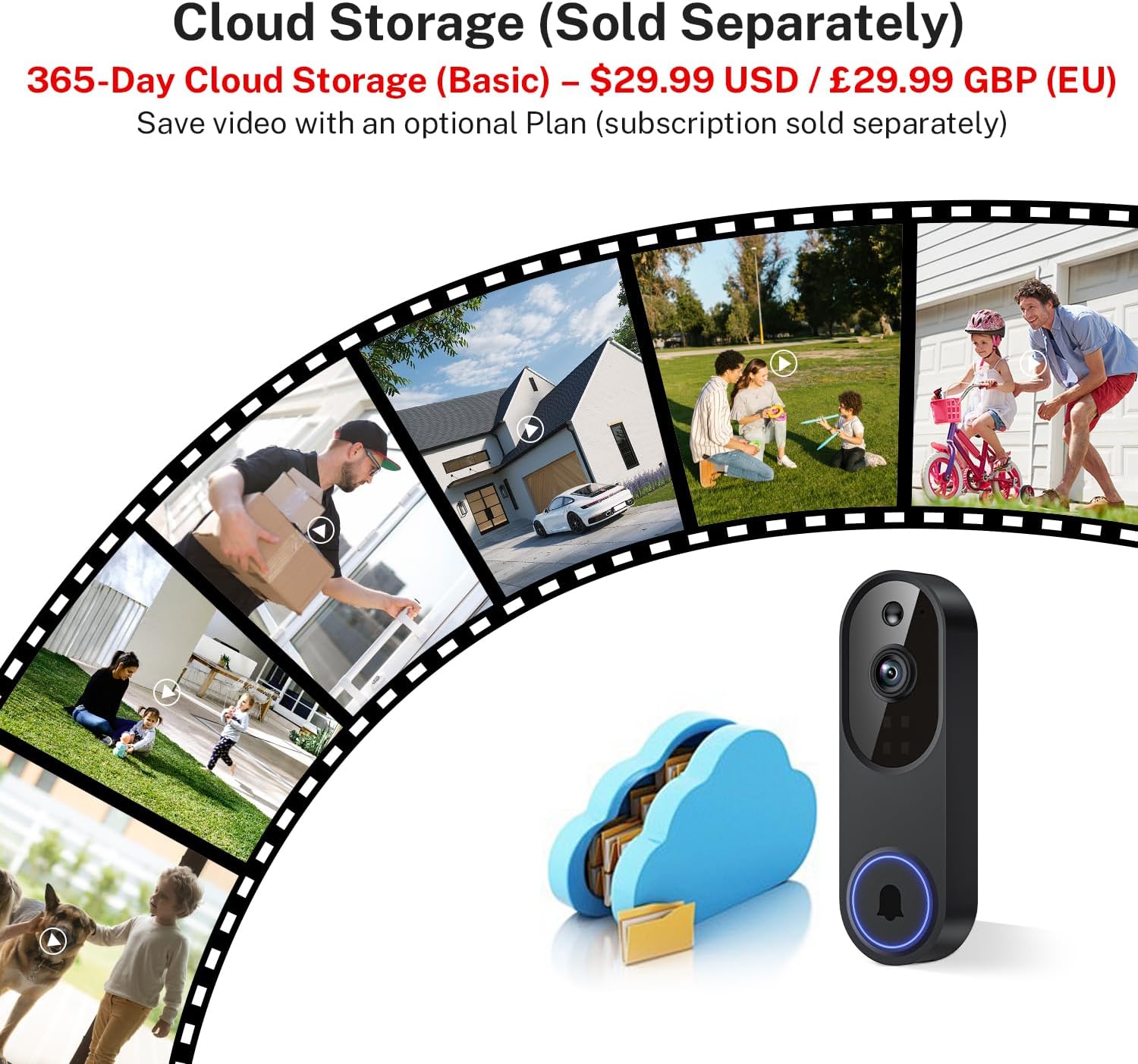
Image: A visual representation of cloud storage for the doorbell camera, showing various life moments captured and stored securely in a cloud icon.
Nlekọta
Nhicha
Periodically clean the camera lens and the doorbell's exterior with a soft, damp cloth to remove dust and smudges. Avoid using harsh chemicals or abrasive materials that could damage the device.
Njikwa batrị
The doorbell is battery-powered. Monitor the battery level through the app. When the battery is low, recharge it using the provided USB cable and a compatible 5V USB power adapter. Frequent live view access or motion events can affect battery life.
Nguzogide ihu igwe
The Orbitell M52 has an IP65 weather-resistant rating, designed to withstand various outdoor conditions including rain, snow, and dust. It operates within a temperature range of 14°F to 140°F (-10°C to 60°C). While robust, avoid submerging the device in water or exposing it to extreme impacts.

Image: The Orbitell M52 doorbell camera mounted on a house wall, with icons representing its resistance to shine (sun), snow, rain, and dust, highlighting its weather-resistant design.
Nchọpụta nsogbu
- Ngwaọrụ anaghị ejikọta na Wi-Fi:
- Hụ na netwọk Wi-Fi gị dị 2.4GHz. Ngwaọrụ a anaghị akwado Wi-Fi 5GHz.
- Check your Wi-Fi signal strength at the doorbell's location. Move the router closer or use a Wi-Fi extender if necessary.
- Restart your Wi-Fi router and the doorbell camera.
- Chọpụta na i tinyela paswọọdụ Wi-Fi ziri ezi.
- Poor Video Quality or Freezing:
- A weak Wi-Fi signal can cause video issues. Improve signal strength as mentioned above.
- Hụ na njikọ ịntanetị gị kwụsiri ike ma nwee bandwidth zuru oke.
- Close other applications on your smartphone that might be consuming bandwidth.
- Batrị na-agbapụta ngwa ngwa:
- Frequent motion detection events or extensive use of live view can reduce battery life. Adjust motion sensitivity settings.
- Gbaa mbọ hụ na chajịrị mgbịrịgba ọnụ ụzọ zuru oke.
- Operating in extremely cold temperatures can also affect battery performance.
- Enweghị ọkwa ngagharị:
- Check motion detection settings in the app to ensure it is enabled and sensitivity is appropriate.
- Verify that app notifications are enabled on your smartphone.
- Ensure the doorbell has a clear view a naghị egbochikwa ya.
- Okwu ọdịyo ụzọ abụọ:
- Check your smartphone's volume settings.
- Ensure there is no obstruction blocking the doorbell's microphone or speaker.
- A stable Wi-Fi connection is crucial for clear audio.
Nkọwapụta
| Aha Nlereanya | M52 |
| Mkpebi ịse vidiyo | 1080p |
| Teknụzụ Njikọta | 2.4G Wi-Fi, Wireless (Not compatible with 5GHz Wi-Fi) |
| Isi Iyi Ike | Ike batrị (5200mAh) |
| Ojiji ime ime/n'èzí | Outdoor (IP65 Weather-Resistant) |
| Atụmatụ pụrụ iche | 2-Way Audio, Motion Sensor (AI Human Detection), Night Vision |
| Ngwa dakọtara | Ama ekwentị (gam akporo, iOS) |
| Ụdị nkwụnye | Ugwu ụzọ |
| Akụkụ ngwaahịa (L x W x H) | 1.34 x 1.77 x 5.4 sentimita (3.4 x 4.5 x 13.7 cm) |
| Ibu Ibu | 6.2 ounce (0.39 pound) |
| Okpomọkụ na-arụ ọrụ | 14°F ruo 140°F (-10°C ruo 60°C) |

Image: A detailed diagram showing the dimensions of the Orbitell M52 doorbell camera, with measurements in inches and centimeters.
Akwụkwọ ikike na nkwado
For warranty information and technical support, please refer to the documentation included with your purchase or visit the official Orbitell websaịtị. Debe nnata nzụta gị dị ka ihe akaebe nke ịzụrụ maka nkwupụta ikike.