Ngwaahịa gafereview
The LEICKE DAB+ Radio Tube (Model EP19035) is a versatile portable audio device combining a DAB+/FM radio with a powerful Bluetooth speaker. It features a robust 4500 mAh battery for extended playtime, dynamic RGB LED lighting, and multiple connectivity options including Micro SD and AUX-In. This manual provides essential information for setup, operation, and maintenance.
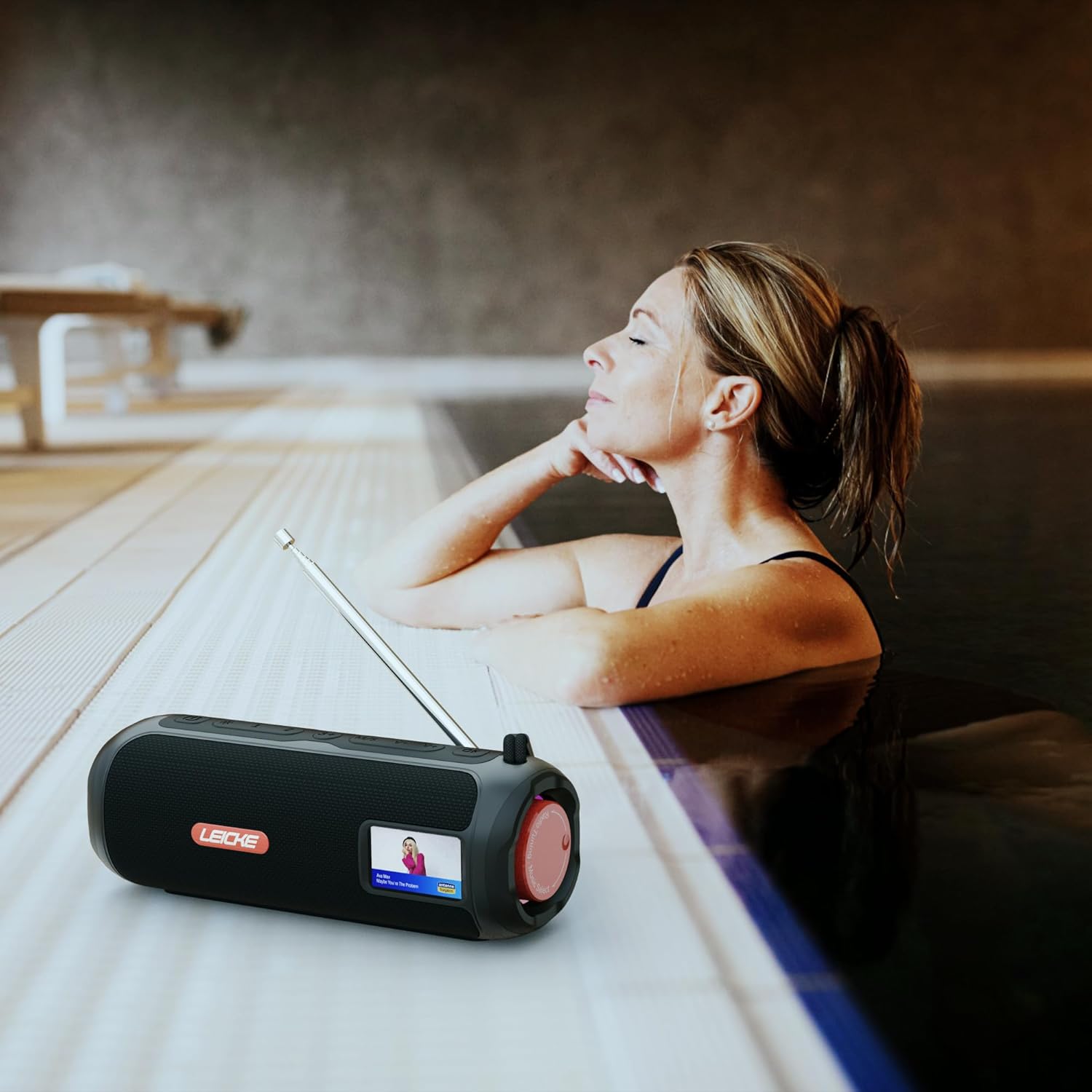
Image: The LEICKE DAB+ Radio Tube, showcasing its portable design, suitable for various environments like a poolside.
Akụkụ ndị bụ isi:
- Ụda Stereo Dị Ike: Two 5W speakers deliver rich, clear audio with dynamic effects and powerful bass.
- Ndụ batrị agbatịkwuru: Integrated 4500 mAh rechargeable battery provides up to 12 hours of playtime.
- DAB+ & FM Radio: Enjoy noise-free digital DAB+ and traditional FM radio with 30 station presets.
- Atmospheric RGB Lighting: Features cool color-changing LED lights for enhanced ambiance.
- Njikọta dị iche iche: Bluetooth 5.3 for wireless streaming, Micro SD card slot, and 3.5 mm AUX-In.
- Nchaji dị mma: USB-C port for quick and easy charging.
- Ọrụ ndị ọzọ: Includes an integrated alarm clock, sleep timer, and equalizer settings.
Ihe ngwugwu
Biko lelee ngwungwu maka ihe ndị a:
- LEICKE DAB+ Radio Tube (Model EP19035)
- USB-C eriri USB
- Akwụkwọ ntuziaka onye nwe
- (Note: Specific accessories like AUX cable may vary by region or package. Please refer to your product packaging.)
Njikwa na Njikọ
Familiarize yourself with the various buttons, ports, and indicators on your LEICKE DAB+ Radio Tube.

Foto: N'ihu view of the LEICKE DAB+ Radio Tube, highlighting the display, SD card slot, AUX input, and USB-C port.

Foto: N'azụ view of the LEICKE DAB+ Radio Tube, showing the extendable antenna, AUX port, USB-C port, and Micro SD slot.
Nkọwa ọdụ ụgbọ mmiri:
- Oghere Micro SD: Insert a Micro SD card for playing stored audio files.
- AUX-In (3.5mm): Jikọọ ngwaọrụ ọdịyo mpụga site na iji eriri ọdịyo 3.5mm.
- Ọdụ USB-C: Eji maka chajịa ngwaọrụ.
- Antenna: Extend for optimal DAB+ and FM radio reception.
(Note: Specific button functions will be detailed in the 'Operating' section.)
Melite
1. Nchaji mbụ
- Tupu ojiji nke mbụ, chajịa ngwaọrụ ahụ kpamkpam.
- Connect the provided USB-C cable to the USB-C port on the speaker and the other end to a compatible USB power adapter (not included) or a computer's USB port.
- The charging indicator on the display will show the charging status. Once fully charged, the indicator will change.
2. Ịgbanye / gbanyụọ
- Iji gbanye: Pịa ma jide bọtịnụ Ike (a na-ejikarị akara na ya) ⏻ or IKE) for a few seconds until the display lights up.
- Iji gbanyụọ: Press and hold the Power button again for a few seconds until the display turns off.
Ntuziaka ọrụ
Nhọrọ ọnọdụ
Pịa MODE button to cycle through available modes: DAB+ Radio, FM Radio, Bluetooth, Micro SD, and AUX-In.
1. Ọrụ DAB+ Radio
- Gbatịa antenna zuru oke maka nnabata kacha mma.
- Select DAB+ mode using the MODE bọtịnụ.
- The radio will automatically scan for available DAB+ stations on first use or if no stations are found.
- Jiri ihe PREV/ỌZỌ buttons to navigate through the list of available stations.
- Pịa ENTER/PLAY button to select a station.
- Ịchekwa atọrọ atọ: While listening to a station, press and hold the PRESET bọtịnụ. Jiri PREV/ỌZỌ iji họrọ nọmba edobere (1-30), wee pịa ENTER/PLAY iji chekwaa.
- Icheta atọrọ atọ: Pịa nkenke PRESET bọtịnụ, wee jiri PREV/ỌZỌ to select a saved station and press ENTER/PLAY.
2. Ọrụ redio FM
- Gbatịa antenna zuru oke maka nnabata kacha mma.
- Select FM mode using the MODE bọtịnụ.
- Nyocha akpaaka: Pịa ma jide KWURU/Kwụsịa bọtịnụ ka inyocha na-akpaghị aka ma chekwaa ọdụ FM dị.
- Akwụkwọ ntuziaka: Pịa nkenke PREV/ỌZỌ iji hazie ugboro ole ọ na-ewe.
- Ịchekwa atọrọ atọ: Similar to DAB+ mode, press and hold PRESET to save, and briefly press to recall.
3. Njikọ Bluetooth
- Họrọ ọnọdụ Bluetooth site na iji MODE button. The display will show "Bluetooth" and an icon will flash, indicating it's in pairing mode.
- On your smartphone, tablet, or laptop, enable Bluetooth and search for new devices.
- Select "LEICKE DAB+ Tube" from the list of available devices.
- Once paired, the speaker will emit a confirmation sound, and the Bluetooth icon on the display will stop flashing.
- You can now play audio from your connected device through the speaker.
4. Micro SD Playback
- Insert a Micro SD card (with supported audio files) banye na oghere Micro SD.
- Select Micro SD mode using the MODE button. The device will automatically start playing music from the card.
- Jiri KWURU/Kwụsịa to control playback, and PREV/ỌZỌ ịgafe egwu.
5. AUX-In Connection
- Connect one end of a 3.5mm audio cable (not included) to the AUX-In port on the speaker.
- Jikọọ nsọtụ nke ọzọ na jakị ekweisi ma ọ bụ mmepụta ọdịyo nke ngwaọrụ mpụga gị.
- Select AUX-In mode using the MODE bọtịnụ.
- Jikwaa ọkpụkpọ egwu na olu site na ngwaọrụ mpụga gị.
6. Njikwa olu
Use the dedicated Volume Up (+) na Mbelata Mpịakọta (-) buttons to adjust the audio level.
7. Ntọala nha nhata
Pịa EQ button (if available) to cycle through preset equalizer modes such as Pop, Rock, Classic, Jazz, etc. There is no manual equalizer adjustment.
8. Ọkụ LED RGB
The RGB LED lights will automatically activate when the device is powered on. There may be a dedicated button to change light modes or turn them off (refer to device specific button layout if available).
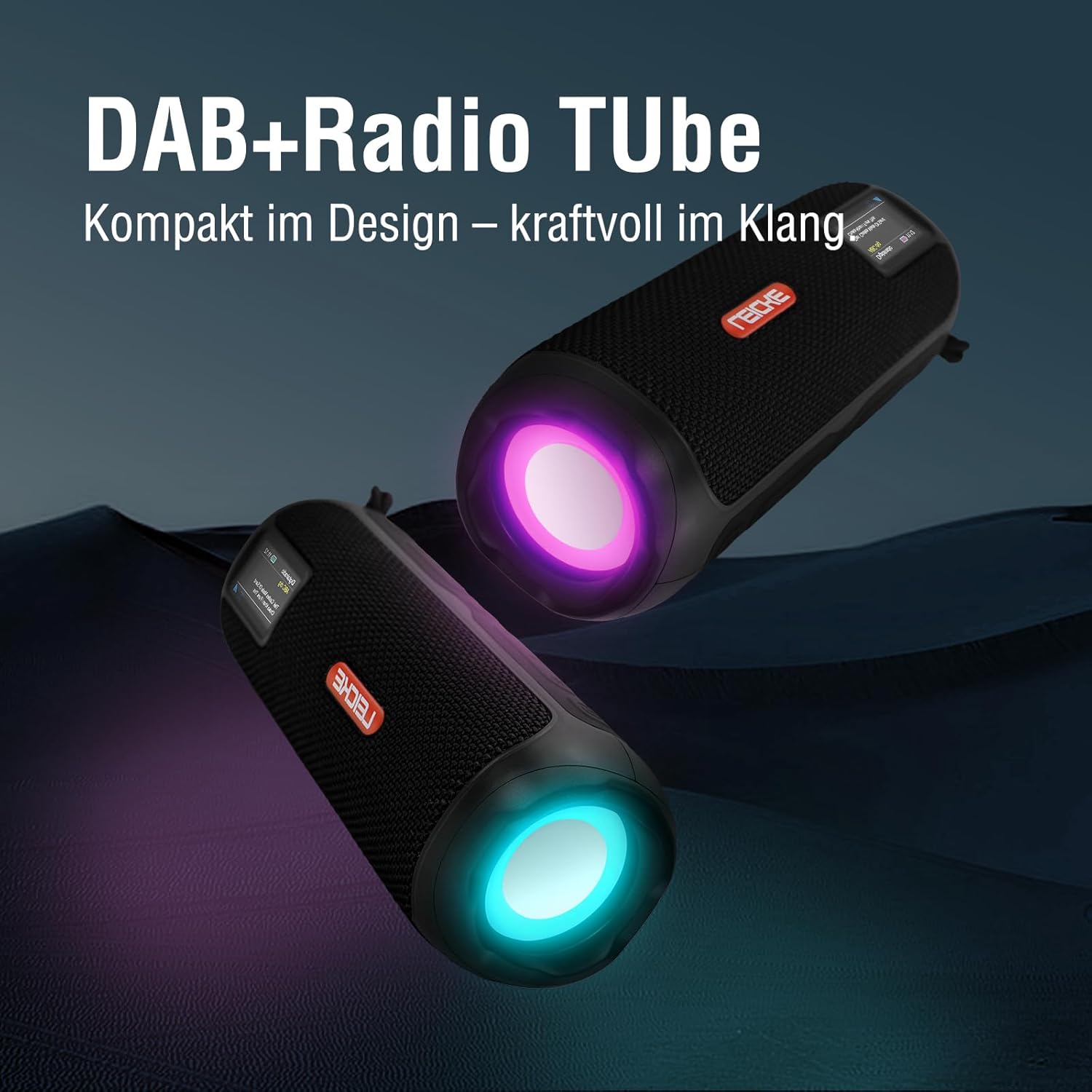
Image: Two LEICKE DAB+ Radio Tubes displaying their vibrant RGB LED lighting feature.
9. Alarm Clock and Sleep Timer
Access the menu settings (usually by pressing a MENU or SET button) to configure the alarm clock and sleep timer functions. Follow the on-screen prompts to set times and preferences.
Nlekọta
Nhicha
- Ensure the device is powered off and disconnected from any power source before cleaning.
- Jiri ákwà dị nro, kpọrọ nkụ, nke na-enweghị lint hichaa elu mpụta ahụ.
- Ejila ihe nchacha, waxes, ma ọ bụ ihe mgbaze ka ha nwere ike imebi njedebe.
- Zere ịbanye mmiri n'ime oghere ọ bụla.
Nlekọta batrị
- Ka ịgbatị ndụ batrị ogologo, zere ịchaji batrị ugboro ugboro.
- Chaji ngwaọrụ ahụ mgbe niile, ọbụlagodi na ọ naghị eji ya, iji hụ na batrị dị mma.
- Chekwaa ngwaọrụ ahụ n'ebe dị jụụ, kpọrọ nkụ mgbe ọ naghị eji ya ogologo oge.
Nchekwa
- When storing the device for a long time, ensure it is charged to about 50-70% to prevent deep discharge.
- Debe ngwaọrụ ahụ ka ọ ghara inwe oke okpomọkụ, anwụ kpọmkwem, na oke iru mmiri.
Nchọpụta nsogbu
| Nsogbu | Ihe nwere ike ime | Ngwọta |
|---|---|---|
| Ngwaọrụ anaghị agbanwu ọkụ. | Batrị dị ala; Apịghị bọtịnụ ike nke ọma. | Charge the device fully. Press and hold the Power button for a few seconds. |
| Enweghị ụda. | Olu dị obere; Nhọrọ ezighi ezi; Ejikọtaghị ngwaọrụ (Bluetooth). | Increase volume. Ensure correct mode (DAB+, FM, BT, SD, AUX) is selected. Re-pair Bluetooth device. |
| Nnabata redio adịghị mma. | A naghị agbatị eriri antenna; Mpaghara mgbaàmà adịghị ike. | Fully extend the antenna. Try moving the device to a different location. |
| Ngwa Bluetooth agaghị ejikọta. | Speaker not in pairing mode; Device too far; Already connected to another device. | Ensure speaker is in Bluetooth pairing mode. Move devices closer. Disconnect from other devices. |
| Amataghị kaadị Micro SD. | Card inserted incorrectly; Unsupported file format; Corrupted card. | Reinsert the card correctly. Ensure files are in a supported format. Try a different Micro SD card. |
Nkọwapụta
| Njirimara | Nkọwa |
|---|---|
| Ụdị | LEICKE |
| Nọmba nlereanya | EP19035 |
| Nkà na ụzụ Tuner | DAB Plus, FM |
| Njikọta | Bluetooth 5.3, Micro SD, 3.5mm AUX-In, USB-C (charging) |
| Mmepụta ọdịyo | 10W Stereo Sound (2 x 5W speakers) |
| Ike batrị | 4500mAh lithium ion |
| Oge egwuregwu | Ruo awa 12 (dị iche na ojiji) |
| Atụmatụ pụrụ iche | RGB LED Lights, Equalizer, Alarm Clock, Sleep Timer, 30 DAB+/FM Presets |
| Isi Iyi Ike | Battery Operated, Wired (USB-C) |
| Akụkụ ngwaahịa | 3.2 x 3.2 x 12 cm; 660 g |
Ozi akwụkwọ ikike
LEICKE products are designed and manufactured to the highest quality standards. This product is covered by a standard manufacturer's warranty. Please refer to the warranty card included in your package or visit the official LEICKE websaịtị maka nkọwa zuru oke usoro na ọnọdụ nke akọwapụtara mpaghara gị.
Debe akwụkwọ nnata ịzụrụ ihe gị dị ka ihe akaebe nke ịzụrụ ihe maka akwụkwọ ikike ọ bụla.
Nkwado ndị ahịa
If you encounter any issues or have questions regarding your LEICKE DAB+ Radio Tube that are not covered in this manual, please contact LEICKE customer support.
- Nkwado n'ịntanetị: Visit the official LEICKE websaịtị maka FAQs, akụrụngwa nkwado, na fọm kọntaktị.
- Nkwado email: Refer to your product packaging or the LEICKE websaịtị maka adreesị ozi-e nkwado kwesịrị ekwesị.
Please have your product model number (EP19035) and purchase details ready when contacting support.