
1. Okwu mmalite
Thank you for choosing the JYX T13 Portable Bluetooth Karaoke Machine. This device combines a powerful 40W speaker with a 5.25" woofer, two wireless microphones, and vibrant RGB lights to deliver an immersive audio experience. Designed for ease of use and portability, it is suitable for various occasions, from home parties to outdoor events. This manual provides detailed instructions for setup, operation, maintenance, and troubleshooting to ensure you get the most out of your karaoke machine.

Image: JYX T13 Portable Bluetooth Karaoke Machine with two wireless microphones and RGB lights, showcasing its compact design and vibrant lighting.
2. Kedu ihe dị na Igbe ahụ
Mgbe ebupuchara, biko hụ na ihe niile edepụtara n'okpuru nọ na ọ dị mma:
- 1 x JYX T13 Karaoke Machine
- 2 x Igwe okwu ikuku
- 1 x Njikwa anya
- 1 x eriri USB (USB-C)
- 1 x Audio Cable (AUX)
- 1 x eriri ubu
- 1 x Akwụkwọ ntuziaka onye ọrụ

Image: A visual representation of the JYX T13 package contents, including the main unit, two wireless microphones, remote control, and various cables.
3. Nhazi ntuziaka
- Charging the Karaoke Machine: Connect the provided USB-C charging cable to the machine's charging port and a suitable power adapter (not included). The power indicator will show charging status. A full charge provides approximately 8-20 hours of playtime, depending on volume and light usage. The device supports play-while-charging.
- Inserting Batteries into Microphones: Each wireless microphone requires 2 AA batteries (not included). Open the battery compartment at the bottom of the microphone and insert the batteries, ensuring correct polarity.
- Na-agbanye ike: Press and hold the 'LED ON/OFF' button on the control panel or the power button on the remote control to turn on the karaoke machine.
- Njikọ igwe okwu: Turn on both wireless microphones. They should automatically pair with the karaoke machine. A successful connection is usually indicated by a steady light on the microphone.
- Ịtinye eriri ubu: For portability, attach the included shoulder strap to the designated loops on the sides of the karaoke machine.

Image: The JYX T13 Karaoke Machine with its two wireless microphones and charging cable, illustrating the components for initial setup.
4. Ntuziaka ọrụ
4.1 Ogwe njikwa gafereview
The top panel of the JYX T13 features intuitive controls for easy operation:
- Mpịakọta olu ukwu: Adjusts the overall sound output.
- Mic Echo Knob: Controls the echo effect for the microphones.
- Mpịakọta olu igwe okwu: Adjusts the volume of the microphones independently.
- LED ON/OFF Button: Toggles the RGB lights on/off and cycles through light modes.
- Bọtịnụ MODE: Switches between input sources (Bluetooth, AUX, USB, TF Card).
- Bọtịnụ REC: Initiates or stops recording (requires USB drive or TF card).
- PREV/PLAY/PAUSE/NEXT Buttons: Jikwaa ọkpụkpọ mgbasa ozi.
- Ọdụ mbata: USB, SD Card, 5V/1A (USB-C charging), MIC (6.35mm wired mic input), AUX.
- Ihe njide ngwaọrụ: A slot to securely hold your smartphone or tablet for lyric display.
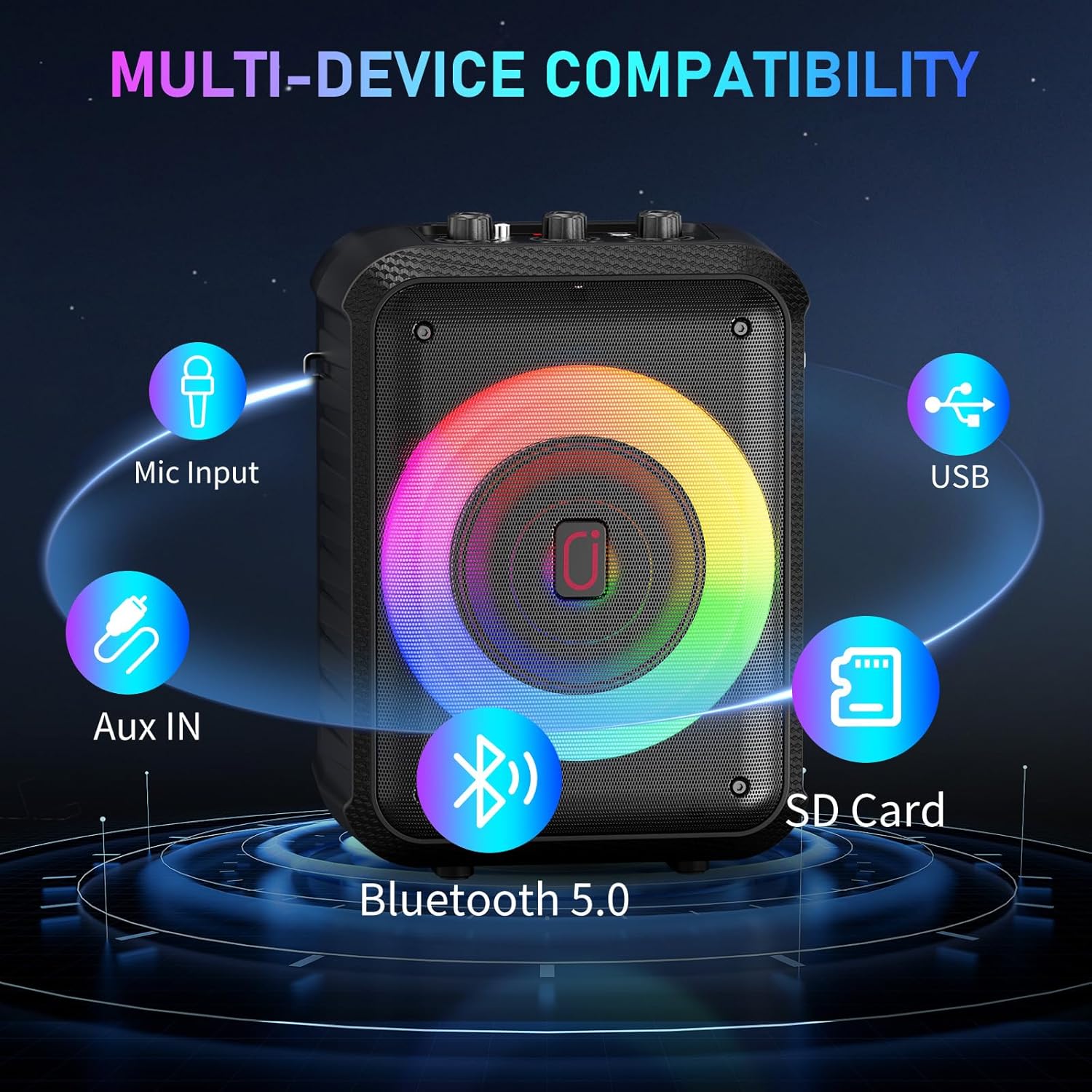
Foto: nkọwa zuru ezu view of the JYX T13 control panel, highlighting the master volume, microphone echo, microphone volume knobs, and various function buttons.
4.2 Ụdị Njikọta
The JYX T13 offers multiple ways to connect your audio source:
- Bluetooth Bluetooth: Press the 'MODE' button until 'BT' appears on the display. Enable Bluetooth on your device (smartphone, tablet, TV) and select 'JYX-T13' from the list of available devices to pair.
- Ntinye AUX: Connect your audio device using the provided 3.5mm audio cable to the 'AUX' port. Press the 'MODE' button to select AUX input.
- Kaadị USB/TF: Insert a USB drive or TF card into the respective port. The machine will automatically detect and play compatible audio files (MP3, WMA). Use the playback control buttons to navigate tracks.
- Ntinye igweokwu waya: For a wired microphone, connect it to the 6.35mm 'MIC' input port.

Image: The side panel of the JYX T13, illustrating the USB, SD Card, and AUX input ports for diverse connectivity options.
4.3 Iji igwe okwu
The two wireless microphones are designed for clear vocal performance:
- Ensure microphones are powered on and paired.
- Adjust 'MIC VOL' knob on the machine for microphone volume.
- Adjust 'MIC ECHO' knob for desired echo effect.
4.4 RGB ọkụ
Enhance your experience with dynamic RGB lighting:
- Press the 'LED ON/OFF' button to turn the lights on or off.
- Repeatedly press the 'LED ON/OFF' button to cycle through different light modes, including beat-synced patterns and steady glows.

Image: The JYX T13 Karaoke Machine with its front speaker illuminated by vibrant, multi-colored RGB LED lights, creating a party atmosphere.
5. Nkọwapụta
| Njirimara | Nkọwapụta |
|---|---|
| Nọmba nlereanya | T13 |
| Ike mmepụta | 40W |
| Nha Woofer | 5.25 sentimita asatọ |
| Teknụzụ Njikọta | Bluetooth 5.0, AUX, USB, TF Card |
| Igwe okwu | 2 Igwe okwu ikuku |
| Ike batrị | 5000mAh (arụnyere n'ime ya) |
| Oge egwuregwu | 8-20 hours (volume/lights dependent) |
| Oge Nchaji | 3-6 awa |
| Akụkụ (L x W x H) | 7.87 x 6.38 x 10.85 sentimita asatọ |
| Ibu Ibu | 5.28 pound (2.4 Kilogram) |
| Ihe onwunwe | Acrylonitrile Butadiene Styrene (ABS) |
| Ntinye ọdịyo | Microphone, Bluetooth, AUX IN, TF Card, USB |

Foto: Ihe gbawara view of the JYX T13 speaker, illustrating its internal components including the 5.25-inch woofer and DSP chip for superior sound.
6. Nlekọta
To ensure the longevity and optimal performance of your JYX T13 Karaoke Machine, follow these maintenance guidelines:
- Nhicha: Use a soft, dry cloth to clean the exterior of the machine and microphones. Avoid using harsh chemicals or abrasive cleaners.
- Nchekwa: Debe igwe ahụ n'ebe dị jụụ ma kpọọ nkụ, ebe anwụ na-anaghị anwụ kpọmkwem na oke okpomọkụ dị oke njọ.
- Nlekọta batrị: If not used for extended periods, charge the machine and microphones periodically to maintain battery health.
- Jiri Nlekọta Aka: Avoid dropping the machine or microphones, as this can damage internal components.
7. Nchọpụta nsogbu
If you encounter any issues with your JYX T13, refer to the following common problems and solutions:
| Nsogbu | Ihe nwere ike ime | Ngwọta |
|---|---|---|
| Enweghị ụda sitere na ọkà okwu | Olu dị oke ala; ọnọdụ ntinye ezighi ezi; ejikọtaghị ngwaọrụ. | Increase master volume; press 'MODE' to select correct input; re-pair Bluetooth or re-connect AUX/USB/TF. |
| Igwe okwu anaghị arụ ọrụ | Microphone off; low battery; not paired; mic volume too low. | Turn on microphone; replace batteries; re-pair microphones; increase 'MIC VOL' knob. |
| Njikọ Bluetooth anaghị akwụsi ike | Device too far; interference; low battery. | Move device closer to machine; avoid obstacles; ensure machine and device are charged. |
| Igwe ọkụ LED anaghị arụ ọrụ | Lights turned off; low battery. | Press 'LED ON/OFF' button; charge the machine. |
8. Njikọta Mgbasa Ozi
Vidiyo Ngwaahịa 8.1
Watch these official seller videos for a demonstration of the JYX T13 Karaoke Machine's features and performance:
Video: JYX Karaoke Machine in Action - Party Test & Sound Demo. This video demonstrates the karaoke machine's sound quality, microphone performance, and LED lights during a party setting.
Video: JYX Karaoke Machine Full Function Review & Performance. This video provides a comprehensive review of the karaoke machine's functions, controls, and overall performance.
9. Akwụkwọ ikike na nkwado
JYX stands behind the quality of its products. The JYX T13 Karaoke Machine comes with a Ọrụ akwụkwọ ikike ụbọchị 360. Additionally, we offer nkwado teknụzụ ndụ oge niile iji nyere gị aka na ajụjụ ma ọ bụ nsogbu ọ bụla ị ga-ezute.
For professional and timely assistance, please contact our customer support team:
Email: service@jyxspeaker.com