
1. Okwu mmalite
The Monster S380 Bluetooth Speaker delivers powerful 40W stereo sound with deep bass and clear highs. Featuring advanced Bluetooth 6.0 for stable connections, it offers up to 20 hours of playtime on a single charge. Its IPX6 waterproof rating makes it suitable for various environments, from poolside to outdoor adventures. The speaker supports TWS (True Wireless Stereo) pairing for an immersive stereo experience, and includes versatile connectivity options such as AUX and TF card input. A built-in microphone allows for convenient hands-free calling.
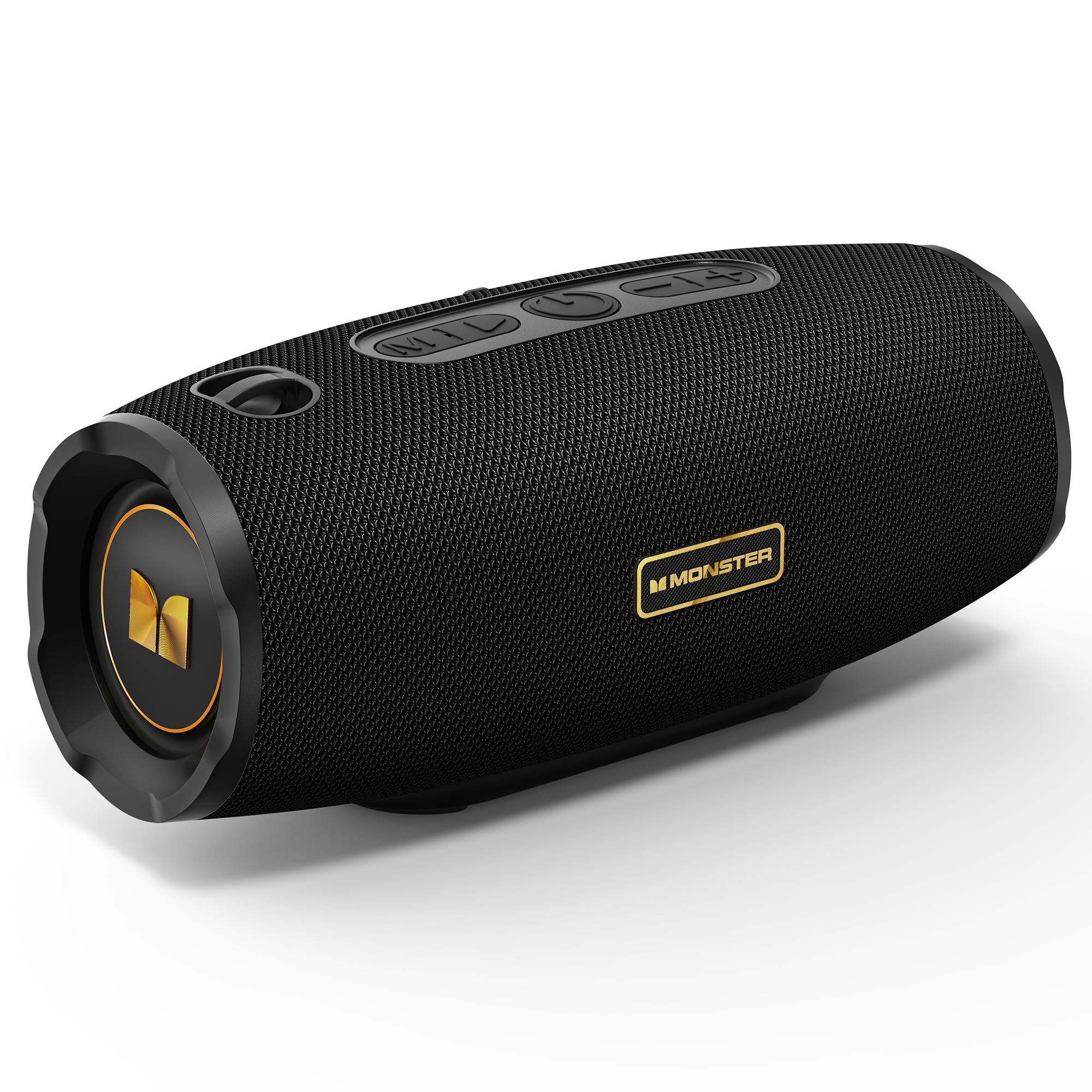
Figure 1: Monster S380 Bluetooth Speaker
2. Kedu ihe dị na Igbe ahụ
Biko lelee ọdịnaya ngwungwu mgbe ị na-ebupụ igbe iji hụ na ihe niile dị:
- Monster S380 Speaker x 1
- USB-C eriri USB x 1
- eriri AUX dị n'ime x 1
- Ndenye Malite Guide x 1
- Portable Rope x 1

Ọgụgụ 2: Ihe ngwugwu
3. Ngwaahịa gafereview
3.1. Bọtịnụ na njikwa

Figure 3: Speaker Buttons Overview
- Bọtịnụ ụkpụrụ: Switches between Bluetooth, AUX, and TF Card modes.
- Bọtịnụ Kwụsị/Kwụsị: Plays or pauses audio. Answers/ends phone calls.
- Bọtịnụ ike: Na-agbanyụ ma ọ bụ gbanyụọ ọkà okwu.
- Mpịakọta Mpịakọta / Bọtịnụ egwu gara aga: Decreases volume (short press) or skips to the previous song (long press).
- Mpịakọta Elu / Bọtịnụ Egwu Na-esote: Increases volume (short press) or skips to the next song (long press).
3.2. Input Ports

Figure 4: Speaker Input Ports
- Ọdụ ụgbọ mmiri USB: Maka ịkpọghachi draịva USB.
- Oghere TF Kaadị: For TF (microSD) card playback.
- Ọdụ ụgbọ mmiri AUX: For wired audio connection via 3.5mm AUX cable.
- Nchaji ọdụ ụgbọ mmiri: Ọdụ USB-C maka ịchaji ọkà okwu.
4. Nhazi
4.1. gingchaji Okwu Okwu
Before first use, fully charge the speaker. Connect the provided USB-C charging cable to the speaker's charging port and the other end to a compatible USB power adapter (e.g., phone charger, computer USB port). The charging indicator light will show the charging status and turn off once fully charged.
4.2. Gbanyụọ / gbanyụọ
Iji gbanye ọkà okwu, pịa ma jide bọtịnụ ike for approximately 2-3 seconds until you hear an audible prompt or see the indicator light illuminate. To power off, press and hold the bọtịnụ ike again for 2-3 seconds.
5. Ntuziaka ọrụ
5.1. Njikọ Bluetooth

Ọgụgụ 5: Bluetooth 6.0 Njikọta
- Turn on the Monster S380 speaker. It will automatically enter Bluetooth pairing mode, indicated by a flashing LED light.
- Na ngwaọrụ mkpanaaka gị (smartphone, tabletị, wdg), gbanye Bluetooth wee chọọ ngwaọrụ dịnụ.
- Họrọ"Nnukwu anụ S380"site na ndepụta ngwaọrụ.
- Once connected, the speaker will emit a confirmation sound, and the LED light will become solid.
5.2. TWS (Ezigbo Stereo ikuku ikuku) ijikọ

Figure 6: TWS Connection Setup
To achieve a true wireless stereo experience with two Monster S380 speakers:
- Ensure both Monster S380 speakers are powered on and are not connected to any Bluetooth device.
- N'otu n'ime ndị ọkà okwu (nke a ga-abụ ọkà okwu mbụ gị), pịa ma jide Bọtịnụ Kwụsị/ Kwụsị for 3 seconds. The speaker will indicate it is searching for another speaker.
- The two speakers will automatically connect to each other. A confirmation sound will be heard once TWS pairing is successful.
- Now, connect your mobile device via Bluetooth to the primary speaker (the one you initiated TWS pairing on) as described in section 5.1.
5.3. Ụdị AUX
Insert the 3.5mm AUX cable into the speaker's AUX-in port and connect the other end to your audio device. The speaker will automatically switch to AUX mode. Use your connected device to control playback and volume, or the speaker's volume buttons.
5.4. Ụdị kaadị TF
Tinye kaadị TF (microSD) nwere ọdịyo files into the TF card slot. The speaker will automatically switch to TF card mode and begin playback. Use the speaker's control buttons to manage playback and volume.
5.5. Oku na-enweghị aka
When your speaker is connected to your smartphone via Bluetooth, you can use it for hands-free calls:
- Oku azaa: Pịa Bọtịnụ Kwụsị/ Kwụsị otu ugboro.
- Oku ngwụcha: Pịa Bọtịnụ Kwụsị/ Kwụsị otu ugboro n'oge oku.
- Jụ oku: Pịa ma jide Bọtịnụ Kwụsị/ Kwụsị maka 2 sekọnd.
5.6. Njikwa olu na egwu
Use the dedicated buttons on the speaker for audio control:
- Dịkwuo Mpịakọta: Mkpirisi pịa Bọtịnụ olu elu (+)..
- Belata Mpịakọta: Mkpirisi pịa Mpịakọta nke ala (-) bọtịnụ.
- Abụ na-esote: Pịa ogologo Bọtịnụ olu elu (+)..
- Abụ gara aga: Pịa ogologo Mpịakọta nke ala (-) bọtịnụ.
6. Nlekọta
6.1. Nhicha
Jiri nwayọ hichaa ọkà okwu, damp cloth. Do not use harsh chemicals, abrasive cleaners, or solvents, as these may damage the surface or internal components.
6.2. Mgbochi mmiri (IPX6)

Foto nke 7: Njirimara IPX6 nke na-anaghị echebe mmiri
The Monster S380 speaker is rated IPX6 waterproof, meaning it can withstand powerful water jets. It is resistant to splashes, rain, and spills. Ekpudola ọkà okwu n'ime mmiri. Always ensure the rubber flap covering the input ports is securely closed to maintain its water resistance.
6.3. Nchekwa
Store the speaker in a cool, dry place away from direct sunlight, extreme temperatures, and excessive humidity. If storing for an extended period, charge the battery periodically to maintain its lifespan.
7. Nchọpụta nsogbu
| Nsogbu | Ihe nwere ike ime | Ngwọta |
|---|---|---|
| Ọkà okwu anaghị agba ọkụ | Batrị dị ala; Apịghị bọtịnụ ike nke ọma | Chajie ọkà okwu ahụ nke ọma. Pịa ma jide bọtịnụ Ike maka sekọnd 2-3. |
| Enweghị ụda | Volume too low; Incorrect mode; Not paired/connected | Increase volume on speaker and device. Press Mode button to select correct input. Re-pair Bluetooth or check AUX/TF card connection. |
| Njikọ Bluetooth ada ada | Speaker not in pairing mode; Device too far; Interference; Already connected to another device | Ensure speaker LED is flashing. Move device closer. Turn off other Bluetooth devices. Forget "Monster S380" on your device and try again. |
| Njikota TWS ada ada | Speakers already connected to other devices; Incorrect pairing steps | Ensure both speakers are disconnected from all devices. Repeat TWS pairing steps carefully (Section 5.2). |
| Ogo ụda adịghị mma | Weak Bluetooth signal; Low-quality audio source | Move device closer to the speaker. Use high-quality audio files/streaming services. |
8. Nkọwapụta
- Akara: Nnukwu anụ ọhịa
- Nọmba nlereanya: MS62153 (S380)
- Njikọta: Bluetooth 6.0, AUX, TF Card, USB
- Mmepụta ọdịyo: 40W Stereo Sound (up to 80W with TWS pairing)
- Ndụ batrị: Ruo awa iri abụọ
- Nguzogide mmiri: IPX6
- Akụkụ ngwaahịa: 8.5 x 21 x 8.8 cm
- Arọ ngwaahịa: 880 g
- Usoro njikwa: Metụ aka (bọtịnụ)
- Ụdị ọkwọ ụgbọala ọdịyo: Ọkwọ ụgbọala dị ike
9. Akwụkwọ ikike na nkwado
The Monster S380 Bluetooth Speaker comes with a standard manufacturer's warranty. For detailed warranty information, technical support, or service inquiries, please refer to the Quick Start Guide included in your product package or visit the official Monster websaịtị maka akụrụngwa nkwado kachasị ọhụrụ.