
1. Okwu mmalite
Thank you for choosing the Zopsc Automatic Card Shuffler Dealer 2-in-1. This device is designed to efficiently shuffle up to two decks of cards, providing a smooth and quiet gaming experience. Its portable and rechargeable design makes it ideal for various card games and travel.
2. Ihe ngwugwu
Biko chọpụta na ihe niile dị na ngwugwu gị:
- 1 x Automatic Card Shuffler
- 1 x eriri USB (ụdị-C)
- 1 x Akwụkwọ ntuziaka onye ọrụ
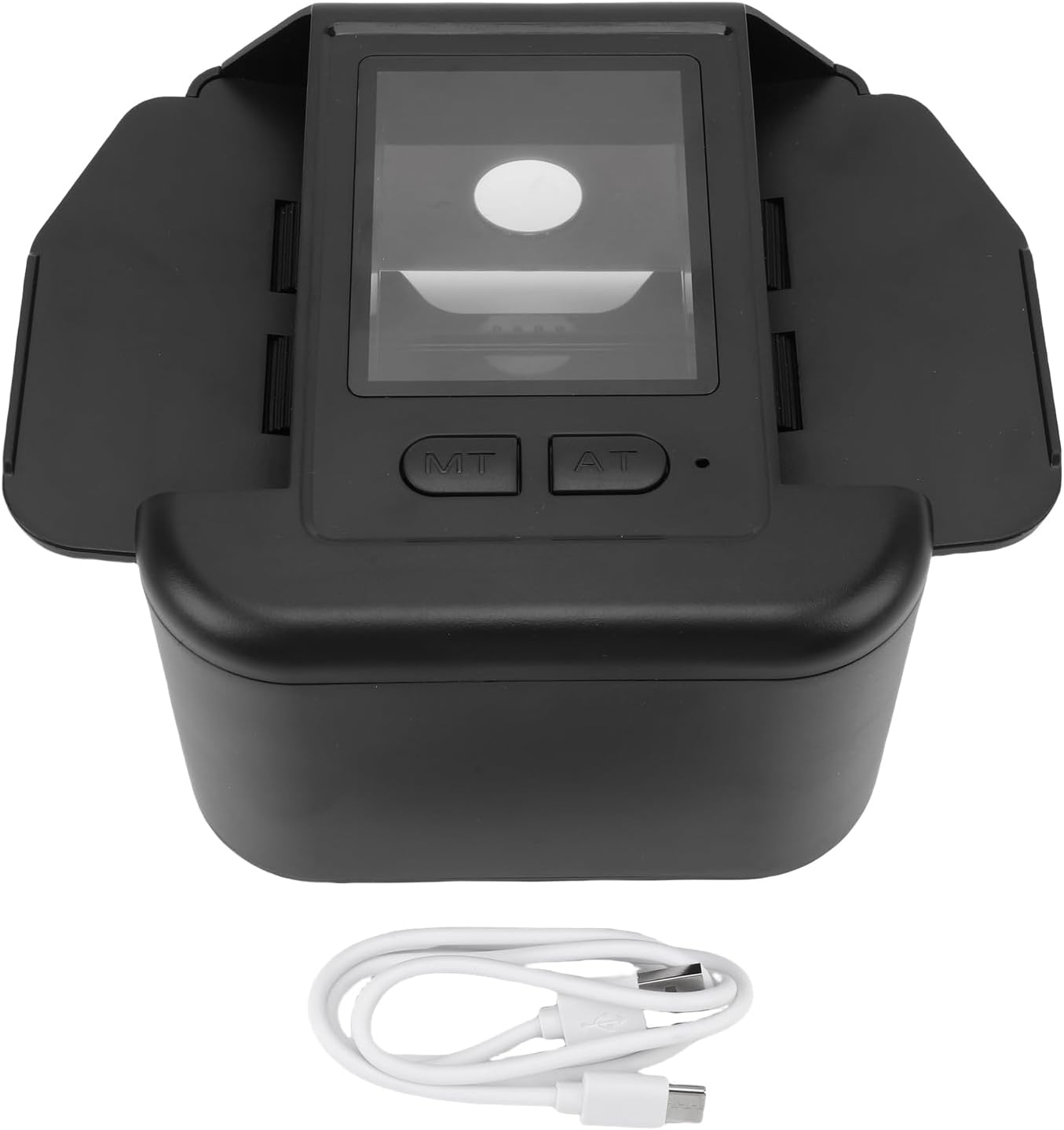
Image: The Zopsc Automatic Card Shuffler with its included USB cable.
3. Nhazi
3.1 Ịchaji ngwaọrụ
The card shuffler is equipped with a built-in 2000mAh Li-battery. Before first use, or when the battery is low, charge the device using the provided Type-C USB cable.
- Connect the Type-C end of the USB cable to the charging port on the shuffler.
- Jikọọ nsọtụ nke ọzọ nke eriri USB na ihe nkwụnye ọkụ USB dakọtara (anaghị etinye ya) ma ọ bụ ọdụ ụgbọ USB kọmputa.
- Allow the device to charge fully. An indicator light (if present) will typically change color or turn off when charging is complete.

Image: The Type-C charging port on the Zopsc Automatic Card Shuffler.
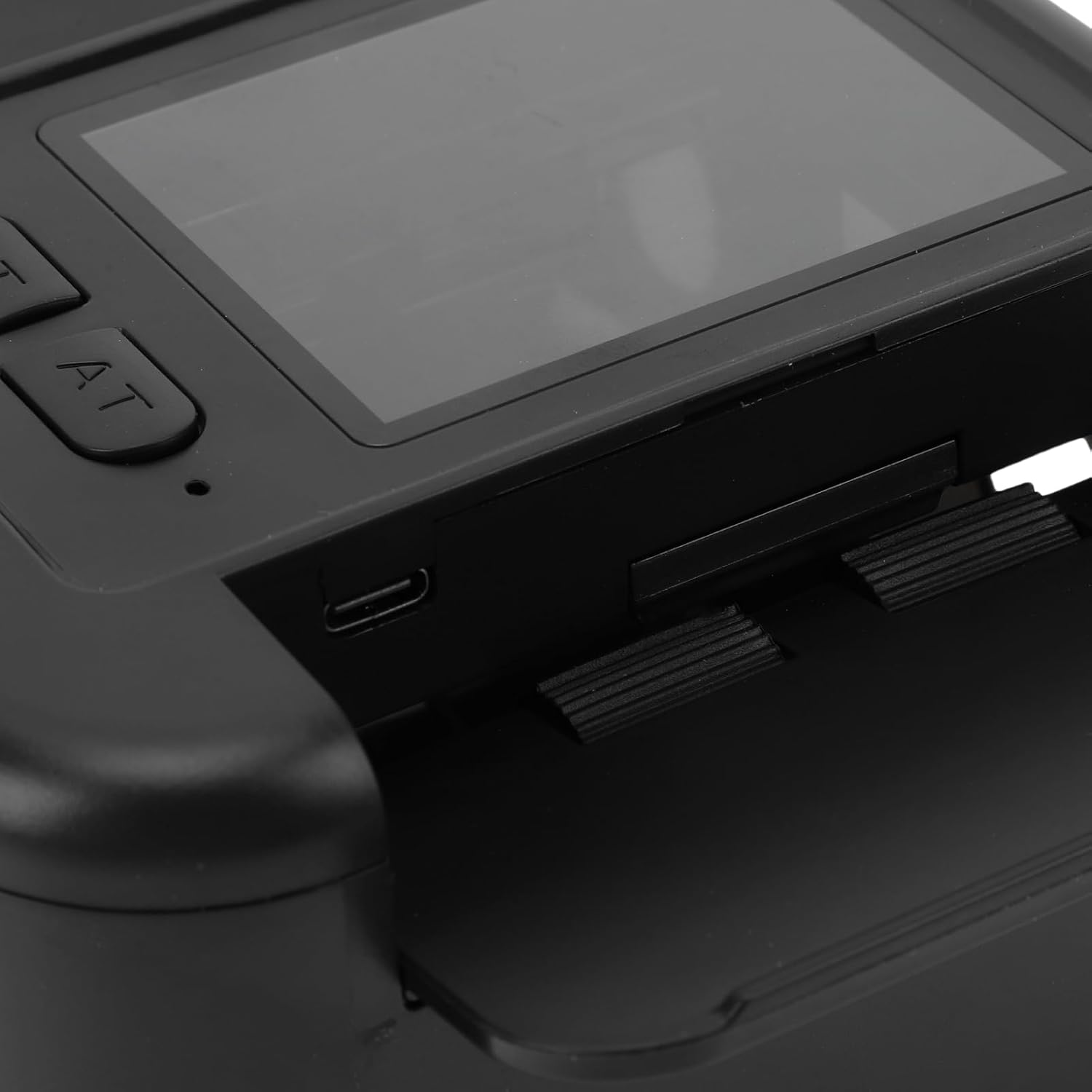
Foto: Zuru ezu view of the control panel and charging interface.
4. Ntuziaka ọrụ
4.1 Shuffling Cards
The Zopsc Automatic Card Shuffler is designed for easy, one-click operation to mix your card decks.
- Gbaa mbọ hụ na ebubo ngwaọrụ ahụ.
- Place up to two decks of cards into the designated card input slots on the shuffler. The expandable wing plate accommodates various card sizes.
- Press the 'AT' (Automatic) button once to initiate the shuffling process.
- The device will automatically shuffle the cards with low noise.
- Once shuffling is complete, retrieve the mixed cards from the output tray.
This shuffler is suitable for a wide range of card games, including Poker, Texas Hold'em, Blackjack, and more.

Image: The card shuffler in operation, demonstrating automatic shuffling with a single button press.
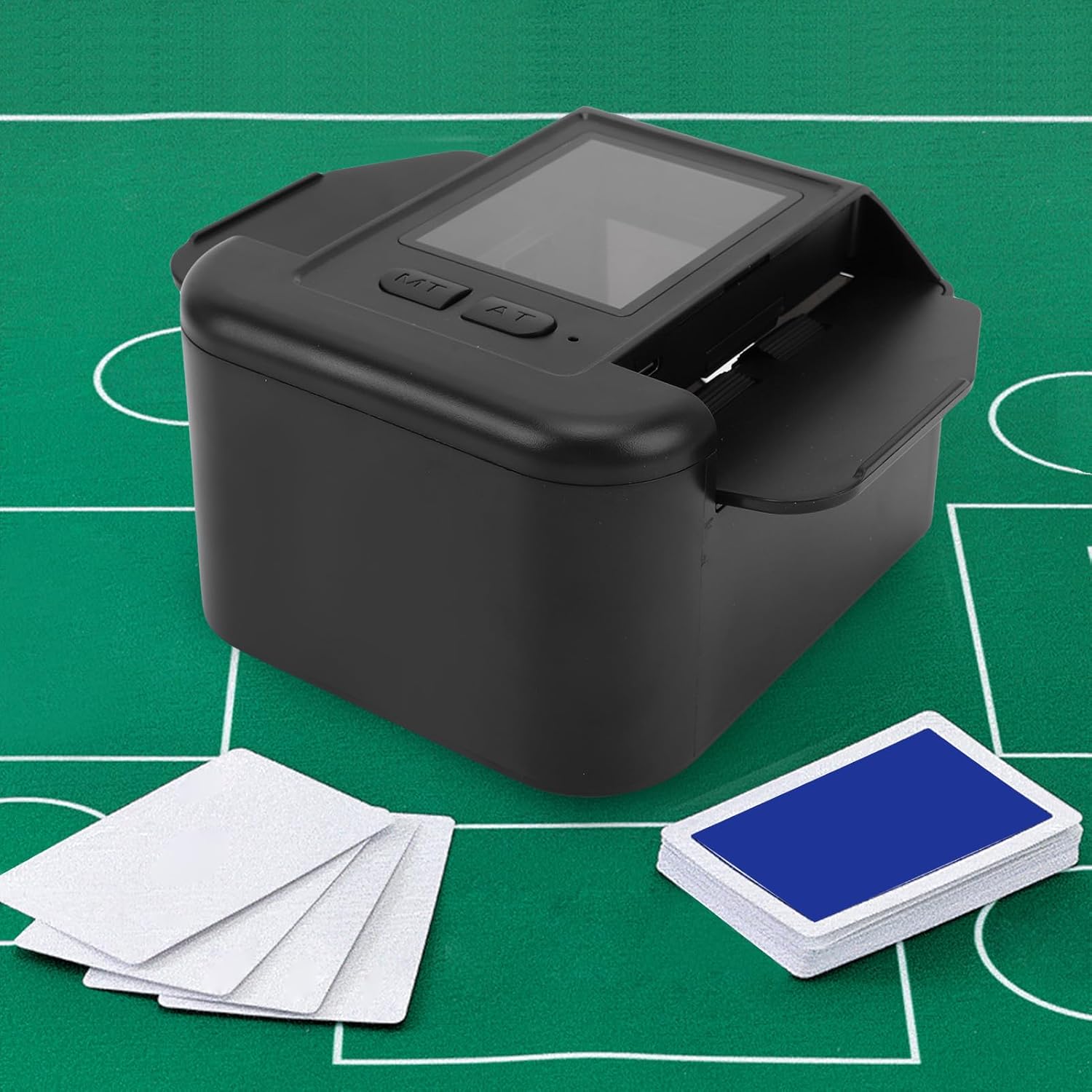
Image: The card shuffler positioned on a green gaming mat with cards ready for shuffling.

Image: The shuffler designed for low noise operation and durability.
5. Nlekọta
5.1 Nhicha
- Ensure the device is powered off and disconnected from any power source before cleaning.
- Wipe the exterior of the shuffler with a soft, dry, or slightly damp akwa .
- Do not use abrasive cleaners, solvents, or harsh chemicals, as these may damage the surface.
- Keep the card input and output slots free from dust and debris to ensure smooth operation.
5.2 Nlekọta batrị
- Ka ịgbatị ndụ batrị ogologo, zere ịchaji batrị ugboro ugboro.
- Chaji ngwaọrụ ahụ mgbe niile, ọbụlagodi na ọ naghị eji ya ruo ogologo oge.
- Debe ngwaọrụ ahụ n'ebe dị jụụ ma kpọọ nkụ, ebe okpomọkụ dị oke njọ na-agaghị adị.
6. Nchọpụta nsogbu
6.1 Device Not Shuffling
- Lelee batrị: Ensure the device is sufficiently charged. Connect it to a power source and try again.
- Ntinye kaadị: Verify that cards are correctly placed in the input slots and are not jammed.
- Ihe mgbochi: Inspect the card path for any foreign objects or debris that might be blocking the mechanism.
- Card Condition: Ensure cards are not bent, torn, or excessively worn, as this can affect shuffling.
6.2 Ngwaọrụ anaghị akwụ ụgwọ
- Njikọ eriri: Ensure the USB cable is securely connected to both the shuffler and the power source.
- Isi mmalite ike: Try a different USB power adapter or a different USB port on your computer.
- USB USB: Test with a different Type-C USB cable to rule out a faulty cable.
6.3 Mkpọtụ Na-adịghị Agbanwe Agbanwe N'oge Ọrụ
- Card Jam: Stop the device immediately and check for any card jams or misaligned cards.
- irighiri ihe: Inspect the internal mechanism for any small debris that might be causing friction.
7. Nkọwapụta
| Ụdị ihe | Kaadị shuffler akpaaka |
| Ihe onwunwe | ABS |
| Batrị arụnyere n'ime ya | Li batrị 2000mAh |
| Interface | Ụdị-C |
| Aha Nlereanya | Zopscb2qmc8vy4d-11 |
| Agba | Nwa |
| Ngwungwu ihe akụkụ L x W x H | 7.48 x 5.51 x 3.54 sentimita asatọ |
| Ibu ngwugwu | 489 grams |
8. Akwụkwọ ikike Ozi
This Zopsc Automatic Card Shuffler Dealer 2-in-1 comes with a manufacturer warranty for 90 days from the date of purchase. Please retain your proof of purchase for warranty claims. The warranty covers defects in materials and workmanship under normal use.
The warranty does not cover damage caused by misuse, accident, unauthorized modification, or improper maintenance.
9. Nkwado
If you encounter any issues not covered in the troubleshooting section or require further assistance, please contact Zopsc customer support. Refer to the contact information provided with your purchase or visit the official Zopsc websaịtị maka nhọrọ nkwado.