
Ngwaahịa gafereview
The pTron Studio Pro are wireless over-ear headphones designed for extended listening and clear communication. They feature an ergonomic design with soft earpads and an adjustable headband for comfortable wear. Key features include long battery life, advanced audio drivers, and versatile connectivity options.
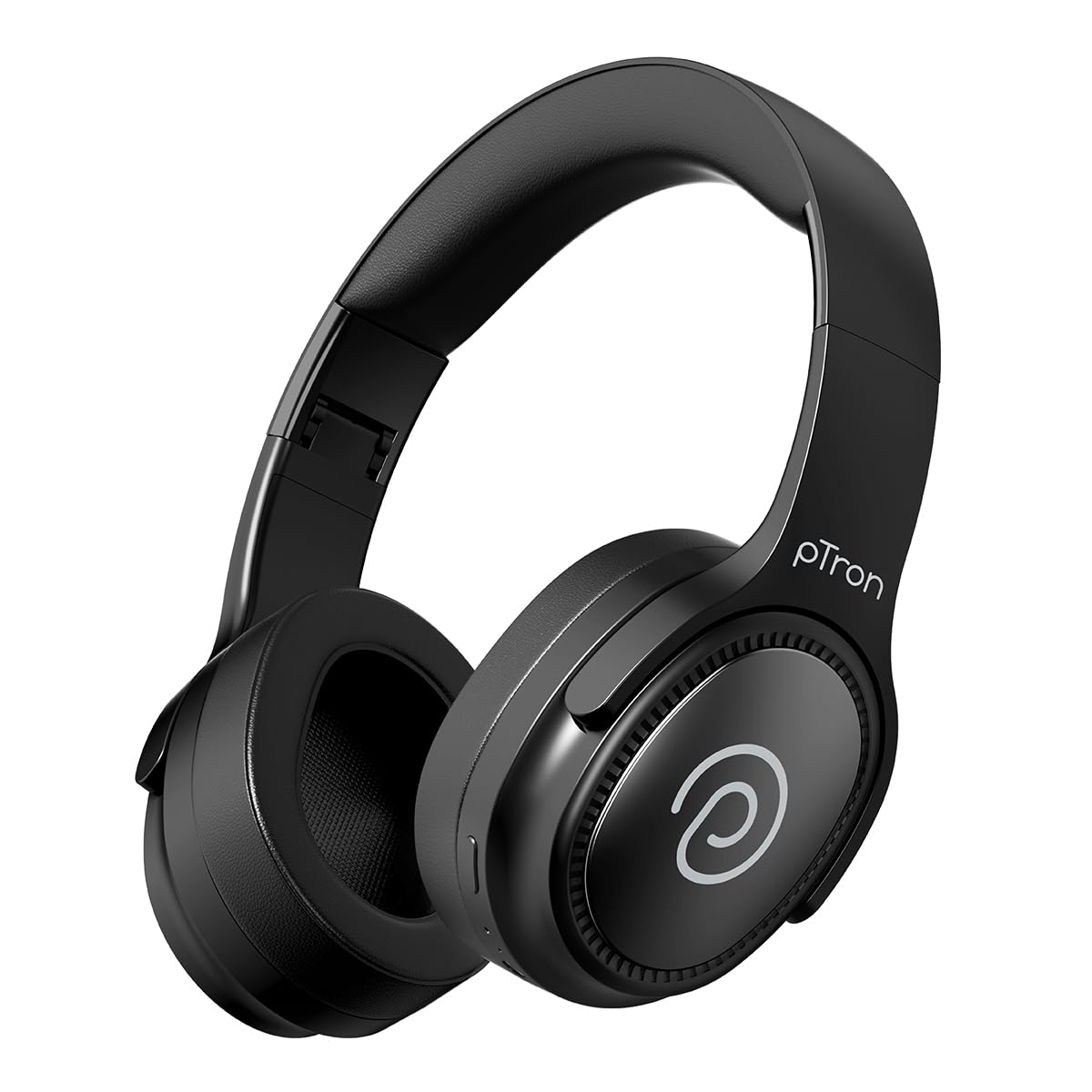
Image: pTron Studio Pro Wireless Over-Ear Headphones in Jet Black, showcasing imewe mara mma.
Atụmatụ igodo
- Ogologo oge egwuregwu: Up to 65 hours of music playback on a single full charge.
- Nchaji ngwa ngwa: 2.5 hours for a full charge via Type-C. A 10-minute charge provides approximately 4 hours of playtime.
- Ọdịda dị oke mma: Equipped with 40mm Neody Drivers for pristine stereo sound.
- Kpochapụ oku: Built-in HD Microphone with TruTalk AI-ENC (Environmental Noise Cancellation) for crystal-clear calls.
- Njikọ dị elu: Fast Bluetooth v5.4 for instant pairing and stable connection.
- Dual Device Pairing: Seamlessly connect and switch between two devices simultaneously.
- Ụdị dịgasị iche iche: Dedicated Low-Latency Gaming Mode and Music Mode.
- Nguzogide mmiri: IPX4 rating, making them resistant to water splashes and sweat.
- Comfort & Portability: Ergonomic, lightweight, and foldable design with soft earpads and an adjustable headband for a perfect fit and easy storage.
- Njikwa dị mfe: Multi-functional buttons for managing music, calls, and activating voice assistant.

Image: Infographic detailing the main features of the pTron Studio Pro headphones, including battery life, drivers, and connectivity.
Kedu ihe dị na Igbe ahụ
Upon unboxing your pTron Studio Pro headphones, you will find the following items:
- pTron Studio Pro Wireless Over-Ear Headphones
- Ịchaji eriri (ụdị-C)
- Akwụkwọ ntuziaka onye ọrụ
Video: An official product video demonstrating the unboxing and key features of the pTron Studio Pro headphones.
Product Layout and Controls
Familiarize yourself with the physical components and control buttons of your pTron Studio Pro headphones.

Foto: Zuru ezu view of the multi-function control buttons located on the ear cup, including power, volume, and track controls.
Control Button Functions:
| Bọtịnụ/Ihe omume | Ọrụ |
|---|---|
| Bọtịnụ ike (Long Press) | Gbanyụọ/ Gbanyụọ, Banye ọnọdụ njikọ |
| Play/Pause Button (Single Press) | Kpọọ/Kwụsị Egwu, Zaa/Kwụsị Oku |
| Play/Pause Button (Long Press) | Jụ oku, mee ka onye enyemaka olu rụọ ọrụ |
| Volume Up (+) (Single Press) | Welie olu |
| Volume Down (-) (Single Press) | Wedata olu |
| Volume Up (+) (Long Press) | Track na-esote |
| Volume Down (-) (Long Press) | Egwu gara aga |
| Mode Button (Single Press) | Switch between Game Mode and Music Mode |
Melite
1. Ịchaji ekweisi
- Connect the provided Type-C charging cable to the charging port on the headphones.
- Connect the other end of the cable to a USB power source (DC5V-1A max.).
- Ihe ngosi LED ga-egosi ọkwa nchaji. Ụgwọ zuru ezu na-ewe ihe dị ka awa 2.5.
- A 10-minute charge can provide up to 4 hours of playtime.

Image: The pTron Studio Pro headphones highlighting the Type-C charging port and emphasizing the 65-hour playtime.
2. Njikọ Bluetooth
- Gbaa mbọ hụ na chajịrị ekweisi nke ọma.
- Press and hold the Power button until the LED indicator flashes red and blue alternately, indicating pairing mode.
- Na ngwaọrụ gị (smartphone, tabletị, laptọọpụ), gbanye Bluetooth wee chọọ ngwaọrụ dị.
- Select "pTron Studio Pro" from the list of devices.
- Once connected, the LED indicator will turn solid blue or stop flashing.
3. Njikọ Ngwaọrụ Abụọ
- Jikọọ ekweisi na ngwaọrụ mbụ dịka akọwara n'elu.
- Disable Bluetooth on the first device. The headphones will re-enter pairing mode.
- Jikọọ ekweisi na ngwaọrụ nke abụọ.
- Re-enable Bluetooth on the first device. The headphones should automatically connect to both devices.
- You can now switch audio playback between the two connected devices.

Image: The headphones connected to both a laptop and a smartphone, demonstrating the dual device pairing feature.
4. Wired Connection (3.5mm Aux-in)
- Insert one end of a 3.5mm audio cable (not included) into the Aux-in port on the headphones.
- Connect the other end of the cable to your audio source's 3.5mm jack.
- Igwe ekweisi ga-agbanwe na-akpaghị aka na ọnọdụ wired.

Image: The headphones connected to a smartphone using a 3.5mm Aux-in cable, illustrating wired music playback.
Ntuziaka ọrụ
Gbanyụọ/ Gbanyụọ
- Ike Na: Pịa ma jide bọtịnụ ike maka ihe dịka sekọn 3 ruo mgbe ihe ngosi LED na-enwu.
- Gbanyụọ: Pịa ma jide bọtịnụ ike maka ihe dịka sekọnd 5 ruo mgbe ihe ngosi LED gbanyụrụ.
Njikwa egwu
- Gwuo/kwụsịtụ: Pịa bọtịnụ Play/Pause otu ugboro.
- Track na-esote: Pịa bọtịnụ olu elu (+) ogologo.
- Gara aga Track: Ogologo oge pịa bọtịnụ ụda ala (-).
- Olu elu: Single press the Volume Up (+) button.
- Olu ala: Single press the Volume Down (-) button.
Njikwa oku
- Azịza/Kwụsị Oku: Pịa bọtịnụ Play/Pause otu ugboro.
- Jụ oku: Pịa ogologo bọtịnụ Play/kwụsịtụ.
Onye enyemaka olu
- Mee ka onye enyemaka olu rụọ ọrụ: Long press the Play/Pause button (after rejecting a call, if applicable, or when not on a call).
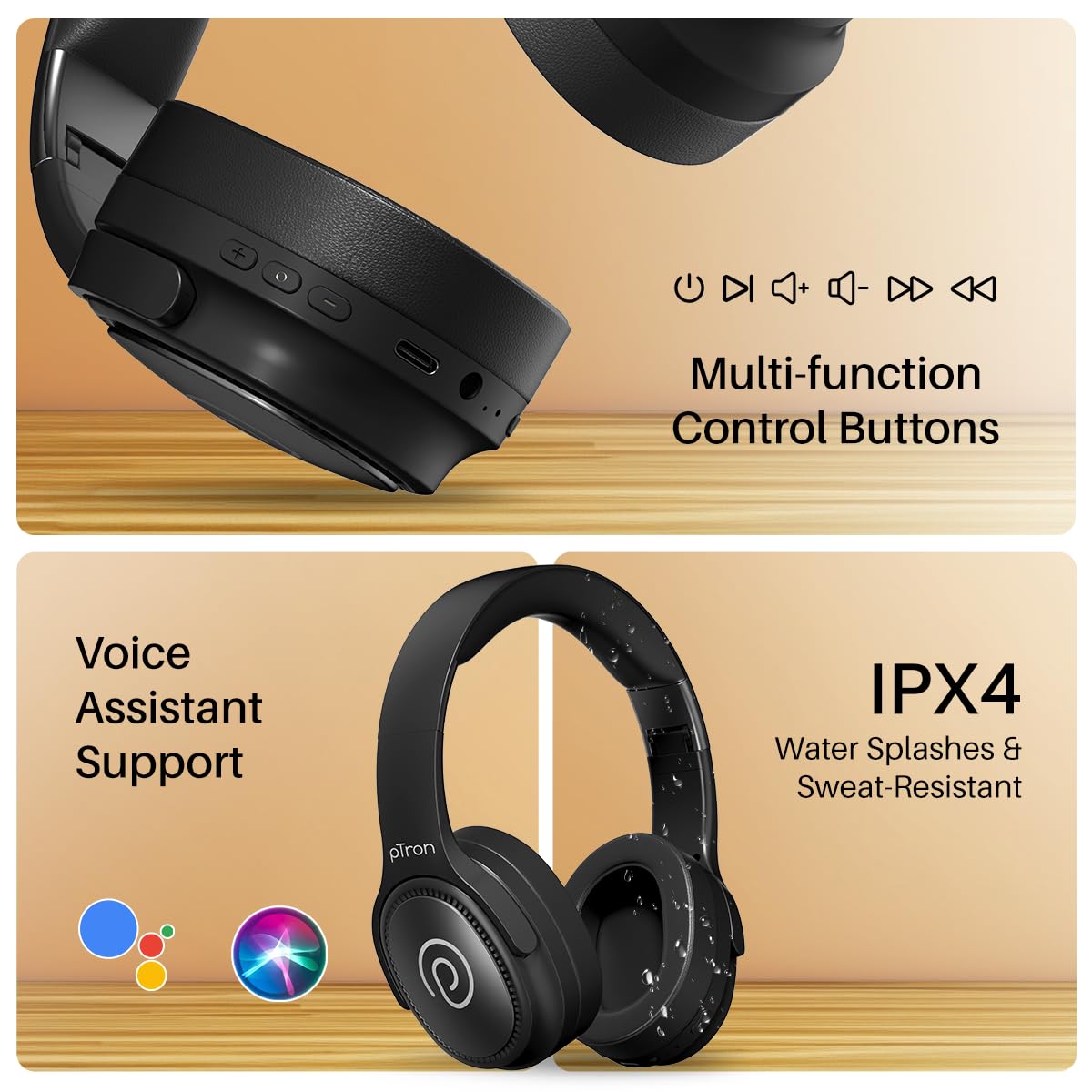
Image: The headphones illustrating support for voice assistants like Google Assistant and Siri, along with their IPX4 water-resistant rating.
Game & Music Modes
- Ụdị mgbanwe: Single press the Mode button to toggle between Low-Latency Gaming Mode and standard Music Mode.
Nlekọta
To ensure the longevity and optimal performance of your pTron Studio Pro headphones, follow these maintenance guidelines:
- Nhicha: Jiri akwa dị nro dị nro hichaa ekweisi. Ejila ihe nchacha abrasive ma ọ bụ ihe mgbaze.
- Nchekwa: Mgbe ị na-ejighị ya, debe ekweisi n'ebe dị jụụ ma kpọọ nkụ. Nhazi a na-apịachi apịachi na-enye ohere maka obere ebe nchekwa.
- Mkpughe mmiri: While rated IPX4 for water splashes and sweat resistance, avoid submerging the headphones in water or exposing them to heavy rain. Dry them thoroughly if they get wet.
- Ịchaji: Use only the provided Type-C cable and a compatible power adapter (DC5V-1A max.) for charging.
- Zere oke okpomọkụ: Ewepụla ekweisi na oke okpomọkụ ma ọ bụ dị ala.
Nchọpụta nsogbu
If you encounter any issues with your pTron Studio Pro headphones, refer to the following common troubleshooting steps:
| Nsogbu | Ngwọta |
|---|---|
| Igwe ekweisi anaghị agba ọkụ. | Gbaa mbọ hụ na chajịrị ekweisi nke ọma. Jikọọ na isi iyi ike wee lelee ihe ngosi nchaji. |
| Enweghị ike ijikọ na ngwaọrụ. | Make sure Bluetooth is enabled on your device and the headphones are in pairing mode (LED flashing red/blue). Move closer to the device. Forget previous pairings on your device and try again. |
| Enweghị ụda ma ọ bụ obere olu. | Check the volume levels on both the headphones and your connected device. Ensure the headphones are correctly paired. If using Aux-in, ensure the cable is fully inserted. |
| Ogo oku adịghị mma. | Ensure the microphone is not obstructed. Move to an area with less environmental noise. Check your device's network signal. |
| Headphones disconnect frequently. | Ensure there are no obstacles between the headphones and your device. Keep within the Bluetooth range (10 meters). Avoid strong electromagnetic interference. |
Nkọwapụta
| Njirimara | Nkọwa |
|---|---|
| Ụdị | Obot |
| Aha Nlereanya | Ụlọ ihe nkiri |
| Ntinye ntị | N'elu Ntị |
| Ụdị Bluetooth | 5.4 |
| Oke Bluetooth | 10 mita |
| Nha ọkwọ ụgbọ ala ọdịyo | 40 Millimita |
| Mgbochi | 32 ohms |
| Nkezi Ndụ batrị | Awa 65 |
| Oge nchaji batrị | Awa 2.5 |
| Nchaji ọdụ ụgbọ mmiri | Ụdị-C |
| Ọkwa Nguzogide mmiri | IPX4 (mmiri na-eguzogide) |
| Igwe okwu | Built-in HD Mic with AI-ENC |
| Jack ekweisi | 3.5mm ọkpụrụkpụ |
| Ụdị njikwa | Call Control, Push Button |
| Njirimara ngwaahịa | Fast Charging, Foldable, Microphone Included, Noise Isolation, Surround Sound |
| Ibu Ibu | 200 grams |
| Ihe onwunwe | Acrylonitrile Butadiene Styrene (ABS) |
| Ngwa dakọtara | Ekwentị mkpanaaka, Desktọpụ, Laptọọpụ, Mbadamba |
Akwụkwọ ikike na nkwado
Your pTron Studio Pro headphones come with a manufacturer's warranty and dedicated customer support.
- Akwụkwọ ikike: 6 Months Manufacturer Warranty from the Date of Purchase on Manufacturing Defects Only.
- Kpọtụrụ onye nrụpụta: Building A1, Red Box Creative Park, No. 3 Huancheng South Road, Bantian Street, Longgang District, Shenzhen City, China 518116.
- Customer Care Contact Details: 40-67138888 / Support@ptron.in
- Kọntaktị onye mbubata: PALRED ELECTRONICS PVT. LTD., SY.NO. 56, 1ST FLOOR, GUNDLAPOCHAMPALLY VILLAGE, TECH PARK MTP, TSIIC-IALA NACHARAM, HYDERABAD - 500076, TELANGANA, INDIA.