
Okwu mmalite
Thank you for choosing the ZEALOT S127 Bluetooth Speaker. This manual provides essential information for setting up, operating, and maintaining your speaker to ensure optimal performance and longevity. Please read this manual thoroughly before use.
Kedu ihe dị na Igbe ahụ
Chọpụta na ihe niile dị na ngwugwu:
- Ọkà okwu ikuku x1
- Removable Shoulder Strap x1
- Akwụkwọ ntuziaka onye ọrụ x1
- USB CXX1
- Ụdị-C USB x1
- Portable Velvet Bag x1

Ngwaahịa gafereview
Familiarize yourself with the speaker's controls and connection ports.
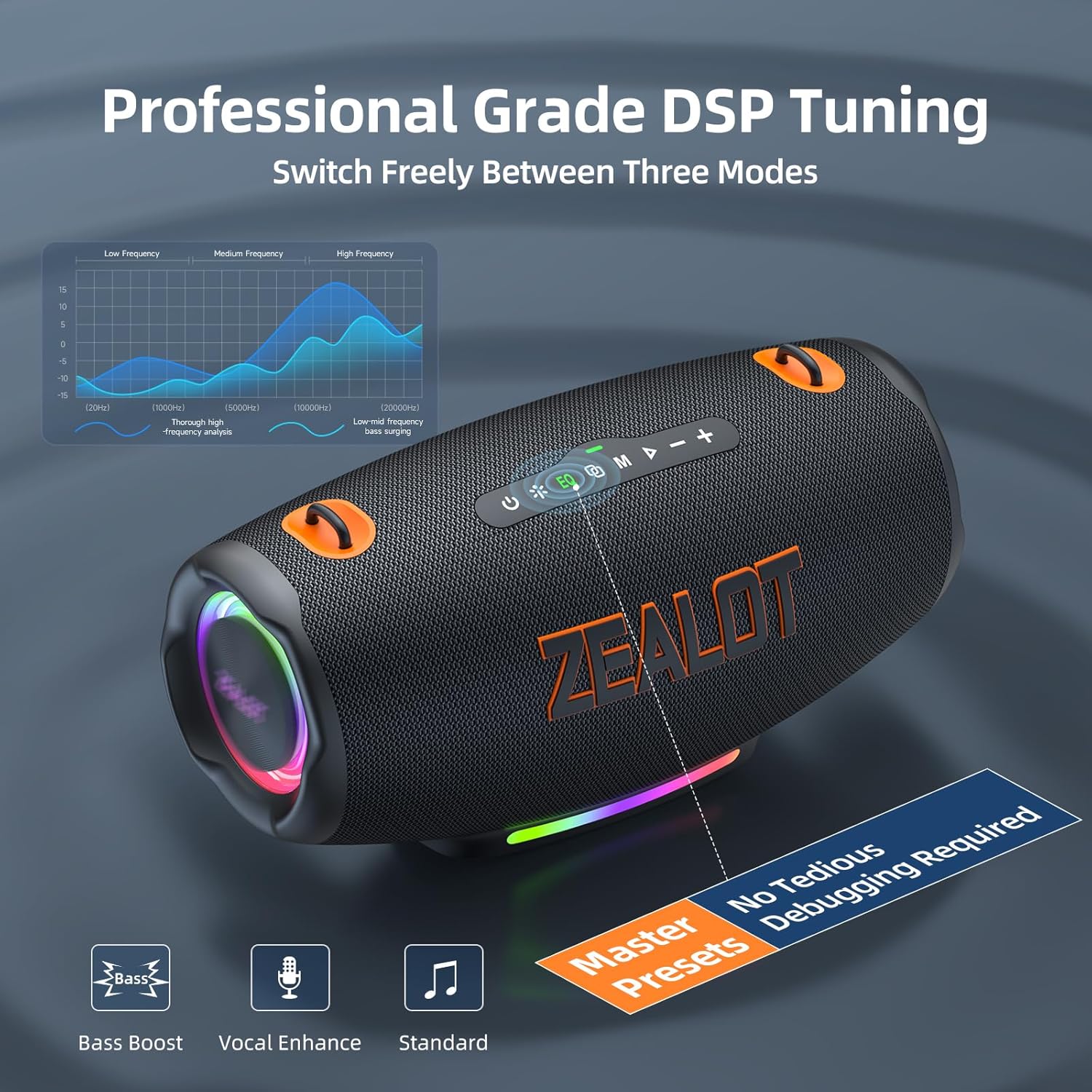
Njikwa Panel nke dị elu
Rear Connection Ports
Vidiyo a na-egosi etu esi eme ya ngwa ngwaview of the ZEALOT S127 Portable Bluetooth Speaker, highlighting its design and key features.
Ntọala na Njikọ
Ịchaji Ọkà Okwu
Before first use, fully charge the speaker using the provided Type-C cable and a compatible power adapter. The power indicator lights will show charging status.

Njikọ Bluetooth
- Power on the speaker. The Bluetooth indicator will flash, indicating it's in pairing mode.
- On your device (smartphone, tablet, etc.), enable Bluetooth and search for 'ZEALOT S127'.
- Select 'ZEALOT S127' to connect. A voice prompt will confirm successful pairing.
Multi-Mode ịgbanwee
The speaker supports multiple input modes:
- Bluetooth: Wireless connection to your device.
- Kaadị TF: Fanye kaadị TF nwere egwu files n'ime oghere a họpụtara.
- USB: Jikọọ eriri USB na egwu files.
- AUX: Use the provided AUX cable to connect to devices with a 3.5mm audio output.
Press the 'M' (Mode) button on the top panel to switch between input modes.

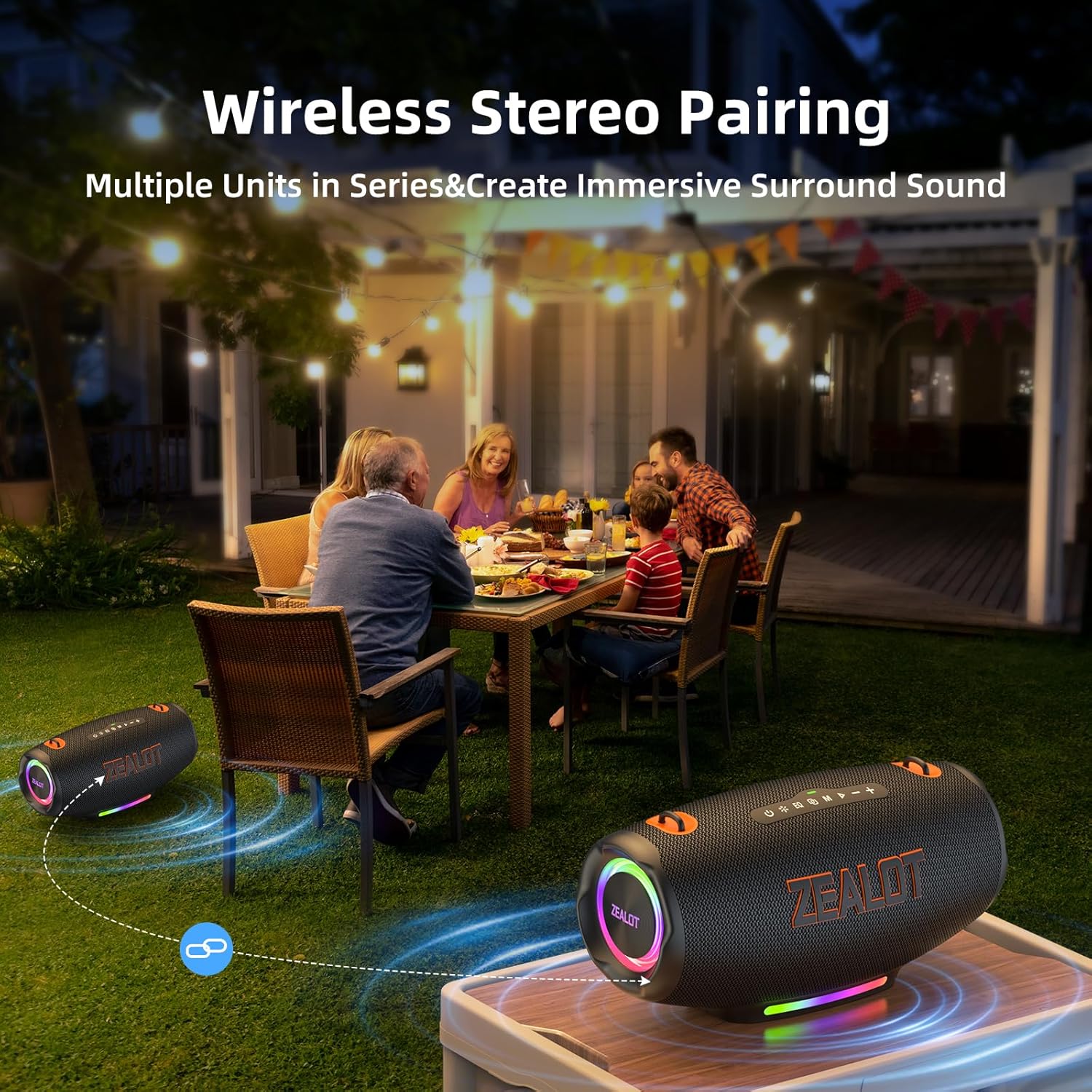
Party Connect (TWS Pairing)
To achieve 360-degree surround sound, you can wirelessly connect two ZEALOT S127 speakers:
- Gbaa mbọ hụ na agbanyere igwe okwu abụọ a na ejighi ya na ngwaọrụ Bluetooth ọ bụla.
- On one speaker (the primary), press and hold the 'M' (Mode) button until you hear a pairing tone.
- The two speakers will automatically connect. Once connected, pair your device to the primary speaker via Bluetooth.

Ntuziaka ọrụ
Gbanyụọ/ Gbanyụọ
- Ike Na: Pịa ma jide bọtịnụ ike (⏻) maka 2-3 sekọnd.
- Gbanyụọ: Pịa ma jide bọtịnụ ike (⏻) maka 2-3 sekọnd.
Njikwa olu
- Dịkwuo Mpịakọta: Pịa bọtịnụ '+' nkenke.
- Belata Mpịakọta: Pịa bọtịnụ '-' nkenke.
EQ esdị
The speaker features three equalizer modes to optimize your audio experience:
- Ultra Bass: Enhances low frequencies for a powerful bass sound.
- Normal Bass: Balanced bass for everyday listening.
- Normal Voice: Optimizes vocal clarity for podcasts and audiobooks.
Press the 'EQ' button to cycle through these modes.

Njikwa ọkụ ọkụ LED
The speaker features dynamic LED lights. Short press the light button (※) to cycle through different light modes or turn them off. Long press to disable the LED light show completely.
Nlekọta na nlekọta
Njirimara mgbochi mmiri
The ZEALOT S127 is IPX6 waterproof, meaning it can withstand powerful water jets. It is suitable for outdoor use and can resist splashes and rain. However, it is not designed for submersion in water.

Nhicha na Nchekwa Izugbe
- Jiri nwayọ hichaa ọkà okwu, damp akwa . Ejila ihe nchacha abrasive ma ọ bụ ihe mgbaze.
- Ensure the rubber flap covering the ports is securely closed when not in use to maintain water resistance.
- Chekwaa ọkà okwu n'ebe dị jụụ, kpọrọ nkụ na-adịghị na ìhè anyanwụ kpọmkwem na oke okpomọkụ.
Nchọpụta nsogbu
- Enweghị ike: Ensure the speaker is charged. Connect it to a power source using the Type-C cable.
- Enweghị ụda: Check the volume levels on both the speaker and your connected device. Ensure the correct input mode is selected.
- Okwu njikọta Bluetooth: Make sure the speaker is in pairing mode (flashing indicator). Turn off and on Bluetooth on your device, then try pairing again. Ensure no other devices are connected to the speaker.
- Ogo ụda adịghị mma: Try switching EQ modes. Ensure the speaker is within Bluetooth range (up to 10 meters) and there are no obstructions.
- Igwe ọkụ LED anaghị arụ ọrụ: Short press the light button to cycle through modes. Long press to ensure they haven't been turned off completely.
Nkọwapụta
| Njirimara | Nkọwa |
|---|---|
| Aha Nlereanya | S127 Ọkà Okwu Bluetooth |
| Ụdị Ọkà Okwu | Ọkà Okwu Nwere Ike |
| Teknụzụ Njikọta | Bluetooth 5.3 |
| Ike Nwepu kacha elu | 120 Watt |
| Nzaghachi ugboro ugboro | 20 kHz |
| Signgbaàmà-na-Noise ruru | 90 dB |
| Dayameta Woofer | 3.5 sentimita asatọ |
| Dayameta Tweeter | 1.5 sentimita asatọ |
| Isi Iyi Ike | Battery Powered (1 x 12V battery included) |
| Ndụ batrị | Up to 24 Hours (depending on usage) |
| Ịchaji | Bidirectional Fast Charging |
| Ngosi nke enweghị mmiri | IPX6 |
| Oke Bluetooth | 10 mita |
| Akụkụ ngwaahịa | 13.27"D x 6.77"W x 6.7"H |
| Ibu Ibu | 9.17 pound |
| Atụmatụ pụrụ iche | Bass Boost, Built-In Powerbank, Multi Room Audio, Portable, LED Lights, EQ |
Akwụkwọ ikike na nkwado
The ZEALOT S127 Bluetooth Speaker comes with a limited warranty. For detailed warranty information, product support, or service inquiries, please refer to the official ZEALOT website or contact customer service through your retailer. Keep your purchase receipt for warranty claims.