
1. Okwu mmalite
Welcome to the user manual for your new vivo Y31 5G smartphone. This guide provides essential information to help you set up, operate, maintain, and troubleshoot your device. Please read this manual thoroughly to ensure proper usage and to maximize your phone's capabilities.
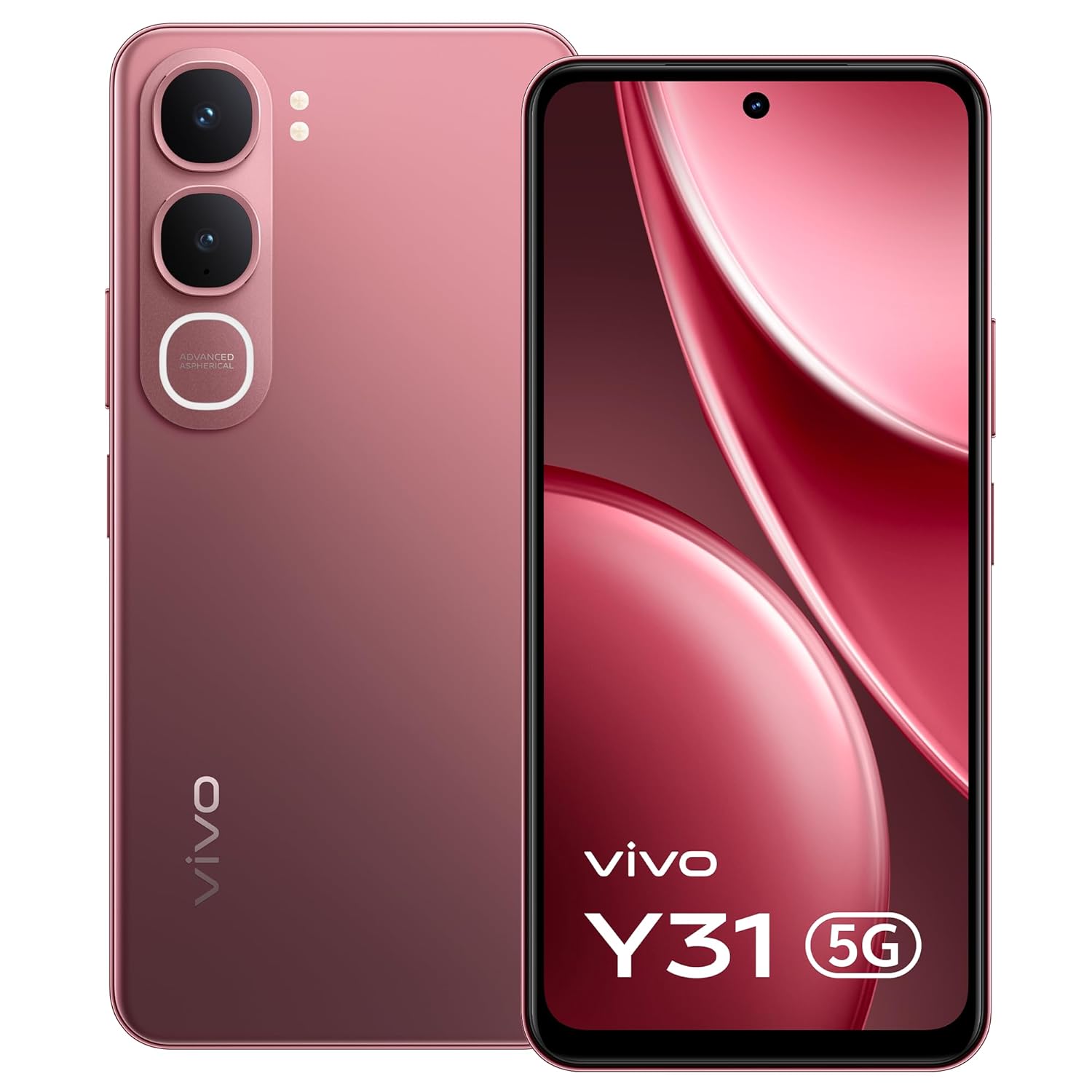
Foto: N'ihu view of the vivo Y31 5G smartphone in Rose Red.
2. Kedu ihe dị na Igbe ahụ
Chọpụta na ihe niile dị na nkwakọ ngwaahịa gị:
- vivo Y31 5G Smartphone
- Akpa ekwentị
- Ihe nkwụnye ọkụ
- SIM Tray Ejector
- Ihe nchekwa ihuenyo ( etinyere ya ụzọ)
- eriri USB
3. Nhazi
3.1. Inserting the SIM Card and SD Card
- Chọta tray kaadị SIM n'akụkụ ekwentị gị.
- Fanye ngwaọrụ mkpagharị SIM tray n'ime obere oghere dị n'akụkụ tray ahụ wee pịa nwayọ ruo mgbe tray ahụ pụtara.
- Place your Nano-SIM card(s) and/or microSD card (if applicable) into the tray with the gold contacts facing down, ensuring they are correctly oriented.
- Jiri nlezianya tụgharịa traị ahụ azụ n'ime ekwentị ruo mgbe ọ batara n'ime ya.

Foto: Akụkụ view of the vivo Y31 5G, illustrating the SIM tray location.
3.2. Ịchaji ngwaọrụ
Before first use, fully charge your phone. Use only the provided power adapter and USB cable.
- Jikọọ eriri USB na nkwụnye ọkụ.
- Plug the USB Type-C end of the cable into the charging port at the bottom of your phone.
- Tinye nkwụnye ọkụ n'ime oghere mgbidi.
- Ihe ngosi nchaji ga-apụta na ihuenyo.

Foto: N'okpuru view of the vivo Y31 5G, highlighting the USB Type-C charging port.
3.3. Na-agbanye ọkụ na nhazi mbụ
- Press and hold the Power button (located on the right side) until the vivo logo appears.
- Follow the on-screen instructions to select your language, connect to Wi-Fi, set up your Google account, and configure security features like fingerprint or face unlock.
4. Ijikwa ngwaọrụ gị
4.1. Nsoro ụzọ
Your vivo Y31 5G uses Funtouch OS 15, based on Android, for intuitive touch-based navigation:
- Kpatụ: Họrọ otu ihe ma ọ bụ mepee ngwa.
- Mịpụta: Pịgharịa gaa na ihuenyo ma ọ bụ ndepụta.
- Tuo: Bugharịa ma ọ bụ pụta na foto na web ibe.
- Ogologo Pịa: Nweta menu onodu okirikiri ma ọ bụ bugharịa akara ngosi ngwa.
4.2. Ịkpọ oku na izipu ozi
- To make a call, open the Ekwentị app, enter the number, and tap the call icon.
- To send a message, open the Ozi app, tap the new message icon, enter the recipient and your message.
4.3. Ojiji igwefoto
Your phone features a 50 MP AI main camera and an 8 MP front camera.
- Mepee Igwefoto ngwa.
- Select your desired mode (Photo, Portrait, Video, etc.).
- Tap the shutter button to capture an image or start/stop recording a video.
- Jiri njikwa na ihuenyo ka ịgbanwee n'etiti igwefoto ihu na azụ, mezie mbugharị, ma ọ bụ tinye nzacha.
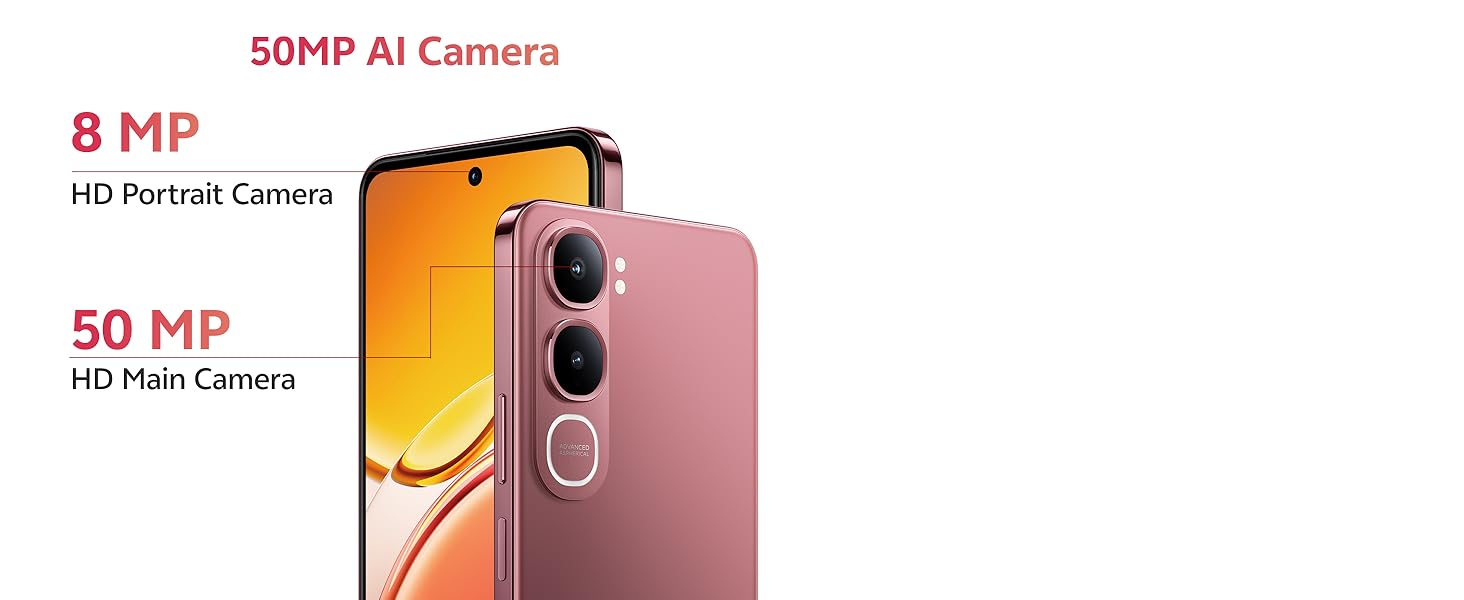
Image: Detail of the 50MP AI Camera system on the vivo Y31 5G.

Foto: Examples of Smart AI features like AI Erase and AI Photo Enhance.
4.4. Njikọta
- Wi-Fi: Gaa na Ntọala> Netwọk & ịntanetị> Wi-Fi iji jikọọ na netwọk dịnụ.
- Bluetooth: Gaa na Ntọala > Ngwaọrụ ejikọrọ > Bluetooth ijikọ na ngwaọrụ ndị ọzọ.
- 5G netwọk: Your device supports 5G cellular technology. Ensure your SIM card and plan support 5G for optimal network speeds.
5. Nlekọta
5.1. Na-ehicha ngwaọrụ gị
Jiri ákwà dị nro, nke na-enweghị lint hichaa ihuenyo na ahụ ekwentị gị. Zere iji kemịkalụ siri ike ma ọ bụ ihe ndị na-emebi emebi.
5.2. Nlekọta batrị
Ka ịgbatị ndụ batrị:
- Zere oke okpomọkụ.
- Do not let the battery drain completely regularly.
- Use the provided 44W FlashCharge adapter for efficient charging.
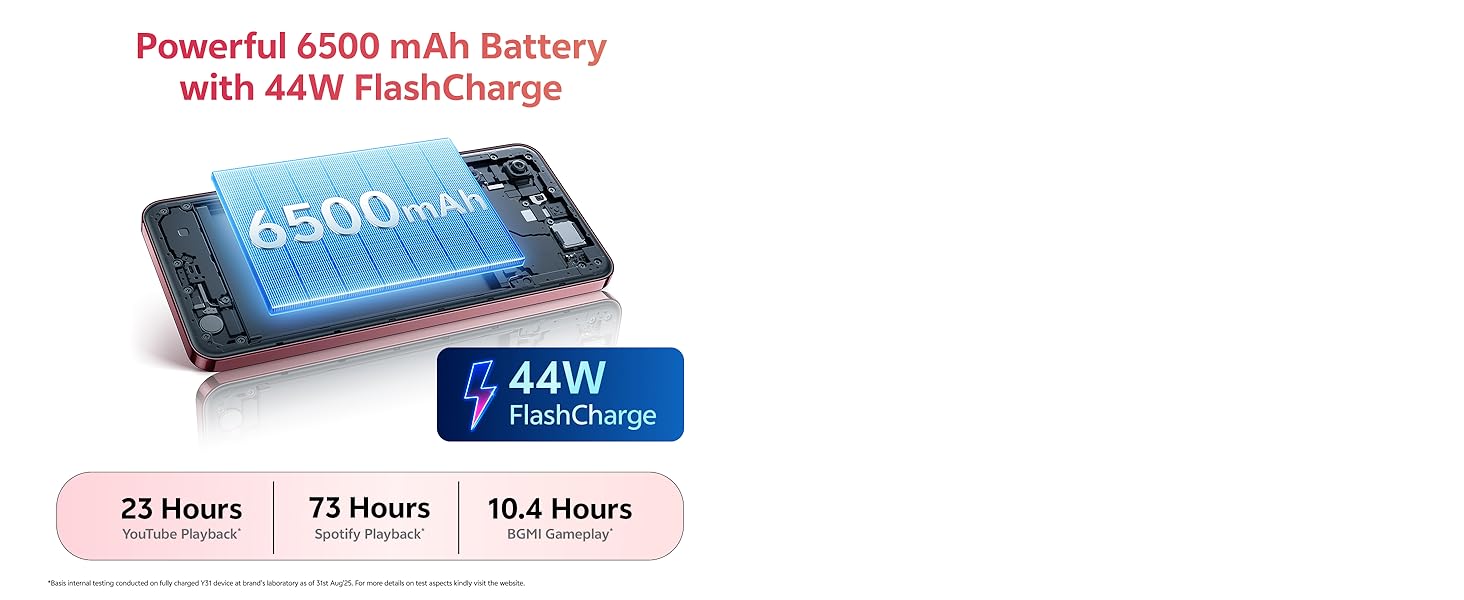
Image: Illustration of the 6500 mAh battery and 44W FlashCharge capability.
5.3. Mmelite ngwanrọ
Na-elele ma wụnye mmelite ngwanrọ mgbe niile iji hụ na arụmọrụ na nchekwa kacha mma. Gaa na Ntọala> Sistemu> Mmelite sistemụ.
5.4. Njikwa nchekwa
To manage your 128GB internal storage, go to Ntọala > Nchekwa. You can clear cache, uninstall unused apps, or move files to a microSD card (if installed).
6. Nchọpụta nsogbu
If you encounter issues with your vivo Y31 5G, try the following solutions:
- Ngwaọrụ anaghị agbanwu: Gbaa mbọ hụ na agbagoro batrị. Pịa ma jide ike bọtịnụ opekata mpe 10 sekọnd.
- Ngwa na-akụda ma ọ bụ na-ajụ oyi: Close the app and reopen it. Clear the app's cache (Settings > Apps > [App Name] > Storage & cache). Restart your phone.
- Network issues (no signal, slow data): Check if your SIM card is properly inserted. Restart your phone. Go to Ntọala> Netwọk & ịntanetị> SIM and ensure your SIM is enabled.
- Ogo oku na-adịghị mma: Check network signal strength. Move to an area with better reception.
- Ngwaọrụ anaghị anabata: Perform a force restart by pressing and holding the Power button for about 10-15 seconds until the device restarts.
- Ntọgharị ụlọ mmepụta ihe (Ebe ikpeazụ): Ọ bụrụ na nsogbu na-aga n'ihu, ịnwere ike ịme nrụpụta nrụpụta ụlọ ọrụ. Ịdọ aka ná ntị: Nke a ga-ehichapụ data niile dị na ekwentị gị. Kwado data dị mkpa tupu ịga n'ihu. Gaa na Ntọala> Sistemu> Nhọrọ Tọgharia> Hichapụ data niile (ntọgharị ụlọ ọrụ).
7. Nkọwapụta
Key technical specifications for the vivo Y31 5G:
| Njirimara | Nkọwapụta |
|---|---|
| Ụdị | vivo |
| Sistemụ nrụọrụ | Funtouch OS 15 |
| Ebe nchekwa RAM | 4 GB |
| Ụdị CPU | Snapdragon Octa-Core |
| Ọsọ CPU | 2.2 GHz |
| Nchekwa nke ime | 128 GB |
| Agba | Rose Red |
| SIM Card Slot Count | SIM abụọ |
| Ụdị njikọ | USB Ụdị C |
| Ụdị Ihe | Ogwe |
| Ọkwa Nguzogide mmiri | Ọ bụghị mmiri na-eguzogide |
| Jack ekweisi | Enweghị jakị ekweisi |
| Mkpebi igwefoto n'ihu | 8 MP |
| Mkpebi igwefoto azụ | 50 MP |
| Ike batrị | 6500 ndeamp Oge awa |
| Ibu Ibu | 209 grams |
| Akụkụ akụkụ | 16.6 x 7.7 x 0.8 centimita |
| Nha ihuenyo | 6.68 sentimita asatọ |
| Ngosipụta mkpebi | 1608 x 720 pikselụ |
| Ụdị ngosi | LCD |
| Teknụzụ ekwentị | 5G |
| Afọ Nlereanya | 2025 |
| Mba onye si | India |
8. Akwụkwọ ikike Ozi
Your vivo Y31 5G comes with a 1-year manufacturer warranty for the device na 6 months for in-box accessories, effective from the date of purchase. Please retain your proof of purchase for warranty claims. For detailed terms and conditions, refer to the warranty card included in your packaging or visit the official vivo websaịtị.
9. Nkwado
For further assistance, technical support, or service inquiries, please contact vivo customer support:
- Onye nrụpụta: vivo Mobile India Pvt Ltd
- adreesị: Plot No 08, Sector 24, Yamuna Expressway Area, Gautam Buddha Nagar, Uttar Pradesh, 201310
- Websaịtị: Refer to your product packaging or official vivo documentation for the latest support contact information.