
1. Okwu mmalite
Nwa ojiiview D1 Smart Glasses are polarized Bluetooth sunglasses designed to integrate audio and voice control features into your eyewear. They offer UV protection and anti-blue light lenses, making them suitable for various outdoor and daily activities. This manual provides instructions for setup, operation, maintenance, and troubleshooting to ensure optimal use of your smart glasses.
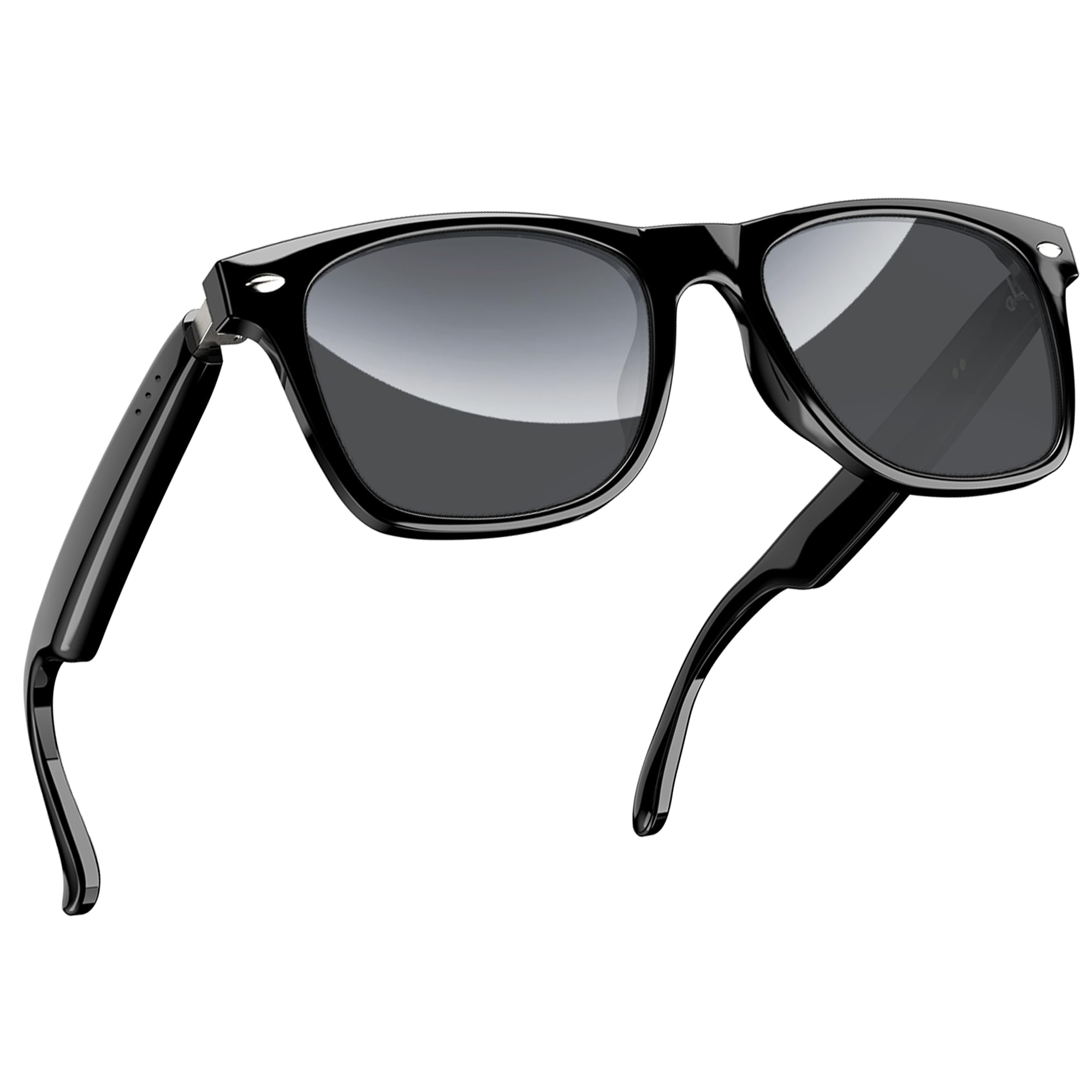
Foto 1: Ojiiview D1 Smart Glasses, front view.
2. Nhazi
2.1 Ịchaji iko
Before first use, fully charge the smart glasses for at least 2 hours. The glasses are equipped with an 80mAh+80mAh rechargeable battery. Charging is performed via magnetic connection. A full charge typically takes approximately 90 minutes.

Figure 2: Magnetic charging connection for the smart glasses.
2.2 Njikọ Bluetooth
- Ensure the smart glasses are charged.
- Open the case of the smart glasses to power them on. They will automatically enter pairing mode.
- On your smartphone or compatible device, enable Bluetooth and search for available devices.
- Họrọ "Ojii"view D1" (or similar name) from the list of devices to connect.
- Once paired, the glasses will automatically reconnect to the last paired device when powered on.
The glasses utilize Bluetooth 5.3 technology for stable and low-latency connections. They are compatible with both iOS and Android devices, as well as other Bluetooth-enabled devices like computers and tablets.

Figure 3: Compatibility of Blackview D1 Smart Glasses with various devices.
3. Ntuziaka ọrụ
3.1 Njikwa mmetụ
Nwa ojiiview D1 Smart Glasses feature intuitive touch controls located on the temples. The convex touch range indicator helps in locating the touch points easily.
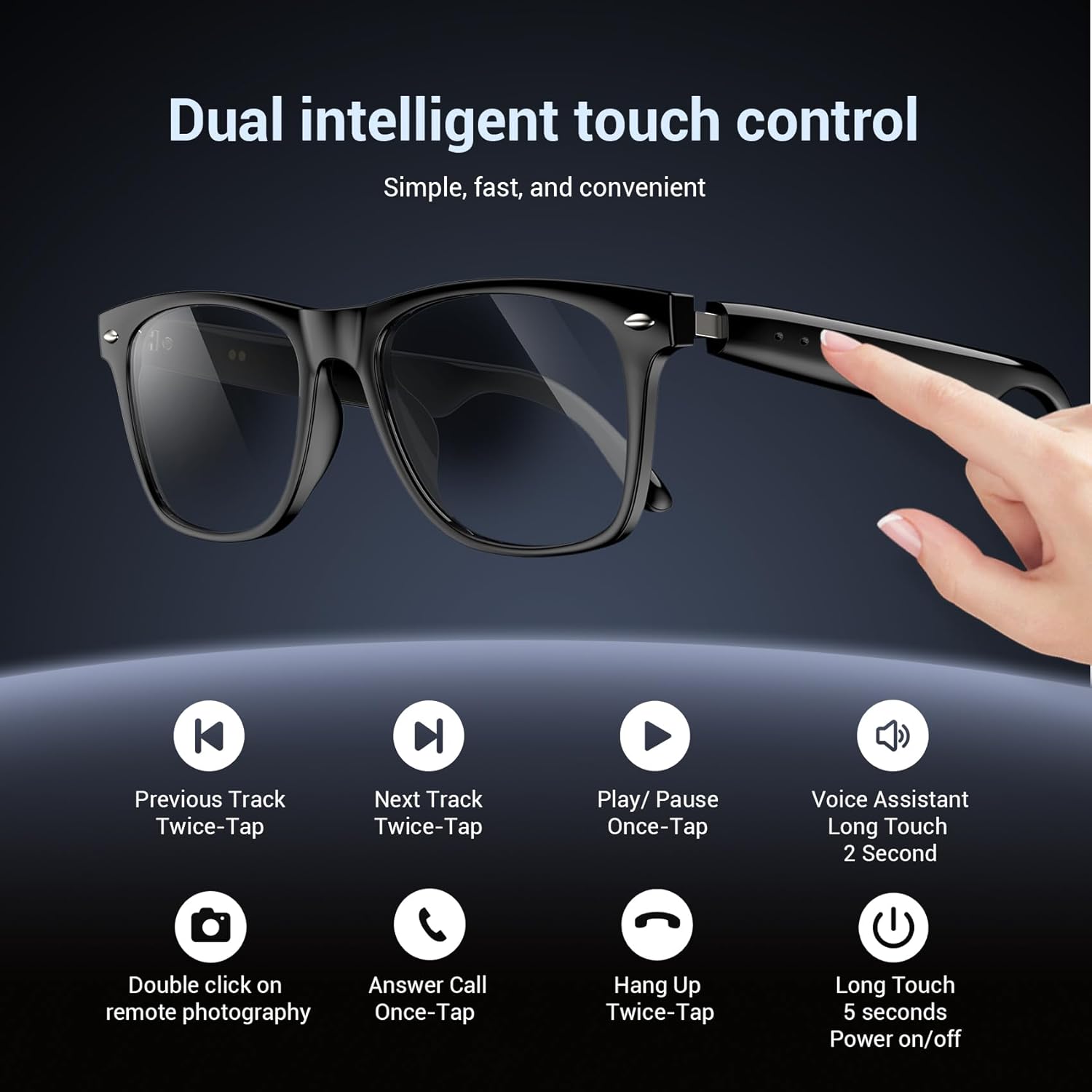
Figure 4: Touch control functions for Blackview D1 Smart Glasses.
- Gbanyụọ/ Gbanyụọ: Long touch for 5 seconds.
- Kpọọ/Kwụsị Egwu: Once-tap.
- Track na-esote: Twice-tap.
- Gara aga Track: Twice-tap.
- Oku azaa: Once-tap.
- Kpọgide oku: Twice-tap.
- Mee ka onye enyemaka olu rụọ ọrụ: Long touch for 2 seconds.
- Foto dịpụrụ adịpụ: Double click (if supported by connected device).
3.2 Ahụmịhe ọdịyo
The open-ear speaker design, combined with a dynamic driver and ultra-sensitive polymer diaphragm, delivers clear audio. The balanced three-channel audio framework emphasizes vocals, allowing for an immersive listening experience while remaining aware of your surroundings.

Figure 5: Open-ear audio feature of the smart glasses.
3.3 Call Clarity
Advanced microphone design and noise reduction technology suppress up to 90% of background noise during calls, ensuring clear communication.
3.4 Onye enyemaka olu
Activate your mobile device's voice assistant by long-touching the control area for 2 seconds. This allows for hands-free commands and queries.

Figure 6: Using the voice assistant feature while wearing the smart glasses.
4. Atụmatụ gafereview
- Bluetooth Bluetooth: Provides fast, stable, and low-latency wireless connectivity.
- Ogo IP65 enweghị mmiri: Protects against sweat and light raindrops, ensuring durability during outdoor activities.
- Ndụ batrị: Approximately 7 hours for calls, 6 hours for music playback, and 160 hours standby time.
- Mgbapu ekewapụrụ 100% UV400 protection, filtering UVA, UVB, UVC, and harmful blue light.
- Frame na-adịgide adịgide: Constructed with high-quality PC material and light steel frame for ergonomic fit and comfort.

Figure 7: Features of the smart glasses, including polarized lenses and IP64 waterproof rating.

Figure 8: Smart glasses with water droplets, illustrating the waterproof design.
5. Nlekọta
- Nhicha: Wipe the lenses and frame with a soft, clean cloth. For stubborn smudges, use a lens cleaning solution. Avoid harsh chemicals.
- Mkpughe mmiri: While the glasses are IP65 rated for water and dust resistance, avoid submerging them in water. Dry them thoroughly if exposed to rain or sweat.
- Nchekwa: Store the glasses in their protective case when not in use to prevent scratches and damage. Avoid extreme temperatures.
- Nchaji ọdụ ụgbọ mmiri: Keep the magnetic charging contacts clean and dry to ensure efficient charging.
6. Nchọpụta nsogbu
- Glasses not powering on: Ensure the glasses are fully charged. Connect them to the magnetic charger and check the charging indicator light.
- Enweghị ike ijikọ site na Bluetooth:
- Gbaa mbọ hụ na agbanyere Bluetooth na ngwaọrụ gị.
- Make sure the glasses are in pairing mode (usually indicated by a flashing light).
- Chezọ ngwaọrụ ahụ na ntọala Bluetooth ekwentị gị wee nwaa ijikọ ọzọ.
- Ensure the glasses are within the Bluetooth range of your device.
- No audio or poor sound quality:
- Check the volume level on both the glasses and your connected device.
- Hụ na ejiri Bluetooth jikọọ iko ndị ahụ nke ọma.
- Restart both the glasses and your connected device.
- Njikwa mmetụ anaghị anabata:
- Gbaa mbọ hụ na mkpịsị aka gị dị ọcha ma kpọọ nkụ.
- Malitegharịa ekwentị ahụ.
7. Nkọwapụta
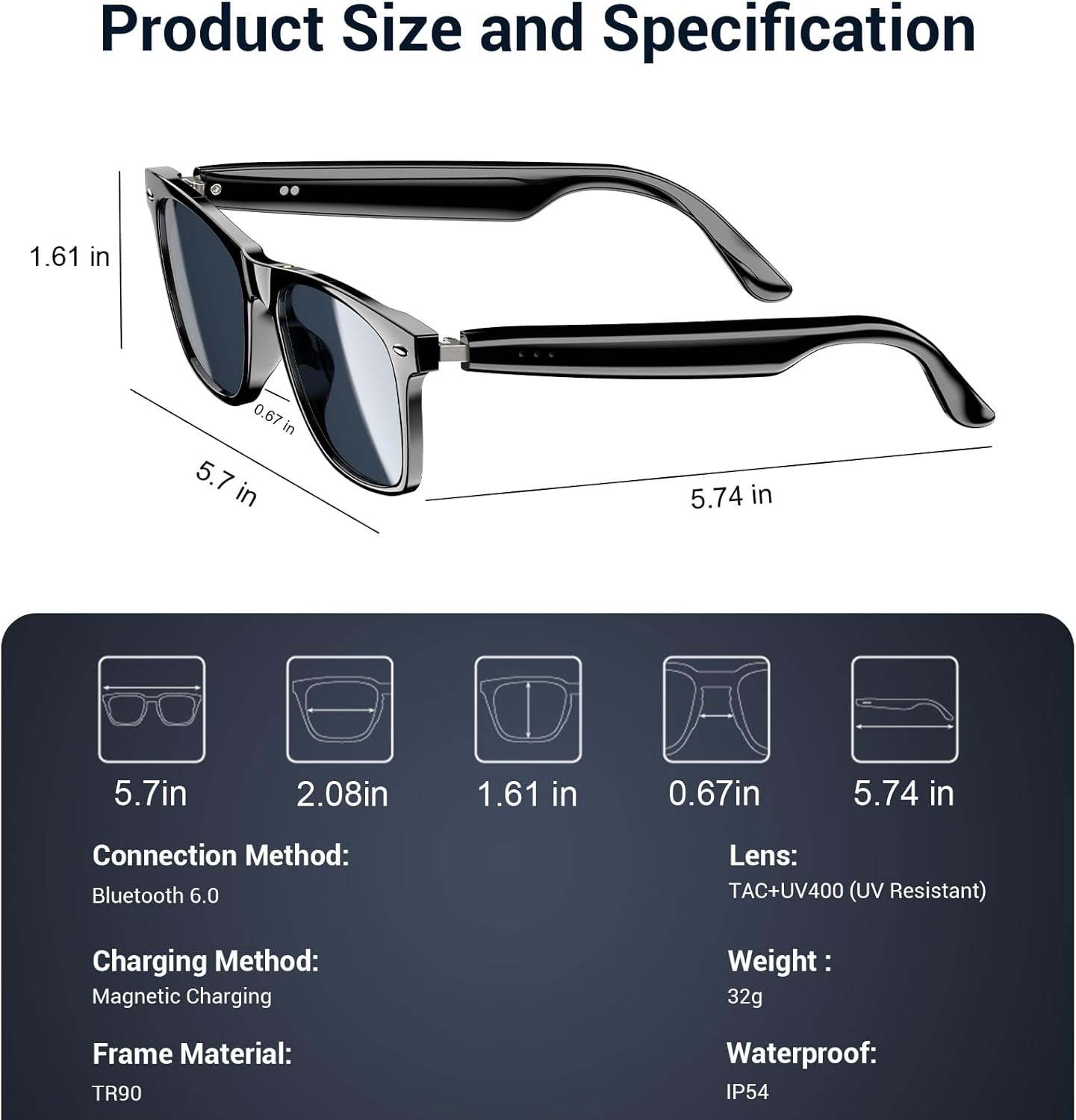
Figure 9: Product size and specification diagram.
| Njirimara | Nkọwapụta |
|---|---|
| Aha Nlereanya | D1 ojii |
| Ụdị | Nwaview |
| Teknụzụ Njikọta | Bluetooth 5.3 |
| Ike batrị | 160 mAh (80mAh+80mAh) |
| Oge nchaji batrị | 90 nkeji |
| Oge Egwu Egwu | Ihe ruru. awa 6 |
| Oge Oku | Ihe ruru. awa 7 |
| Oge Njikere | Ihe ruru. awa 160 |
| Ọkwa Nguzogide mmiri | IP65 |
| Ụdị oghere | Polarized, UV400 Protection, Anti Blue Light |
| Frame Ihe | PC & Light Steel |
| Ibu | 0.13 kilogram |
| Ntinye Interface mmadụ | Microphone, Touchscreen |
| Ngwa akwadoro | Voice Control, Voice Assistant |
8. Akwụkwọ ikike na nkwado
Nwaview offers a 2-year warranty for the D1 Smart Glasses. For any product-related questions or support, please contact our customer service. We provide 24/7 product support for your peace of mind.
9. Official Product Video
Vidiyo 1: Ngwaahịa a kwụsịrịview of Blackview Polarized Sport Smart Sunglasses. This video demonstrates key features and usage scenarios.