
1. N'eluview
The OKIBB DL-08 Smart Front Door Lock Set combines classic style with modern security features. This keyless entry deadbolt offers multiple unlocking methods, including app remote control, fingerprint, passcode, access fobs, and traditional backup keys. Designed for convenience and enhanced home security, it features built-in Wi-Fi for remote management, customizable passcode settings, and an auto-lock function. Its IP54 rating ensures durability against various weather conditions, making it suitable for diverse environments.
2. Ihe ngwugwu
- Akpaaka
- Ejiri menjuobi
- Ntuziaka / akwụkwọ ntuziaka onye ọrụ
- Latch
- Efere efere
- 5 Igodo ndabere
- 2 Fobs
- Efere arịọnụ
- kposara
- Smart Door Lock (Main Unit)
3. Akụrụngwa Ngwaahịa
- Ụzọ Mkpọghe 5-n'ime-1: APP remote control, fingerprint, passcode, access fobs, and backup key for diverse usage scenarios. Stores up to 200 sets of fingerprints/passcodes.
- Built-in Wi-Fi APP Control: Remotely manage the lock via the APP without an additional gateway. Generate e-keys, manage users, view operation records. Wi-Fi activates when the doorbell is pressed to save power.
- Customizable Passcode Settings: Generate one-time, long-term, scheduled, and recurring passcodes for flexible access.
- Auto-Lock + One-Touch Lock: Customizable auto-lock time (5-60s) and one-touch locking for convenience. APP alerts if the door is not closed.
- IP54 anaghị egbochi mmiri na uzuzu: Withstands extreme weather conditions, featuring a peep-proof/tamper-proof keypad and anti-pry lock cylinder.
- Long Battery Life + Emergency Charging Port: Powered by 4 AA batteries (120-day to 6-month life). Low-battery alerts via APP & keypad. Type-C port for emergency power bank unlocking.
- Nwụnye dị mfe: Fits most standard US doors (1 3/8 to 2 inches thickness), supports left-handed and right-handed doors.
4. Nkọwapụta
| Ụdị | OKIBB |
| Aha Nlereanya | ZZB-DL-08-H-B-US (DL-08) |
| Ụdị mkpọchi | Combination Lock, Deadbolt, Keypad |
| Ihe onwunwe | Zinc |
| Agba | Nwa |
| Ibu Ibu | 4.95 pound (2.25 Kilogram) |
| Akụkụ ngwaahịa | 5 x 5 x 5 sentimita asatọ |
| Protocol Njikọta | Wi-Fi |
| Ụdị njikwa | Android, iOS |
| Atụmatụ pụrụ iche | Auto-Lock; One-Touch Lock; Touchscreen Keypad; Fingerprint; App Control; Fob IC Card; ANSI Grade 3; Anti-Peeping; Handleset; User Management and Notifications |
5. Ntuziaka nwụnye
The OKIBB DL-08 Smart Lock is designed for easy installation, typically taking around 15 minutes with a Phillips screwdriver. Ensure your door meets the specified dimensions before beginning.
5.1 Nyochaa nwụnye tupu etinye ya

Image: Detailed diagram illustrating door thickness, backset, hole diameter, and minimum distance requirements for installation. It also shows compatibility with different door types (chiseled, single cylinder) and incompatible 3-hole spacing.
Verify your door's thickness is between 1 3/8 inches (35mm) and 2 inches (51mm). Check the backset (distance from door edge to center of bore hole) and hole diameter as per the provided template.
5.2 Latch and Handle Installation
Follow the steps below to install the latch and handles. Refer to the installation videos for visual guidance.
Video: Step-by-step guide on installing the door lock mechanism into the door frame. This video covers the initial setup of the latch and deadbolt components.
Video: Detailed instructions for installing the handle set onto the door, ensuring proper alignment and secure fastening.

Image: Illustration emphasizing the simplicity of installation, requiring only a Phillips screwdriver and approximately 15 minutes.
6. Ntuziaka ọrụ
6.1 Ụzọ mmeghe
The OKIBB DL-08 offers five convenient ways to unlock your door:
- Mkpisiaka: Use your registered fingerprint for quick access.
- Koodu mbanye: Enter your personalized digital code on the touchscreen keypad.
- Access Fob (IC Card): Tap the provided fob against the lock reader.
- Igodo Ndabere: Use the traditional physical key as an emergency override.
- Njikwa anya APP: Unlock your door from anywhere using the Smart Life app on your smartphone.

Image: Visual representation of the five unlocking methods available for the smart lock, including fingerprint, fob card, passcode, and backup key.
For detailed instructions on adding and managing users for each unlocking method, please refer to the 'DL-08 WiFi Smart Lock Physical Button Operation Video' in the Troubleshooting section or the included user manual.
6.2 App Control and Wi-Fi Connection
Manage your lock remotely through the Smart Life app. This includes generating electronic keys, managing users, and viewing operation records.
Video: Instructions on how to connect your smart lock to your home Wi-Fi network using the Smart Life app.

Image: The Smart Life app interface displaying real-time lock status, allowing users to monitor and secure their home anytime.

Image: The Smart Life app provides an all-in-one solution for managing codes, users, and remote control functionalities.
6.3 Passcode Management
The app allows for flexible passcode generation and management:
- One-Time Passcodes: For temporary guests or service personnel, expiring after a single use.
- Long-Term Passcodes: Permanent access for family members.
- Scheduled Passcodes: Access for specific timeframes (e.g., for decorators).
- Recurring Passcodes: For regular visitors like cleaners, valid on specific days/times weekly.
Video: Guide on how to set and manage passcodes for your smart lock.

Foto: Ofeview of the four flexible PIN modes that cater to various access needs, from temporary guests to permanent family members.
6.4 Auto-Lock and One-Touch Lock
Enhance your security with automated locking features:
- Mkpọchi onwe: Automatically locks the door after a customizable delay (5-60 seconds), preventing you from forgetting to lock.
- Mkpọchi Otu-Mkpịsị Aka: Easily lock the door with a single touch from either inside or outside, convenient when your hands are full.

Image: Illustrates the convenience of Auto-Lock and One-Touch Lock features, ideal for busy individuals, ensuring the door is always secured.
7. Nlekọta
7.1 Njikwa batrị
The lock is powered by 4 AA batteries, offering a long battery life of 120 days to 6 months depending on usage. The system provides low-battery alerts via the app and keypad.
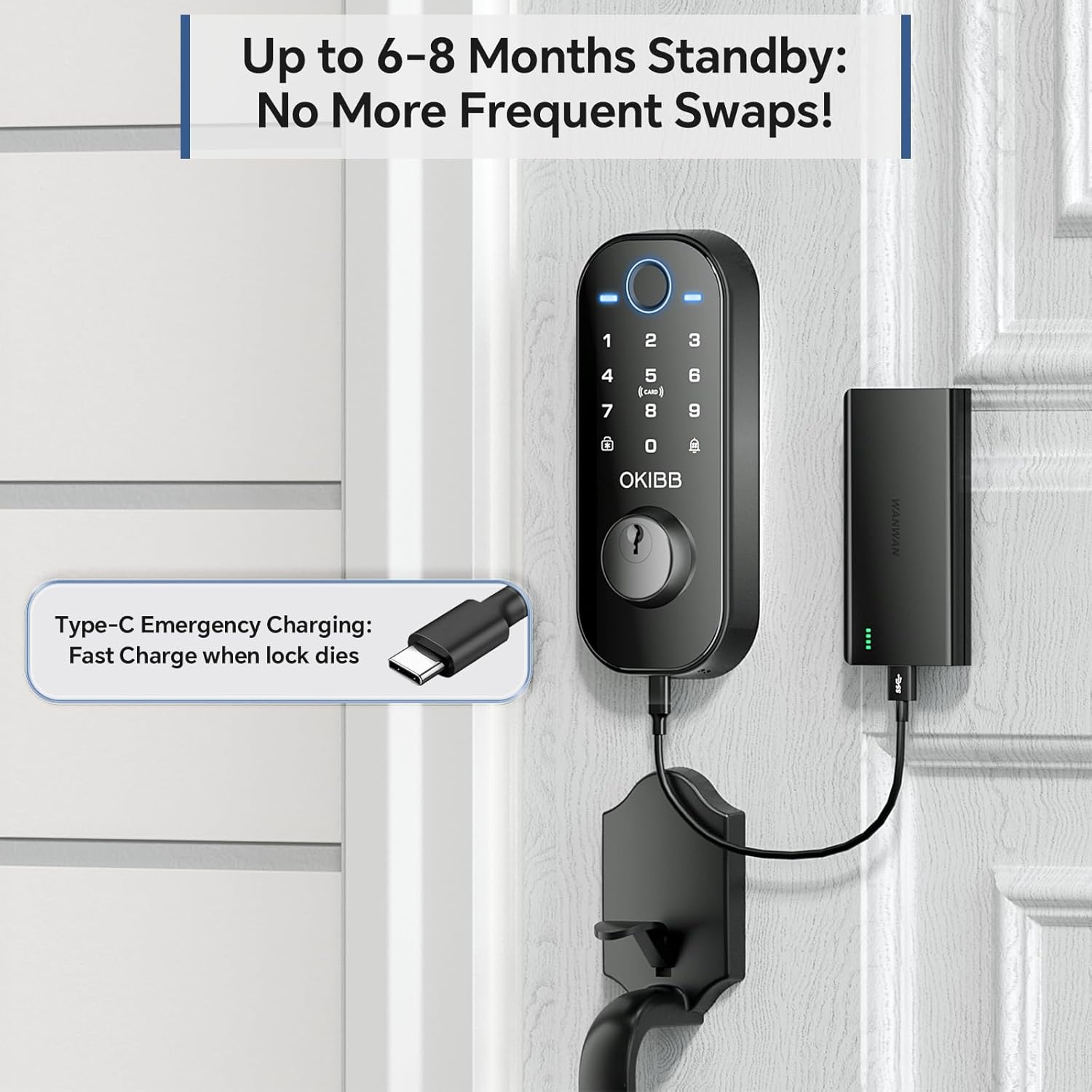
Image: Highlights the long standby time of the lock and the convenient Type-C port for emergency charging with a power bank.
7.2 Mgbochi ihu igwe
With an IP54 rating, the OKIBB DL-08 is designed to withstand various weather conditions, including rain, snow, and humidity, ensuring reliable operation in diverse climates.

Image: Visual proof of the lock's IP54 rating, showing its resilience against rain, snow, and humidity, making it suitable for various US climates.
8. Nchọpụta nsogbu
If you encounter any issues during installation or operation, please refer to the detailed user manual included in the package or contact customer support.
Video: This video provides a comprehensive guide to the physical button operations of the DL-08 Smart Lock, including administrator and general user settings, adding/deleting users, and other system configurations.

Image: OKIBB offers 24/7 customer support to assist with any lock usage or installation issues.
9. Akwụkwọ ikike na nkwado
The OKIBB DL-08 Smart Front Door Lock Set comes with a 3-year protection plan. For any issues or support, please contact the official customer service team.
Email ọrụ ndị ahịa gọọmentị: OKIBB-LOVE@HOTMAIL.COM