
1. Okwu mmalite
Thank you for choosing the RORRY T1-5000 Portable Charger. This compact and versatile power bank is designed to provide convenient charging for your mobile devices on the go. With its built-in cables and keychain design, it offers a practical solution for keeping your devices powered throughout the day.
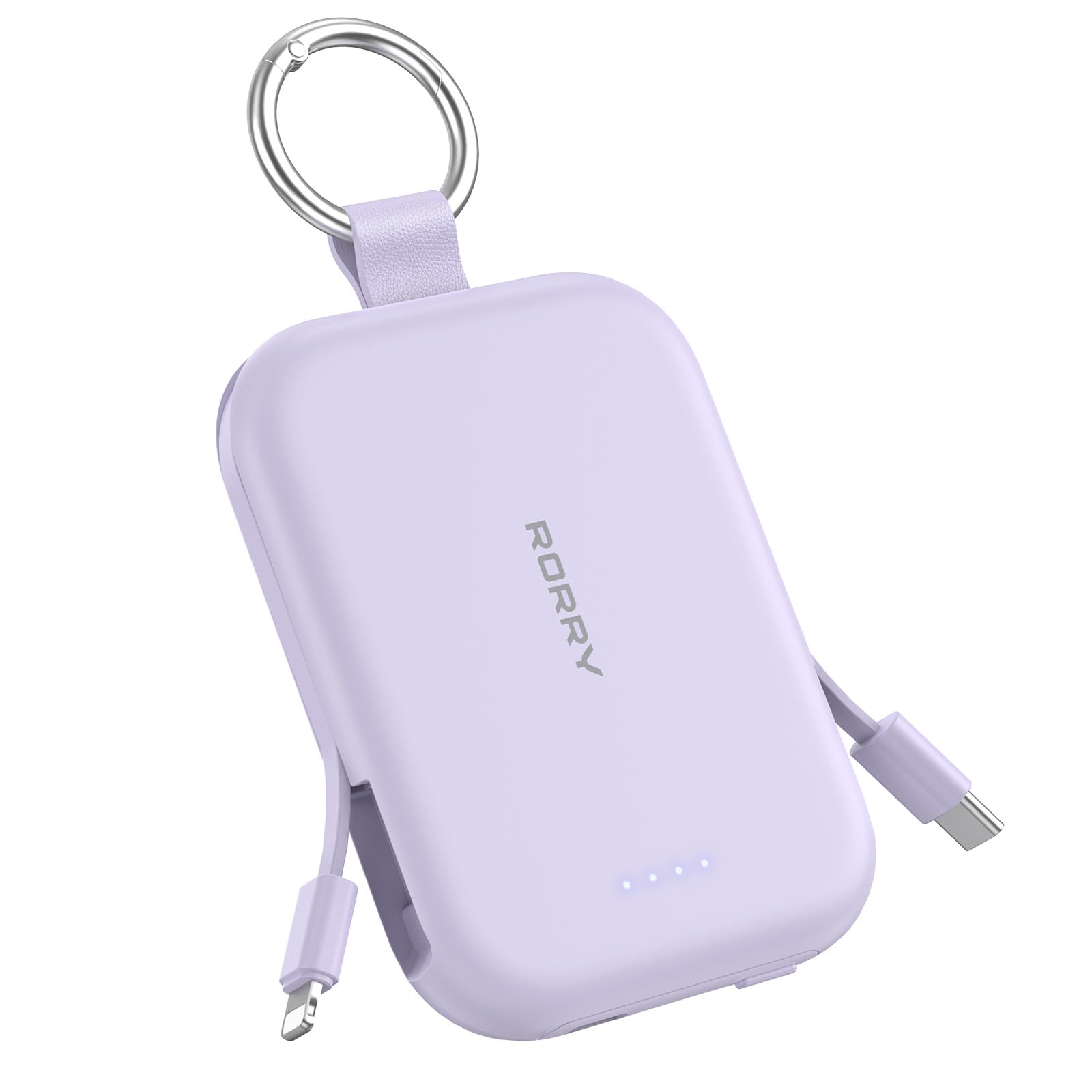
Image: The RORRY T1-5000 Portable Charger, showcasing its compact design and keychain attachment.
2. Akụrụngwa Ngwaahịa
- Ike dị elu nke 5000mAh: Provides sufficient power to charge an iPhone 15 approximately once, or AirPods 6-8 times.
- Igwe eji arụnyere: Includes both a Lightning cable and a USB-C cable for direct connection to various devices, eliminating the need for extra cables.
- Nchaji 3-na-1: Capable of charging up to three devices simultaneously using the built-in cables and an additional USB-C port.
- Nhazi Keychain: Features a durable keychain for easy attachment to bags, keys, or other personal items, enhancing portability.
- Ọkụ egosi LED: Four LED lights clearly display the remaining battery level of the power bank.
- Ndakọrịta Universal: Designed for a wide range of devices including iPhone 17/16/15/14/13/12/11/Air/Pro/Pro Max, AirPods 2/3/4/Pro, Android devices, and Nintendo Switch.
- Reliable Safety Protection: Integrated safeguards protect against overheating, over current, over voltage, na obere sekit, na-eme ka ịchaji dị mma.
- Nhazi mara mma na nke siri ike: Lightweight and compact, making it easy to carry in a pocket, purse, or backpack.

Image: Visual representation of the 5000mAh capacity and estimated charging times for compatible devices.

Image: The RORRY Portable Charger connected to and charging an iPad, AirPods, and iPhone simultaneously.
3. Ihe ngwugwu
- RORRY T1-5000 Portable Charger
- USB-C Charging Cable (for recharging the power bank)
- Akwụkwọ ntuziaka onye ọrụ
4. Nhazi
Nchaji Mbụ nke Ụlọ Nchekwa Ike
- Before first use, fully charge your RORRY T1-5000 Portable Charger.
- Connect the provided USB-C charging cable to the USB-C input port on the power bank.
- Tinye nsọtụ nke ọzọ nke eriri USB-C n'ime ihe nkwụnye ọkụ USB dakọtara (anaghị etinye ya).
- The LED indicator lights will illuminate to show charging progress. All four lights will be solid when fully charged. A full charge takes approximately 2.5 hours.
Attaching the Keychain
The integrated keychain allows for convenient portability. Simply attach the metal ring to your keys, backpack, or purse for easy access.

Image: The RORRY Portable Charger with its keychain attached to a backpack, highlighting its portability.
5. Ntuziaka ọrụ
Ịchaji ngwaọrụ gị
- Activate Power Bank: Press the power button on the side of the power bank to activate it and check the battery level indicators.
- Jikọọ ngwaọrụ:
- For Apple devices (iPhone, AirPods): Gently pull out the built-in Lightning cable from its slot and connect it to your device.
- For USB-C devices (Android, Nintendo Switch, newer iPads): Gently pull out the built-in USB-C cable from its slot and connect it to your device.
- For additional devices: Use your own USB-C to USB-C or USB-C to Lightning cable and connect it to the dedicated USB-C output port on the power bank.
- Ngosi nchaji: Your device should begin charging automatically. The LED indicators on the power bank will remain lit during charging.
- Kwụpụ: Once charging is complete, disconnect your device and neatly tuck the built-in cables back into their respective slots.

Image: The RORRY Portable Charger with its built-in Lightning and USB-C cables extended, ready for use.

Image: The RORRY Portable Charger connected to and charging both an iPhone and AirPods at the same time.
Ihe ngosi vidiyo
Video: An official RORRY DIRECT video demonstrating the features and usage of the portable charger, including its built-in cables and compact design.
6. Ozi nchekwa
The RORRY T1-5000 Portable Charger is equipped with multiple safety features to protect your devices and the power bank itself:
- Nchekwa ekpo oke ọkụ: Prevents the device from reaching unsafe temperatures during charging or discharging.
- Karịrị Nchedo Ugbu a: Safeguards against excessive current flow that could damage connected devices.
- N'ime Voltage Nchedo: Na-echebe megide voltage surges that could harm the power bank or your electronics.
- Nchekwa sekit dị mkpụmkpụ: Automatically shuts down power in case of a short circuit to prevent damage.
Always use the power bank in a well-ventilated area and avoid exposing it to extreme temperatures or moisture.
7. Nkọwapụta
| Njirimara | Nkọwapụta |
|---|---|
| Nọmba nlereanya | T1-5000 |
| Ike batrị | 5000 ndeamp Oge elekere (mAh) |
| Akụkụ ngwaahịa | 3.86 x 2.85 x 0.65 sentimita asatọ |
| Ibu Ibu | 4.5 ounces |
| Ụdị njikọ | USB Type C (Input/Output), Lightning (Output) |
| Atụmatụ pụrụ iche | Built-in Cables, LED Indicator Lights, Pocket Size, Slim |
| Onye nrụpụta | Shenzhen Xianyang Innovation Technology Co., Ltd |
8. Nchọpụta nsogbu
Ụlọ akụ Power anaghị akwụ ụgwọ
- Ensure the USB-C charging cable is securely connected to both the power bank's input port and a working power adapter.
- Nyochaa na ihe nkwụnye ọkụ na-arụ ọrụ nke ọma wee tinye ya na oghere ọkụ dị ndụ.
- Gbalịa iji eriri USB-C dị iche ma ọ bụ nkwụnye ọkụ.
Ngwaọrụ anaghị akwụ ụgwọ
- Press the power button on the power bank to ensure it is activated. The LED indicators should light up.
- Check that the built-in cable (Lightning or USB-C) is fully inserted into your device's charging port.
- Ensure the power bank has sufficient charge, as indicated by the LED lights. Recharge if necessary.
- Jide n'aka na ngwaọrụ gị dakọtara na mmepụta nke ụlọ akụ ike.
9. Akwụkwọ ikike na nkwado
RORRY is committed to providing high-quality products and customer satisfaction. Your T1-5000 Portable Charger comes with the following:
- 7x24H After-sales Service: Dedicated customer support available around the clock.
- 30-Day Exchange Service: Easy exchange for any product issues within 30 days of purchase.
- 12-Months Care Plan: Comprehensive coverage for your device for one year.
For any inquiries or support, please refer to the contact information provided in your product packaging or visit the official RORRY websaịtị.