
Target TT-IK-DST 1130
Target TT-IK-DST 1130 Tower Speaker User Manual
Model: TT-IK-DST 1130
1. Okwu mmalite
This manual provides essential instructions for the safe and efficient operation of your Target TT-IK-DST 1130 Tower Speaker. Please read this manual thoroughly before using the product and retain it for future reference. The Target TT-IK-DST 1130 is a versatile audio system featuring 130W RMS output, an 8-inch subwoofer, Bluetooth connectivity, FM radio, USB playback, and karaoke functionality with a wireless microphone.
2. Ozi nchekwa dị mkpa
Lee ihe ndị a iji gbochie mgbawa eletriki, ọkụ, ma ọ bụ mmebi nke unit ahụ:
- Ewepụla ngwa a na mmiri ozuzo ma ọ bụ mmiri.
- Akwụsịla oghere ikuku ikuku ọ bụla.
- Ensure proper grounding for the power supply.
- Do not open the speaker cabinet; refer all servicing to qualified personnel.
- Zere idobe nkeji n'akụkụ ebe okpomọkụ ma ọ bụ na ìhè anyanwụ.
- Jiri akwa kpọrọ nkụ hichaa naanị.
3. Ihe ngwugwu
Nyochaa na etinyere ihe niile edepụtara n'okpuru na ngwugwu gị:
- Target TT-IK-DST 1130 Tower Speaker
- Igwe okwu ikuku
- Njikwa anya
- Ụdọ ọkụ
- Akwụkwọ ntuziaka (akwụkwọ a)
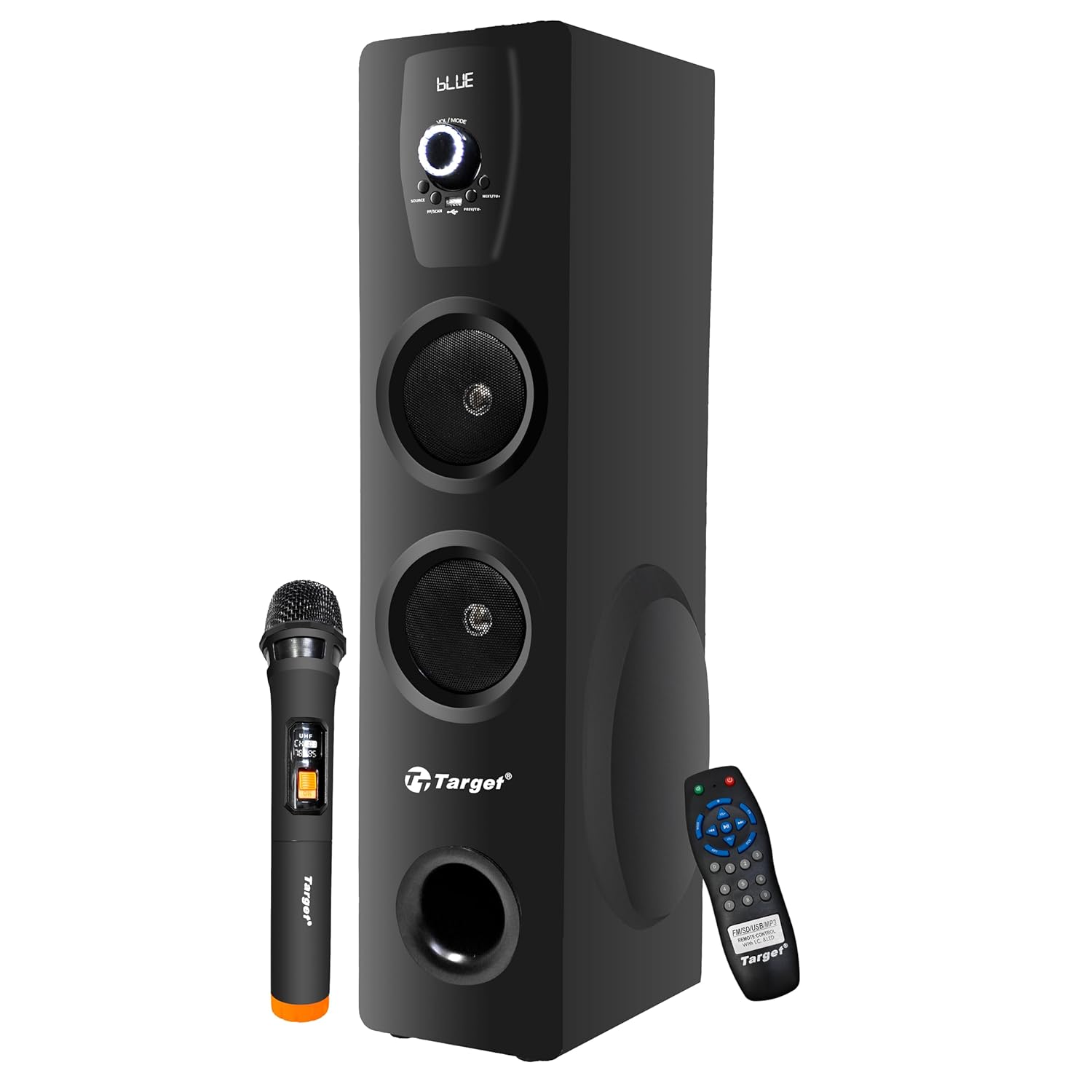
Figure 3.1: Target TT-IK-DST 1130 Tower Speaker with included wireless microphone and remote control.
4. Ngwaahịa gafereview
The Target TT-IK-DST 1130 Tower Speaker is designed for a comprehensive audio experience. It features multiple input options and a user-friendly interface.
4.1 Atụmatụ
- Mmepụta ọdịyo dị ike: 130 Watts RMS with dual drivers and an 8-inch subwoofer for deep bass.
- Njikọta ọtụtụ: Bluetooth for wireless streaming, USB port for media playback, and FM radio.
- Ọrụ Karaoke: Includes a wireless microphone for vocal performances.
- Interface kensinammuo: LED display for status indication and a full-function remote control.
- Ndakọrịta Kọmputa: Plug-and-play setup for direct connection to PCs.

Figure 4.1: Visual representation of the speaker's main features.
4.2 Ogwe njikwa
The main controls are located on the front panel of the speaker. These include the master volume knob, input selection buttons, and playback controls.

Ọgụgụ 4.2: Zuru ezu view nke panel njikwa nke ọkà okwu.
4.3 Ime Remote
The included remote control allows for convenient operation of all speaker functions from a distance.

Figure 4.3: Remote control and key feature icons.
5. Nhazi ntuziaka
5.1 Ntinye
Place the tower speaker on a stable, flat surface. Ensure there is adequate space around the speaker for proper ventilation and optimal sound dispersion. Avoid placing it in enclosed spaces or directly against walls if possible.
5.2 Njikọ ike
- Connect the power cord to the power input port on the rear of the speaker.
- Tinye nsọtụ nke ọzọ nke eriri ọkụ n'ime ọkụ ọkụ AC ọkọlọtọ.
- Press the power button on the speaker or remote control to turn on the unit. The LED display will illuminate.
5.3 Ijikọ isi iyi ọdịyo
The speaker supports various audio input methods:
- Bluetooth: For wireless connection to smartphones, tablets, or other Bluetooth-enabled devices.
- USB: Maka ịkpọ ụda files ozugbo site na draịvụ USB.
- AUX/Line-In: For wired connection to devices using a 3.5mm audio cable.
- Igwe Redio: Built-in tuner for receiving FM broadcasts.
- HDMI: For digital audio connection from compatible devices.
6. Ntuziaka ọrụ
6.1 Gbanyụọ ma ọ bụ gbanyụọ
Pịa IKE button on the control panel or remote control to turn the speaker on or off.
6.2 Nhọrọ ọnọdụ
Pịa MODE button on the control panel or remote control to cycle through available input modes: Bluetooth, USB, FM Radio, AUX, HDMI.
6.3 Bluetooth arụ ọrụ
- Turn on the speaker and select Bluetooth mode. The LED display will show "BLUE" or a similar indicator.
- Kwado Bluetooth na ekwentị mkpanaaka gị wee chọọ ngwaọrụ dị.
- Họrọ"TT-IK-DST 1130" (or similar name) from the list to pair.
- Ozugbo ejikọtara ya, ị nwere ike ịkpọ ọdịyo site na ngwaọrụ gị site na igwe okwu.
6.4 USB playback
- Fanye draịva USB nwere ọdịyo files banye n'ọdụ ụgbọ mmiri USB na ọkà okwu.
- Họrọ USB mode. The speaker will automatically detect and begin playing audio files.
- Use the playback controls (Play/Pause, Next, Previous) on the speaker or remote control.
Igwe redio FM 6.5
- Họrọ FM ọnọdụ.
- Pịa Nyochaa button (if available) on the remote or speaker to automatically search and save available radio stations.
- Jiri ihe PREV/ỌZỌ bọtịnụ ịnyagharịa site na ebe echekwara.
6.6 Ọrụ Karaoke
- Ensure the wireless microphone is powered on and within range of the speaker.
- Play your desired background music through any input mode (Bluetooth, USB, AUX, HDMI).
- Adjust the microphone volume using the dedicated control (if available) or the main volume.

Figure 6.1: Using the wireless microphone for karaoke.
7. Nlekọta na nlekọta
- Nhicha: Jiri ákwà dị nro ma kpọọ nkụ hichaa mpụta okwu ahụ. Ejila ihe nhicha mmiri ma ọ bụ kemịkalụ na-emebi ihe.
- Nchekwa: Mgbe a naghị eji ya eme ihe ruo ogologo oge, chekwaa ọkà okwu n'ebe dị jụụ, nke kpọrọ nkụ, na-adịghị na ìhè anyanwụ kpọmkwem na oke okpomọkụ.
- Igwe ikuku: Gbaa mbọ hụ na egbochighị oghere ikuku iji gbochie ikpo oke ọkụ.
8. Nchọpụta nsogbu
Ọ bụrụ na ị na-enwe nsogbu na ọkà okwu gị, rụtụ aka na nsogbu na ngwọta ndị a na-emekarị:
| Nsogbu | Ihe nwere ike ime | Ngwọta |
|---|---|---|
| Enweghị ike | Ejikọghị eriri ọkụ; Ọkụ ọkụ anaghị arụ ọrụ. | Lelee njikọ eriri ọkụ eletrik; Nwaa oghere dị iche. |
| Enweghị ụda | Volume too low; Incorrect input mode selected; Audio cable loose. | Increase volume; Select correct input mode; Reconnect audio cables. |
| Bluetooth anaghị ejikọ | Speaker not in pairing mode; Device Bluetooth off; Device too far. | Ensure speaker is in Bluetooth mode; Turn on device Bluetooth; Move device closer. |
| Karaoke microphone not working | Microphone not powered on; Batteries low; Microphone out of range. | Check microphone power; Replace batteries; Move microphone closer to speaker. |
9. Nka na ụzụ nkọwa
| Njirimara | Nkọwa |
|---|---|
| Nlereanya | TT-IK-DST 1130 |
| Ụdị | Ebumnuche |
| Mmepụta ọdịyo | 130 Watts RMS |
| Nha Subwoofer | 8 sentimita asatọ |
| Njikọta | Bluetooth, USB, FM Radio, AUX, HDMI |
| Nzaghachi ugboro ugboro | 20 Hz (Lower limit only provided) |
| Mgbochi | 8 ohms |
| Ọnụọgụ nke ọwa | 2 |
| Ihe onwunwe | Osisi injinia |
| Akụkụ ngwaahịa (L x W x H) | 22 x 25 x 90 cm |
| Ibu Ibu | 1.5 n'arọ |
| Isi Iyi Ike | Igwe ọkụ eletrik |
Mara: Nkọwapụta nwere ike ịgbanwe na-enweghị ọkwa mbụ.
10. Akwụkwọ ikike na nkwado ndị ahịa
For warranty information, service, or technical support, please contact your retailer or the manufacturer directly. Keep your purchase receipt as proof of purchase for warranty claims.
Manufacturer: Target
Ask a question about this manual
Ask about setup, troubleshooting, compatibility, parts, safety, or missing instructions. Manuals+ will review the question and use this page’s manual context to help answer it.