
Okwu mmalite
Thank you for choosing the INGA HKDR631M Computer Speakers. This device provides high-quality stereo sound and clear voice communication through its detachable microphone. Designed for versatility, it easily connects to various devices and offers multiple mounting options to optimize your workspace. Please read this manual carefully to ensure proper setup and operation.
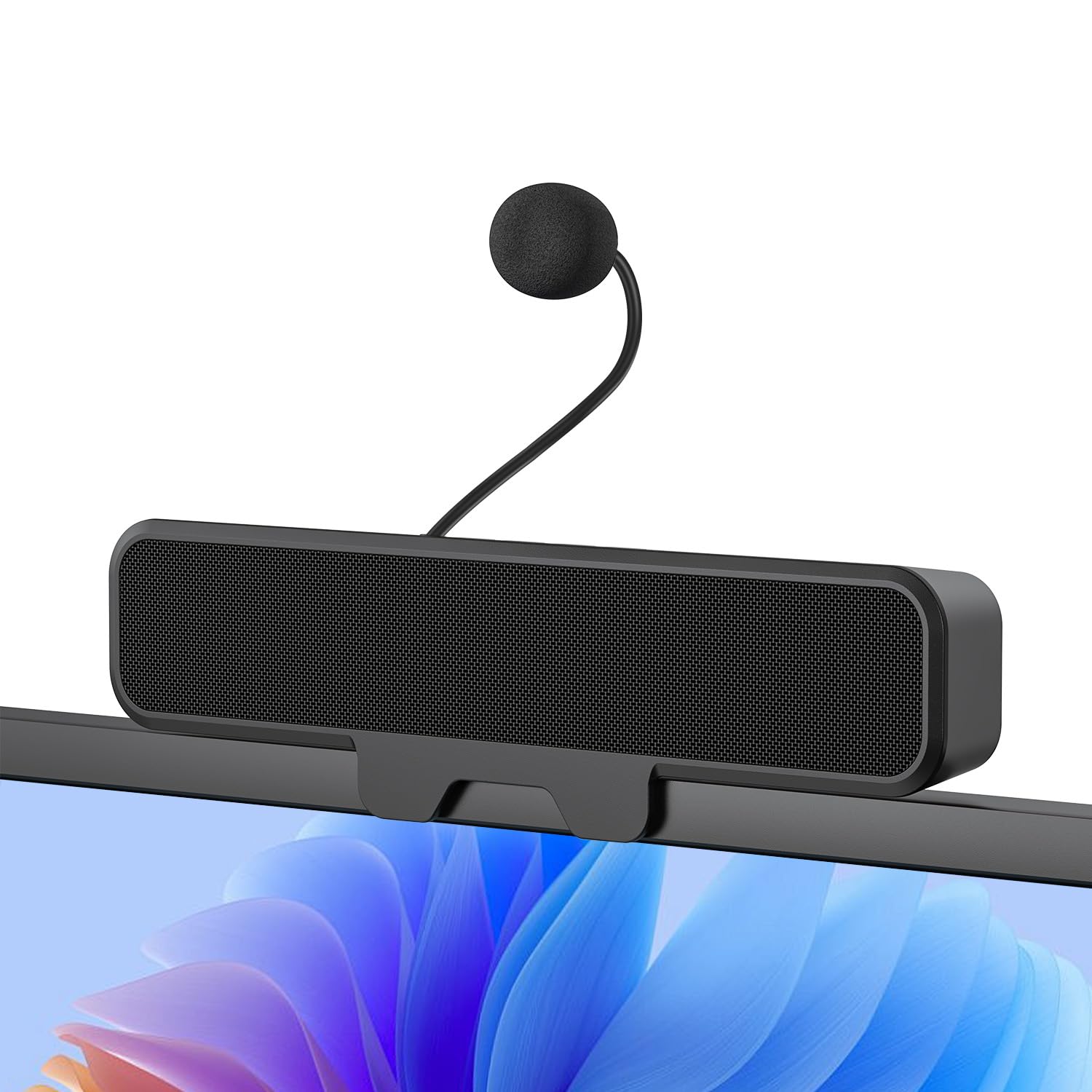
Figure 1: INGA HKDR631M Computer Speakers
A black soundbar-style speaker with a detachable microphone attached, positioned on a desk in front of a computer monitor displaying a video conference.
Kedu ihe dị na Igbe ahụ
- 1 x INGA Computer Speaker
- 1 x Igwe okwu na -apụ apụ
- 1 x Akwụkwọ ntuziaka onye ọrụ
- USB-A to USB-C Adapter (included with the cable)
Ntuziaka nhazi
1. Ịkwanye ndị ọkà okwu
The INGA HKDR631M speakers offer versatile mounting options. You can use the built-in clip to attach it to your monitor or place it directly on your desk.
- Nwụnye ngwa ngwa: The sturdy clip is designed to attach to monitors up to 1 inch (2.54 cm) thick. Gently open the clip and position the speaker on the top edge of your monitor. Ensure it is securely fastened.
- Ndokwa Desktọpụ: For monitors with curved backs or if you prefer a desktop setup, the speaker can stand independently on its base.

Figure 2: Multiple Mounting Options
This image illustrates how the speaker can be securely clipped to the top of a monitor (up to 1 inch thick) or placed on a desk using its integrated stand. Note: Not compatible with curved-back monitors for clip-on mounting.
2. Attaching the Detachable Microphone
Locate the detachable microphone. Insert the microphone's connector into the designated port on the speaker unit. Ensure it is firmly connected.
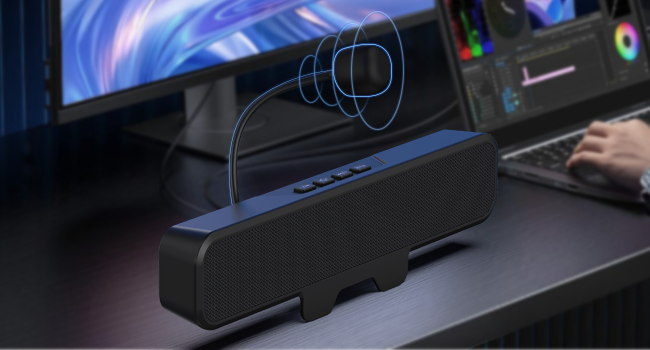
Onyonyo 3: Na-agbakwunye igwe okwu na-apụ apụ
A nso-elu view of the speaker unit, highlighting the port where the flexible, unidirectional microphone is inserted.
3. Ijikọ na ngwaọrụ gị
The INGA HKDR631M speakers are plug-and-play, requiring no additional drivers. Connect the speaker to your computer or device using the integrated USB cable.
- The speaker comes with a USB-A connector and an included USB-C adapter for broad compatibility.
- Plug the USB connector into an available USB port on your PC, Mac, laptop, or gaming console.
- The device will be automatically recognized, and audio output will be routed through the speakers.

Figure 4: USB Connectivity with Adapters
This image displays the speaker's integrated USB cable with a USB-A connector, alongside a separate USB-C adapter, demonstrating its broad compatibility with different computer ports.
Video 1: Usage Methods and Effects of the INGA HKDR631M Speaker
This video demonstrates the setup and functionality of the INGA HKDR631M speakers, including connection and basic operation.
Ntuziaka ọrụ
1. Power and Volume Control
The speakers are powered via the USB connection. Once connected, they are ready for use. Volume can be adjusted using the dedicated buttons on the speaker unit or through your device's operating system.
- Olu elu: Pịa bọtịnụ '+'.
- Olu ala: Pịa bọtịnụ '-'.
2. Microphone Mute Function
The speaker features a convenient one-touch mute button for the microphone, allowing for instant privacy control.
- Mechie/Kwụsịnụ Igwe okwu: Press the microphone mute button (often indicated by a microphone icon with a slash) on the speaker unit. An indicator light may show the microphone's status.

Figure 5: One-Touch Microphone Mute
A elu-ala view of the speaker, emphasizing the control panel with the microphone mute button, which allows for quick and easy privacy control.
3. Audio Atụmatụ
Experience immersive stereo sound with enhanced bass, ideal for gaming, meetings, and multimedia consumption.
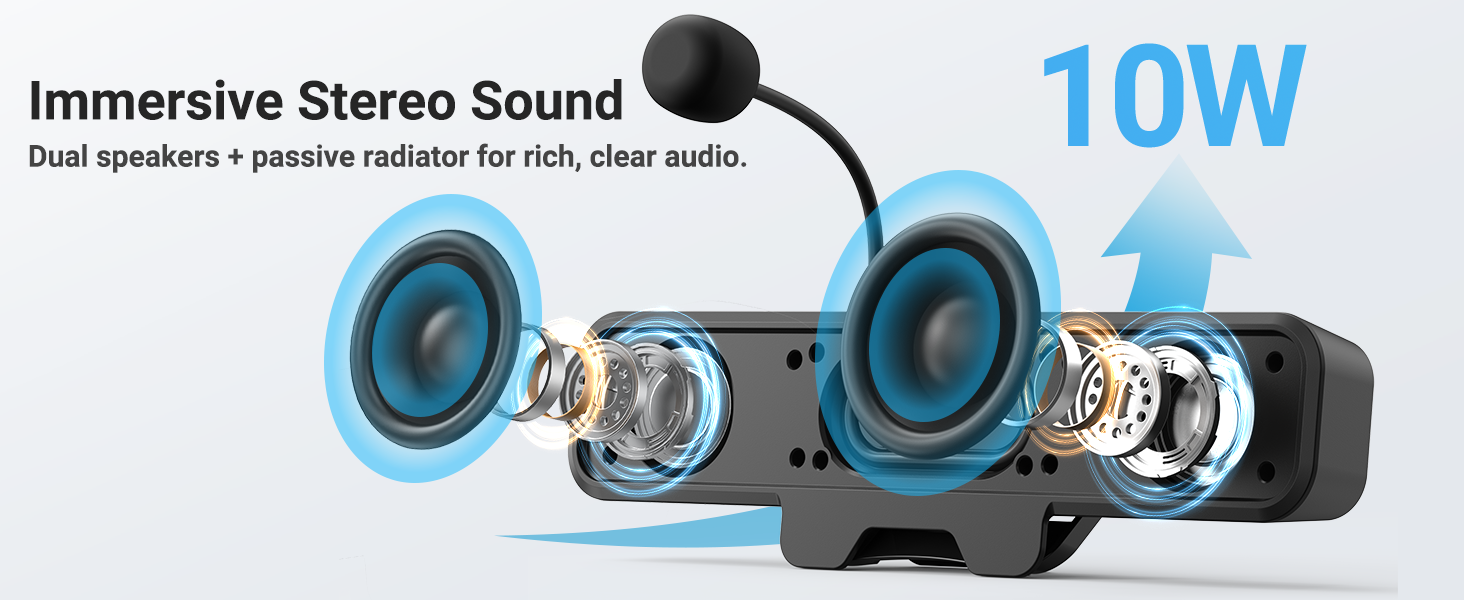
Figure 6: Immersive Stereo Sound
An internal diagram of the speaker, showing the dual high-performance drivers and a passive bass radiator, which work together to produce rich, clear audio with enhanced bass.
Nlekọta
To ensure the longevity and optimal performance of your INGA HKDR631M speakers, follow these maintenance guidelines:
- Nhicha: Use a soft, dry cloth to wipe the speaker's surface. Do not use liquid cleaners or abrasive materials.
- Nchekwa: Mgbe a naghị eji ya ogologo oge, chekwaa ndị ọkà okwu n'ebe dị jụụ, kpọrọ nkụ na-adịghị na ìhè anyanwụ kpọmkwem na oke okpomọkụ.
- Ijikwa: Avoid dropping the speakers or subjecting them to strong impacts. Do not attempt to disassemble the unit.
Nchọpụta nsogbu
If you encounter issues with your INGA HKDR631M speakers, refer to the following common problems and solutions:
Enweghị mpụta ụda
- Lelee njikọ USB: Ensure the USB cable is securely plugged into both the speaker and your device. Try a different USB port.
- Verify Device Settings: Confirm that the INGA HKDR631M is selected as the default audio output device in your computer's sound settings.
- Gbanwee olu: Increase the volume using the speaker's controls and your device's system volume. Ensure the speaker is not muted.
- Malitegharịa ngwaọrụ: Sometimes, a simple restart of your computer can resolve audio recognition issues.
Igwe okwu anaghị arụ ọrụ
- Lelee njikọ igwe okwu: Ensure the detachable microphone is fully inserted into its port on the speaker.
- Lelee bọtịnụ Ogbi: Press the microphone mute button on the speaker to ensure it is not muted.
- Verify Device Settings: In your computer's sound settings, ensure the INGA HKDR631M microphone is selected as the default input device. Check microphone privacy settings in your operating system.
- Ntọala ngwa: If using a specific application (e.g., Zoom, Discord), check its internal audio settings to ensure the correct microphone is selected.
Poor Sound Quality or Static
- USB Port Interference: Try connecting the speaker to a different USB port, preferably a direct port on your computer rather than a hub.
- Ịdị n'ezi nke eriri USB: Ensure the USB cable is not damaged or kinked.
- Ihe na-akpata gburugburu: Keep the speakers away from other electronic devices that might cause interference.
- Mmelite ngwanrọ: Ensure your operating system and audio drivers are up to date.
Speaker Does Not Clip Securely to Monitor
- Monitor Thickness: The clip is designed for monitors up to 1 inch thick. Ensure your monitor falls within this specification.
- Curved Monitors: The clip-on design is not compatible with monitors that have a curved back. In such cases, use the desktop placement option.
Nkọwapụta
| Ụdị | INGA |
| Nọmba nlereanya | HKDR631M |
| Ike Nwepu kacha elu | 10 Watt |
| Nzaghachi ugboro ugboro | 20 kHz |
| Teknụzụ Njikọta | USB |
| Ọnọdụ mmepụta ọdịyo | Stereo |
| Ụdị nkwụnye | Clip |
| Ihe mkpuchi | Ọla, plastik |
| Ụdị Ọkà Okwu | Nyochaa |
| Atụmatụ ndị ọzọ | Bass Boost, Clamp Installation, Detachable Microphone, Plug and Play, USB Port |
| Agba | Nwa |
| Usoro njikwa | Metụ aka |
| Nha Ọkà Okwu | 248 millimeters |
| Ihe eji eme ihe maka ngwaahịa | Desktop multimedia, Communication, Gaming |
| Ọnụọgụ ọwa ọdịyo | 2.0 |
| Protocol Njikọta | USB |
| Isi Iyi Ike | Igwe ọkụ eletrik (USB) |
| Ntinye Voltage | 5 volts (DC) |
| Akụkụ ihe (D x W x H) | 9"D x 1.85"W x 1.26"H |
| Ngwa dakọtara | Laptop, MAC, PC, Gaming Consoles |
| Ụdị ọkwọ ụgbọ ala ọdịyo | Ọkwọ ụgbọala dị ike |
Ozi akwụkwọ ikike
The INGA HKDR631M Computer Speakers come with a Akwụkwọ ikike nke onye nrụpụta afọ 1. This warranty covers parts and labor for defects in materials and workmanship under normal use. Please retain your proof of purchase for warranty claims.
For detailed warranty terms and conditions, please refer to the official INGA websaịtị ma ọ bụ kpọtụrụ nkwado ndị ahịa.
Nkwado ndị ahịa
Should you require assistance, have questions, or need to report an issue, please contact INGA customer service. We are committed to providing excellent support across various channels.
For the most up-to-date contact information, please visit the official INGA websaịtị ma ọ bụ rụtụ aka na nkọwa kọntaktị enyere na nkwakọ ngwaahịa gị.