
1. Ngwaahịa gafereview
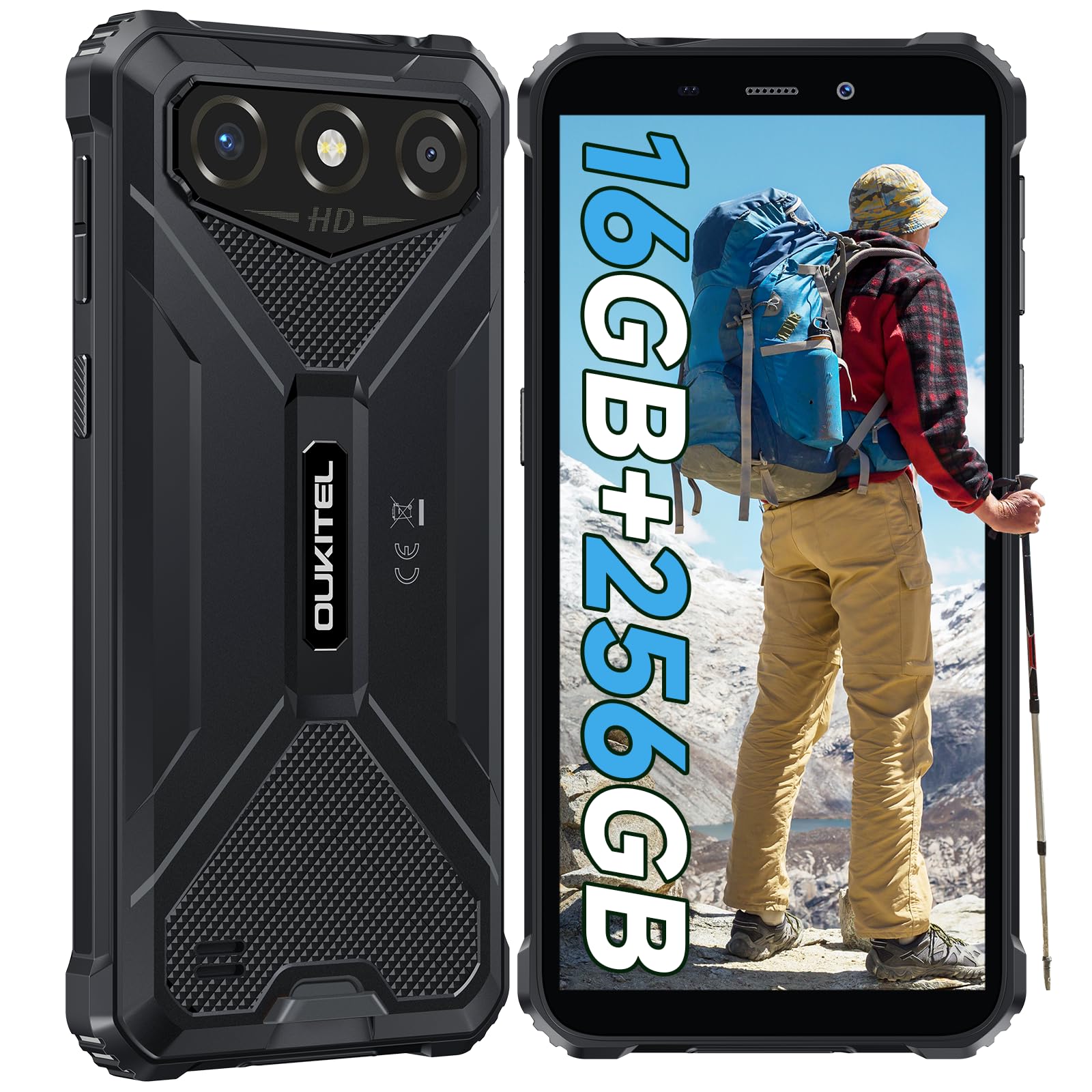
The OUKITEL G3 is a rugged smartphone designed for durability and performance in challenging environments. It features a 6.0-inch HD display, a 6300mAh battery, 16GB RAM (expandable), 256GB ROM (expandable to 1TB), and a 13MP main camera. The device is certified with IP68, IP69K, and MIL-STD-810H ratings, ensuring resistance to water, dust, and drops. It operates on Android 14 and supports 4G Dual SIM, GPS, Face ID, and OTG functionality.
2. Ihe ngwugwu
Chọpụta na ihe niile dị na ngwugwu gị:
- 1x OUKITEL G3 Smartphone
- 1 x chaja
- 1 x Ụdị-C USB
- 1x SIM Card Ejector Pin
- 1x Akwụkwọ ntuziaka onye ọrụ

3. Mbido Mbido
3.1. Itinye kaadị SIM na kaadị TF
- Chọta tray kaadị SIM n'akụkụ ngwaọrụ ahụ.
- Use the provided SIM ejector pin to open the tray.
- Carefully place your Nano SIM cards (up to two) and/or a TF card (for memory expansion up to 1TB) into the designated slots.
- Hụ na kaadị ndị ahụ ziri ezi dịka egosiri na tray ahụ.
- Jiri nwayọọ tụgharịa traị ahụ azụ n'ime ekwentị ruo mgbe ọ pịrị n'ime ebe.

3.2. Ịchaji batrị
Before first use, fully charge the device. Connect the Type-C cable to the phone's charging port and the other end to the provided charger. Plug the charger into a power outlet. The battery indicator on the screen will show charging status. The OUKITEL G3 features a 6300mAh battery for extended use.
3.3. Ịgbanye / gbanyụọ
- To power on: Press and hold the Power button until the OUKITEL logo appears.
- Ka ịgbanyụ: Pịa ma jide ike bọtịnụ, wee họrọ "Ike gbanyụọ" na nhọrọ na ihuenyo.
- Iji malitegharịa: Pịa ma jide bọtịnụ Ike, wee họrọ "Malitegharịa" site na nhọrọ ndị ahụ.
4. Ntuziaka ọrụ
4.1. Ngosipụta na igodo
The OUKITEL G3 features a 6.0-inch HD display with 450 nits brightness and Corning Glass 5 protection. Navigate the Android 14 interface using touch gestures: tap, swipe, pinch-to-zoom. Access quick settings by swiping down from the top of the screen.

4.2. Ọrụ igwefoto
The device is equipped with a 13MP rear camera and a 5MP front camera. Open the Camera app to capture photos and videos. Features include:
- Ụdị foto ọkọlọtọ: For everyday photography.
- AI Beauty Mode: Enhances facial features in portraits.
- Underwater Camera Mode: Allows capturing photos and videos while submerged up to 1.5m for 30 minutes. Ensure all ports are securely sealed before underwater use.
- Ụdị panorama: For wide-angle landscape shots.

4.3. Battery Management and OTG
The 6300mAh battery provides extended usage. To optimize battery life, manage screen brightness, close unused applications, and enable power-saving modes when needed. The device supports OTG (On-The-Go) reverse charging, allowing you to use your OUKITEL G3 to charge other compatible devices via a Type-C OTG cable (sold separately).

4.4. Custom Key and Security Features
- Igodo omenala: A programmable button on the side of the device for quick access to specific applications or functions. Configure its actions (single click, double click, long press) in the phone settings.
- NJ ihu: Use facial recognition for secure unlocking of your device. Set up Face ID in the Security settings.
- Nsoro ụzọ GPS: The OUKITEL G3 supports GPS, GLONASS, Beidou, and Galileo navigation systems for accurate positioning.

5. Mmezi na Ogologo Oge
The OUKITEL G3 is built to withstand harsh conditions, certified with IP68, IP69K, and MIL-STD-810H standards.
- IP68 Mgbochi mmiri: Protected against continuous immersion in water up to 1.5 meters for 30 minutes. Ensure all port covers are tightly sealed before exposure to water.
- IP69K Dust Resistance: Fully protected against dust ingress and high-pressure, high-temperature water jets.
- MIL-STD-810H Drop Resistance: Designed to withstand drops from up to 1.5 meters. The aluminum frame and rubberized corners provide enhanced shock absorption.
Iji hichaa ngwaọrụ ahụ, jiri nro dị nro, damp cloth. Avoid harsh chemicals or abrasive materials. Regularly check port covers for proper sealing to maintain water and dust resistance.

6. Nchọpụta nsogbu
If you encounter issues with your OUKITEL G3, refer to the following common solutions:
| Nsogbu | Ngwọta enwere ike |
|---|---|
| Ngwaọrụ anaghị agbanwu ọkụ | Gbaa mbọ hụ na agbagoro batrị. Jikọọ chaja wee chere nkeji ole na ole tupu ị nwaa ịgbanye ọzọ. |
| Mgbama netwọkụ adịghị mma | Check if SIM cards are correctly inserted. Move to an area with better network coverage. Contact your service provider if the issue persists. |
| Ngwa na-akụda ma ọ bụ na-ajụ oyi | Close background applications. Clear the cache of the problematic app. Restart the device. Ensure sufficient storage space is available. |
| Batrị na-agbapụ ngwa ngwa | Reduce screen brightness. Disable unused features like Wi-Fi, Bluetooth, GPS. Close power-intensive apps. Check battery usage in settings to identify culprits. |
| Ihuenyo mmetụ anaghị anabata | Restart the device. If the issue persists, perform a factory reset (backup data first). |
7. Nka na ụzụ nkọwa
| Njirimara | Nkọwa |
|---|---|
| Ụdị | OUKITEL |
| Nlereanya | G3 |
| Sistemụ nrụọrụ | Android 14 |
| RAM | 4GB (expandable to 16GB virtual RAM) |
| Nchekwa ime (ROM) | 256GB |
| Nchekwa enwere ike ịgbasa | Up to 1TB (TF card) |
| Ngosipụta nha | 6.0 sentimita asatọ |
| Ngosipụta mkpebi | HD (450 nits brightness, Corning Glass 5) |
| Ọnụego ume ọhụrụ | 60Hz |
| Igwefoto azụ | 13 megapixels |
| Igwefoto ihu | 5 megapixels |
| Ike batrị | 6300 mAh |
| Nchaji ọdụ ụgbọ mmiri | USB Ụdị-C |
| Ọkwa Ịdịgide | IP68, IP69K, MIL-STD-810H |
| Nkwado kaadị SIM | Dual 4G Nano SIM |
| Nsoro ụzọ | GPS, GLONASS, Beidou, Galileo |
| Nchekwa biometric | NJ ihu |
| Jack ọdịyo | 3.5mm |
For detailed energy efficiency information, please refer to the EU EPREL database: https://eprel.ec.europa.eu/qr/2400970

8. Akwụkwọ ikike na nkwado
OUKITEL provides the following support for the G3 smartphone:
- Iwu nloghachi: 30-day no-reason return.
- Akwụkwọ ikike: TWO-YEAR warranty.
- Nkwado ndị teknuzu: Long-term technical assistance.
- Ndị ọrụ nlekọta ndị ahịa: 24-hour online customer service.
For any inquiries or support, please contact OUKITEL official customer service.