
Okwu mmalite
Daalụ maka ịzụrụasing the AGPTEK M6U MP3 Player. This device is designed to provide a high-quality portable audio experience with its 64GB internal storage and Bluetooth 5.3 connectivity. This manual will guide you through the setup, operation, and maintenance of your new MP3 player to ensure optimal performance and longevity.
Ihe ngwugwu
Biko lelee ngwungwu maka ihe ndị a:
- AGPTEK M6U MP3 Player (1 unit)
- USB Type-C Cable (for data transfer and charging) (1 unit)
- Wired Earphones (can be used as FM antenna) (1 unit)
- User Manual (multi-language, including English) (1 unit)
Ngwaahịa gafereview
The AGPTEK M6U MP3 Player features a sleek design with a 2.4-inch LCD screen and intuitive controls. Familiarize yourself with the device's physical components.

Foto: The AGPTEK M6U MP3 Player, showcasing its compact size and user interface. The device is held in a hand, highlighting its portability and the layout of its screen and physical control buttons.
The player is equipped with a durable zinc alloy body, providing a comfortable grip. It features a responsive display for easy navigation through menus and media files.
Melite
1. Ịchaji ngwaọrụ
Before initial use, fully charge the MP3 player. Connect the provided USB Type-C cable to the player's charging port and the other end to a USB power adapter (not included) or a computer's USB port.
- Ụgwọ zuru ezu na-ewekarị awa 2 ruo 2.5.
- The battery charges to 80% capacity in approximately 1.5 hours.
- A fully charged battery provides up to 40 hours of music playback.

Foto: The AGPTEK M6U MP3 Player displaying its battery charging status and indicating a long playback time. The image visually represents the charging process and extended battery life.
2. Gbanyụọ / gbanyụọ
- Iji gbanye: Press and hold the Power button (usually located on the side) until the screen lights up.
- Iji gbanyụọ: Press and hold the Power button until a power-off option appears on the screen, then confirm.
3. Ịnyefe Egwu Files
Connect the MP3 player to your computer using the provided USB Type-C cable. The player will appear as a removable disk drive. You can then drag and drop your music files (FLAC, MP3, WMA, WAV, APE, ACELP, AAC, Audible, OGG) directly into the player's storage.

Foto: The AGPTEK M6U MP3 Player screen showing various album covers and music playback information, with an overlay indicating internal memory. This illustrates the player's capacity for storing thousands of songs.
The player comes with 64GB of internal memory. You can also expand storage using a microSD card.
4. Njikọ Bluetooth
To connect your AGPTEK M6U to Bluetooth headphones or speakers:
- Go to the Bluetooth menu on your MP3 player.
- Kwado Bluetooth.
- Tinye ekweisi/okwu Bluetooth gị n'ọnọdụ njikọta.
- Select your device from the list of available devices on the MP3 player's screen.
- The player supports automatic reconnection to previously paired devices upon power-on.
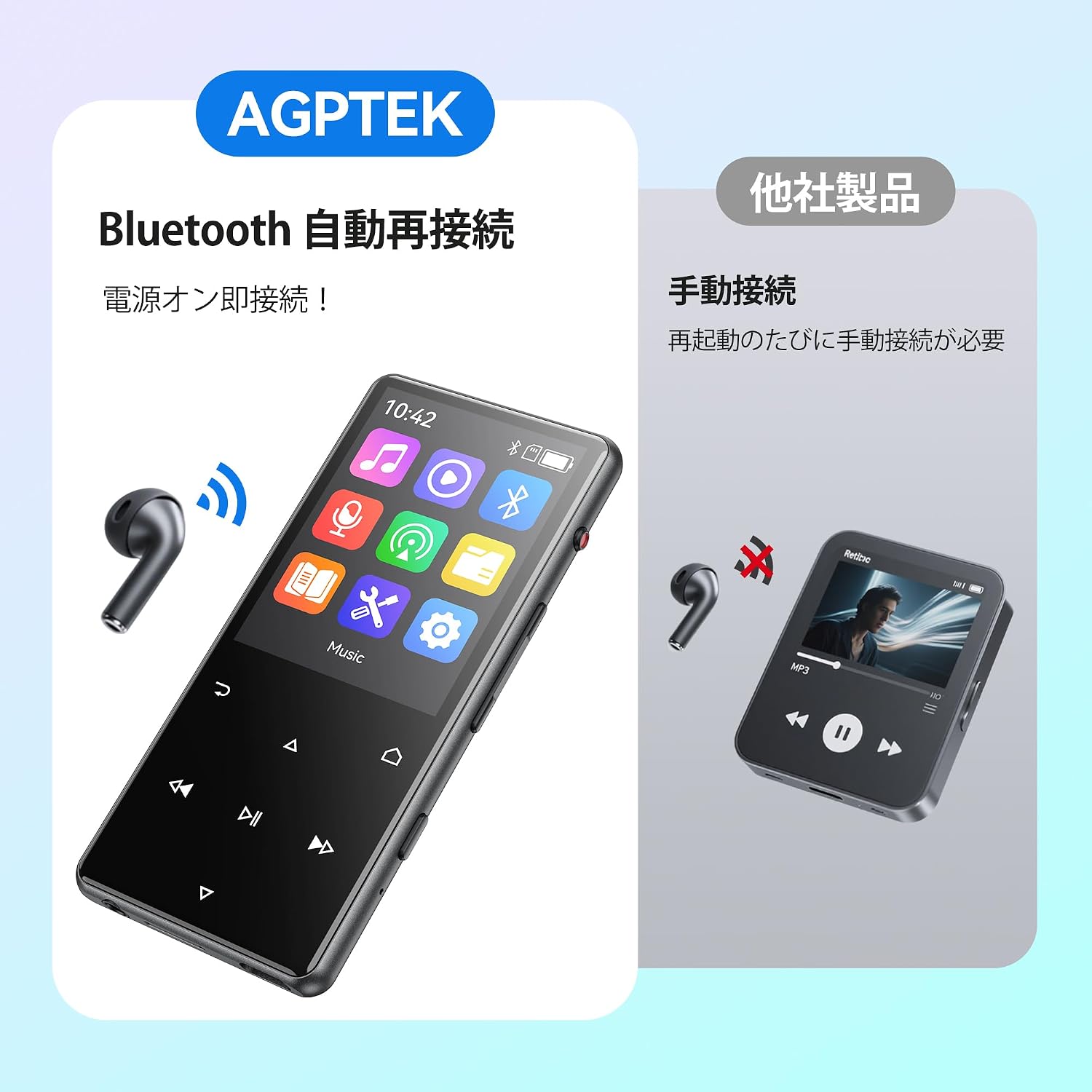
Foto: The AGPTEK M6U MP3 Player connected wirelessly to a pair of Bluetooth earbuds, illustrating the automatic reconnection feature. The screen shows the Bluetooth icon, indicating an active connection.
Ntuziaka ọrụ
1. Nsoro ụzọ
Use the touch screen or physical buttons (Play/Pause, Next/Previous, Volume) to navigate through menus and control playback. The interface is designed for intuitive use.
2. Nghaghachi egwu
From the main menu, select "Music" to browse your audio files. You can sort by artist, album, genre, or view all songs. Tap a song to begin playback.
- Press the Play/Pause button to start or pause music.
- Jiri bọtịnụ Na-esote/Gaa n'ihu wụfuo egwu.
- Gbanwee olu site na iji njikwa olu raara onwe ya nye.
3. Ndekọ olu
The AGPTEK M6U features a one-key recording function, allowing you to quickly capture audio. This is useful for lectures, meetings, or personal notes.

Foto: The AGPTEK M6U MP3 Player screen showing an active recording session, indicated by a large microphone icon and a filename. This highlights the device's one-key recording capability, useful for capturing ideas or discussions instantly.
To start a recording, locate the dedicated recording button (if available, otherwise navigate through the menu). Recordings are saved in MP3 or WAV format.
4. Redio FM
To use the FM radio function, connect the wired earphones to the player. The earphones act as an antenna. Navigate to the FM Radio application from the main menu, then scan for available stations.
5. Ntọala
Access the "Settings" menu to customize various aspects of your player, including display brightness, language, date and time, equalizer settings, and system information.
Nlekọta
- Nhicha: Jiri akwa dị nro dị nro hichaa ngwaọrụ ahụ. Zere ndị na-ehicha mmiri mmiri ma ọ bụ ihe abrasive.
- Nchekwa: Debe onye ọkpụkpọ ahụ n'ebe dị jụụ ma kpọọ nkụ, ebe anwụ na-anaghị anwụ kpọmkwem na oke okpomọkụ dị oke njọ.
- Nlekọta batrị: Iji mee ka batrị dị ogologo, zere ịgbapụta batrị ahụ mgbe niile. Chajie ya mgbe niile, ọbụlagodi na ọ naghị eji ya ruo ogologo oge.
- Mmelite ngwanrọ: Periodically check the official AGPTEK websaịtị maka mmelite firmware ọ bụla dị iji hụ na arụmọrụ kachasị mma na atụmatụ ọhụrụ.
Nchọpụta nsogbu
| Nsogbu | Ngwọta |
|---|---|
| Ngwaọrụ anaghị agbanwu ọkụ. | Ensure the battery is charged. Connect the player to a power source for at least 10 minutes, then try powering on again. |
| Cannot connect to Bluetooth headphones. | Make sure Bluetooth is enabled on both the player and the headphones. Put headphones in pairing mode. Ensure they are within range and not connected to another device. |
| Egwu files are not recognized. | Chọpụta na egwu ahụ files are in a supported format (FLAC, MP3, WMA, WAV, APE, ACELP, AAC, Audible, OGG). Ensure files are transferred correctly to the player's internal storage or microSD card. |
| Ihuenyo anaghị anabata. | Try restarting the device. If the issue persists, a factory reset might be necessary (note: this will erase all data). |
Nkọwapụta
| Njirimara | Nkọwa |
|---|---|
| Ụdị | AGPTEK |
| Nọmba nlereanya | M6U |
| Ebe nchekwa | 64 GB |
| Nha ihuenyo | 2.4 sentimita asatọ |
| Ngosipụta teknụzụ | LCD |
| Teknụzụ Njikọta | USB, Bluetooth 5.3 |
| Ngwa dakọtara | PC, Headphones |
| Ụdị mgbasa ozi | microSD Card (expandable storage) |
| Ụdị ọdịyo akwadoro | FLAC, MP3, WMA, WAV, APE, ACELP, AAC, Audible, OGG |
| Supported Recording Formats | MP3, WAV |
| Ụdị vidiyo akwadoro | AMV, AVI (240*320) |
| Ndụ batrị (Ọkara) | Ruo awa 40 |
| Agba | Nwa |
| Mmalite | China |
Akwụkwọ ikike na nkwado
The AGPTEK M6U MP3 Player comes with a 180-day warranty from the date of purchase. This warranty covers manufacturing defects under normal use.
For technical support, warranty claims, or further assistance, please contact AGPTEK customer service through their official website or the retailer where you purchased the product. Please have your model number (M6U) and proof of purchase ready when contacting support.
Ozi nchekwa dị mkpa
- Ewepụla ngwaọrụ ahụ na oke okpomọkụ, ìhè anyanwụ kpọmkwem, ma ọ bụ oke iru mmiri.
- Zere idobe ma ọ bụ idobe ngwaọrụ ahụ na mmetụta siri ike.
- Agbalịla ịkwatu ma ọ bụ rụzie ngwaọrụ ahụ n'onwe gị. Nke a ga-eme ka akwụkwọ ikike ahụ ghara ịdị irè.
- Use only approved charging cables and accessories.
- Listen to audio at moderate volumes to prevent hearing damage.