1. Okwu mmalite
This manual provides detailed instructions for the Generic S-M6Pro Ergonomic Wired Gaming Mouse. Please read this guide thoroughly to ensure proper setup, operation, and maintenance of your device. This mouse is designed for high-precision gaming and general computer use, featuring adjustable DPI, programmable buttons, and RGB lighting.
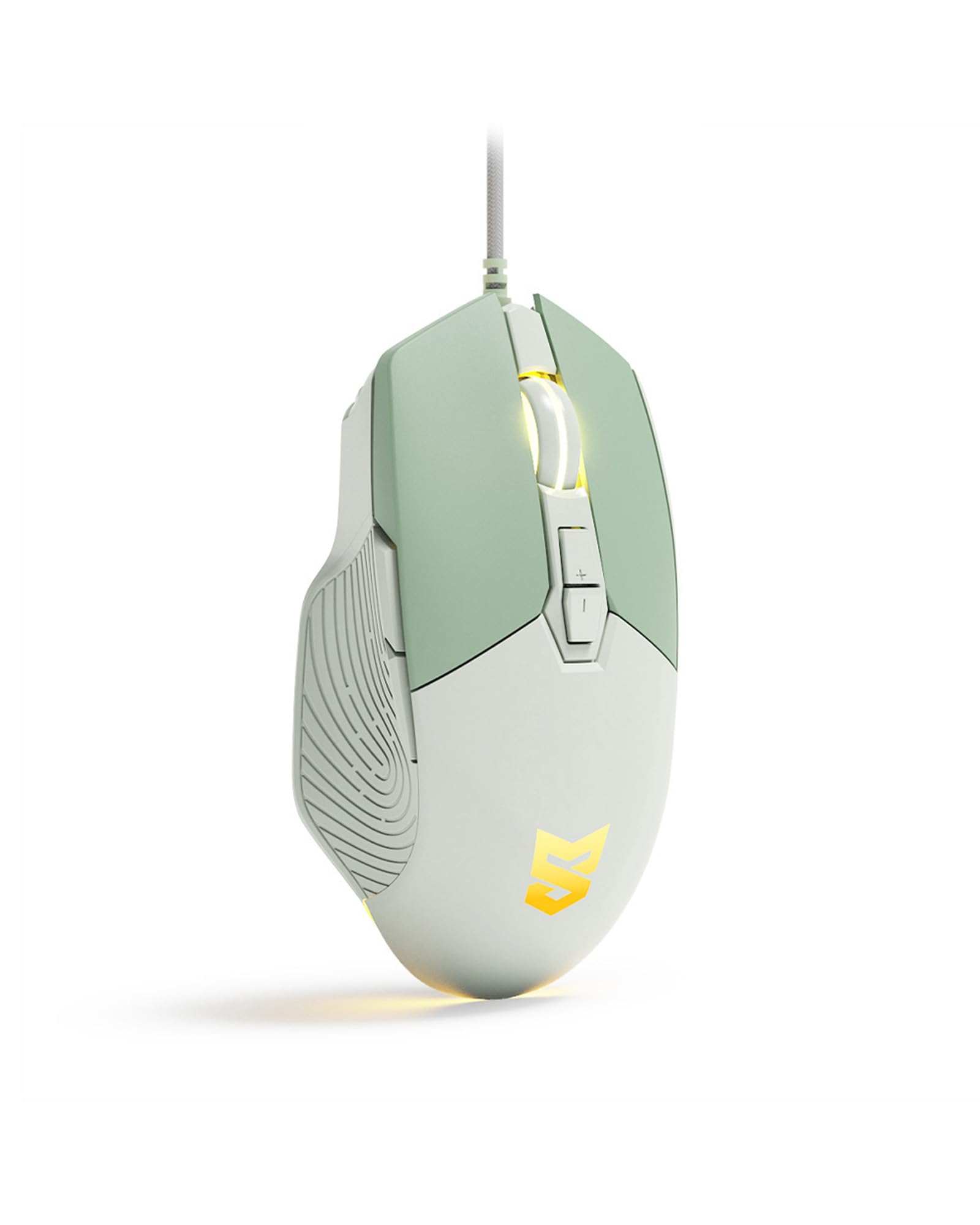
Figure 1: Generic S-M6Pro Ergonomic Wired Gaming Mouse (Mint Green variant).
2. Atụmatụ igodo
- High-Efficiency Optical Sensor: Features a maximum 7200 DPI for precise and accurate tracking.
- Reliable Wired Connection: Equipped with a 162mm braided rope USB-C cable for low-latency performance.
- Nhazi Ergonomic: Shaped for excellent grip and comfort during extended use.
- Bọtịnụ enwere ike ime: 7 programmable buttons for custom functions, macros, and ripple control via dedicated driver software.
- RGB LED Backlighting: Dynamic RGB lighting with breathing effects.
- Mgbanwe Ndị Na-adịgide Adịgide: Engineered for a 10-million-click button lifespan.
- ICE Mouse Feet: Designed for ultra-smooth gliding and minimal friction, enhancing tracking precision.

Figure 2: High-precision optical sensor and RGB lighting.

Figure 3: High precision sensors for accurate tracking.
3. Ntuziaka Nhazi
- Mepee òké ahụ: Carefully remove the gaming mouse from its packaging.
- Jikọọ na Kọmputa: Plug the USB-C connector of the mouse cable into an available USB port on your computer (PC, Mac, or Linux).
- Nwụnye ọkwọ ụgbọala (Nhọrọ): The mouse is plug-and-play for basic functionality. For advanced customization, including programmable buttons, macros, and RGB effects, download and install the dedicated driver software from the manufacturer's website. Refer to the product packaging or manufacturer's website for the software download link.
- Nkwanye: Debe òké ahụ n'elu ala dị larịị, dị larịị ma ọ bụ pad òké maka ịrụ ọrụ nsochi kacha mma.

Figure 4: Ergonomic design for comfortable grip during use.
4. Ntuziaka ọrụ
4.1 bọtịnụ Ọrụ
The S-M6Pro mouse features 7 programmable buttons. Default functions are listed below:
- Bọtịnụ aka ekpe: Ọrụ ịpị nke mbụ.
- Bọtịnụ aka nri: Ọrụ pịa nke abụọ (nchịkọta ọnọdụ).
- Roller Button (Scroll Wheel): Pịgharịa gaa na elu/ala, pịa etiti.
- Bọtịnụ DPI+: Na-abawanye nghọta DPI.
- DPI- bọtịnụ: Na-ebelata ikike DPI.
- Bọtịnụ mbugharị: Na-aga n'ihu web ihe nchọgharị ma ọ bụ file ndị na-eme nchọpụta.
- Bọtịnụ azụ: Na-agagharị azụ n'ime web ihe nchọgharị ma ọ bụ file ndị na-eme nchọpụta.

Figure 5: Labeled buttons on the S-M6Pro gaming mouse.
4.2 DPI mmezi
The mouse supports four adjustable DPI levels, allowing you to switch sensitivity on the fly to match your task or game. Use the DPI+ and DPI- buttons to cycle through the available settings:
- 1200 DPI
- 2400 DPI
- 4800 DPI
- 7200 DPI (Maximum)

Foto nke 6: Ngosipụta anya nke ntọala DPI a na-agbanwe agbanwe.
4.3 RGB LED Backlighting
The mouse features dynamic RGB LED backlighting with a breathing effect. The lighting can be customized using the dedicated driver software. This software allows for adjustment of colors, effects, and brightness.

Figure 7: RGB LED backlighting in action.
4.4 Nhazi Ngwanrọ
Utilize the dedicated driver software to unlock the full potential of your S-M6Pro mouse. The software allows you to:
- Program the 7 buttons with custom functions or macros.
- Adjust DPI settings beyond the default levels.
- Modify polling rate.
- Set Lift-Off Distance (LOD).
- Control RGB lighting effects and colors.
- Chekwa profiles na ebe nchekwa òké dị n'ime ụgbọ mmiri.
The software ensures a personalized gaming and computing experience.
5. Nlekọta
- Nhicha: Jiri akwa dị nro, kpọrọ nkụ hichapụ elu òké ahụ. Maka unyi isi ike, ntakịrị dampen akwa na mmiri. Zere iji kemịkalụ siri ike ma ọ bụ ihe na-emebi emebi.
- Nlekọta ihe mmetụta: Keep the optical sensor on the underside of the mouse clean and free from dust or debris to ensure accurate tracking. Use a cotton swab or compressed air if necessary.
- Njikwa USB: Avoid sharp bends or excessive pulling on the braided USB-C cable to prevent damage.
- Ụkwụ òké: The ICE mouse feet are designed for durability. If they become worn over time, replacement feet may be available from the manufacturer or authorized retailers to maintain optimal glide performance.

Figure 8: Underside of the mouse with optical sensor and ICE feet.
6. Nchọpụta nsogbu
| Nsogbu | Ihe nwere ike ime | Ngwọta |
|---|---|---|
| Òké anaghị aza | Njikọ USB rụrụ arụ, ọdụ ụgbọ USB adịghị mma, nsogbu ọkwọ ụgbọ ala. |
|
| Inaccurate or jerky tracking | Dirty optical sensor, unsuitable surface, incorrect DPI setting. |
|
| Bọtịnụ anaghị arụ ọrụ dịka a tụrụ anya ya | Software configuration, driver issue. |
|
| RGB ọkụ anaghị arụ ọrụ | Software setting, power issue. |
|
7. Nkọwapụta
| Njirimara | Nkọwa |
|---|---|
| Ụdị | N'ozuzu |
| Nọmba nlereanya | S-M6Pro |
| Agba | Green Mint |
| Teknụzụ Njikọta | USB-C ejiri waya mee |
| Teknụzụ nchọpụta ngagharị | Ngwa anya |
| Mouse Maximum Sensitivity | 7200 DPI (Adjustable) |
| Ọnụọgụ bọtịnụ | 7 bọtịnụ mmemme |
| Ntuzi aka | Right |
| Ngwa dakọtara | Kọmputa nkeonwe |
| Ngwaike Platform | Linux, Mac, na PC |
| Ibu Ibu | 139 grams |
| Akụkụ ihe (L x W) | 5"L x 2.7"W |
| Ihe mkpuchi | Plastic |
| Batrị achọrọ | Mba |
8. Akwụkwọ ikike Ozi
Specific warranty details for the Generic S-M6Pro Ergonomic Wired Gaming Mouse are typically provided with the product packaging or available on the manufacturer's official websaịtị. Biko rụtụ aka na akụrụngwa ndị a maka usoro na ọnọdụ akwụkwọ ikike zuru oke.
9. Nkwado ndị ahịa
For technical assistance, troubleshooting beyond this manual, or inquiries regarding your Generic S-M6Pro Ergonomic Wired Gaming Mouse, please contact the manufacturer's customer support. Contact information can usually be found on the product packaging, the manufacturer's official website (Linkerfoo), or through your retailer.
10. Ihe ngosi vidiyo ngwaahịa
Video 1: A short demonstration of the Wired Gaming Mouse, showcasing its design and RGB lighting effects. This video is 20 seconds long and provides a visual overview of the product's aesthetics and basic functionality.


