
1. Ngwaahịa gafereview
The Dpofirs Small Portable Video Projector is a compact and versatile device designed for various entertainment and presentation needs. With its small footprint, it is easy to transport and set up, offering a projection size ranging from 14 to 100 inches. It supports a resolution of 1920 x 1080p and features 100Ansi 6000lm brightness, manual focus, and built-in stereo speakers.
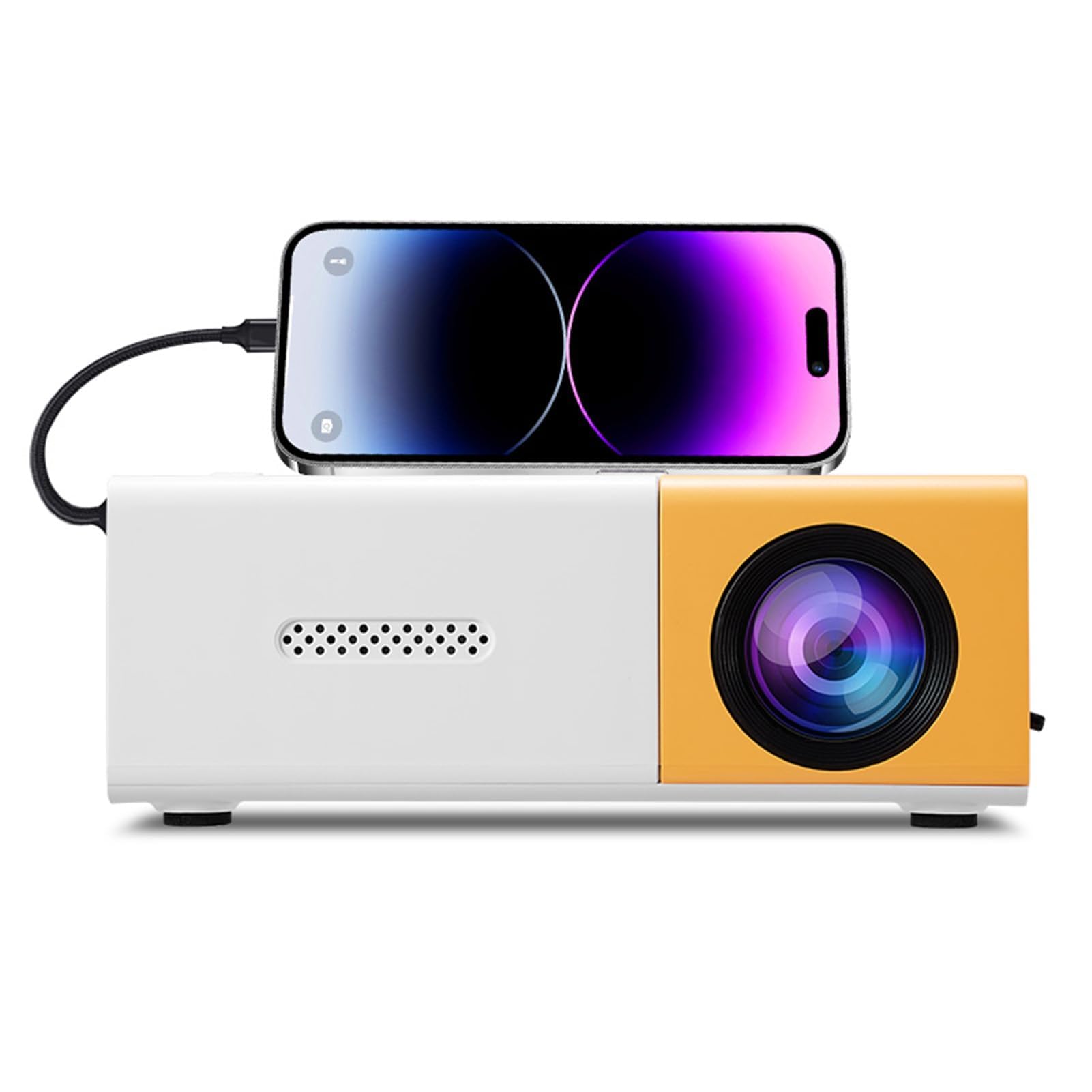
Image 1.1: The Dpofirs Small Portable Video Projector, showcasing ya kọmpat imewe.

Image 1.2: The projector held in a hand, illustrating its compact and portable dimensions (5 x 3.4 x 1.9 inches).
2. Ozi nchekwa
- Read all instructions before using the projector.
- Elela anya ozugbo na oghere projector mgbe lamp dị na.
- Debe ihe ngosi ahụ ka ọ ghara ịnọ na mmiri ma ọ bụ ihe ndị ọzọ dị n'ime ya.
- Gbaa mbọ hụ na ikuku ikuku dị mma iji gbochie ikpo oke ọkụ. Akwụsịla oghere ikuku.
- Use only the power adapter specified for this device (Type C, 5V 2A).
- Agbalịla ịkwatu ma ọ bụ rụzie ihe onyonyo ahụ n'onwe gị. Kpọtụrụ ndị ọrụ ruru eru.
- Debe ebe ụmụaka na-apụghị iru.
3. Ihe ngwugwu
Biko lelee ihe dị n'ime ngwugwu ahụ mgbe ị na-emepe igbe ahụ. Ọ bụrụ na ihe ọ bụla efuola ma ọ bụ mebie, kpọtụrụ onye na-ere ahịa gị.
- Dpofirs Small Portable Video Projector
- Njikwa anya
- Power Cable (USB Type-C)
- Akwụkwọ ntuziaka onye ọrụ
4. Product Display and Controls
4.1 Projector Ports and Buttons

Foto 4.1: Ihu na azụ view of the projector with labeled ports and control buttons.
- Ike On / Gbanyụọ Button: Located on the top panel.
- Left Click / Right Click / OK Buttons: Navigation buttons on the top panel.
- Signal Source Button: Ka ịhọrọ isi ntinye.
- Bọtịnụ nloghachi: To go back in menus.
- Interface AV: For analog audio/video input.
- Micro USB (5V 2A) Power Interface: Maka ijikọ eriri ọkụ.
- Njikọ USB: For connecting USB devices (e.g., flash drives).
- Ọkụ ọkụ DC: (Note: Description mentions Type C, image shows DC. Use Type C as per description).
- High Definition Interface (HDMI): For connecting devices via HDMI.
4.2 Ọrụ njikwa anya

Image 4.2: Layout of the remote control with labeled buttons.
- Open Key (Power): Gbanyụọ ma ọ bụ gbanyụọ projector.
- Source Key: Na-ahọpụta isi iyi ntinye.
- Mechie: Mebie ma ọ bụ mebie ụda olu.
- Directional Keys (Up, Down, Left, Right): Navigates menus.
- OK bọtịnụ: Na-akwado nhọrọ.
- Volume Down / Volume Increase: Na-edozi olu ọdịyo.
- Igodo ntọala: Accesses the projector settings menu.
- Igodo nloghachi: Na-alaghachi na menu gara aga.
- Igodo menu: Mepee isi menu.
5. Ntuziaka Nhazi
5.1 Njikọ ike
- Connect the provided USB Type-C power cable to the Micro USB (5V 2A) Power Interface on the projector.
- Connect the other end of the cable to a compatible 5V 2A power adapter (not always included) or a power bank.

Image 5.1: The projector can be powered by a power bank (5V 2A minimum) for portable use.
5.2 Placement and Projection Size
Position the projector on a stable, flat surface. The projection distance determines the screen size. The projector can project images from 14 to 100 inches diagonally.
- Maka kacha mma viewing experience, a playback size of 20-60 inches is recommended.
- This corresponds to a projection distance of approximately 0.8m to 1.6m.

Image 5.2: Recommended projection distances for various screen sizes (e.g., 0.8m for 24 inches, 1.6m for 47 inches).

Image 5.3: The projector can achieve large screen sizes up to 100 inches, with examples shown for 24, 35, 47, and 152 inches (note: 152 inches may exceed stated maximum of 100 inches).
5.3 Ndozi anya
The projector features manual focus. Before turning on the projector or if the image appears blurry:
- Locate the focus ring or knob near the lens.
- Rotate the focus ring until the projected image becomes clear and sharp.
5.4 Ndozi isi okwu
The projector supports automatic vertical keystone correction. If the image appears trapezoidal (wider at the top or bottom):
- The projector automatically corrects vertical distortion (up and down).
- For side projection or horizontal correction, access the settings menu to make manual adjustments.
6. Ntuziaka ọrụ
6.1 Gbanyụọ ma ọ bụ gbanyụọ
- Iji gbanye: Press the Power On/Off button on the projector or the 'Open Key' on the remote control.
- Iji gbanyụọ: Press the Power On/Off button on the projector or the 'Open Key' on the remote control again.
6.2 Nhọrọ Isi mmalite ntinye
Ihe projector na-akwado ọtụtụ isi mmalite ntinye:
- HDMI: Connect laptops, gaming consoles, streaming sticks, etc., via the High Definition Interface.
- USB: Connect USB flash drives to play media files ozugbo.
- Nke: Connect older devices using the AV interface.
- Ngosipụta ihuenyo: Supports wired and wireless screen mirroring for Android devices.
To select an input source, press the 'Signal Source' button on the projector or the 'Source Key' on the remote control and navigate to your desired input.
6.3 Navigation and Settings
- Use the directional keys (Up, Down, Left, Right) on the projector or remote to navigate through menus.
- Press the 'OK' button to confirm selections.
- Press the 'Return' button to go back to the previous screen or menu.
- Press the 'Settings Key' on the remote to access advanced projector settings, including picture, sound, and system options.
6.4 Njikwa olu
Adjust the audio volume using the 'Volume Down' and 'Volume Increase' buttons on the remote control.
6.5 Ngwa ndapụta
The projector is suitable for a variety of uses:
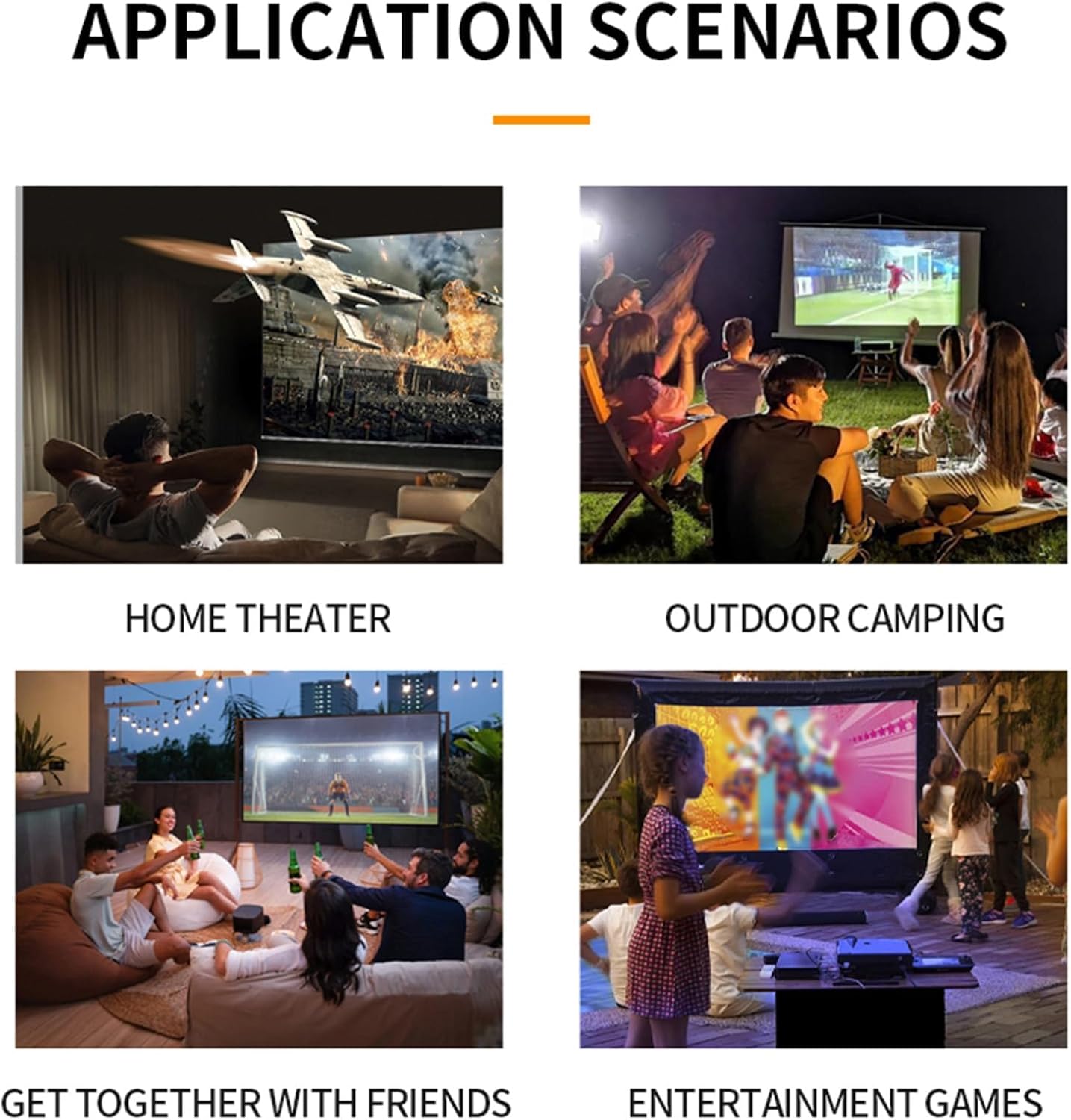
Foto 6.1: Ọpụamples of projector use in various settings including home theater, outdoor camping, social gatherings, and gaming.
- Ụlọ ihe nkiri ụlọ: Enjoy movies and TV shows on a large screen.
- N'èzí Camping: Portable design allows for outdoor entertainment.
- Get-togethers with Friends: Share content or play games with a group.
- Entertainment Games: Connect gaming consoles for an immersive experience.
7. Nlekọta
- Na-ehicha oghere: Jiri akwa dị nro na-enweghị lint emebere maka anya anya anya. Ejila ihe nhicha ma ọ bụ akwa akwa.
- Na-ehicha Casing: Jiri ákwà dị nro ma kpọọ nkụ hichaa mpụta ihe ngosi ahụ. Maka unyi siri ike, jiri obere d hichaa ya.amp akwa wee kpoo nke oma.
- Igwe ikuku: Ensure the ventilation openings are clear of dust and debris to maintain optimal cooling. Use a soft brush or compressed air to gently clean them.
- Nchekwa: Mgbe a naghị eji ya eme ogologo oge, chekwaa ihe nrụpụta ahụ n'ebe dị jụụ, nke kpọrọ nkụ, pụọ na ìhè anyanwụ kpọmkwem na oke okpomọkụ.
8. Nchọpụta nsogbu
8.1 No Image or Poor Image Quality
- Lelee Ike: Ensure the projector is properly connected to power and turned on.
- Isi mmalite ntinye: Verify that the correct input source (HDMI, USB, AV) is selected.
- Ndozi anya: Manually adjust the focus ring until the image is clear.
- Ndozi isi okwu: Adjust keystone settings if the image is distorted.
- Njikọ eriri: Ensure all video cables are securely connected. Try a different cable if possible.
- Device Output: Check the output settings of your connected device (laptop, smartphone) to ensure it's sending a signal to the projector.
8.2 Enweghị ụda
- Ọkwa olu: Increase the volume on both the projector and the connected source device.
- Mechie ọrụ: Ensure the projector is not muted (check remote control).
- Mmepụta ọdịyo: If using an external audio system, ensure it is properly connected and selected as the output.
- Isi mmalite ọdịyo: Verify that the source device is playing audio.
8.3 Remote Control anaghị arụ ọrụ
- Batrị: Dochie batrị ndị dị na njikwa anya.
- Ahịrị nke anya: Hụ na e nwere ahịrị anya doro anya n'etiti remote na ihe nnata IR nke projector.
9. Nkọwapụta
| Njirimara | Nkọwapụta |
|---|---|
| Nọmba nlereanya | Dpofirseikmp1t75y |
| Ụdị ihe | LED Film Projector |
| Mkpebi obodo | 320 x 240 pikselụ |
| Mkpebi nkwado | Up to 1920 x 1080 (1080p) 60Hz |
| Icha ọkụ | 100 Ansi / 6000 Lumens |
| Ọnụọgụ ọdịiche | 10000:1 |
| Lekwasị anya | Akwụkwọ ntuziaka |
| Ndozi | Trapezoid Correction (Auto vertical, manual side via settings) |
| Ọkà okwu | Built-in box speaker 4Ω 2W |
| Ike Okwu | Ụdị C (5V 2A) |
| Ntinye ọdụ ụgbọ mmiri | 1x HD Multimedia Interface, 1x USB Port, 1x AV Interface |
| Mmepụta Port | Jack ekweisi 3.5mm |
| Nha amụma | 14 ruo 100 sentimita asatọ |
| Optimal Playback Size | 20-60 sentimita asatọ |
| Optimal Playback Distance | 0.8m ruo 1.6m |
| Akụkụ | 5 x 3.4 x 1.9 sentimita (12.6 x 8.58 x 4.77 cm) |
| Ibu Ibu | 12.9 ounces (ihe dị ka 365g) |
| Sistemụ jụrụ oyi | Innovative cooling fan system (80% noise reduction) |
10. Akwụkwọ ikike na nkwado
For warranty information, please refer to the warranty card included with your purchase or contact your retailer. Dpofirs is committed to providing quality products and customer support.
If you encounter any issues or have questions regarding your Dpofirs Small Portable Video Projector, please contact Dpofirs customer support through the retailer's platform or the official Dpofirs websaịtị maka enyemaka.