
1. Okwu mmalite
Thank you for choosing the xinwld H9 Wireless Earbuds. These earbuds are designed to provide a high-quality audio experience with advanced features for active lifestyles. This manual provides detailed instructions for setup, operation, maintenance, and troubleshooting to ensure optimal performance and longevity of your device.
2. Kedu ihe dị na Igbe ahụ
- xinwld H9 Wireless Earbuds (Left and Right)
- Nchaji case
- USB-C eriri USB
- Silicone Ear Tips (S/M/L sizes)
- Akwụkwọ ntuziaka onye ọrụ
3. Ngwaahịa gafereview
The xinwld H9 Wireless Earbuds feature Bluetooth 5.4 technology for stable connectivity and low latency. They are equipped with Environmental Noise Cancelling (ENC) microphones for clear calls and a 14.2mm dynamic driver for immersive sound. The ergonomic design with earhooks ensures a secure fit, and IP7 waterproofing provides protection against sweat and rain.
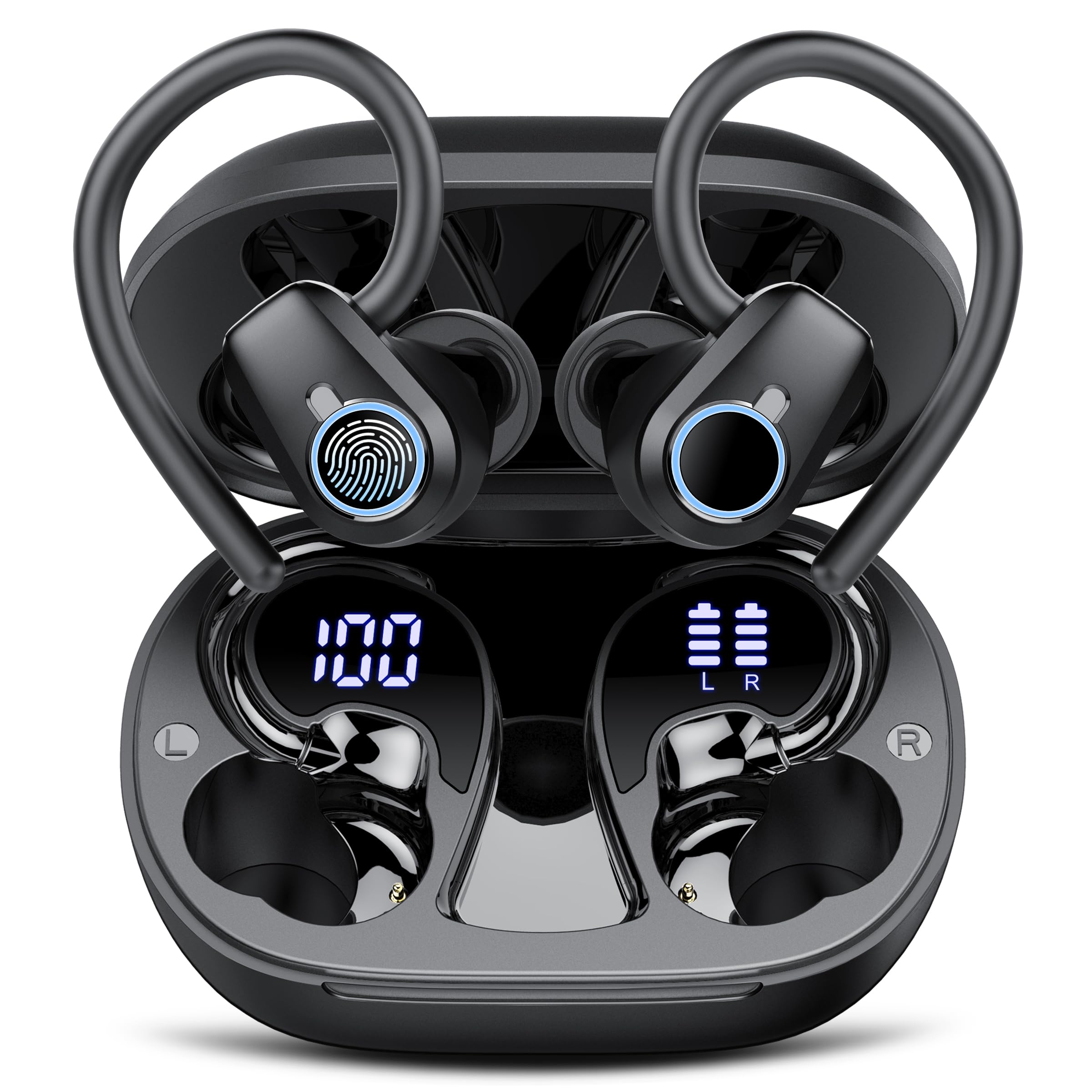
Image: xinwld H9 Wireless Earbuds and their charging case, showcasing imewe ojii mara mma.
4. Nhazi
4.1 Nchaji izizi
Before first use, fully charge the earbuds and the charging case. Connect the provided USB-C cable to the charging port on the case and to a compatible USB power source. The dual LED display on the charging case will indicate the battery levels of both the case and the individual earbuds.

Image: The charging case with earbuds inside, displaying battery percentages for the case and each earbud on its LED screen.
4.2 Ear Tip Selection and Fit
Select the ear tips (S/M/L) that provide the most comfortable and secure fit for your ears. The ergonomic design with 45° TPU elastic ear hooks ensures stability, especially during physical activity. Gently place the earbud into your ear canal and adjust the ear hook over your ear until it feels secure.

Image: Diagram illustrating the ergonomic design of the earbuds with earhooks and showing the three included sizes (S, M, L) of silicone ear tips.
5. Ntuziaka ọrụ
5.1 Gbanyụọ ma ọ bụ gbanyụọ
The earbuds automatically power on when removed from the charging case and power off when placed back into the case and the lid is closed.
5.2 Njikọ Bluetooth
The earbuds feature one-step pairing. Open the charging case, and the earbuds will automatically enter pairing mode. On your device (smartphone, tablet, laptop), enable Bluetooth and select "xinwld H9" from the list of available devices. Once connected, the earbuds will automatically reconnect to the last paired device when removed from the case.

Image: A visual representation of the one-step pairing process, showing the open charging case with earbuds and a smartphone displaying Bluetooth connection options.
5.3 Njikwa Smart Touch
The earbuds are equipped with highly sensitive smart touch controls:
- Kpọọ/Kwụsị Egwu: Otu mgbata na ntị ntị.
- Gbanwee olu: Tap and hold the right earbud to increase volume, tap and hold the left earbud to decrease volume.
- Azịza/Kwụsị Oku: Otu mgbata na ntị ntị.
- Jụ oku: Kpatụ ihe ntị ntị ugboro abụọ.
- Track na-esote: Kpatụ ntị ntị aka nri ugboro abụọ.
- Gara aga Track: Kpatụ ntị ntị aka ekpe ugboro abụọ.
- Mee ka onye enyemaka olu rụọ ọrụ: Pịa ugboro atọ na ntị ntị.
5.4 Mbelata Mkpọtụ Gburugburu Ebe Obibi (ENC)
The 4-microphone array with advanced ENC technology effectively filters out background noise during calls, providing clear voice transmission comparable to face-to-face conversations.
5.5 IP7 Waterproof Rating
The earbuds are IP7 waterproof, protecting them from sweat and rain splashes. This makes them suitable for sports and outdoor activities. Avoid submerging the earbuds in water for extended periods.

Image: The xinwld H9 earbuds shown with water droplets, illustrating their IP7 waterproof capability against rain and sweat.
6. Nlekọta
- Nhicha: Jiri akwa dị nro, kpọrọ nkụ na-adịghị na-ehicha ntị ntị na chaja mgbe niile. Ejila kemịkalụ siri ike ma ọ bụ ihe abrasive.
- Ndụmọdụ ntị: Remove and clean the silicone ear tips periodically with mild soap and water. Ensure they are completely dry before reattaching.
- Nchekwa: Chekwaa ntị ntị n'akpa chaja ha mgbe anaghị eji ya iji chebe ha ma debe ya ebubo. Zere oke okpomọkụ.
- Nchaji ọdụ ụgbọ mmiri: Debe ọdụ ụgbọ mmiri chaja USB-C n'enweghị uzuzu na ihe mkpofu.
7. Nchọpụta nsogbu
| Okwu | Ngwọta enwere ike |
|---|---|
| Igwe ntị anaghị ejikọta ọnụ | Ensure earbuds are charged. Place them back in the case, close the lid, then open to re-enter pairing mode. Forget the device on your phone's Bluetooth settings and try pairing again. |
| Enweghị ụda sitere na otu ntị ntị | Check battery level of both earbuds. Try resetting the earbuds (refer to specific reset instructions if available, otherwise re-pair). |
| Nchaji anaghị akwụ ụgwọ | Verify the USB-C cable is securely connected to both the case and the power source. Try a different cable or power adapter. |
| Ogo ụda adịghị mma | Ensure ear tips provide a good seal. Clean earbuds to remove any debris blocking the speaker. Move closer to your paired device to avoid interference. |
| Earbuds fall out easily | Try different sizes of silicone ear tips. Adjust the ear hooks for a more secure fit. |
8. Nkọwapụta
- Akara: xinwld
- Nọmba nlereanya: H9
- Teknụzụ Njikọta: Ikuku (Bluetooth 5.4)
- Ogologo Bluetooth: 15 mita
- Ntinye ntị: In Ear with Earhooks
- Njikwa mkpọtụ: Nkagbu mkpọtụ gburugburu (ENC)
- Ụdị ọkwọ ụgbọala ọdịyo: Onye ọkwọ ụgbọ ala dị ike (14.2mm)
- Oke ugboro: 18Hz-25kHz
- Ndụ batrị (Earbuds): Up to 8 hours (continuous playback)
- Total Playtime (with Charging Case): Ruo awa iri abụọ
- Oge Nchaji Batrị: 2 hours (for case and earbuds)
- Ọkwa Nguzogide mmiri: Ihe mgbochi mmiri IP7
- Ngwa dakọtara: Smartphones, Tablets, Laptops, Gaming Consoles, Desktops (Android 4.4+, iOS 8.0+, Bluetooth 4.0+)
- Ihe: Silikọn (ntị ntị)

Image: Diagram illustrating Bluetooth technology, highlighting stable signal transmission and a 15-meter range.

Foto: gbawara view diagram of the earbud's internal components, emphasizing the 14.2mm dynamic driver for Hi-Fi stereo sound and bass performance.
9. Akwụkwọ ikike & Nkwado
The product comes with a manufacturer's warranty. For specific warranty details, please refer to the documentation included with your purchase or contact xinwld customer support. For technical assistance or further inquiries, please visit the official xinwld websaịtị ma ọ bụ kpọtụrụ ndị ọrụ ndị ahịa ha.
Nkwado n'ịntanetị: Visit the xinwld Store on Amazon