
Okwu mmalite
Daalụ maka ịzụrụasing the Hisense 43A69Q 4K UHD Smart VIDAA TV. This manual provides essential information for setting up, operating, and maintaining your television. Please read it thoroughly before using the product to ensure safe and correct operation. Keep this manual for future reference.
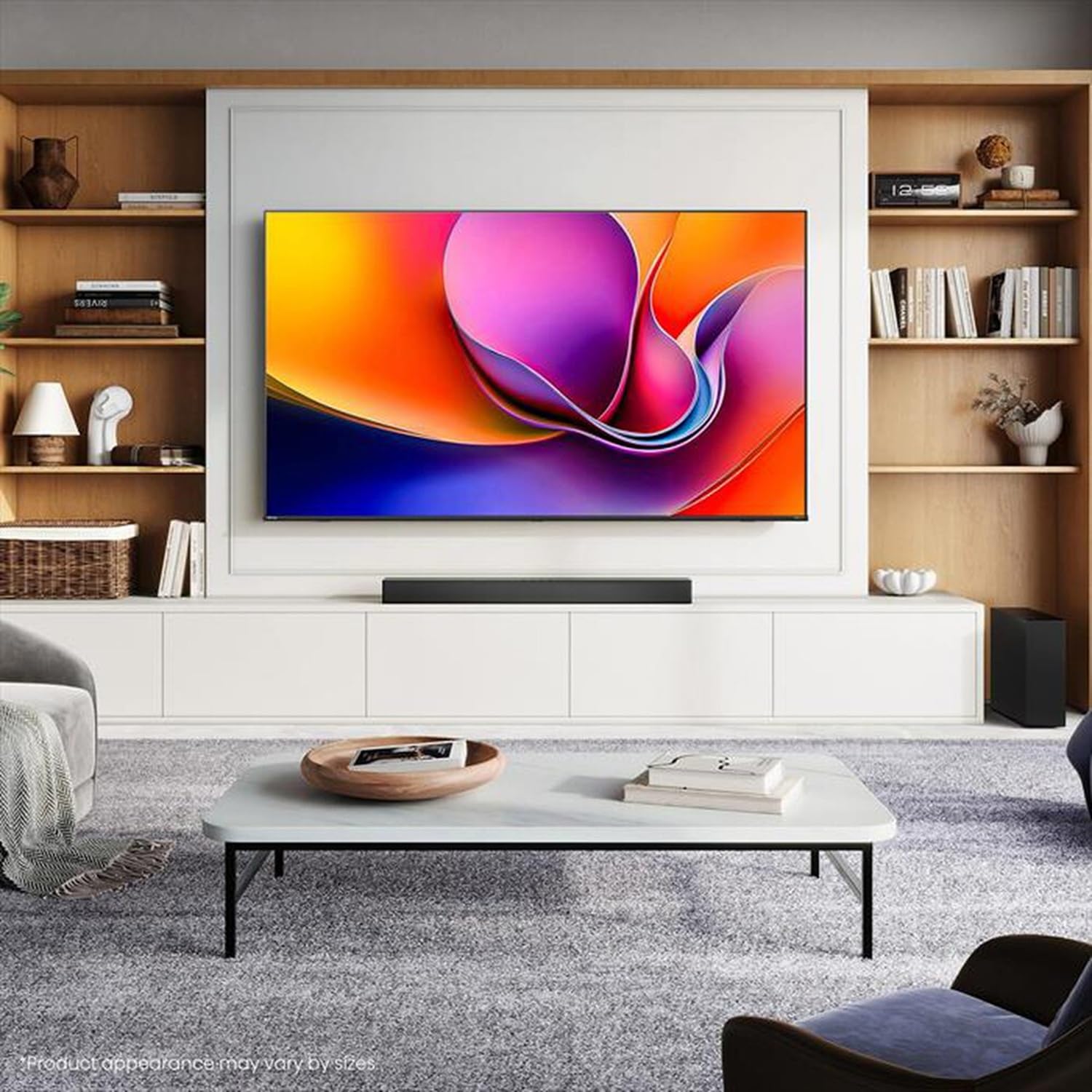
Image: Hisense 43A69Q 4K UHD Smart VIDAA TV. This image shows the television from the front, highlighting its slim bezel design and display.
Ozi nchekwa
Na-agbaso ihe ndị a dị mkpa mgbe niile mgbe ị na-eji telivishọn gị:
- Ewepụla TV na mmiri ozuzo ma ọ bụ mmiri.
- Do not open the TV cabinet. Refer all servicing to qualified personnel.
- Gbaa mbọ hụ na ikuku ikuku dị na gburugburu TV. Akwụsịla oghere ikuku.
- Chebe eriri ọkụ ka ị ghara ịgagharị ma ọ bụ tuo ya.
- Kwụpụ TV n'oge oké ifufe ọkụ ma ọ bụ mgbe ejighi ya ogologo oge.
- Debe TV ahụ ka ọ ghara iru ebe okpomọkụ dị ka radiator, ihe ndekọ okpomọkụ, stovu, ma ọ bụ ngwa ndị ọzọ na-emepụta okpomọkụ.
Kedu ihe dị na Igbe ahụ
Chọpụta na akụrụngwa niile dị:
- Hisense 43A69Q 4K UHD Smart VIDAA TV
- Eji batrị dị anya njikwa
- Ụdọ ọkụ
- TV Stand Components (2 legs)
- Kpọsara maka nkwụnye nkwụnye
- Ntuziaka Mbido ngwa ngwa
- Akwụkwọ ntuziaka (akwụkwọ a)
Melite
1. Iwepu ngwongwo
Carefully remove the TV from its packaging. It is recommended that two people handle the TV to prevent damage or injury. Retain the packaging materials for future transport or servicing.
2. Guzosie nwụnye
If you are not wall-mounting the TV, attach the stand:
- Debe TV ahụ n'elu ala dị nro ma dị ọcha iji gbochie mmebi ihuenyo.
- Kwado ụkwụ kwụ ọtọ nke ọ bụla na oghere kwekọrọ na ala TV.
- Secure each leg with the provided screws. Ensure they are tightened firmly.
- Jiri nlezianya welie TV ahụ gaa n'ọnọdụ kwụ ọtọ na elu kwụsiri ike ma dịkwa larịị.
3. Mgbidi mgbidi (nhọrọ)
The Hisense 43A69Q is compatible with VESA standard wall mounts (200x300 mm). Wall mount kits are sold separately. Follow the instructions provided with your wall mount kit and ensure professional installation if you are unsure.
4. Ijikọ Mpụga Devices
Jikọọ ngwaọrụ gị na ọdụ ụgbọ mmiri TV:
- HDMI: Connect Blu-ray players, game consoles, or set-top boxes to the HDMI ports (HDMI1, HDMI2, HDMI3). This model features HDMI 2.1 with ALLM and VRR (60Hz) support on all ports, and eARC on HDMI3.
- USB: Plug in USB drives for media playback (2 USB 2.0 ports).
- Antenna/Cable: Connect your antenna or cable TV signal to the RF tuner input.
- Ethernet: For a stable wired internet connection, connect an Ethernet cable to the RJ45 port.
- Apụọ ọdịyo: Use the S/PDIF optical output for digital audio to a soundbar or receiver, or the headphone jack for private listening.
5. Power On & First-Time Setup
After connecting all devices:
- Tinye eriri ọkụ n'ime TV wee banye n'ime oghere mgbidi.
- Pịa bọtịnụ ike na njikwa anya ma ọ bụ na TV n'onwe ya.
- Follow the on-screen instructions for initial setup, including language selection, network connection (Wi-Fi or Ethernet), and channel scanning.
- Log in to your VIDAA account or create a new one to access smart features.
Na-arụ ọrụ TV
1. Remote Control Overview
Familiarize yourself with the remote control buttons for basic functions like power, volume, channel, input selection, and smart app shortcuts.
2. Navigating VIDAA Smart OS
The VIDAA Smart OS provides a user-friendly interface. Use the directional buttons and OK button on your remote to navigate menus, launch applications, and adjust settings.
3. Using Smart Features
Access pre-installed applications like Netflix, YouTube, and Amazon Prime Video directly from the home screen. Additional apps can be downloaded from the VIDAA App Store.
4. Picture & Sound Settings
Adjust picture modes (Standard, Dynamic, Cinema, Game) and sound modes (Standard, Music, Speech) to optimize your viewing experience. Advanced settings allow fine-tuning of brightness, contrast, color, and audio equalizer.
This TV supports Dolby Vision and HDR10 for enhanced picture quality, and DTS Virtual X for immersive audio.
5. Njikọ Njirimara
- Wi-Fi na Bluetooth: Connect wirelessly to your home network and Bluetooth devices like headphones or speakers.
- Ịkekọrịta ihuenyo: Use built-in screen sharing features (e.g., AirPlay 2 support) to mirror content from compatible mobile devices.
- Game Mode PLUS: For gaming, enable Game Mode PLUS to reduce input lag (≤ 20 ms) and utilize VRR (Variable Refresh Rate) for smoother gameplay.
Nlekọta
1. Nhicha TV
Iji hichaa ihuenyo ahụ, jiri nwayọọ hichaa ya na akwa dị nro na-enweghị lint. Maka akara ndị isi ike, ntakịrị dampen the cloth with water or a specialized screen cleaner. Never spray cleaner directly onto the screen. Clean the TV cabinet with a soft, dry cloth.
2. Mmelite ngwanrọ
Your TV may receive software updates to improve performance and add new features. Ensure your TV is connected to the internet. You can usually check for updates in the TV's settings menu under 'System' or 'About TV'.
Nchọpụta nsogbu
Ọ bụrụ na ị na-enwe nsogbu, gbalịa ngwọta ndị a na-emekarị:
- Enweghị ike: Lelee ma ọ bụrụ na etinyere eriri ọkụ na nke ọma na TV na oghere mgbidi. Gbalịa ụzọ ọpụpụ dị iche.
- Enweghị foto/ụda: Ensure the correct input source is selected. Check all cable connections. Restart connected devices.
- Njikwa anya anaghị arụ ọrụ: Dochie batrị. Hụ na enweghị ihe mgbochi ọ bụla n'etiti ihe ntanetị na ihe mmetụta IR nke TV.
- Okwu njikọ netwọkụ: Restart your router and modem. Reconnect the TV to your Wi-Fi network or check the Ethernet cable.
- Ogo Foto adịghị mma: Check antenna/cable connections. Adjust picture settings. Ensure the source content is high quality.
For persistent problems, consult the Hisense support websaịtị ma ọ bụ kpọtụrụ ndị ahịa.
Nkọwapụta
| Njirimara | Nkọwapụta |
|---|---|
| Ụdị | Hisense |
| Aha Nlereanya | 43A69Q |
| Nha ihuenyo | 43 sentimita (108 cm) |
| Mkpebi | 4K Ultra HD 3840x2160 |
| Ọnụego ume ọhụrụ | 60 Hz |
| Sistemụ nrụọrụ | VIDAA Smart OS |
| Teknụzụ HDR | HDR, HDR10, HDR10+ decoding, Dolby Vision, HLG |
| Teknụzụ ọdịyo | DTS Virtual X (2x7W speakers) |
| ọdụ ụgbọ mmiri HDMI | 3 (HDMI 2.1 with ALLM, VRR (60Hz); HDMI3 also with eARC) |
| ọdụ ụgbọ mmiri USB | 2 (USB 2.0) |
| Njikọta | Wi-Fi (IEEE 802.11 a/b/g/n/ac-2.4G,5G), Bluetooth, Ethernet |
| Ndakọrịta VESA | 200x300 mm |
| Energy Efficiency Class (SDR/HDR) | E / G |
| Akụkụ (ya na nkwụnye) | 963mm (W) x 608 mm (H) x 222 mm (D) |
| Net arọ (ya na nkwụnye) | 6.9 n'arọ |
Akwụkwọ ikike na nkwado
Hisense products are covered by a manufacturer's warranty. Please refer to the warranty card included with your product or visit the official Hisense websaịtị maka nkọwa zuru oke usoro na ọnọdụ nke akọwapụtara mpaghara gị.
For technical support, troubleshooting assistance, or service requests, please contact Hisense customer support through their official websaịtị ma ọ bụ ozi kọntaktị enyere na akwụkwọ ngwaahịa gị.