
1. Ngwaahịa gafereview
The PAXA Clipbuds 7 are open-ear wireless earbuds designed for comfort and situational awareness. They feature Bluetooth 5.4 connectivity, a dual LED battery display, touch controls, and IP45 water resistance.
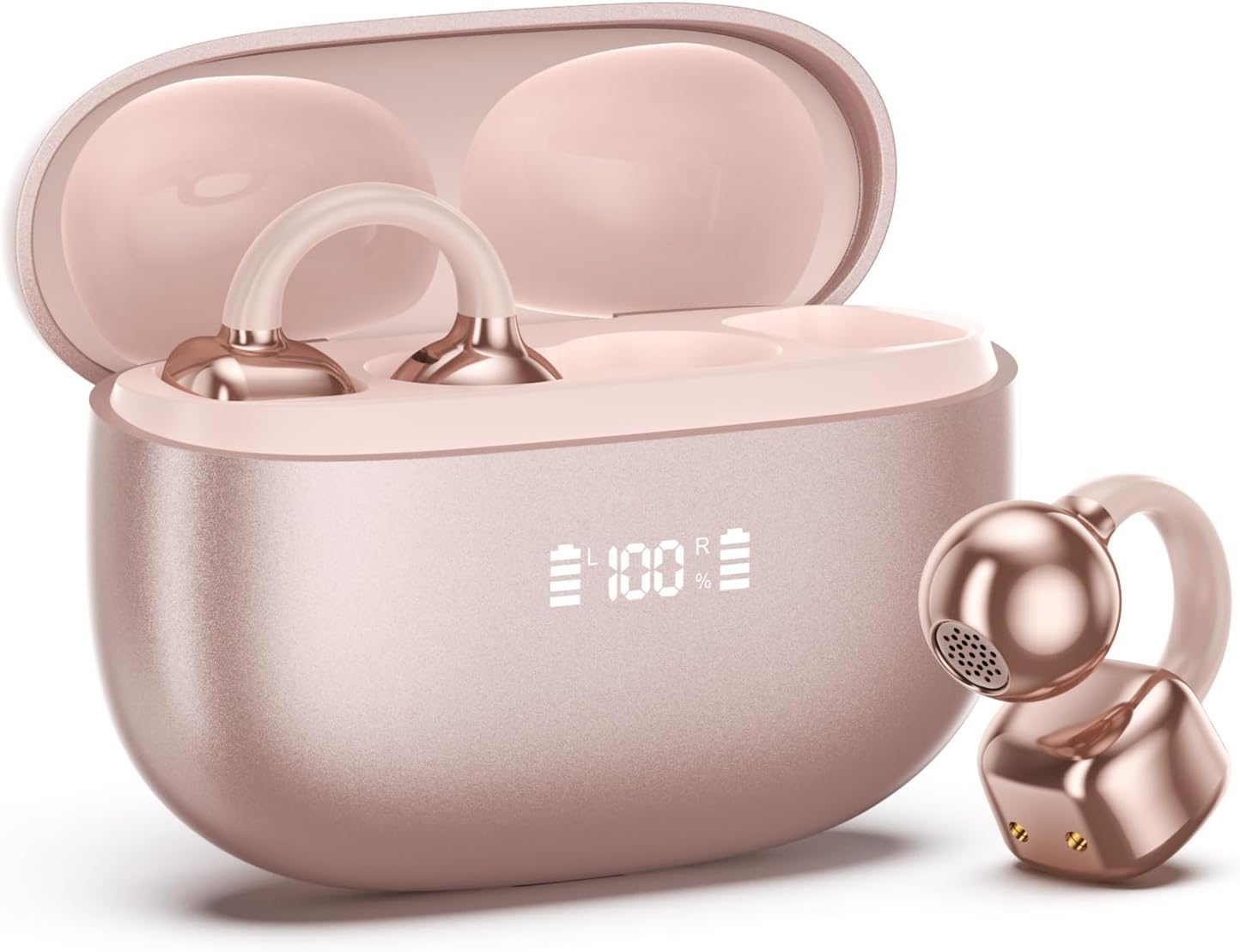
Image 1.1: PAXA Clipbuds 7 Rose Gold Earbuds and Charging Case. The earbuds are shown in their open charging case, which features an LED display indicating battery levels. One earbud is also shown outside the case.
Akụkụ ndị bụ isi:
- Open-ear design for comfort and environmental awareness.
- Bluetooth 5.4 for stable and efficient wireless connection.
- Dual LED display on charging case for battery status.
- Touch controls for music, calls, and voice assistant.
- Up to 44 hours total playtime with charging case.
- IP45 uzuzu na mmiri na-eguzogide.
- Ultra-lightweight design (4.5g per earbud).
2. Ihe ngwugwu
Gbaa mbọ hụ na ihe niile dị na ngwugwu:
- Clip on Earbuds (1 pair)
- Wireless Charging Case (1)
- Ịchaji USB (1)
- Akwụkwọ ntuziaka onye ọrụ (1)
3. Ntọlite na Pairing
3.1 Nchaji izizi
Before first use, fully charge the earbuds and the charging case. Connect the provided charging cable to the Type-C port on the charging case and a USB power source. The LED display on the case will indicate the charging status.
3.2 Yiri ekwe ntị
The Clipbuds 7 are designed to clip onto the thinnest part of your ear. Adjust the earbud tip to align with your ear canal for optimal sound and comfort.
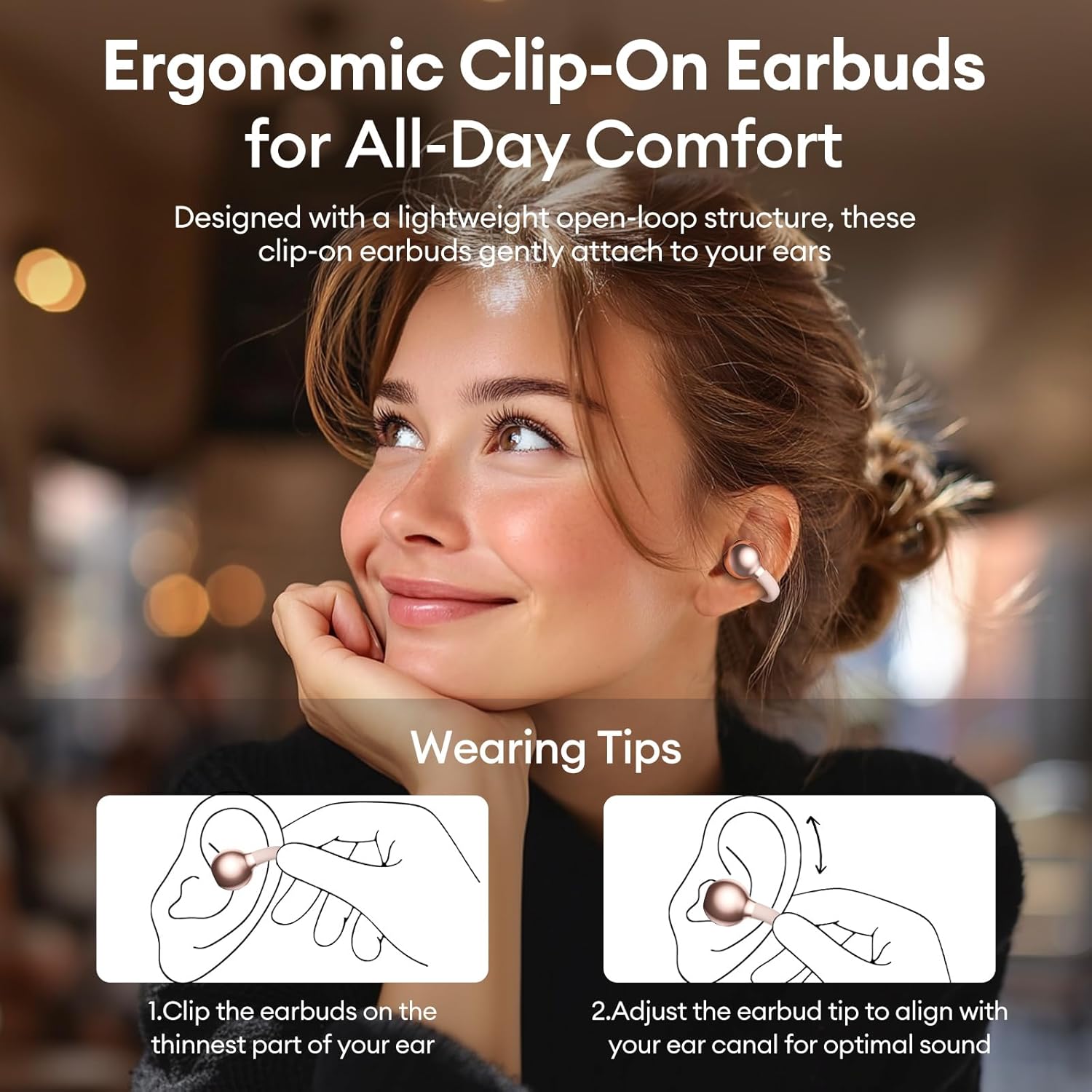
Image 3.2: Wearing instructions for PAXA Clipbuds 7. The diagram illustrates clipping the earbud onto the ear and adjusting for fit.
3.3 Njikọ Bluetooth
- Gbaa mbọ hụ na a na-akwụ ụgwọ ekwe ntị yana n'ime igbe nchaji.
- Mepee igbe nchaji. Igwe ntị ga-abanye na ọnọdụ njikọta na-akpaghị aka.
- Na ngwaọrụ gị (smartphone, mbadamba, laptọọpụ), gaa na ntọala Bluetooth.
- Chọọ maka "Clipbuds 7" in the list of available devices and select it to connect.
- Once connected, the earbuds will automatically pair with your device in the future when removed from the case.
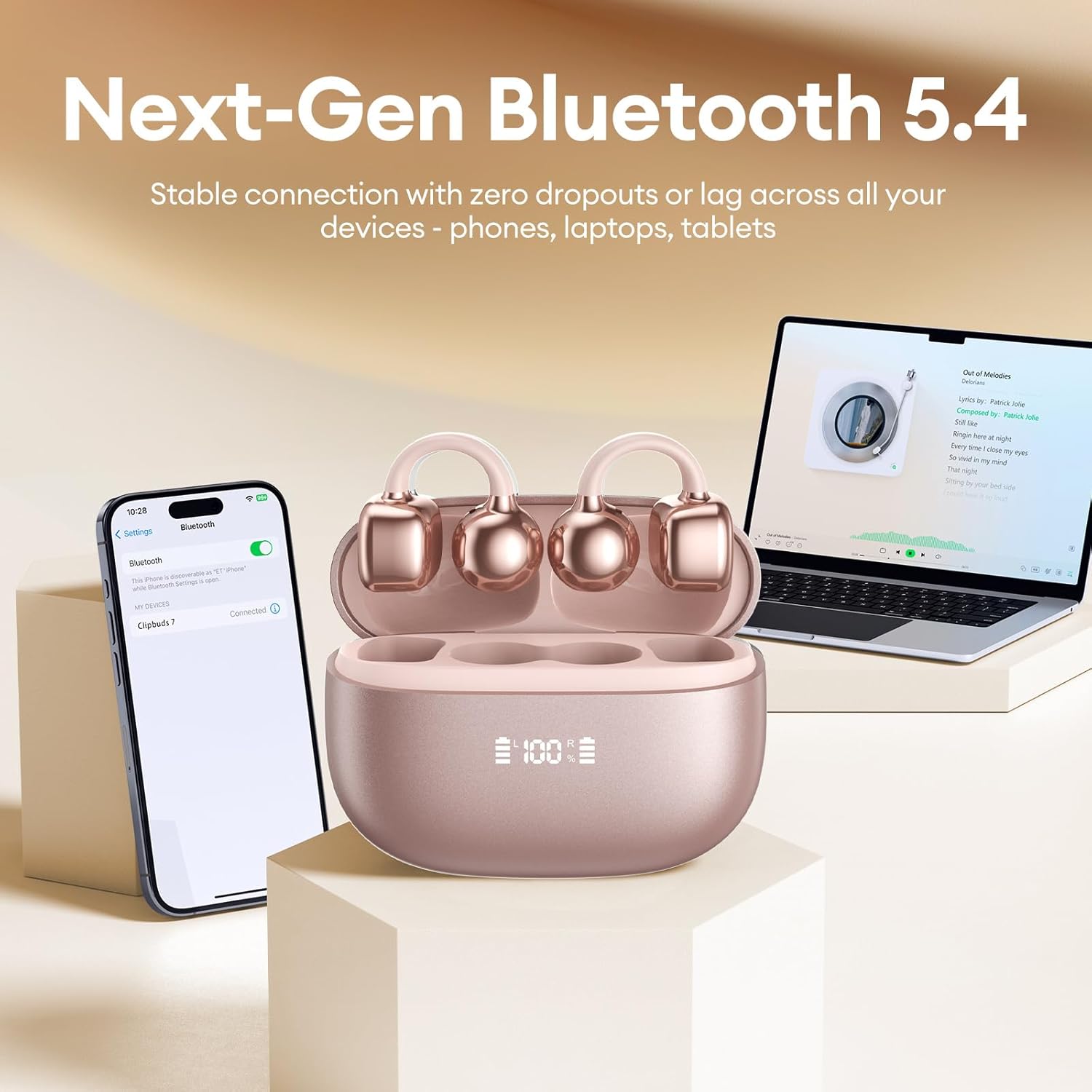
Image 3.3: PAXA Clipbuds 7 connected via Bluetooth to a smartphone and a laptop, demonstrating multi-device compatibility.
4. Ntuziaka ọrụ
4.1 Njikwa mmetụ
The Clipbuds 7 feature sensitive touch controls on each earbud. Refer to the following table for functions:

Image 4.1: Visual guide for PAXA Clipbuds 7 touch controls, showing actions for calls, music, and voice assistant.
| Ọrụ | Omume |
|---|---|
| Zaa/Kwụsị Oku | Double-click either earbud |
| Jụ oku | Pịa ma jide otu ntị ntị maka sekọnd 2 |
| Gwuo/kwụsịtụ | Double-click either earbud |
| Abụ gara aga | Triple-click the left (L) earbud |
| Abụ na-abịa | Triple-click the right (R) earbud |
| Mpịakọta + | Click the right (R) earbud |
| Mpịakọta - | Click the left (L) earbud |
| Voice Assistant (Siri, Google Assistant) | Hold both earbuds for 2 seconds |
4.2 LED Battery Display
The charging case features a dual LED display that shows the battery percentage of the case and each individual earbud (L and R).
4.3 Open-Ear Awareness
The open-ear design allows you to hear your audio while remaining aware of your surroundings. This feature is beneficial for activities like running, cycling, or commuting where situational awareness is important.

Image 4.3: Individuals using PAXA Clipbuds 7 during work, sports, and social gatherings, highlighting their versatility and open-ear design.
5. Batrị na Nchaji
The Clipbuds 7 offer extended battery life for prolonged use.
- Oge egwu ntị: Ruo awa iri na ise n'otu ụgwọ.
- Mgbakọta Oge: Ruo awa 44 na igbe nchaji.
- Nchaji ngwa ngwa: Nkeji 10 nke chaja na-enye ihe dị ka awa 3 nke oge egwuregwu.

Image 5.1: Illustration of the PAXA Clipbuds 7 charging case, highlighting the 44-hour total battery life and fast charging capability.
6. Nlekọta na nlekọta
6.1 Mgbochi mmiri na uzuzu
The Clipbuds 7 have an IP45 rating, making them resistant to dust and splashes of water. This means they can withstand sweat and light rain, making them suitable for workouts and outdoor activities. However, they are not designed for submersion in water.
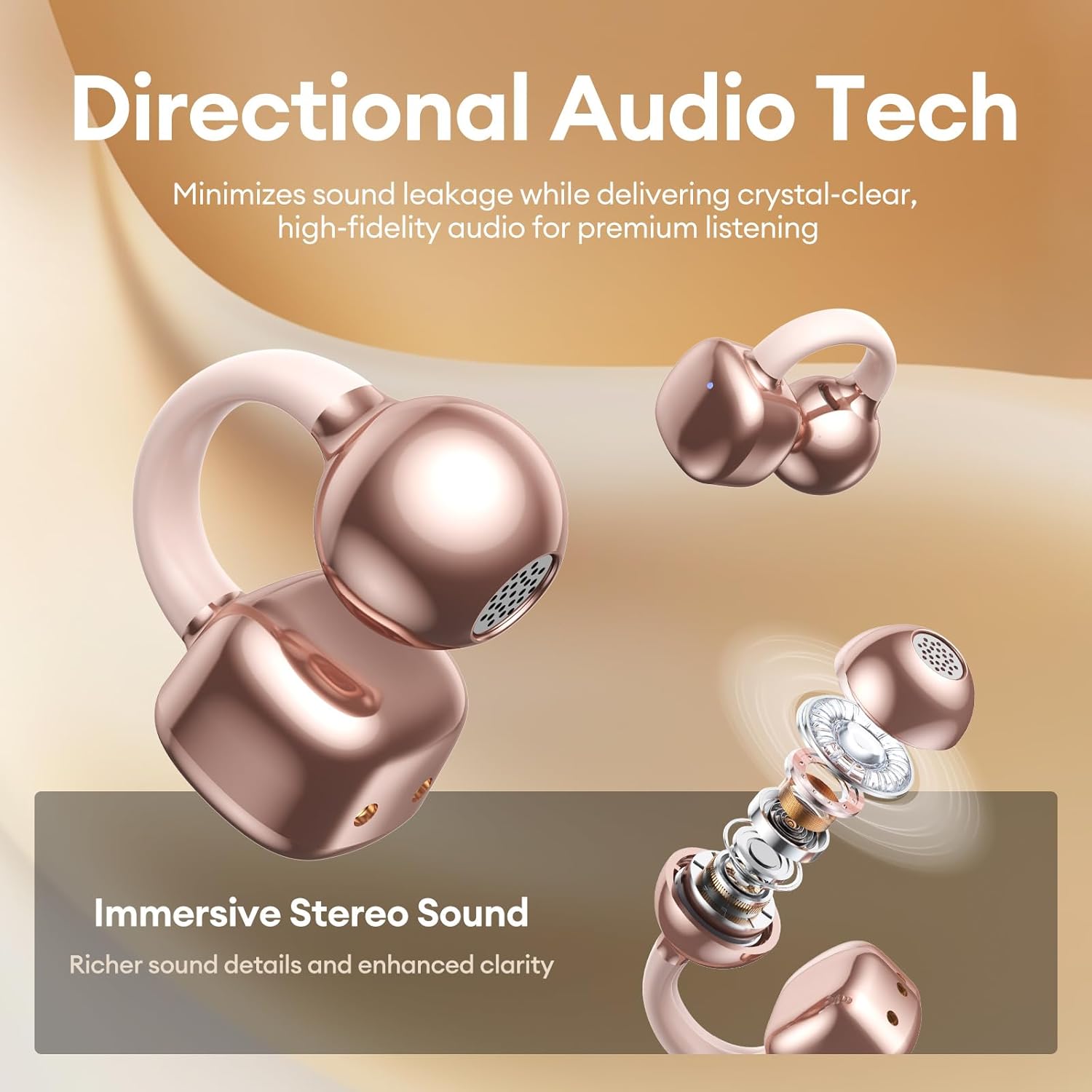
Image 6.1: A person wearing PAXA Clipbuds 7 during light rain, illustrating the IP45 water resistance feature.
6.2 Nhicha
To maintain optimal performance and hygiene, regularly clean your earbuds and charging case with a soft, dry, lint-free cloth. Avoid using abrasive materials or harsh chemicals.
7. Nchọpụta nsogbu
If you encounter issues with your Clipbuds 7, try the following solutions:
- Enweghị Nsogbu Ụda/Njikọ:
- Gbaa mbọ hụ na akwụgoro ihe ekwe ntị.
- Chọpụta agbanyere Bluetooth na ngwaọrụ gị.
- Forget "Clipbuds 7" from your device's Bluetooth list and re-pair.
- Ensure earbuds are within Bluetooth range (up to 50 feet).
- Earbuds anaghị akwụ ụgwọ:
- Lelee ma ọ bụrụ na ejikọrọ eriri nchaji ahụ na nkebi na isi iyi ike.
- Ensure the charging case itself has power.
- Hichaa kọntaktị ịchaji na ma ntị ntị yana akpa ahụ.
- Njikwa mmetụ anaghị aza:
- Gbaa mbọ hụ na mkpịsị aka gị dị ọcha ma kpọọ nkụ.
- Restart the earbuds by placing them in the case and closing it, then reopening.
8. Nkọwapụta
| Njirimara | Nkọwa |
|---|---|
| Aha Nlereanya | Clipbuds 7 |
| Ụdị | PAXA |
| Teknụzụ Njikọta | Ikuku (Bluetooth) |
| Ụdị Bluetooth | 5.4 |
| Oke Bluetooth | Ruo n'ụkwụ 50 |
| Ntinye ntị | Mepee Ntị |
| Ụdị njikwa | Njikwa aka |
| Ndụ batrị (Otu chaja) | Awa 8 |
| Mgbakọta ndụ batrị (ya na igbe) | Awa 44 |
| Ọkwa Nguzogide mmiri | IP45 (Dust/Water Resistant) |
| Njikwa mkpọtụ | Hybrid Noise Cancellation (ENC for calls) |
| Ihe onwunwe | Silicone Rubber + Plastic |
| Ibu Ibu | 2.39 ounces |
| Ngwa gụnyere | Clip on Earbuds, Wireless Charging Case, Charging Cable, User Manual |
9. Akwụkwọ ikike na nkwado
For warranty information and customer support, please refer to the contact details provided with your purchase or visit the official PAXA websaịtị. Debe ihe akaebe nke ịzụrụ ihe maka akwụkwọ ikike ọ bụla.
10. Official Product Videos
The following videos provide additional information and demonstrations of the PAXA Clipbuds 7.
PAXA Clipbuds7 Open Ear Clip On Earbuds with LED Display
Video 10.1: This video from PAXA Direct showcases the features of the Clipbuds 7, including the LED display and open-ear design. It demonstrates the product's appearance and some functionalities.
PAXA High-Street Jewelry Open Ear Clip On Earbuds
Video 10.2: This video from PAXA Direct highlights the aesthetic and design aspects of the Clipbuds 7, emphasizing their jewelry-like appearance and comfortable fit.