
1. Ngwaahịa gafereview
The Sulion CRATO LED Ceiling Fan is a versatile device combining aesthetic design, advanced functionality, and entertainment features. Designed as a compact 55 cm ceiling light, it is ideal for modern spaces, particularly rooms up to 13 m² with low ceilings. It features an ultra-silent DC motor, adjustable LED lighting, dynamic RGB ambient light, and an integrated Bluetooth speaker.
Akụkụ ndị bụ isi:
- Nhazi ọgbara ọhụrụ na kọmpat: Ideal for low ceilings and rooms up to 13m².
- moto DC dị jụụ: 6 speeds with efficient operation and minimal noise (from 37dB).
- 30W CCT Adjustable LED Light: Main lighting with adjustable color temperature (3000K to 6000K).
- Dynamic RGB Ambient Light: Create unique color scenes and effects.
- Igwe okwu Bluetooth agbakwunyere: Stream music wirelessly from your mobile device.
- Ụdị okpomọkụ/oyi: Provides comfort year-round by reversing fan direction.
- Ọrụ ngụ oge: Programmable automatic shutdown.
- Full Remote Control: Conveniently manage all fan, light, and audio functions.
2. Ntuziaka nchekwa
Biko gụọ ntuziaka nchekwa niile nke ọma tupu echichi na iji. Ọdịda ịgbaso ntuziaka ndị a nwere ike bute ujo ọkụ eletrik, ọkụ ma ọ bụ mmerụ ahụ dị ukwuu nke onwe.
- Nchekwa Eletriki: Ensure the main power supply is turned off at the circuit breaker before installation or maintenance. All wiring must comply with local and national electrical codes.
- Nwụnye: Installation should be performed by a qualified electrician. Ensure the mounting surface can support the fan's weight (5 kg).
- Ọrụ: Do not insert objects into the fan blades while in operation. Keep children and pets away from the fan.
- Nhicha: Kwupu ike tupu ihicha. Jiri nwayọọ, damp akwa; adịghị eji abrasive Cleaners.
- gburugburu: This fan is designed for indoor use only. Do not expose to water or high humidity.
3. Ihe ngwugwu
Carefully unpack the box and ensure all items are present and undamaged. If any items are missing or damaged, please contact customer support.
- Sulion CRATO LED Ceiling Fan Unit
- Njikwa anya
- Arịọnụ mgbodo
- Skru na mgbidi arịlịka
- Akwụkwọ ntuziaka onye ọrụ
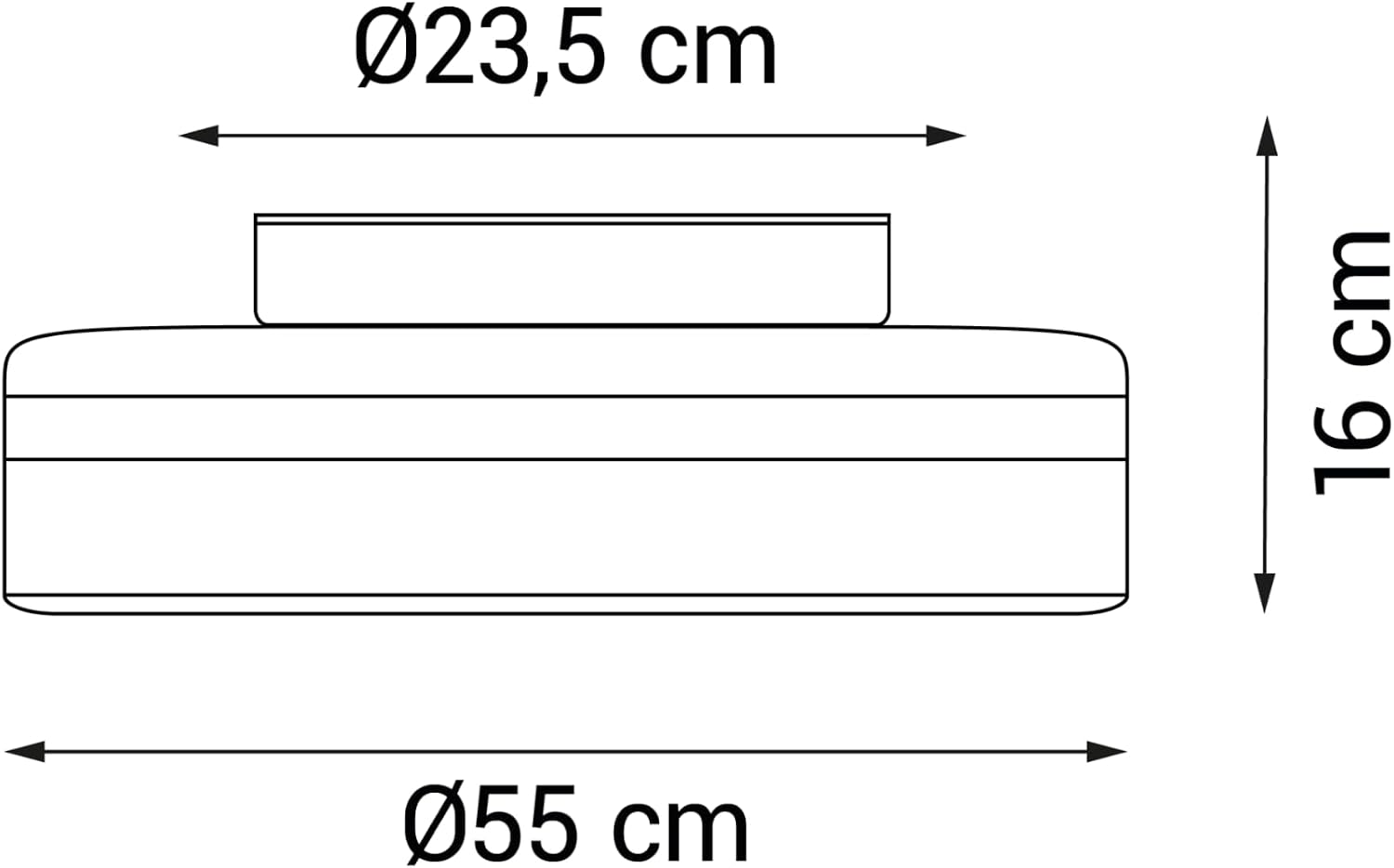
Figure 1: Package Contents - Sulion CRATO Ceiling Fan, remote control, and various mounting accessories.
4. Ntuziaka nwụnye
Follow these steps for proper installation. It is recommended to watch the installation video for visual guidance.
4.1. Tupu ntinye
- Gbanyụọ ọkụ na isi sekit.
- Ensure the ceiling is structurally sound to support the fan's weight.
4.2. Ịwụnye ihe nkwado ahụ
- Position the mounting bracket on the ceiling where the fan will be installed.
- Kanye akara n'olulu mmiri.
- Gwuo oghere ndị na-egosi ihe ma tinye ihe mgbochi mgbidi ma ọ bụrụ na ọ dị mkpa.
- Chekwaa ihe nkwado mgbago n'uko ụlọ site na iji kposara enyere.
4.3. Njikọ njikọ
- Connect the household electrical wires to the fan's wiring according to the color codes (typically Live, Neutral, and Ground).
- Gbaa mbọ hụ na njikọ niile echekwara.
4.4. Attaching the Fan Unit
- Carefully lift the fan unit and attach it to the mounting bracket.
- Secure the fan unit with the remaining screws.
4.5. Nwụnye mgbe e mesịrị
- Weghachite ike na isi sekit breaker.
- Test all fan and light functions using the remote control.
Video 1: Installation Guide for Sulion Ceiling Fans. This video demonstrates the general installation process for Sulion ceiling fans, including mounting and wiring connections.
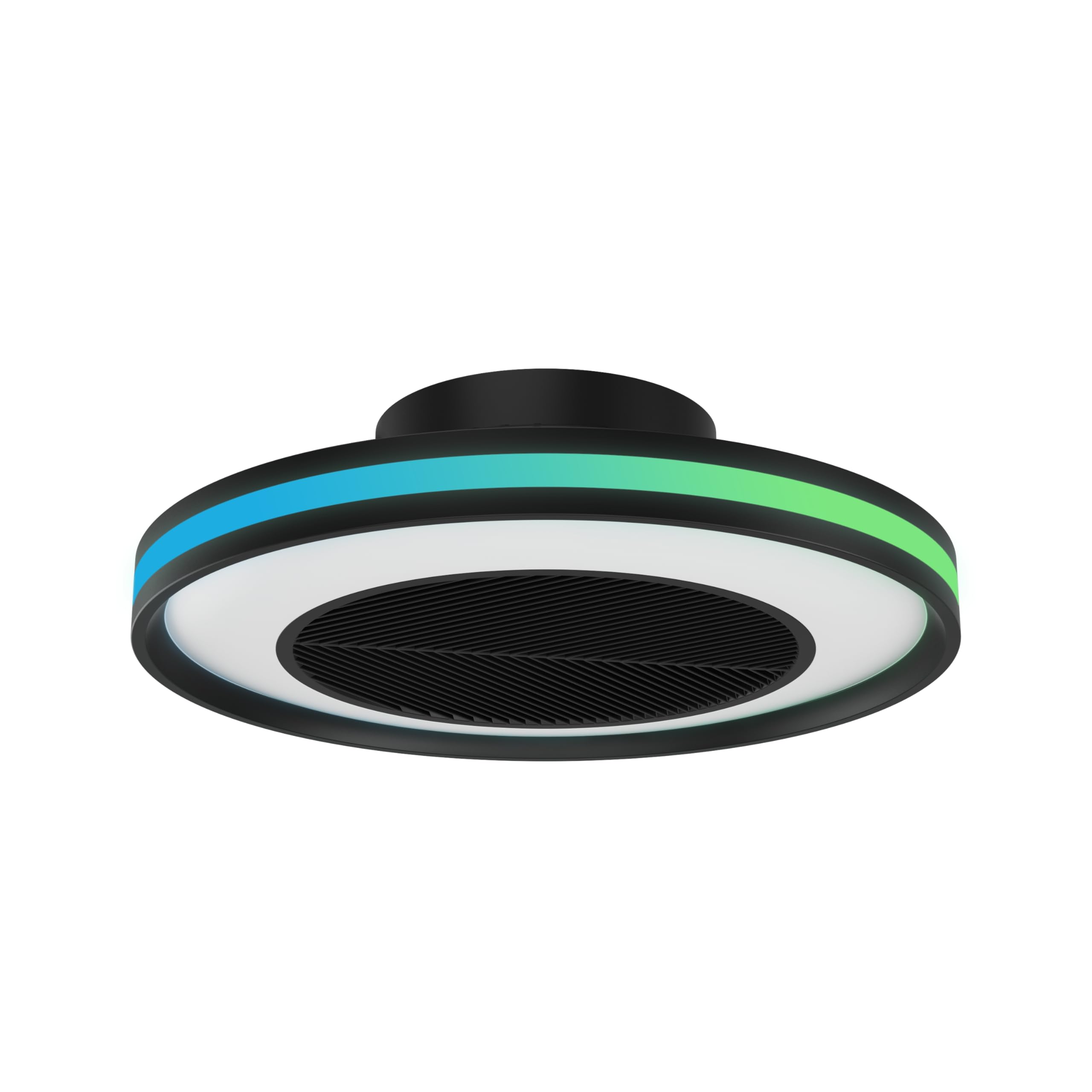
Figure 2: Installed Sulion CRATO LED Ceiling Fan.
5. Ntuziaka ọrụ
The Sulion CRATO fan is controlled via the included remote control. Ensure the remote has working batteries.
5.1. Ọrụ njikwa anya
- Gbanyụọ/gbanyụọ: Na-agbanye fan ahụ ma gbanye/gbanyụọ ya.
- Ọsọ onye ofufe: Adjusts between 6 fan speeds.
- Gbanyụọ/ Gbanyụọ: Toggles the main LED light.
- Ndozi CCT: Changes the main LED light color temperature from warm white (3000K) to cool white (6000K).
- Ndozi ihie: Dims or brightens the main LED light.
- Ọkụ RGB: Activates and cycles through dynamic RGB ambient light colors and effects.
- Ụdị okpomọkụ/oyi: Reverses fan direction for optimal air circulation in different seasons.
- Ngụ oge: Sets the fan to turn off automatically after a set period.
- Ọkà okwu Bluetooth: Pair your mobile device to the fan via Bluetooth to play audio.

Figure 3: Sulion CRATO fan in a living space, highlighting its ambient lighting and audio capabilities.
5.2. Bluetooth Speaker Pairing
- Ensure the fan is powered on.
- On your mobile device, go to Bluetooth settings.
- Chọọ maka available devices and select "SULION" (or similar name).
- Once paired, you can play audio through the fan's integrated speaker.

Figure 4: Integrated Bluetooth Speaker for wireless audio streaming.
6. Nlekọta
Regular maintenance ensures optimal performance and longevity of your Sulion CRATO ceiling fan.
- Nhicha: Turn off power before cleaning. Use a soft, dry cloth to wipe the fan and light surfaces. For stubborn dirt, a slightly damp cloth can be used, followed by a dry cloth. Do not use harsh chemicals or abrasive materials.
- Nyocha: Periodically check all mounting screws and electrical connections to ensure they are secure.
- Enweghị mmanu mmanu achọrọ: A na-ete moto DC mmanụ na-adịgide adịgide ma ọ dịghị achọ mmanụ ọzọ.
7. Nchọpụta nsogbu
Ọ bụrụ na ị na-enwe nsogbu ọ bụla, rụtụ aka na nsogbu na ngwọta ndị a na-emekarị:
| Nsogbu | Ihe nwere ike ime | Ngwọta |
|---|---|---|
| Fan anaghị arụ ọrụ | No power; Remote control battery low; Incorrect wiring | Check circuit breaker; Replace remote batteries; Verify wiring connections. |
| Ìhè anaghị agbanwuo | No power; Loose wiring; LED failure | Check power; Inspect wiring; Contact customer support if LED is faulty. |
| Fan na-eme mkpọtụ na-adịghị ahụkebe | Loose screws; Obstruction; Motor issue | Tighten all mounting screws; Remove any obstructions; Contact customer support. |
| Njikwa anya anaghị arụ ọrụ | Batteries dead; Not paired; Obstruction | Replace batteries; Re-pair remote (refer to pairing instructions); Ensure no obstructions between remote and fan. |
| Ọkà okwu Bluetooth anaghị ejikọta | Fan not in pairing mode; Device too far; Already connected to another device | Ensure fan is on; Move device closer; Disconnect from other devices and try again. |
8. Nkọwapụta
| Njirimara | Nkọwa |
|---|---|
| Nlereanya | CRATO (2197906) |
| Ụdị | Sulion |
| Akụkụ | 55 x 55 x 16 cm |
| Ibu | 5 n'arọ |
| Ihe onwunwe | Acrylonitrile Butadiene Styrene |
| Ụdị moto | DC Silent Motor |
| Ọsọ ndị fan | 6 |
| Ọkwa mkpọtụ | Site na 37 dB |
| Ụdị ọkụ | Igwe ọkụ agbakwunyere |
| Ike ọkụ | 30W |
| Okpomọkụ agba | 3000K - 6000K (CCT Adjustable) |
| Ambient Light | RGB dị ike |
| Usoro njikwa | Njikwa anya |
| Njikọta | Ọkà okwu Bluetooth |
| Atụmatụ pụrụ iche | Summer/Winter Mode, Timer |
| Ụdị nwụnye | Nkwalite ọkara-mmiri |
| Ojiji gburugburu | Ime ụlọ |

Figure 5: Product Certifications and Compliance.
9. Akwụkwọ ikike na nkwado
Sulion products are manufactured to high-quality standards. For warranty information, please refer to the specific terms provided at the time of purchase or contact Sulion customer service. For technical support, troubleshooting assistance, or replacement parts, please visit the official Sulion websaịtị ma ọ bụ kpọtụrụ ụlọ ọrụ enyere ikike.
Debe akwụkwọ nnata ịzụrụ ihe gị dị ka ihe akaebe nke ịzụrụ ihe maka akwụkwọ ikike ọ bụla.