
1. Okwu mmalite na gafereview
Thank you for choosing the OHAYO A7 Clip-On Open Ear Headphones. These headphones are designed to provide a comfortable and immersive audio experience while keeping you aware of your surroundings. Featuring Bluetooth 5.4 connectivity, a lightweight clip-on design, and extended battery life, the A7 is suitable for various activities, from daily commutes to workouts.
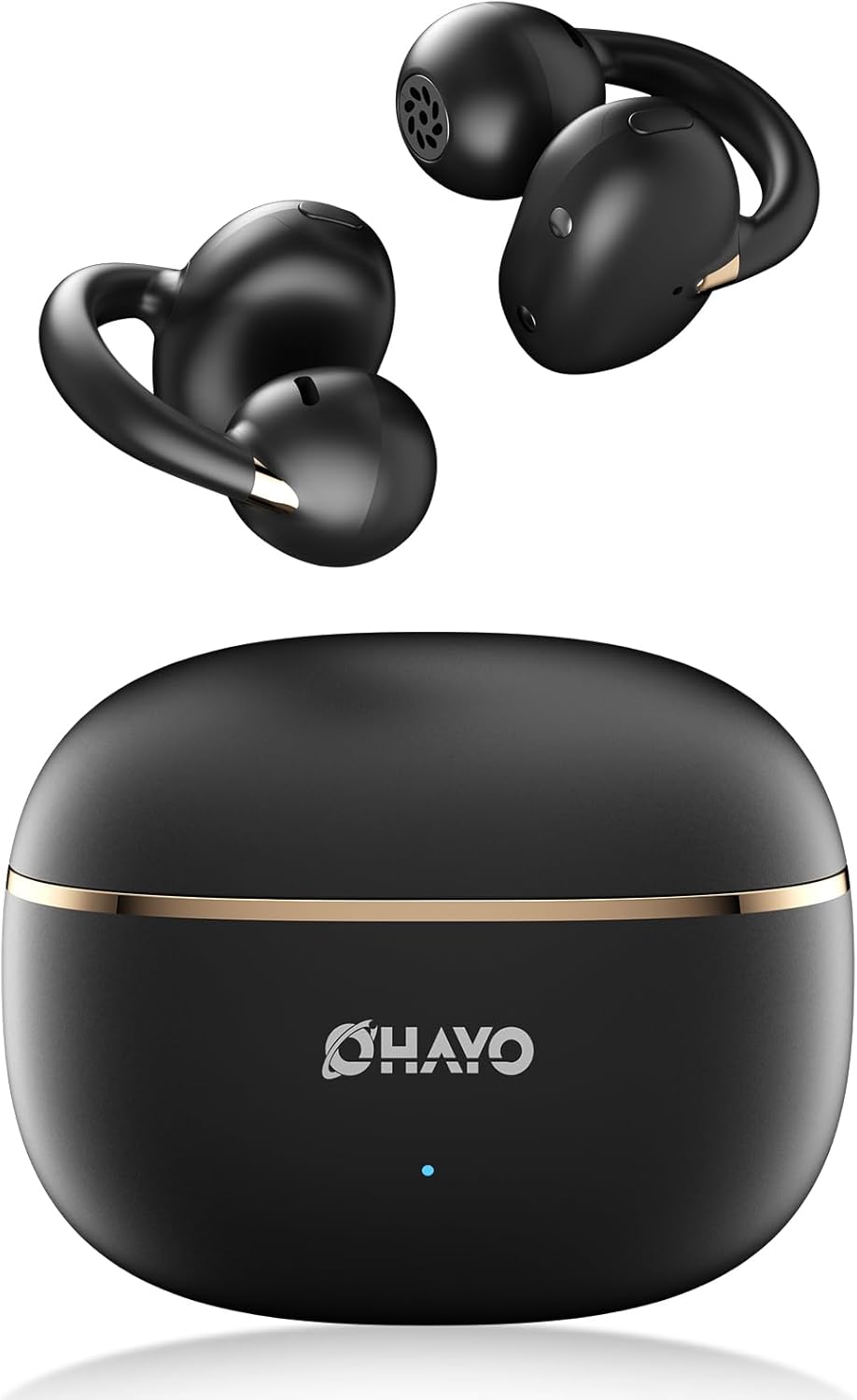
Image 1.1: The OHAYO A7 Clip-On Open Ear Headphones and their charging case. The earbuds feature a black finish with gold accents, designed for an open-ear fit. The compact charging case is also black with a gold stripe and the OHAYO logo.
Atụmatụ gụnyere:
- Imeghe Ntị: Allows you to hear your audio while remaining aware of ambient sounds.
- Oke dị fechaa: Each earbud weighs approximately 4.7g for comfortable, extended wear.
- Bluetooth Bluetooth: Provides stable and efficient wireless connectivity with low latency.
- Ndị ọkwọ ụgbọ ala dị ike 12mm: Delivers clear audio with enhanced bass.
- Ogologo oge egwuregwu: Up to 6.5 hours on a single charge, with a total of 40 hours using the charging case.
- IPX6 Mgbochi mmiri: Protects against sweat and splashes, suitable for active use.
2. Kedu ihe dị na Igbe ahụ
Biko lelee ọdịnaya nke ngwugwu ahụ ka ị hụ na ihe niile dị:
- OHAYO A7 Clip-On Open Ear Headphones (Left and Right)
- Akpa nchaji ikuku
- USB-C eriri USB
- Akwụkwọ ntuziaka onye ọrụ

Image 2.1: The package contents for the OHAYO A7 headphones, including the earbuds, charging case, USB-C cable, and user manual.
3. Ihe osise
Familiarize yourself with the components of your OHAYO A7 headphones:

Foto 3.1: nso nso view of a single OHAYO A7 earbud, highlighting its clip-on design and speaker grille.

Image 3.2: The OHAYO A7 earbuds placed inside their open charging case, showing the charging contacts and the compact design.
4. Nhazi
4.1 Ịchaji ekweisi
Tupu ejie ya nke mbụ, chajie nke ọma ekweisi na akpa nchaji.
- Connect the provided USB-C charging cable to the charging port on the case and to a USB power source.
- Ọkụ ihe ngosi dị na akpa ahụ ga-egosi ọkwa chajị. Chajị zuru oke maka akpa ahụ na-ewe ihe dị ka awa 1.5.
- Tinye ntị ntị n'ime akpa nchaji. Ha ga-amalite ịchaji ozugbo.

Image 4.1: The OHAYO A7 charging case with a USB-C cable inserted, indicating the charging process. The image also shows the earbuds and charging times.
A 10-minute quick charge can provide up to 2 hours of playtime.
4.2 Njikọ Bluetooth
To connect your OHAYO A7 headphones to a device:
- Gbaa mbọ hụ na a na-akwụ ụgwọ ekwe ntị ma tinye ya n'ihe nchaji.
- Open the charging case. The earbuds will automatically enter pairing mode, indicated by a flashing LED light (if applicable).
- Na ngwaọrụ gị (smartphone, tabletị, laptọọpụ), gaa na ntọala Bluetooth wee gbanye Bluetooth.
- Chọọ maka available devices and select "OHAYO A7" from the list.
- Once connected, the LED indicator on the earbuds will turn off or show a solid light, and you will hear a confirmation tone.

Image 4.2: A smartphone screen displaying Bluetooth settings, with "OHAYO A7" listed as an available device for pairing.
The OHAYO A7 uses Bluetooth 5.4 for a stable connection up to 20 meters.
5. Ntuziaka maka iyi uwe
For optimal sound quality and comfort, ensure the earbuds are worn correctly.
- Chọpụta ihe ekwe ntị aka ekpe (L) na aka nri (R).
- Gently clip each earbud onto the corresponding ear, positioning the open-ring joint horizontally.
- Adjust the earbud slightly until it feels secure and comfortable, ensuring the speaker is aligned with your ear canal for the best sound delivery.

Image 5.1: A visual guide demonstrating the correct way to wear the OHAYO A7 clip-on earbuds, contrasting it with unstable, misaligned, and reversed fits.
The ergonomic C-shaped design and lightweight construction (4.7g per earbud) are engineered for comfort and stability, even for users with glasses or sensitive ears.
6. Operating Instructions (Button Controls)
The OHAYO A7 headphones feature physical buttons for easy control of various functions:

Image 6.1: A detailed diagram illustrating the various button controls on the OHAYO A7 earbuds for music playback, calls, and other functions.
| Omume | Ọrụ |
|---|---|
| Single tap (L or R) | Kpọọ/Kwụsị Egwu, Zaa/Kwụsị Oku |
| Press and hold 1.5s (L) | Egwu gara aga |
| Press and hold 1.5s (R) | Track na-esote |
| Pịa ugboro abụọ (L) | Mpịakọta - |
| Pịa ugboro abụọ (R) | Mpịakọta + |
| Triple tap (R) | Mee ka onye enyemaka olu rụọ ọrụ |
| Triple tap (L) | Gbanyụọ/ Gbanyụọ Ụdị egwuregwu |
| Press and hold (L or R) during incoming call | Jụ oku |
7. Nkọwapụta
Detailed technical specifications for the OHAYO A7 Clip-On Open Ear Headphones:
| Njirimara | Nkọwa |
|---|---|
| Aha Nlereanya | A7 |
| Teknụzụ Njikọta | Ikuku (Bluetooth 5.4) |
| Oke Bluetooth | Ruo mita 20 |
| Nha ọkwọ ụgbọ ala ọdịyo | 12 mm Ọkwọ ụgbọala Na-agbanwe agbanwe |
| Nzaghachi ugboro ugboro | 20 KHz (Upper limit provided) |
| Mmetụta | 85 dB |
| Mgbochi | 32 Ohm |
| Oge Latịn | 6 Milliseconds (35ms in pro-gaming mode) |
| Njikwa mkpọtụ | Mkpọtụ Ndabere (ENC maka oku) |
| Oge egwu ntị | 6.5 - 8 Hours (single charge) |
| ngụkọta oge egwuregwu (ya na ikpe) | Ruo awa 40 |
| Oge Njikere (Ikpe) | Awa 1.5 |
| Ịchaji ikike | 500 mAh |
| Mmiri Nguzogide | IPX6 (Waterproof/Sweatproof) |
| Earbud arọ | 4.7 grams (nke ọ bụla) |
| Akụkụ ikpe | 2.4 x 1.96 x 1.18 sentimita asatọ |
| Ihe onwunwe | ABS, plastic |
| Ngwa dakọtara | Cellphones, Desktops, Laptops |
8. Nlekọta
Proper care will extend the lifespan of your OHAYO A7 headphones:
- Nhicha: Jiri akwa dị nro, kpọrọ nkụ na-adịghị na-ehichapụ ntị ntị mgbe niile. Zere iji ihe na-emebi emebi ma ọ bụ kemịkalụ siri ike.
- Nchekwa: Mgbe ejighị ya, chekwaa ekweisi na akpa chaja ha iji chebe ha pụọ na uzuzu na mmebi.
- Mkpughe mmiri: While the headphones are IPX6 water-resistant, avoid submerging them in water. Dry them thoroughly if they get wet from sweat or splashes before placing them back in the charging case.

Image 8.1: The OHAYO A7 earbuds shown with water droplets, demonstrating their IPX6 waterproof and splashproof capabilities.
9. Nchọpụta nsogbu
If you encounter issues with your OHAYO A7 headphones, refer to the following common solutions:
- Enweghị ụda:
- Hụ na ekweisi ndị ahụ jikọtara nke ọma ma jikọọ ha na ngwaọrụ gị.
- Lelee ọkwa olu na ma ekweisi yana ngwaọrụ ejikọrọ.
- Make sure the earbuds are correctly seated in your ears.
- Enweghị ike ijikọ:
- Gbaa mbọ hụ na agbanyere Bluetooth na ngwaọrụ gị.
- Place the earbuds back in the charging case, close the lid, wait a few seconds, then open it again to re-enter pairing mode.
- Try forgetting "OHAYO A7" from your device's Bluetooth list and re-pairing.
- Gbaa mbọ hụ na ebubo na ekwe ntị.
- Okwu ịchaji:
- Hụ na eriri chaja ahụ jikọtara nke ọma na akpa ahụ na isi iyi ike ahụ.
- Gbaa mbọ hụ na kọntaktsị chaja dị na ntị ntị na n'ime akpa ahụ dị ọcha na enweghị irighiri ihe.
- Gbalịa iji eriri USB-C dị iche ma ọ bụ nkwụnye ọkụ.
- Njikọ na-adịte aka:
- Belata ohere dị n'etiti ekweisi na ngwaọrụ gị.
- Avoid environments with significant wireless interference (e.g., near Wi-Fi routers, microwaves).
- Ensure there are no physical obstructions between the headphones and your device.
10. Akwụkwọ ikike na nkwado
OHAYO provides a 1-Year Care Plan for your A7 Clip-On Open Ear Headphones. This includes:
- Industry-leading 24/7 customer support.
- Lifetime technical updates.
For warranty claims, technical assistance, or any other inquiries, please contact OHAYO customer support through the official channels provided at the time of purchase or on the OHAYO websaịtị.
Image 10.1: An illustration highlighting the 1-Year Care Plan offered by OHAYO, alongside the product packaging and accessories.