
Okwu mmalite
The NEWSKILL Aton V2 Gaming Headset offers versatile connectivity options including 2.4G wireless, Bluetooth 5.0, and a wired USB-C connection, ensuring compatibility across multiple platforms. Designed for an immersive audio experience, it features 50mm neodymium drivers, a flexible retractable microphone for clear communication, and customizable RGB lighting. This manual provides essential information for setting up, operating, and maintaining your headset.
1. Ihe ngwugwu
- NEWSKILL Aton V2 Gaming Headset
- USB-C ka USB-A Nchaji/USB data
- 2.4G USB ikuku Dongle
- Akwụkwọ ntuziaka onye ọrụ
2. Ngwaahịa gafereview (Controls and Ports)
Familiarize yourself with the various controls and ports on your NEWSKILL Aton V2 headset for optimal use.

This image displays the control layout on the left earcup, including the volume adjustment wheel, power button, microphone mute switch, and a button for managing RGB lighting effects.

The underside of the left earcup features the USB-C port for charging and wired connection, alongside the dedicated port for the retractable microphone.
- Bọtịnụ ike: Located on the left earcup. Used to power the headset on/off and enter Bluetooth pairing mode.
- Mpịakọta olu: A scroll wheel on the left earcup for adjusting audio output volume.
- Bọtịnụ mechie igwe okwu: A dedicated button on the left earcup to quickly mute or unmute the microphone.
- Bọtịnụ Njikwa RGB: Cycles through RGB lighting modes or turns the lighting off.
- Ọdụ USB-C: For charging the headset and establishing a wired connection.
- Port igwe okwu: Where the retractable microphone extends from.
3. Ntọala na Njikọ
3.1. 2.4G Wireless Connection (PC, PS5, Nintendo Switch Docked)
- Insert the 2.4G USB wireless dongle into an available USB port on your device (PC, PS5, or Nintendo Switch dock).
- Pịa ma jide bọtịnụ ike on the headset for 3 seconds to turn it on.
- The headset will automatically attempt to connect to the dongle. A solid indicator light on the headset signifies a successful connection.
- Gbaa mbọ hụ na ahọpụtara ekweisi ka ihe nrụpụta ọdịyo na ngwaọrụ ntinye na ntọala sistemụ gị.
3.2. Bluetooth 5.0 Connection (Mobile Devices, Nintendo Switch Handheld)
- Pịa ma jide bọtịnụ ike on the headset for 3 seconds to turn it on.
- To enter Bluetooth pairing mode, press and hold the bọtịnụ ike for an additional 5 seconds until the indicator light flashes rapidly (usually blue/red).
- On your mobile device or Nintendo Switch (in handheld mode), navigate to the Bluetooth settings and search for available devices.
- Select "NEWSKILL Aton V2" from the list to pair. A solid blue indicator light confirms a successful connection.
3.3. Njikọ Waya (USB-C)
- Connect one end of the provided USB-C cable to the USB-C port on the headset.
- Connect the other end of the USB-C cable to an available USB-C port on your device.
- The headset will function as a wired audio device. No battery power is required for wired operation.
4. Ntuziaka ọrụ
4.1. Gbanyụọ / gbanyụọ
- Ike Na: Pịa ma jide bọtịnụ ike maka 3 sekọnd.
- Gbanyụọ: Pịa ma jide bọtịnụ ike for 5 seconds until the indicator light turns off.
4.2. Mgbanwe olu
- Tugharia ihe Mpịakọta mpịakọta upwards to increase the volume.
- Tugharia ihe Mpịakọta mpịakọta downwards to decrease the volume.
4.3. Eji igwe okwu
- Gbatịa igwe okwu: Gently pull the microphone out from its port on the left earcup. Adjust its position for optimal voice pickup.
- Weghachite igwe okwu: Push the microphone back into its port until it is fully stored.
- Mechie/Kpuchie: Pịa Bọtịnụ ogbi ogbi once to toggle mute on or off. An indicator light (if present) may show the mute status.
This image shows the headset with its flexible, omnidirectional microphone extended from the left earcup, positioned for clear voice communication.

The headset is shown with the microphone retracted, demonstrating its discreet storage when not in use.
4.4. Njikwa ọkụ RGB
- Pịa Bọtịnụ njikwa RGB to cycle through various lighting effects or to turn the RGB lighting off.

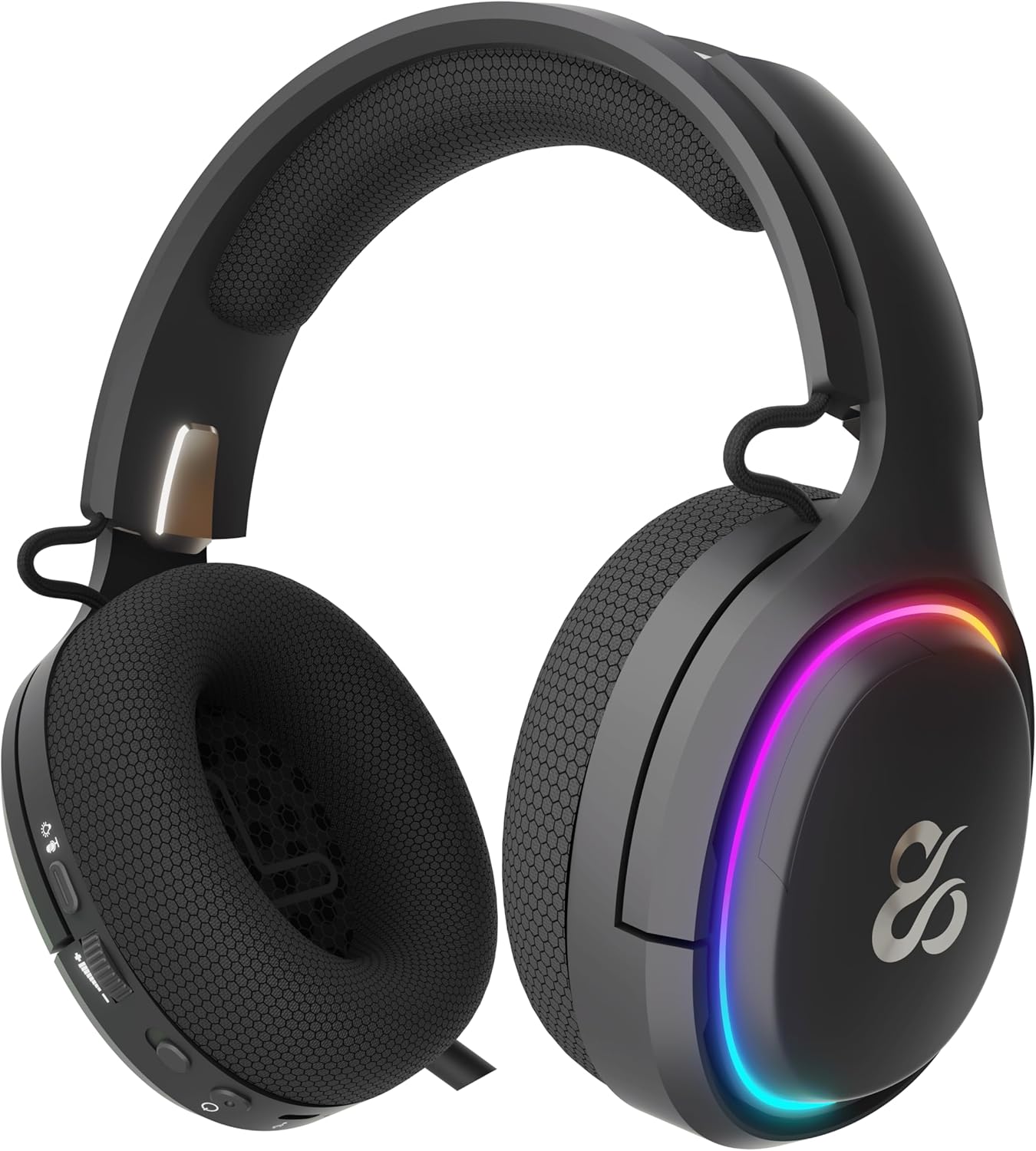
The earcup's outer ring illuminates with a colorful RGB light effect, customizable via the dedicated control button.
4.5. Ịchaji
- Connect the provided USB-C cable to the headset's USB-C port and to a power source (e.g., computer USB port, USB wall adapter).
- The indicator light will show the charging status (e.g., red for charging, off or green for fully charged).
- A full charge provides up to 60 hours of use without RGB lighting, or 38 hours with RGB lighting enabled.
5. Nlekọta
5.1. Nhicha
- Use a soft, dry, lint-free cloth to clean the headset.
- Zere iji kemịkalụ siri ike, ihe mgbaze, ma ọ bụ ncha siri ike.
- Etinyela ekweisi n'ime mmiri ma ọ bụ tinye ya na mmiri gabigara ókè.
5.2. Nchekwa
- Chekwaa ekweisi n'ebe dị jụụ, kpọrọ nkụ na-adịghị na ìhè anyanwụ kpọmkwem na oke okpomọkụ.
- Zenarị ịtụkwasị ihe dị arọ na ekweisi ka ọ ghara imebi.
6. Nchọpụta nsogbu
- Enweghị ụda:
- Check the headset's volume roller and ensure it is not at the minimum setting.
- Verify the headset is properly connected (2.4G dongle inserted, Bluetooth paired, or USB-C cable secure).
- Confirm the correct audio output device is selected in your computer or console's sound settings.
- Gbaa mbọ hụ na ebubo ekweisi.
- Igwe okwu anaghị arụ ọrụ:
- Hụ na agbatịala igwe okwu ahụ ma ghara imechi ya (lelee bọtịnụ mkpọtụ).
- Verify the correct audio input device is selected in your computer or console's sound settings.
- Nwalee igwe okwu ahụ site na iji ngwa ma ọ bụ ngwaọrụ ọzọ.
- Okwu njikọ:
- For 2.4G wireless, try re-inserting the USB dongle and restarting the headset.
- For Bluetooth, unpair the headset from your device and then re-pair it. Ensure no other Bluetooth devices are interfering.
- For wired connection, ensure the USB-C cable is fully inserted at both ends.
- Okwu ịchaji:
- Ensure the USB-C cable is not damaged and is securely connected.
- Gbalịa ọdụ ụgbọ USB ma ọ bụ ihe nkwụnye ọkụ dị iche.
7. Nkọwapụta
- Nọmba nlereanya:
- NS-HS-ATONV2
- Njikọta:
- Ikuku 2.4G, Bluetooth 5.0, eriri USB-C
- Ndị ọkwọ ụgbọ ala:
- 50mm Neodymium Magnets
- Igwe okwu:
- Omnidirectional, Retractable
- Ndụ batrị:
- Ruo awa 60 (na-enweghị RGB), awa 38 (na-enweghị RGB)
- Nchaji ọdụ ụgbọ mmiri:
- USB-C
- Ngwa dakọtara:
- PC, PlayStation 5 (PS5), Nintendo Switch, Mobile Phones
- Akụkụ:
- 10 x 270 x 21 cm
- Arọ:
- 860 g
8. Ozi nchekwa
- Zere ige ntị ruo ogologo oge n'olu dị elu iji gbochie mmebi ntị.
- Do not expose the headset to water, moisture, or extreme temperatures.
- Do not attempt to disassemble or modify the headset. This may void the warranty and cause damage.
- Keep the headset and its accessories out of reach of children and pets.
- Tụfuo batrị ahụ n'ụzọ kwesịrị ekwesị dịka iwu obodo si dị.
9. Akwụkwọ ikike na nkwado
This product is covered by a manufacturer's warranty. For detailed warranty information, technical support, or service inquiries, please refer to the official NEWSKILL webma ọ bụ kpọtụrụ ngalaba ọrụ ndị ahịa ha. Biko debe ihe akaebe ịzụrụ ihe gị maka nkwupụta nkwa.