
1. Okwu mmalite
Thank you for choosing the Xiaomi Smart Temperature and Humidity Monitor 3 Mini. This device is designed to provide accurate, real-time measurements of indoor temperature and humidity, helping you maintain a comfortable and healthy environment. Its compact design and smart features make it a valuable addition to any home.
2. Ngwaahịa gafereview na Atụmatụ
The Xiaomi Smart Temperature and Humidity Monitor 3 Mini combines precision with convenience. Key features include:
- Nhazi kọmpat: Small footprint for versatile placement.
- Ihe mmetụta dị elu nke ọma: Accurate detection of temperature and humidity changes.
- Kpochapụ ihe ngosi LCD: Shows temperature and humidity simultaneously.
- Ideal Range Indicator: Visual cues for optimal environmental conditions.
- Ultra-Low Power Consumption: Extended battery life.
- Nkwanye mgbanwe: Suitable for tabletop or wall mounting.
- Ndakọrịta Smart Home: Bluetooth connectivity for integration with smart home systems.

The monitor features a compact design with a 42.8 x 35.1 mm LCD screen, making it easy to read and place. Device dimensions are approximately 62.6 x 53.2 mm.
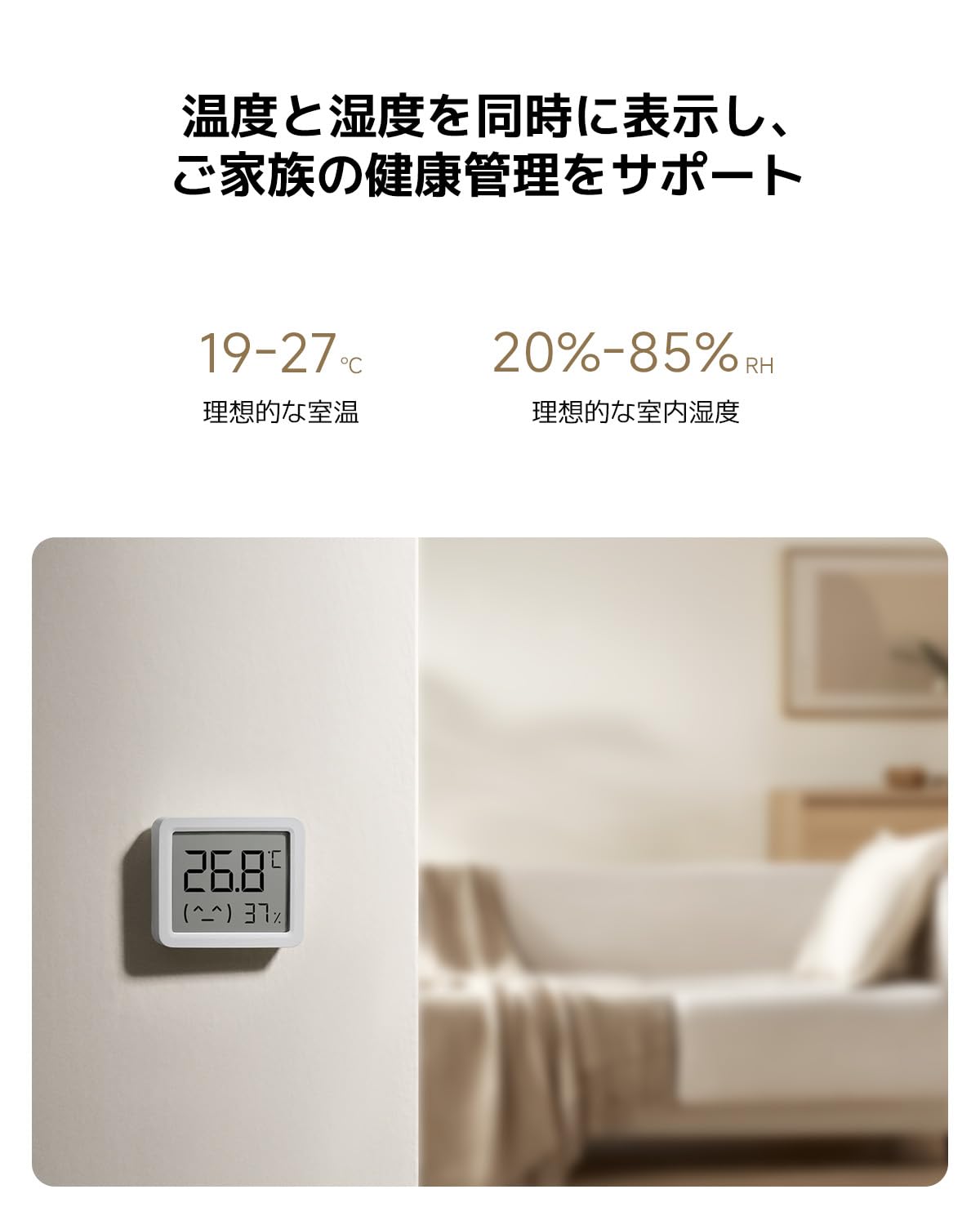
Equipped with a high-precision sensor, the monitor accurately detects changes in temperature (0.1°C resolution) and humidity (1% RH resolution).

The display simultaneously shows current temperature and humidity. Ideal indoor conditions are indicated as 19-27°C for temperature and 20-85% RH for humidity.
3. Nhazi
3.1 Unboxing na nlele mbụ
Carefully remove the monitor from its packaging. Inspect the device for any signs of damage. The package should include the Xiaomi Smart Temperature and Humidity Monitor 3 Mini and this user manual.
3.2 Ntinye batrị
- Chọta mkpuchi nke batrị n'azụ ngwaọrụ.
- Gently open the cover.
- Insert one CR2450 button cell battery, ensuring the positive (+) side faces upwards as indicated inside the compartment.
- Close the battery compartment cover securely. The display should activate automatically.

The monitor uses a CR2450 button cell battery, offering ultra-low power consumption for up to 2 years in standard mode and 3 years in battery-saving mode.
3.3 Ntinye
The monitor can be placed on a flat surface using its integrated stand or mounted on a wall. For accurate readings, place the device away from direct sunlight, heat sources, and strong drafts.

Its versatile design allows for flexible placement, either on a tabletop using its integrated stand or mounted on a wall.
3.4 Smart Home Pairing (Optional)
To connect the monitor to your smart home system via Bluetooth, follow these general steps:
- Download the official Xiaomi Home app (or compatible smart home app) on your smartphone.
- Gbaa mbọ hụ na agbanyere Bluetooth na ekwentị gị.
- Open the app and follow the on-screen instructions to add a new device. The monitor should appear as an available device for pairing.
- Confirm the pairing within the app.
4. Ntuziaka ọrụ
4.1 Ịgụ Ihe Ngosi
The LCD screen continuously displays the current temperature in Celsius (°C) and relative humidity (RH%). The display is designed for clear visibility from a distance.
4.2 Understanding Ideal Ranges
The monitor may provide visual indicators or a simple emoji to represent comfort levels. Generally, ideal indoor conditions are:
- Okpomọkụ: 19°C ruo 27°C
- iru mmiri: 20% RH ruo 85% RH
Adjust your environment (e.g., heating, cooling, humidifiers, dehumidifiers) as needed to stay within these ranges for optimal comfort and health.
5. Nlekọta
5.1 Nhicha
Wipe the device gently with a soft, dry cloth. Do not use liquid cleaners, abrasive materials, or immerse the device in water.
5.2 nnọchi batrị
When the battery is low, a low battery indicator may appear on the display. Replace the CR2450 battery by following the installation steps in Section 3.2. Dispose of used batteries responsibly according to local regulations.
5.3 Nchekwa
If storing the device for an extended period, remove the battery to prevent leakage. Store in a cool, dry place.
6. Nchọpụta nsogbu
- Enweghị Ngosipụta: Lelee ma batrị ahụ arụnyere nke ọma ma nwee ike ịchaji zuru oke. Dochie batrị ahụ ma ọ bụrụ na ọ dị mkpa.
- Ọgụgụ na-ezighi ezi: Ensure the device is placed in an appropriate location, away from direct heat, cold, or drafts. Allow some time for the sensor to stabilize after placement or battery change.
- Okwu njikọ Bluetooth: Ensure Bluetooth is enabled on your smartphone and the device is within range. Try restarting both the monitor (by reinserting the battery) and your smartphone.
- Display Not Changing: If readings appear stuck, try replacing the battery. If the issue persists, contact customer support.
7. Nkọwapụta
| Nọmba nlereanya | QBH4312GL |
| Akụkụ (Ngwaọrụ) | Ihe dị ka. 62.6 x 53.2 x 12.7 mm |
| Ibu | 50 g |
| Oke nha nha okpomọkụ | 0°C ruo 50°C (32°F ruo 122°F) |
| Okpomọkụ ziri ezi | ±0.5C |
| Oke nha iru mmiri | 0% RH ruo 99% RH |
| Ikike iru mmiri | ± 1% RH |
| Ụdị batrị | Igwe bọtịnụ CR2450 |
| Ndụ batrị | Up to 2-3 years (depending on usage mode) |
| Njikọta | Bluetooth |
| Nhọrọ nkwụnye | Tabletop, Wall-mounted |
8. Akwụkwọ ikike na nkwado
8.1 Ozi akwụkwọ ikike
The Xiaomi Smart Temperature and Humidity Monitor 3 Mini comes with a standard manufacturer's warranty. Please refer to your purchase documentation or the official Xiaomi websaịtị maka nkọwa zuru oke usoro na ọnọdụ nke akọwapụtara mpaghara gị.
8.2 Nkwado ndị ahịa
For technical support, troubleshooting assistance, or warranty claims, please visit the official Xiaomi support website or contact their customer service department. Contact details can typically be found on the Xiaomi official websaịtị ma ọ bụ na nkwakọ ngwaahịa gị.
Nkwado n'ịntanetị: www.mi.com/global/support