
PAXA Clipbuds 7
Ntuziaka Onye Ọrụ nke PAXA Clipbuds7 Open Earbuds
Model: Clipbuds 7
1. Okwu mmalite
Thank you for choosing the PAXA Clipbuds7 Open Ear Earbuds. This manual provides essential information for setting up, operating, and maintaining your new earbuds. Please read it thoroughly before use to ensure optimal performance and longevity of your device.

Image 1: PAXA Clipbuds7 Open Ear Earbuds and their charging case. The earbuds are purple and feature a unique clip-on design. The charging case has an LED display showing battery levels.
2. Ihe ngwugwu
Chọpụta na ihe niile dị na ngwugwu gị:
- PAXA Clipbuds7 Open Ear Earbuds (1 pair)
- Wireless Charging Case (1)
- Ịchaji USB (1)
- Akwụkwọ ntuziaka onye ọrụ (1)
3. Nhazi
3.1 Nchaji izizi
Before first use, fully charge the earbuds and charging case. Connect the provided charging cable to the Type-C port on the charging case and a power source. The LED display on the case will indicate the charging status.
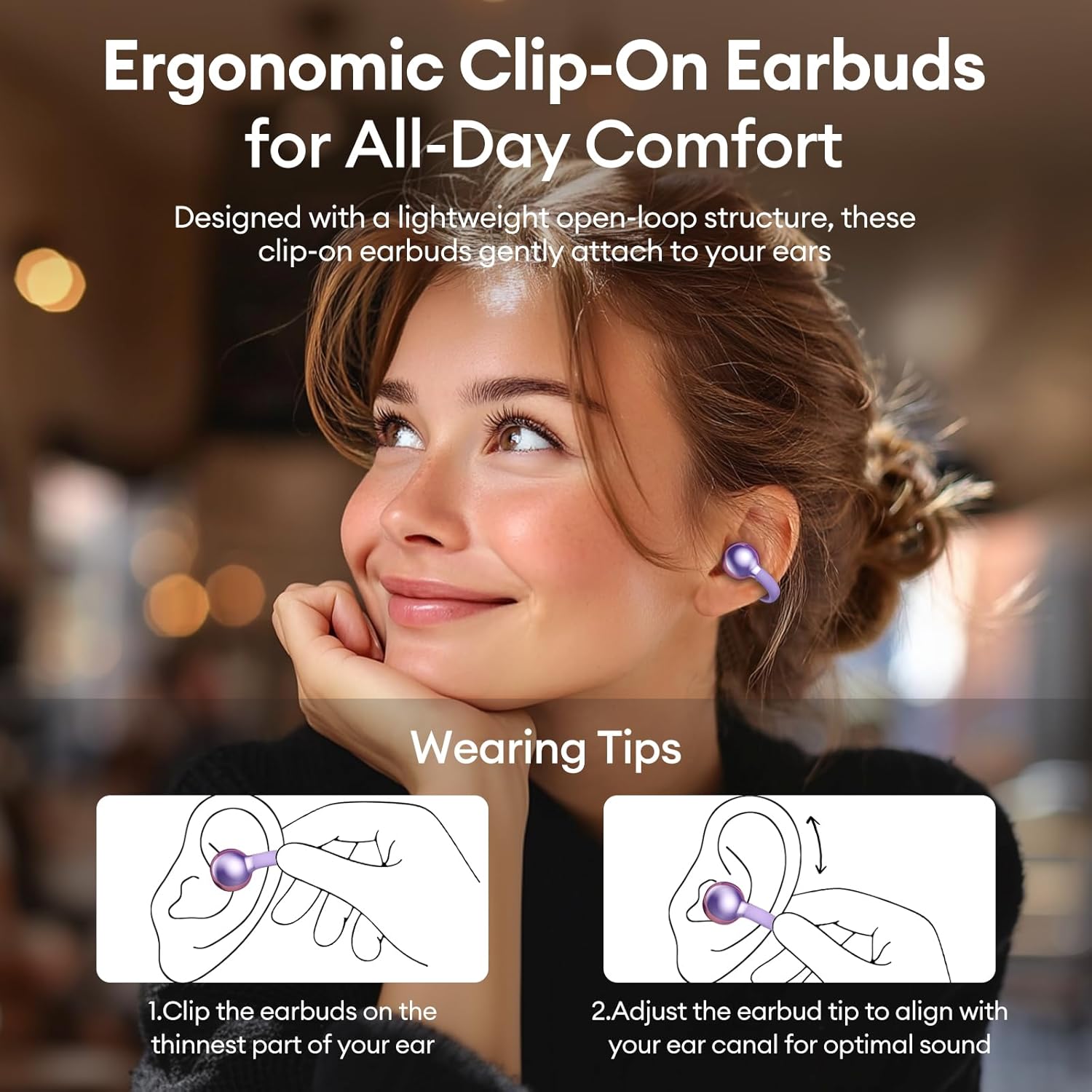
Image 2: The PAXA Clipbuds7 charging case connected to a charging cable, displaying the battery percentage on its LED screen.
3.2 Yiri ekwe ntị
The Clipbuds7 are designed for open-ear comfort. Follow these steps for proper fit:
- Clip the earbuds onto the thinnest part of your ear.
- Adjust the earbud tip to align with your ear canal for optimal sound delivery.
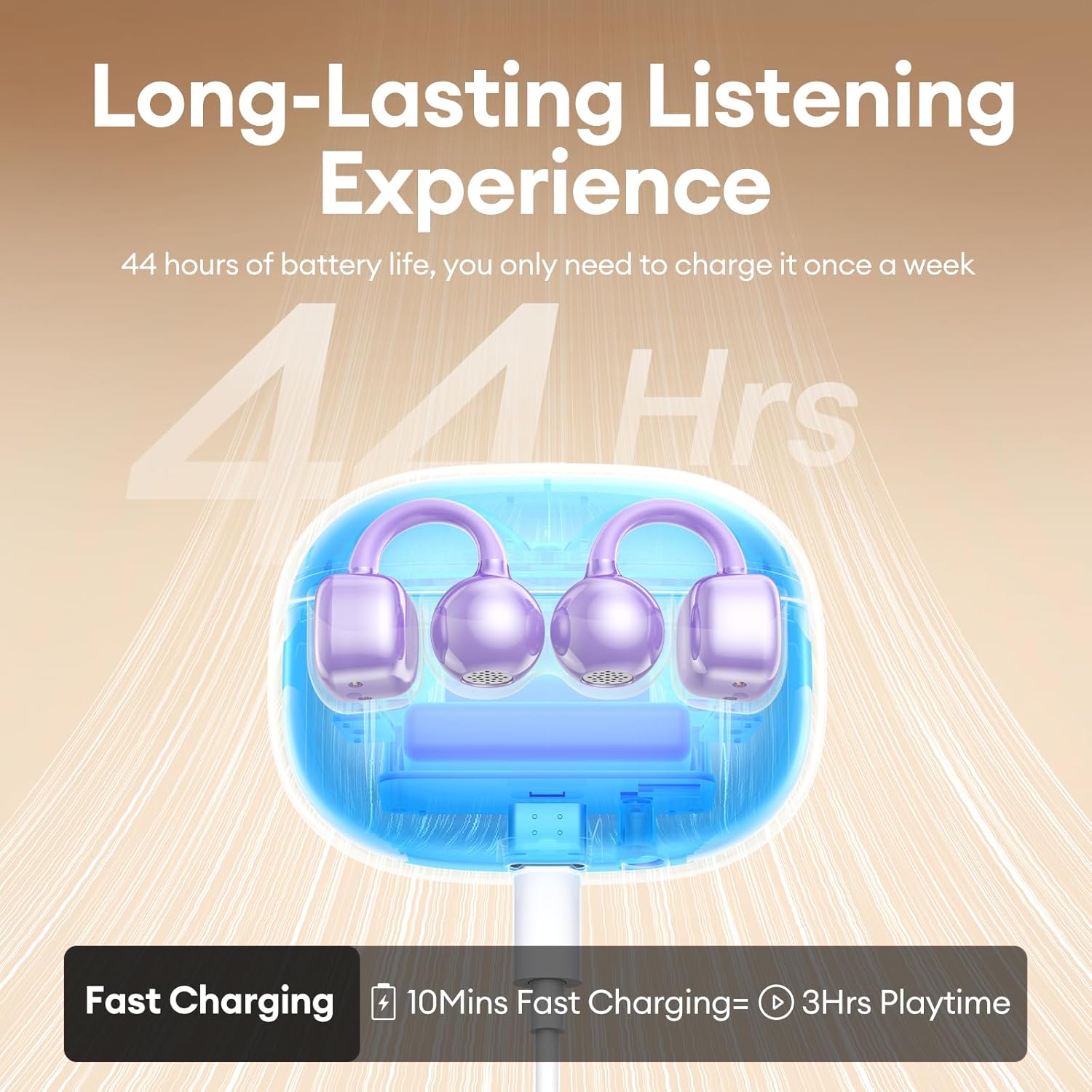
Image 3: A visual guide demonstrating the correct method for clipping the earbuds onto the ear and adjusting them for the best fit.
Video 1: This video demonstrates the unboxing and proper wearing technique for the PAXA Clipbuds7 earbuds, highlighting their comfortable and secure fit.
3.3 Njikọ Bluetooth
The earbuds utilize Bluetooth 5.4 for stable connections.
- Mepee igbe nchaji. Igwe ntị ga-abanye na ọnọdụ njikọta na-akpaghị aka.
- On your device (smartphone, tablet, laptop), enable Bluetooth and search for "PAXA Clipbuds7".
- Select "PAXA Clipbuds7" to connect. A voice prompt will confirm successful pairing.
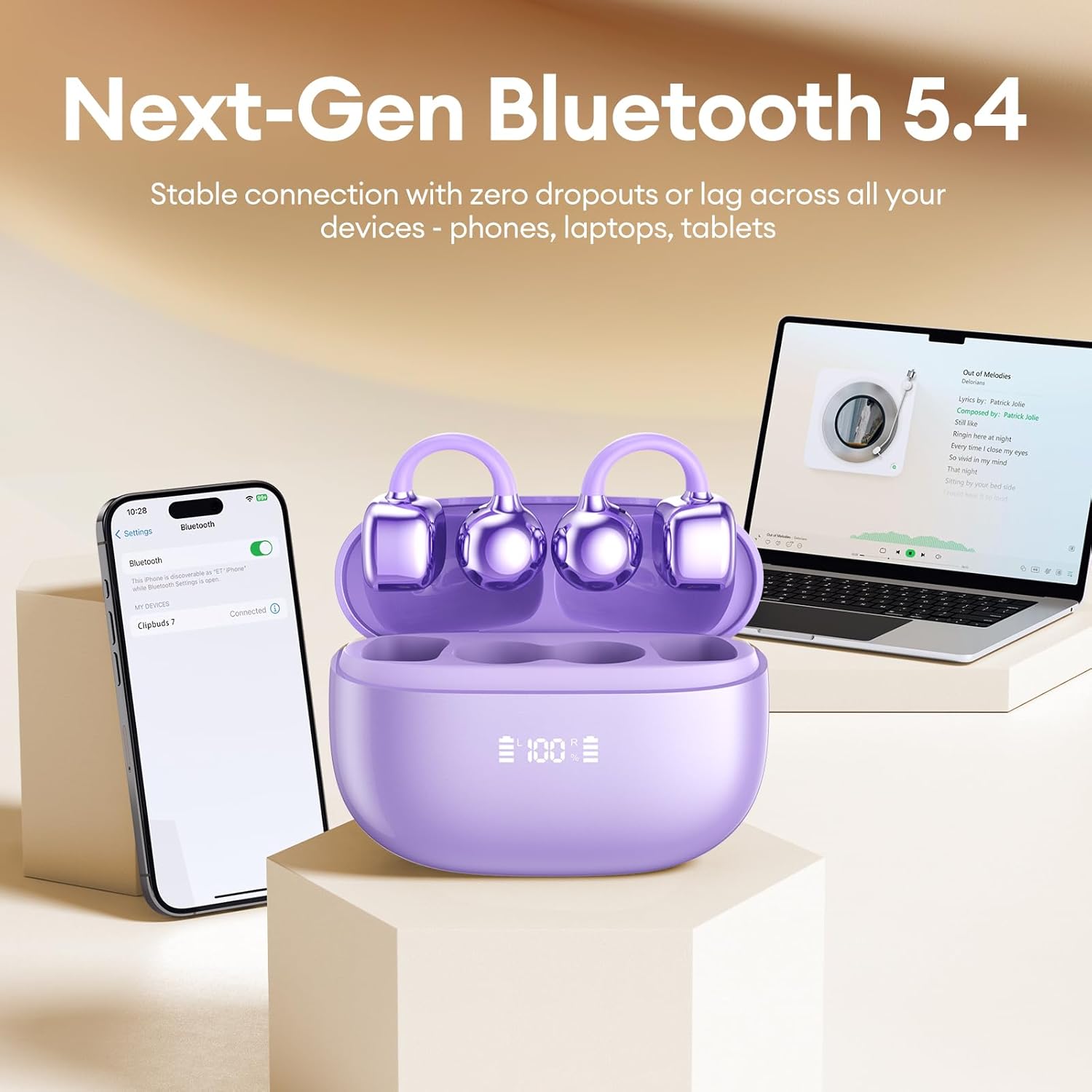
Image 4: A smartphone screen showing the PAXA Clipbuds7 successfully connected via Bluetooth, alongside the earbuds in their charging case.
4. Ntuziaka ọrụ
4.1 Njikwa mmetụ
The PAXA Clipbuds7 feature intuitive touch controls:
| Omume | Ọrụ |
|---|---|
| Double-click either earbud | Zaa/Kwụsị oku, Kpọọ/kwụsịtụ egwu |
| Pịa ma jide otu ntị ntị maka sekọnd 2 | Jụ oku |
| Triple-click the left (L) earbud | Previous song, Volume - |
| Triple-click the right (R) earbud | Next song, Volume + |
| Hold both earbuds | Mee ka Onye Enyemaka Olu Mee Ọrụ (Siri, Google Assistant, wdg.) |

Image 5: A detailed graphic illustrating the various touch control functions for the PAXA Clipbuds7 earbuds, including call management and music playback.
4.2 Gbanyụọ ma ọ bụ gbanyụọ
- Ike Na: Mepee igbe nchaji, na ntị ntị ga-agbanye ọkụ ozugbo.
- Gbanyụọ: Tinye ihe ntị ntị n'ime akpa nchaji wee mechie mkpuchi. Ha ga-agbanyụ ozugbo wee malite ịchaji.
4.3 Njikwa oku
The earbuds feature ENC noise cancellation for clear calls. Use the touch controls as described above to manage calls.
4.4 Akụkụ ọdịyo
Experience immersive stereo sound with directional audio technology, minimizing sound leakage while maintaining environmental awareness.
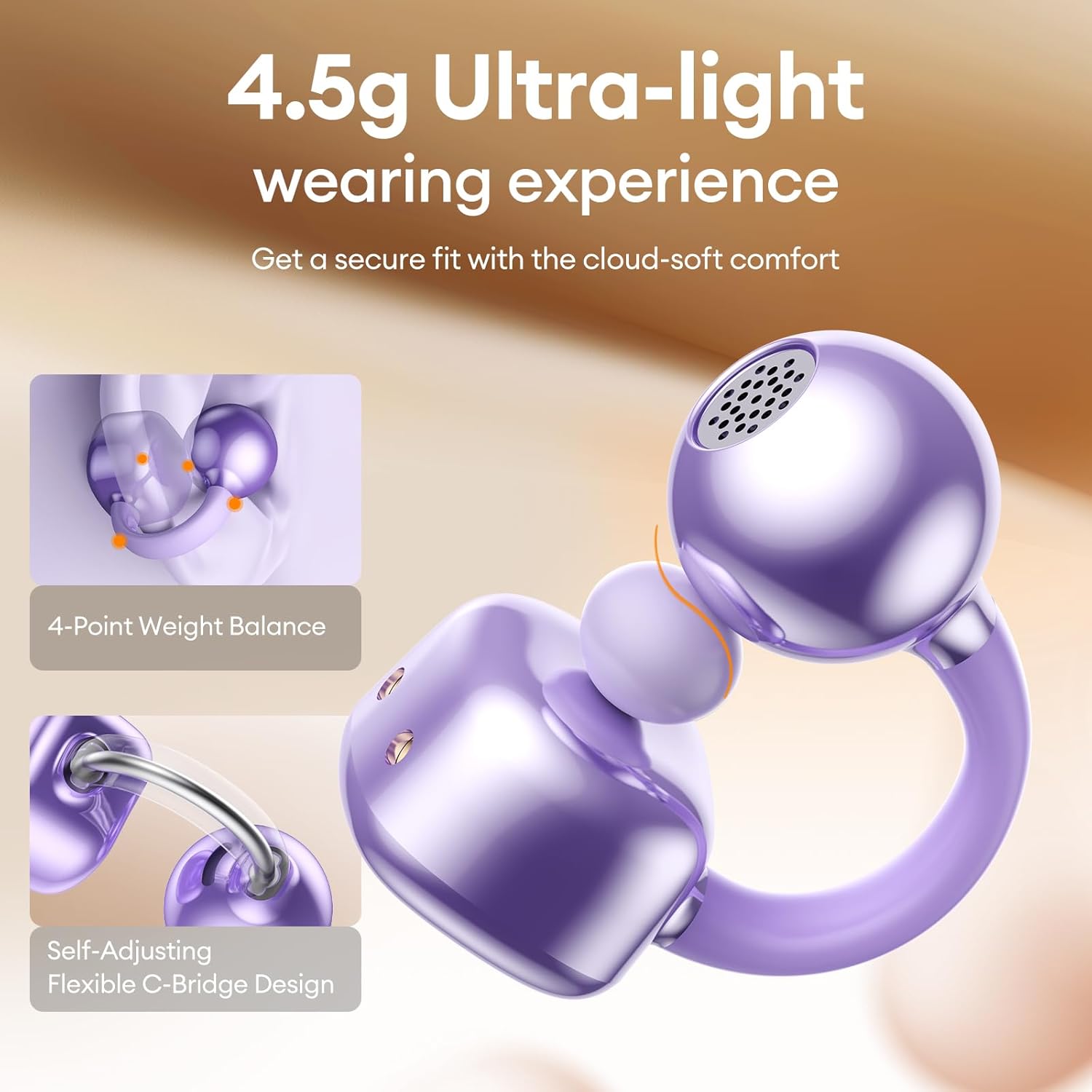
Image 6: A visual representation of the directional audio technology, showing how sound is delivered to the ear while minimizing leakage to the surroundings.
5. Nlekọta
5.1 Nhicha
Regularly clean your earbuds and charging case with a soft, dry cloth. Avoid using abrasive materials or harsh chemicals. Ensure charging contacts are free of dust and debris.
5.2 Nchekwa
Mgbe ị na-ejighị ya, debe ekweisi ntị n'ime akpa chaja ha iji chebe ha ma nọgide na-adị ndụ batrị. Debe ya n'ebe dị jụụ ma kpọọ nkụ, ebe anwụ na-anaghị apụta kpọmkwem ma ọ bụ oke okpomọkụ.
5.3 Mgbochi mmiri na uzuzu
The earbuds are IP45 rated for dust and water resistance, meaning they can withstand splashes of water and sweat. They are not designed for submersion in water.
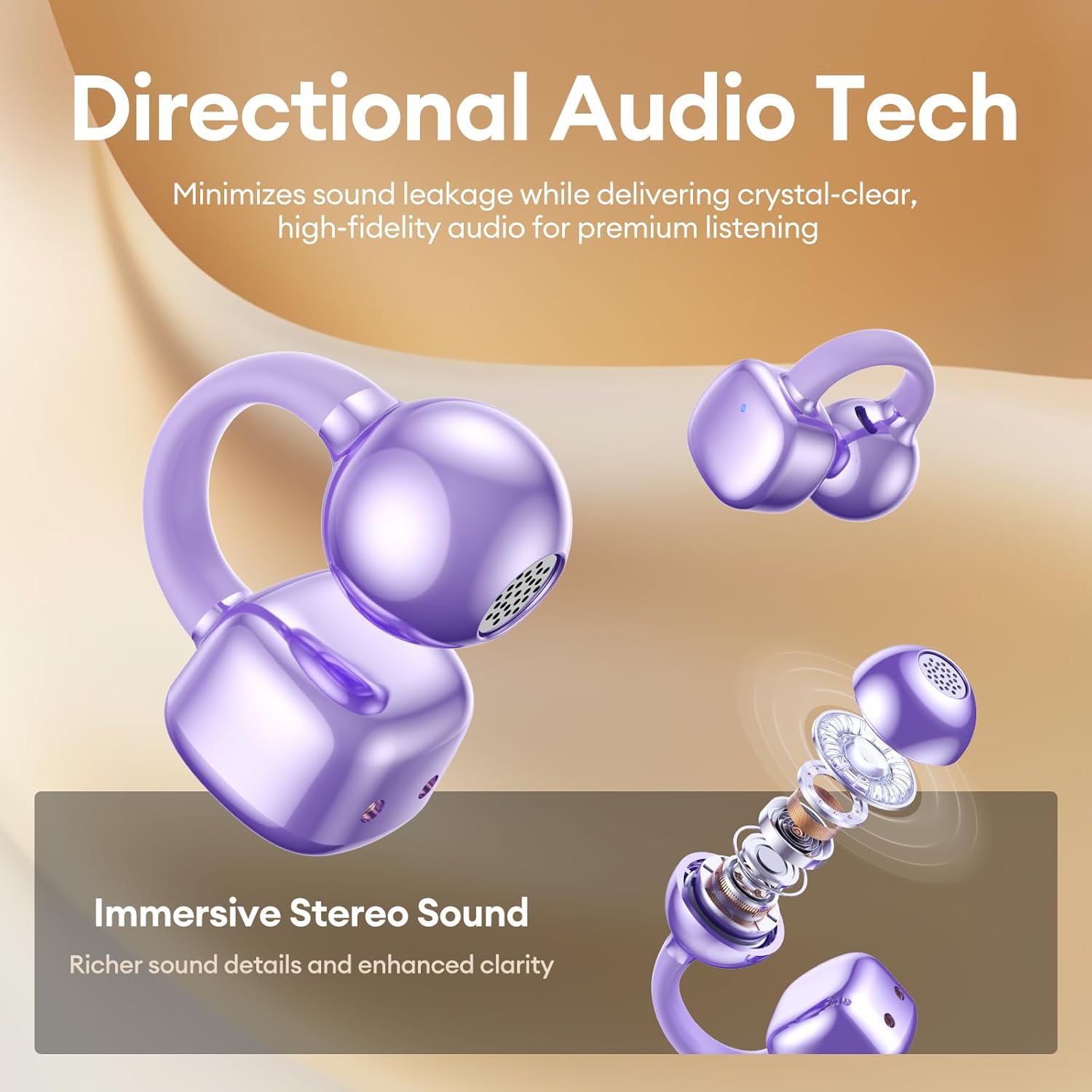
Image 7: A person wearing the PAXA Clipbuds7 earbuds while being exposed to light rain, demonstrating their IP45 water and dust resistance.
6. Nchọpụta nsogbu
| Nsogbu | Ngwọta enwere ike |
|---|---|
| Igwe ntị anaghị ejikọta ọnụ | Ensure earbuds are charged. Place them back in the case, close, then reopen to re-enter pairing mode. Check your device's Bluetooth settings and try reconnecting. |
| Enweghị ụda sitere na otu ntị ntị | Check battery level of both earbuds. Try resetting the earbuds (refer to manufacturer's website for specific reset instructions if not in manual). Re-pair with your device. |
| Nchaji anaghị akwụ ụgwọ | Verify the charging cable and power adapter are working. Ensure the Type-C cable is securely connected to both the case and the power source. |
| Ogo ụda adịghị mma | Ensure earbuds are properly seated in your ears. Check for debris blocking the speaker grilles. Move closer to your connected device to avoid interference. |
7. Nkọwapụta
| Njirimara | Nkọwa |
|---|---|
| Aha Nlereanya | Clipbuds 7 |
| Ụdị Bluetooth | 5.4 |
| Earbud arọ | 4.5g (nke ọ bụla) |
| Ndụ batrị (Otu chaja) | Ruo awa iri abụọ |
| Mgbakọta ndụ batrị (ya na igbe) | Ruo awa iri abụọ |
| Nchaji ọdụ ụgbọ mmiri | Ụdị-C |
| Ogo Nguzogide Mmiri | IP45 |
| Njikwa mkpọtụ | Hybrid Noise Cancellation (ENC for calls) |
| Ụdị njikwa | Njikwa aka |
| Ihe onwunwe | Silicone Rubber + Plastic |
8. Akwụkwọ ikike na nkwado
PAXA products come with a standard manufacturer's warranty. For detailed warranty information, product support, or to contact customer service, please visit the official PAXA websaịtị ma ọ bụ rụtụ aka na kaadị ikike etinyere na ngwugwu gị.
Nkwado n'ịntanetị: Visit the PAXA Store on Amazon
Ask a question about this manual
Ask about setup, troubleshooting, compatibility, parts, safety, or missing instructions. Manuals+ will review the question and use this page’s manual context to help answer it.