
1. Okwu mmalite
This manual provides comprehensive instructions for the installation, operation, and maintenance of the EARU Electric 3-Phase Voltage and Overcurrent Protector, Model EARU-1008. This device is designed to safeguard 3-phase electrical systems by continuously monitoring voltage and current, offering protection against over-voltage, n'okpuru-voltage, overcurrent, and phase failure. It is suitable for industrial and commercial applications requiring reliable electrical monitoring and protection.
2. Ozi nchekwa
ỊDỌ AKA NA NTỊ: Ihe egwu nke ujo eletriki. Ndị ọrụ ruru eru kwesịrị ịrụ ọrụ nrụnye na mmezi.
- Kwụpụ ọkụ eletrik mgbe niile tupu ị wụnye ma ọ bụ rụzie ngwaọrụ ahụ.
- Gbaa mbọ hụ na ntọ ala kwesịrị ekwesị iji gbochie ujo eletrik.
- Verify all wiring connections are secure and correct according to the wiring diagram.
- Ejila ngwaọrụ ahụ rụọ ọrụ ma ọ bụrụ na o yie ka ọ mebiri emebi.
- Soro koodu eletriki mpaghara na nke mba niile.
3. Ngwaahịa gafereview
3.1. Atụmatụ igodo
- Real-time 3-Phase Monitoring: Displays live voltage (L1, L2, L3) and current (L1, L2, L3) values.
- Nchedo zuru oke: Safeguards against over-voltage, n'okpuru-voltage, overcurrent, and phase failure.
- Oke ndị nwere ike idozi: User-configurable settings for protection thresholds and recovery delays.
- Automatic Phase Failure Reset: Detects and automatically resets after phase anomalies.
- High-Visibility LED Display: Bright red LED for clear readings in various lighting conditions.
- DIN Rail Ugwu: Easy integration into standard electrical panels.
- Clear Terminal Labeling: Simplified installation with clearly marked input and output terminals.
3.2. Ihe mejupụtara na Ngosipụta
The device features a clear LED display and intuitive control buttons for configuration. The display shows real-time voltage and current for each phase, along with indicators for protection status.
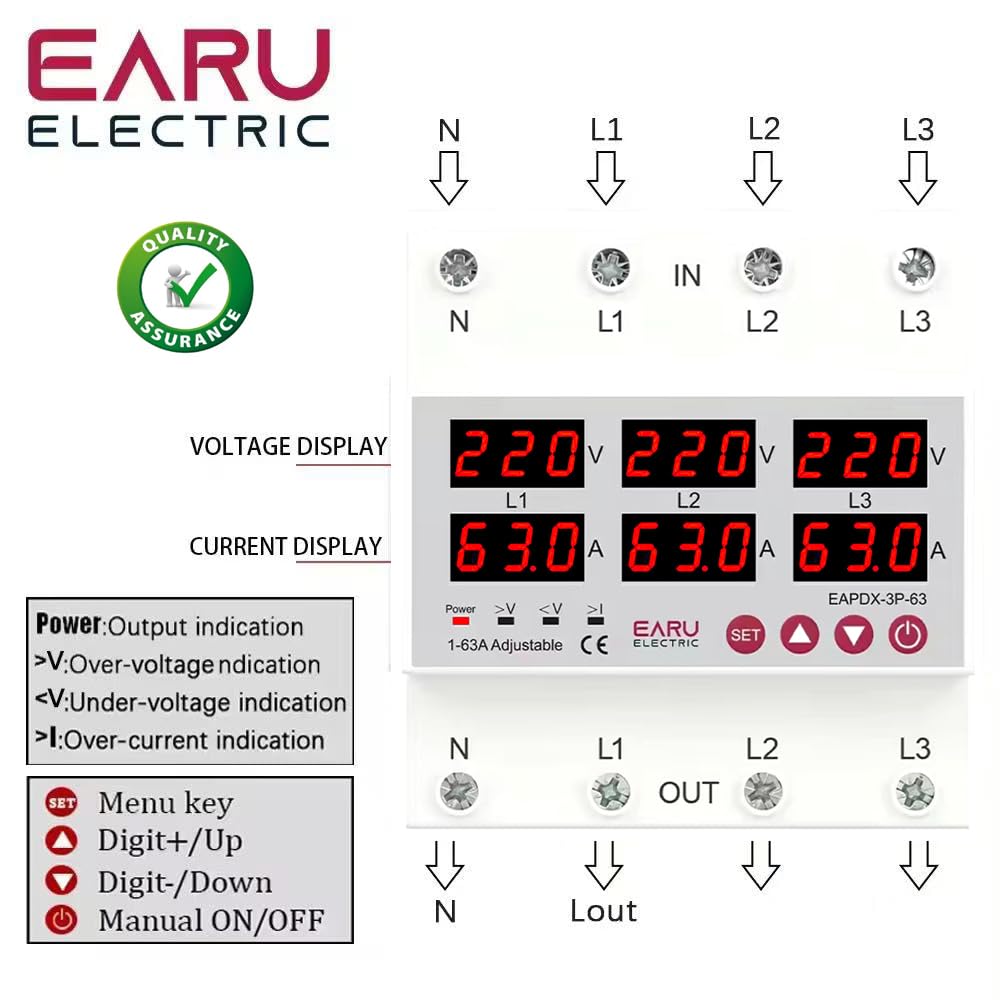
Foto nke 3.2.1: N'ihu view of the EARU Electric Voltage Protector, showing the LED display for L1, L2, L3 voltage and current, along with control buttons (SET, Up, Down, Power) and protection indicators. Terminal labels for N, L1, L2, L3 (IN and OUT) are also visible.

Foto nke 3.2.2: A perspective view highlighting the product features and the input/output terminals (N, L1, L2, L3) at the top and bottom of the device. This image emphasizes the physical layout and connection points.
4. Ntọala na nwụnye
4.1. Ịkwanye
The EARU-1008 is designed for DIN rail mounting. Securely attach the device to a standard 35mm DIN rail within an electrical enclosure.
4.2. Njikọ njikọ
Refer to the wiring diagram below for correct connections. Ensure all connections are tight and properly insulated.
- Connect the incoming neutral (N) and phase lines (L1, L2, L3) to the 'IN' terminals.
- Connect the outgoing neutral (N) and phase lines (L1, L2, L3) to the 'OUT' terminals.
- Lelee njikọ niile ugboro abụọ tupu itinye ike.

Foto nke 4.2.1: Detailed wiring diagram for the EARU Electric Voltage Protector, showing connections for N, L1, L2, L3 for both input and output. The diagram illustrates how to integrate the protector into a 3-phase electrical system.
5. Ntuziaka ọrụ
5.1. Ike Mmalite
Once wired, apply power to the device. The LED display will illuminate, showing the real-time voltage and current for each phase.
5.2. Ngosipụta ihe ngosi
- V: Voltage ngosi.
- A: Ngosipụta ugbu a.
- Ike: Output indication.
- >V: N'elu voltage gosiri.
- <V: N'okpuru-voltage gosiri.
- > m: Over-current indication.
5.3. Ntọala Ntọala
Use the 'SET' button to enter the configuration menu and the 'Up' and 'Down' keys to adjust values. Press 'SET' again to confirm and move to the next parameter. Hold 'SET' for 3 seconds to enter settings mode.

Foto nke 5.3.1: A detailed guide to setting various protection parameters on the EARU Electric Voltage Protector. This includes overvoltage, na -agbadatage, overcurrent, and recovery delay settings, with default values and adjustment ranges.
Key adjustable parameters include:
- Mfefetage Ntọala nchekwa: Range 230-300V (Default 270V).
- Mfefetage Protection Recover Setting: Range 225-295V (Default 265V).
- Mfefetage Recovery Delay: Range 1-500s (Default 30s).
- Mfefetage Trip Delay: Range 0.1-30s (Default 1.0s).
- N'okpurutage Ntọala nchekwa: Range 140-210V (Default 170V).
- N'okpurutage Protection Recover Setting: Range 145-215V (Default 175V).
- N'okpurutage Trip Delay: Range 0.1-30s (Default 1.0s).
- Overcurrent Protection Setting: Range 1-63A (Default 30A).
- Overcurrent Trip Delay: Range 0.1-30s (Default 1.0s).
- Voltage & Current Manual Error Calibration: Adjust for accuracy, range -9.5% to +9.5% (Default 0%).
- Power-on Delay Setting: Adjustable Range: 1-500S (Default: 10s).
5.4. Manual ON/OFF
The power button allows for manual switching of the device output.
6. Nlekọta
The EARU-1008 is designed for minimal maintenance. However, periodic checks are recommended:
- Debe ngwaọrụ ahụ ka ọ dị ọcha na enweghị uzuzu na irighiri ihe.
- Periodically inspect wiring connections for tightness and signs of wear.
- Hụ na ikuku na-ekupụ nke ọma gburugburu ngwaọrụ ahụ iji gbochie oke okpomọkụ.
7. Nchọpụta nsogbu
If the device is not functioning as expected, consider the following:
- Enweghị ngosi/enweghị ike: Check the main power supply and all wiring connections.
- Protection Trip: Identify the active protection indicator (>V, <V, >I). Check the corresponding voltage or current levels. The device will automatically reset once conditions return to normal, based on configured recovery delays.
- Phase Failure: The device automatically detects and responds to phase failures, initiating a cut-off and auto-reset once the phase is restored.
- Ọgụgụ na-ezighi ezi: If readings appear inaccurate, consider performing a manual error calibration as described in Section 5.3.
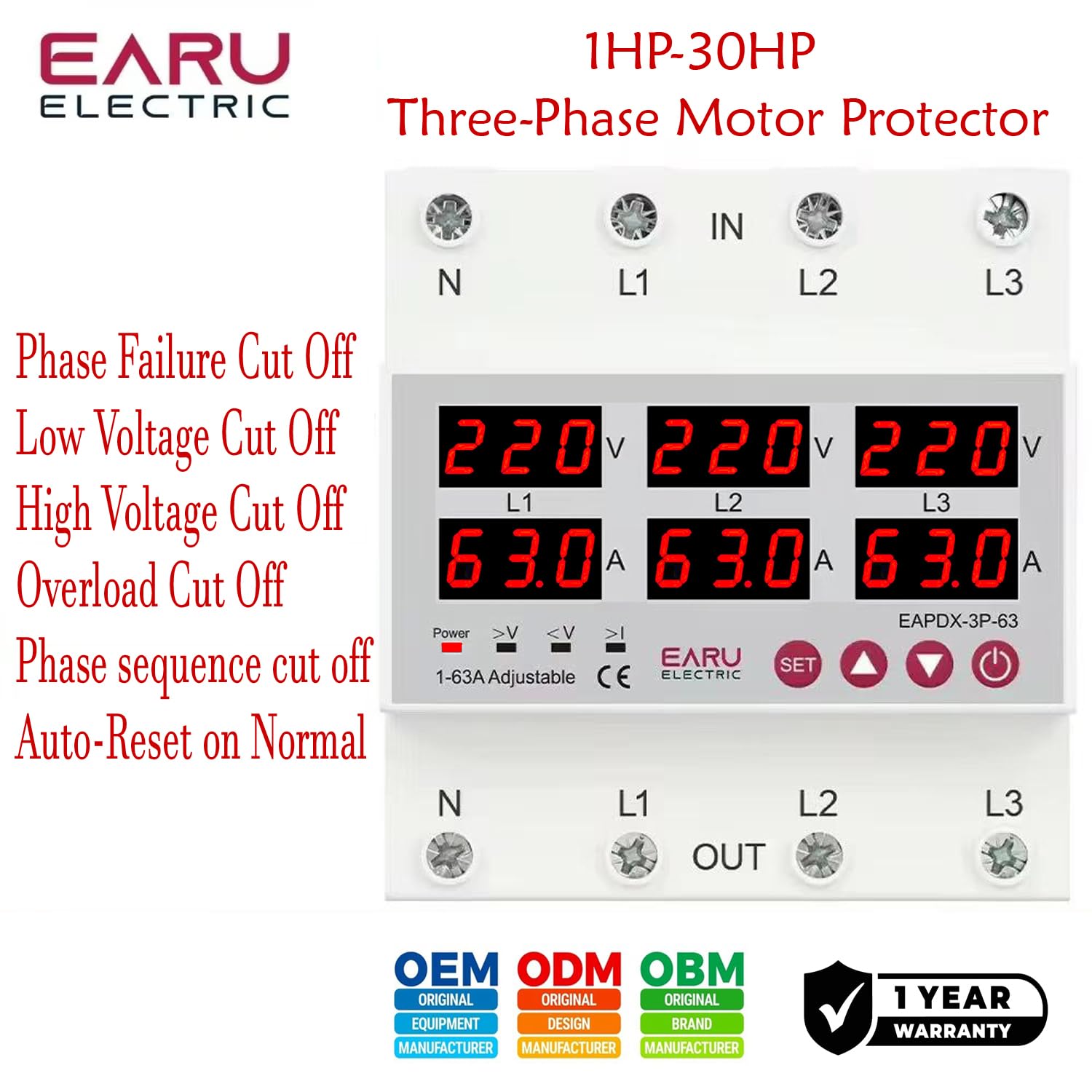
Foto nke 7.1: This image highlights the various protection features of the EARU Electric Voltage Protector, including phase failure cut-off, low voltage cut-off, high voltage cut-off, overload cut-off, phase sequence cut-off, and auto-reset on normal conditions. These are key aspects for troubleshooting protection trips.
8. Nkọwapụta
| Oke | Uru |
|---|---|
| Ụdị | EARU |
| Nlereanya | EARU-1008 |
| Enyere ọkwa Voltage | AC 3*220V (N-L1/L2/L3) / 440V |
| Ugboro ugboro | 50/60Hz |
| Over Current Protection Setting Range | 1-63A (Default 30A) |
| N'ime Voltage Protection Setting Range | 230-300V (Default 270V) |
| N'okpuru Voltage Protection Setting Range | 140-210V (Default 170V) |
| Akụkụ ngwaahịa | 20 x 10 x 20 cm |
| Ibu Ibu | 450 g |
| Ụdị nkwụnye | INgbọ DIN |

Foto nke 8.1: This image provides a visual representation of the EARU Electric Voltage Protector's dimensions and a table of key technical specifications, including voltage, frequency, and protection ranges.
9. Akwụkwọ ikike na nkwado
9.1. Akwụkwọ ikike
The EARU Electric Voltage Protector (Model EARU-1008) comes with a Akwụkwọ ikike onye nrụpụta afọ 1 site na ụbọchị ịzụrụ, na-ekpuchi ntụpọ na ihe na arụ ọrụ n'okpuru ojiji nkịtị. Biko dowe ihe akaebe nke ịzụrụ ihe maka akwụkwọ ikike.
9.2. Nkwado ndị ahịa
For technical assistance, troubleshooting, or warranty inquiries, please contact EARU customer support through your retailer or the official EARU website. Provide your model number (EARU-1008) and a detailed description of the issue for efficient service.