
1. Okwu mmalite
Thank you for choosing the CROSSIO 20 Inch Wall Mount Fan. This manual provides essential information for the safe installation, operation, and maintenance of your new fan. Please read these instructions thoroughly before use and retain them for future reference.
2. Ozi nchekwa
- Gbaa mbọ hụ na ọkọnọ ike dabara na voltage chọrọ.
- Always disconnect power before installation, cleaning, or maintenance.
- Mount the fan securely to a structural support to prevent falling.
- Keep fingers and other objects away from moving fan blades.
- Ejila eriri ma ọ bụ plọg mebiri emebi arụ ọrụ fan.
- This fan is rated for indoor use. Avoid exposure to direct water or extreme weather conditions.
3. Ihe ngwugwu
Nyochaa na akụrụngwa niile dị tupu ịmalite nrụnye.
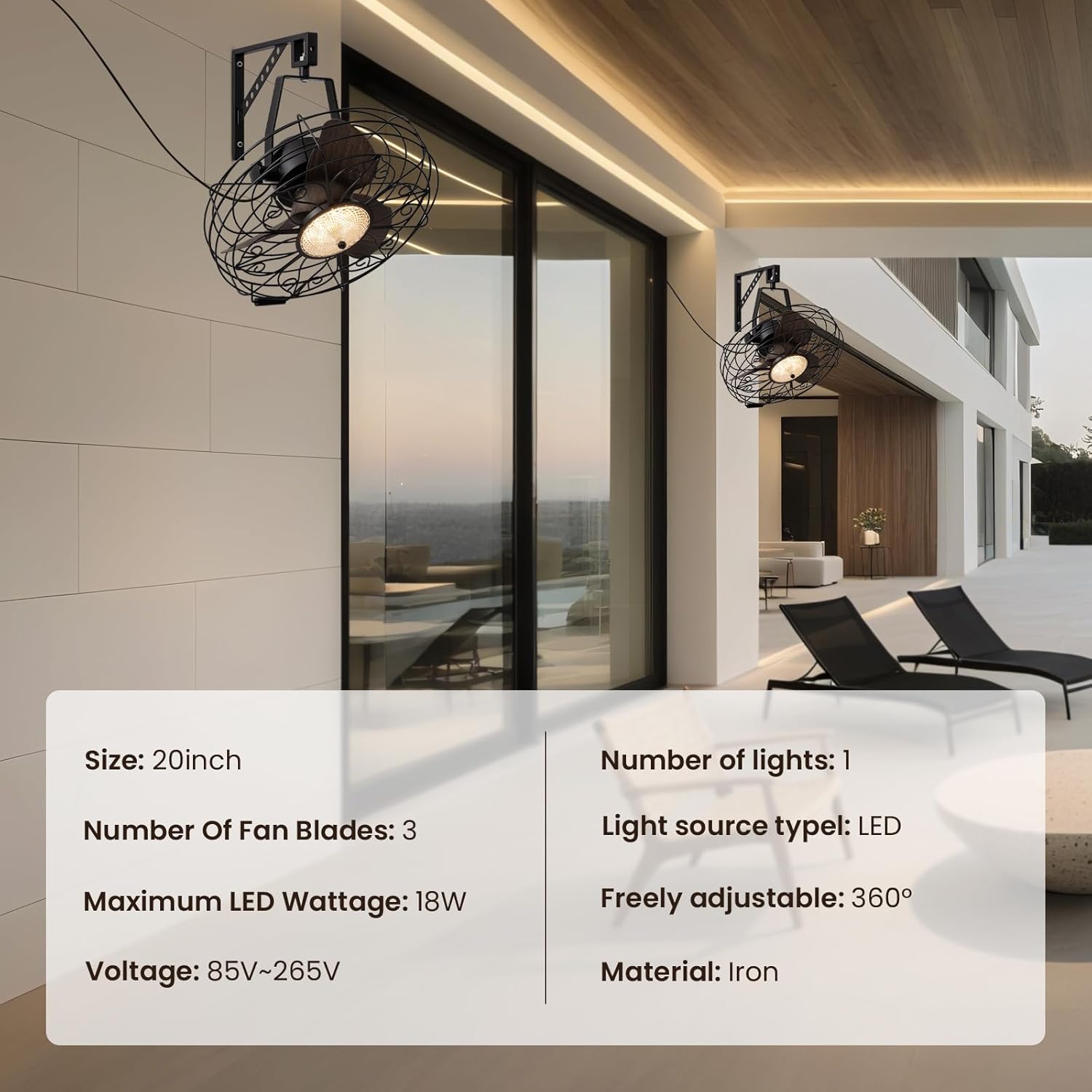
Foto: Isi ngwaahịa view showing the fan, remote control, and mounting hardware.
- Wall Mount Fan Unit
- Arịọnụ mgbodo
- Njikwa anya
- Akụrụngwa nwụnye (skru, arịlịka)
- Akwụkwọ ntuziaka (akwụkwọ a)
4. Ntọala na nwụnye
Follow these steps to properly install your wall mount fan.
4.1. Ịwụnye ihe nkwado ahụ
Select a suitable location on a sturdy wall, preferably into a wall stud. Use the mounting bracket as a template to mark drill holes. Drill pilot holes and secure the bracket using the provided screws and anchors.
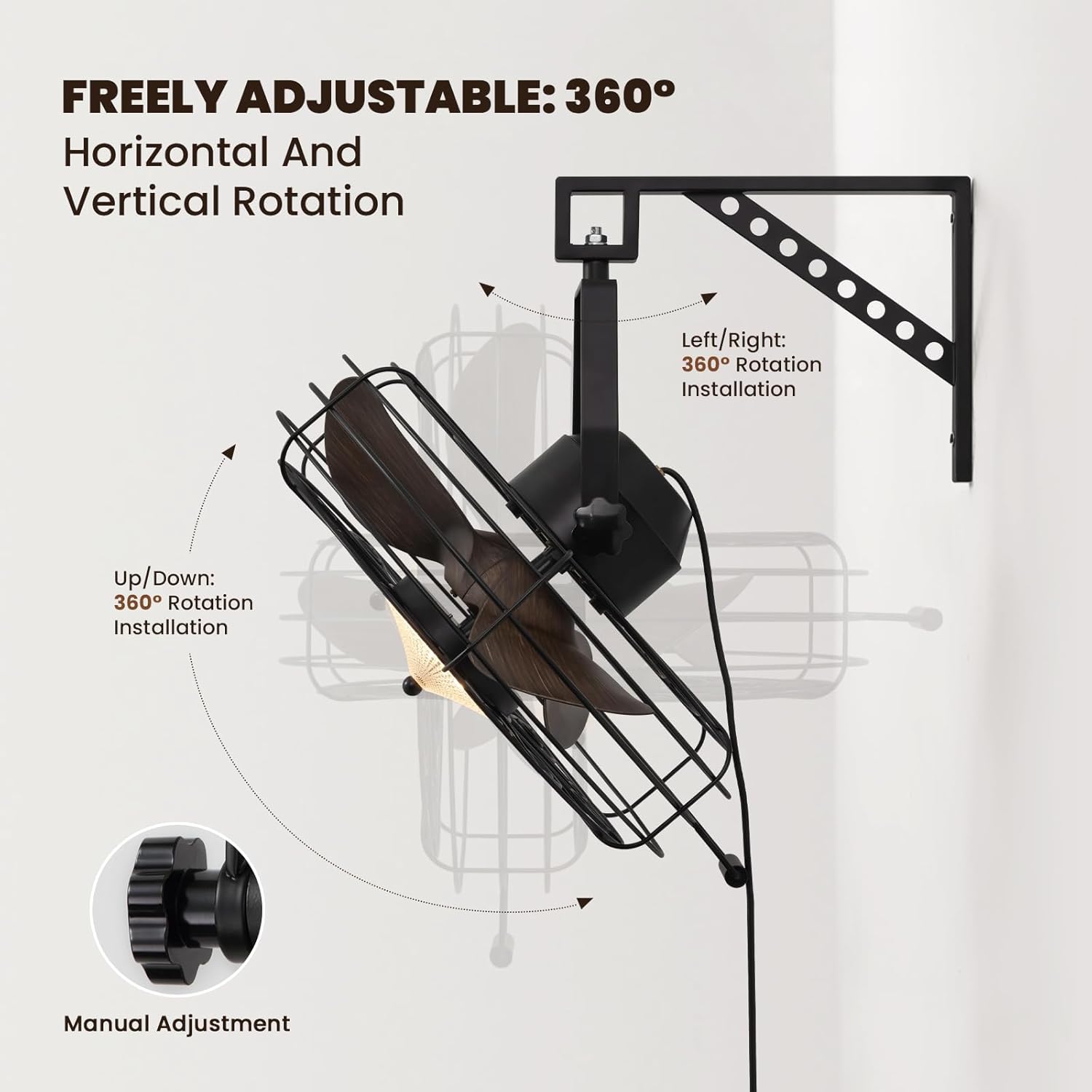
Image: The fan mounted on a wall, highlighting its 360° adjustable rotation.
4.2. Assembling the Fan Unit
Attach the fan unit to the mounted bracket. Ensure all connections are secure. The fan offers 360° manual adjustment for both vertical and horizontal rotation. Adjust the angle as desired and tighten the coupling knobs to secure its position.
4.3. Njikọ Ọdụdọ
Plug the fan's power cord into a standard electrical outlet. For hardwired installations, consult a qualified electrician.
4.4. Nduzi Vidiyo Nwụnye
Video: Detailed installation instructions for the 20'' Wall Mount Fan.
Video: General wall mount fan installation guide, demonstrating common steps.
5. Ntuziaka ọrụ
Your fan can be operated using the included remote control or a compatible smart app.
5.1. Remote Control Ọrụ
The remote control allows full functionality from a distance.
- Gbanyụọ/ Gbanyụọ: Pịa bọtịnụ ike ka ịgbanwuo fan ma gbanye ma ọ bụ gbanyụọ.
- Ọsọ onye ofufe: Select from 6 speed settings (1-6) to adjust airflow intensity.
- Njikwa ọkụ: Adjust light brightness (10-100%) and choose between three color temperatures: Warm (3000K), Natural (4500K), and Cool (6000K).
- Reversible Mode: Switch between downward cooling airflow for summer and upward warm air circulation for winter.
- Ọrụ ngụ oge: Set the fan to automatically shut off after 1, 4, or 8 hours.

Image: Illustration of the three light color modes available.
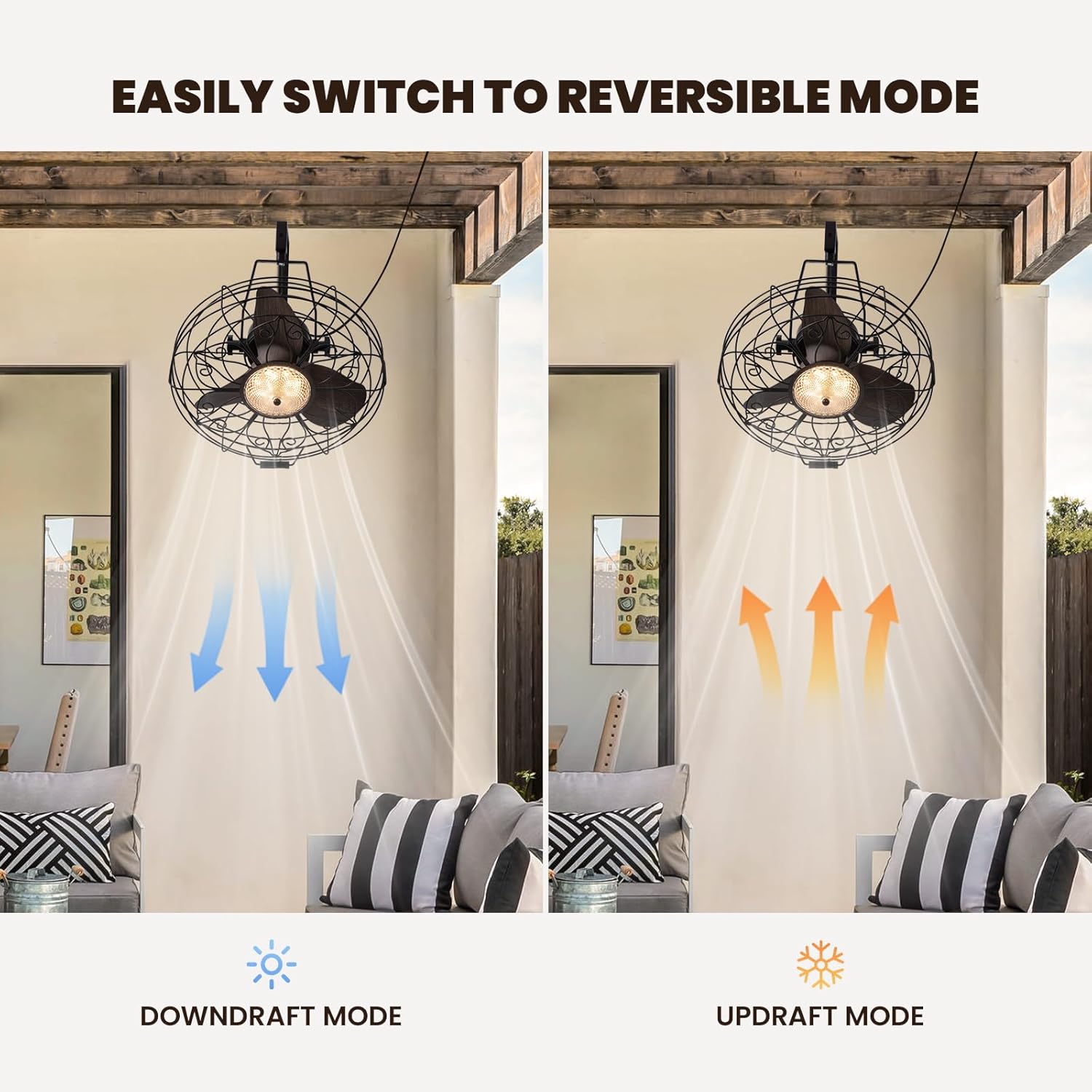
Image: Visual representation of the fan's reversible downdraft and updraft modes.

Image: Depiction of the fan's 6-speed settings, suitable for various environments.
5.2. Njikwa Ngwa Amamihe
Download the compatible smart app to control your fan from your smartphone. The app provides additional features and convenience for managing fan speeds, light settings, and scheduling.
6. Nlekọta
Nlekọta anya mgbe niile na-eme ka arụmọrụ kacha mma na ogologo ndụ nke onye ofufe gị.
- Nhicha: Wipe the fan blades and housing with a soft, damp akwa . Ejila ihe nchacha abrasive ma ọ bụ ihe mgbaze.
- Nyocha: Periodically check all mounting hardware for tightness.
- mmanu mmanu: A na-ete mmanụ ọkụ na-adịgide adịgide ma ọ dịghị achọ mmanụ ọzọ.
7. Nchọpụta nsogbu
Ọ bụrụ na ị zutere nsogbu gị na onye ofufe gị, rụtụ aka na nsogbu na azịza ndị a na-ahụkarị:
- Fan anaghị arụ ọrụ: Check if the power cord is securely plugged in and the wall switch (if applicable) is on. Ensure the remote control batteries are functional.
- Ìhè Anaghị arụ ọrụ: Verify power connection. If using the app, ensure proper pairing.
- Oke mkpọtụ: Ensure all screws and mounting hardware are tightened. Check if fan blades are free from obstruction.
8. Nkọwapụta
| Ụdị | CROSSIO |
| Aha Nlereanya | CFL-1227-01 |
| Nha | 20 anụ ọhịa |
| Akụkụ ngwaahịa | 21.25"D x 19.68"W x 22.44"H |
| Ibu Ibu | 18.29 pound |
| Agba | Nwa |
| Isi Iyi Ike | DC |
| Wattage | 18 watt |
| Ọkwa mkpọtụ | 35 decibel |
| Ọnụọgụ nke ọkwa ike | 6 |
| Usoro njikwa | Ngwa, Remote |
| Ojiji ime ime/n'èzí | Ime ụlọ |

Image: Diagram showing the dimensions of the fan unit.
9. Akwụkwọ ikike na nkwado
Your CROSSIO Wall Mount Fan comes with a standard manufacturer's warranty. For warranty claims, technical support, or replacement parts, please contact the seller or refer to the contact information provided with your purchase documentation. Keep your proof of purchase for warranty validation.