
1. Okwu mmalite
Thank you for choosing the realme C71 Smartphone. This manual provides essential information for setting up, operating, maintaining, and troubleshooting your device. Please read this manual carefully to ensure proper use and to maximize the performance of your smartphone.
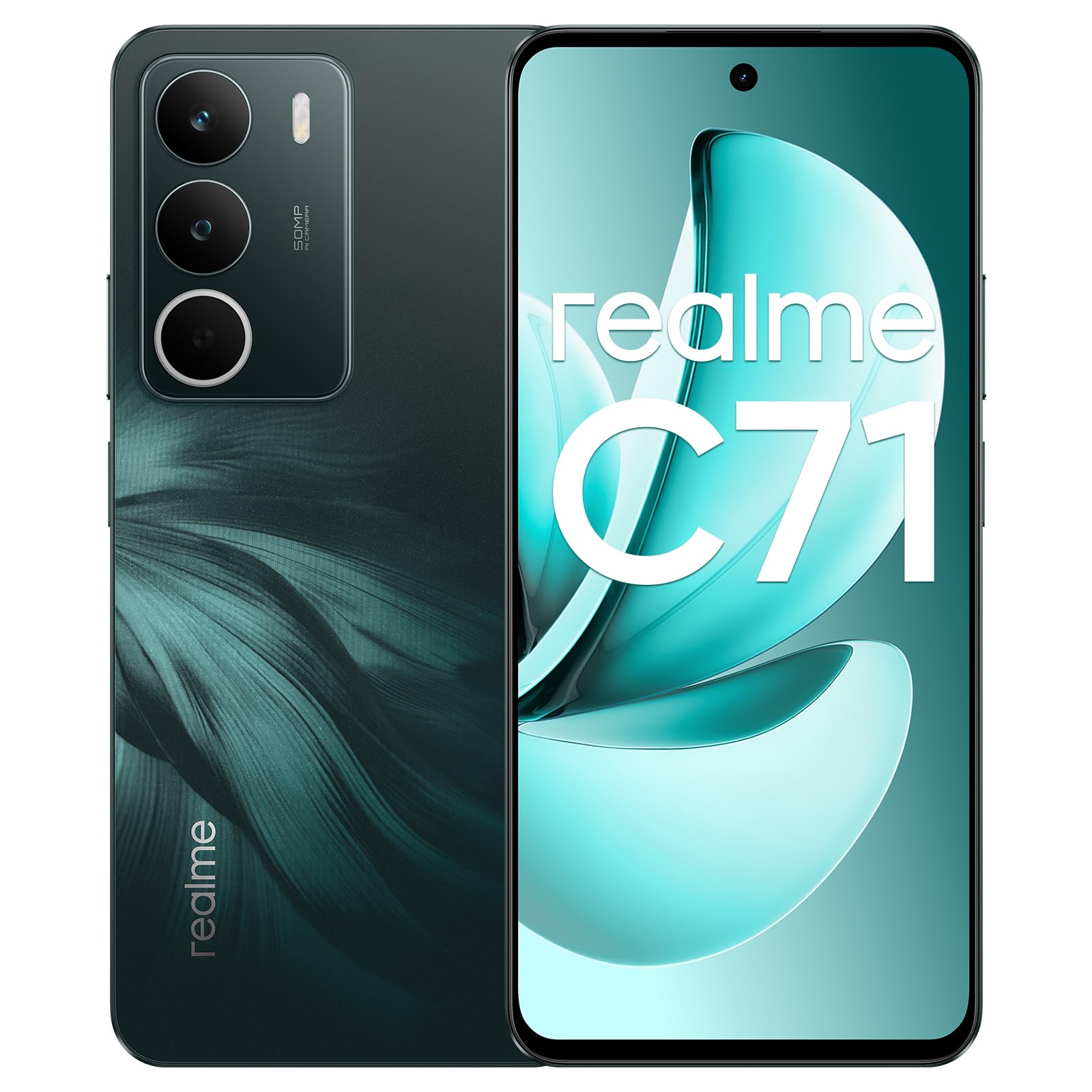
Foto: ihu na azụ view of the realme C71 Smartphone, showcasinnhazi ya na modulu igwefoto ya.
2. Ihe ngwugwu
Gbaa mbọ hụ na ihe niile dị na ngwugwu ngwaahịa gị:
- realme C71 Smartphone
- eriri USB
- Akpa ekwentị
- Ihe nchekwa ihuenyo
Note: A power adapter is not included in the package. Please use a compatible 45W fast charger for optimal charging.
3. Ngwaọrụ gafereview
The realme C71 features a 6.67-inch 120Hz display, a 50MP main camera, and is powered by an UNISOC T7250 octa-core processor. It includes a 6000mAh battery with 45W fast charging support and offers military-grade shock resistance along with daily water resistance.

Foto: Ofeview of the realme C71 highlighting military-grade shock resistance, UNISOC T7250 octa-core chip, 120Hz visual comfort screen, daily water resistance, 6+128GB configuration, and Android 15.
4. Nhazi
4.1 Inserting SIM and SD Card
Locate the SIM card tray on the side of your device. Use the provided SIM ejector tool to open the tray. Insert your Nano-SIM cards and an optional microSD card into the designated slots. Ensure the cards are correctly oriented before reinserting the tray firmly into the device.
4.2 Ike mbido
Press and hold the power button located on the side of the phone until the realme logo appears. Follow the on-screen instructions to complete the initial setup, including language selection, Wi-Fi connection, and Google account setup.
4.3 Ịchaji ngwaọrụ
Connect the USB Type-C cable to the charging port at the bottom of your phone and the other end to a compatible 45W fast charger (not included). The battery icon on the screen will indicate charging status. For optimal battery life, avoid fully discharging the battery frequently.

Image: Illustration of the realme C71's 6000mAh high-capacity battery and 45W fast charging capability, showing a phone connected to a charger.
5. Ntuziaka ọrụ
5.1 Nsoro ụzọ
The realme C71 runs on realme UI based on Android 15. Use gestures or navigation buttons (configurable in settings) to navigate the interface. Swipe up from the bottom to go home, swipe up and hold for recent apps, and swipe from the left or right edge to go back.

Image: A visual representation of the realme UI interface running on Android 15, displaying various application icons and widgets.
5.2 Ojiji igwefoto
The device features a 50 MP rear camera and a 5 MP front camera. Open the Camera app to capture photos and videos. Utilize features like AI Face Cleaning for clearer portraits, AI Image Enhancement, and AI Eraser to remove unwanted elements from your photos. The rear camera includes Flicker technology for sharp, vibrant images.

Image: Interface showcasing AI camera features such as Call Noise Reduction 2.0, AI Face Cleaning, AI Enhancement, and AI Eraser for photo editing.
5.3 Customizable Pulse Light
Personalize your notification experience with the customizable pulse light feature. You can set different colors and lighting modes for various types of notifications, allowing for quick visual identification of alerts.

Image: Four smartphone images demonstrating different angles and notification light effects on the mobile devices, highlighting the customizable pulse light feature.
5.4 Driving Mode 2.0
Activate Driving Mode 2.0 for a safer and less distracting experience while driving. This mode optimizes professional applications, ensures clear connections even in low-signal areas, and provides important message reminders. It also features an Ultraboom Speaker for enhanced audio output.

Image: Screenshots of the mobile application interface showing various features of Driving Mode 2.0, including optimized apps, clear connection, and Ultraboom Speaker.
5.5 Mmiri Nguzogide
The realme C71 is resistant to daily water exposure, offering protection against splashes and rain. It features SonicWave Water Ejection technology to expel water via sonic vibrations, helping maintain optimal performance. This device is not fully waterproof and should not be submerged in water.

Image: The realme C71 demonstrating military-grade durability and daily water resistance, including a close-up of the SonicWave Water Ejection mechanism.
6. Nlekọta
6.1 Nlekọta batrị
- Zere oke okpomọkụ, n'ihi na ha nwere ike imebi arụmọrụ batrị.
- Ahapụkwala chaja ekwentị ruo ogologo oge ka ọ ruru 100%.
- Use only realme-approved charging accessories.
6.2 Mmelite ngwanrọ
Regularly check for and install software updates to ensure your device has the latest features, security patches, and performance improvements. You can usually find this option in your phone's Settings menu under "System" or "About Phone."
Ask a question about this manual
Ask about setup, troubleshooting, compatibility, parts, safety, or missing instructions. Manuals+ will review the question and use this page’s manual context to help answer it.