
Okwu mmalite
This manual provides essential information for the safe operation, maintenance, and troubleshooting of your Ausom Electric Scooter. Please read this manual thoroughly before your first ride to ensure proper use and to maximize the lifespan of your scooter.
Akụkụ ndị bụ isi:
- 15.6Ah Battery for extended range
- Up to 70km Max Range
- LED Touch Display for easy monitoring
- E-ABS + Front & Rear Disc Brakes for reliable stopping power
- 10 inch Vacuum Tubeless Tires for a smooth ride
- 130kg Max Load capacity
- Enhanced Suspension for improved comfort
Ntuziaka nchekwa
Always prioritize safety when operating the electric scooter. Failure to follow safety guidelines can result in injury or damage to the scooter.
- Wear a helmet and appropriate protective gear (knee pads, elbow pads) at all times.
- Ensure all bolts and quick releases are securely fastened before each ride.
- Do not ride in heavy rain, snow, or icy conditions.
- Soro iwu na ụkpụrụ okporo ụzọ mpaghara.
- Debe ebe dị anya site na ụgbọala ndị ọzọ na ndị na-aga ije.
- Zere ịnya ụgbọ ala n'ihi mmanya na-egbu egbu ma ọ bụ ọgwụ ọjọọ.
- Do not perform stunts or aggressive maneuvers.
- The maximum load capacity is 130 kg. Do not exceed this limit.
Ntọala na Mgbakọ
Your Ausom Electric Scooter comes partially assembled. Follow these steps to prepare it for its first use.
- Unboxing: Carefully remove the scooter and all accessories from the packaging. Retain packaging for future storage or transport.
- Nwụnye ogwe aka:
Lift the handlebar stem to its upright position. Secure the folding mechanism latch. Attach the handlebars to the stem, ensuring all cables are not pinched. Tighten any screws as per the included quick start guide.
- Ebube mbụ: Tupu i jiri ya na mbụ, chajie batrị nke skuta ahụ nke ọma.
- Chọta ebe a na-agba chaja, nke na-adịkarị nso ebe a na-etinye batrị.
- Jikọọ chaja ahụ na skuta ahụ, wee tinye ya na ebe a na-enye ọkụ eletrik.
- The charging indicator on the charger will change (e.g., red to green) when fully charged.
- Achachala batrị karịa.
- Nyocha tupu ịnya igwe:
- Lelee nrụgide taya.
- Nyochaa arụmọrụ brek (n'ihu na n'azụ).
- Ensure all lights (headlight, taillight, turn signals) are working.
- Confirm the folding mechanism is securely locked.

Image: Ausom Electric Scooter with key dimensions (length 1250mm/49.2in, height 1380mm/54.3in, handlebar width 680mm/27in, folded height 560mm/22in).

Image: Ausom Electric Scooter shown next to a person for scale, illustrating its dimensions (138cm height, 125cm length) and folded dimensions (56cm height, 54cm length, 68cm width).
Ntuziaka ọrụ
- Gbanyụọ/ Gbanyụọ: Press and hold the power button on the LED Touch Display to turn the scooter on or off.
- LED Touch Display: The display shows speed, battery level, riding mode, and other vital information. Refer to the quick start guide for specific display functions and settings adjustments.
- Ọsọ ọsọ: Gently press the throttle lever to accelerate. Start slowly and gradually increase speed.
- breeki: Use the brake levers on the handlebars to engage the E-ABS and disc brakes. Apply both brakes simultaneously for optimal stopping power.
- Mpịakọta na mkpughe:
The scooter features a double folding system for quick storage and transport. To fold, disengage the safety latch and release the folding mechanism near the base of the handlebar stem. Carefully fold the stem down until it locks into place with the rear fender. To unfold, reverse the process, ensuring the stem is fully upright and the safety latch is engaged before riding.

Image: Illustration of the Ausom Electric Scooter's double folding system, showing the handlebar stem folding down towards the deck for compact storage.
- Sistemụ ọkụ: The scooter is equipped with a comprehensive lighting system for enhanced visibility.
- Igwe ọkụ ihu: Located at the front, provides illumination for night riding.
- Turn Signal Lights: For indicating turns, located on the sides.
- Ọdụdọ: Located at the rear, improves visibility from behind.

Image: Ausom Electric Scooter highlighting its lighting system: (1) Headlight, (2) Turn Signal Lights, and (3) Taillight, demonstrating enhanced visibility.
- Atụmatụ ndị ọzọ:
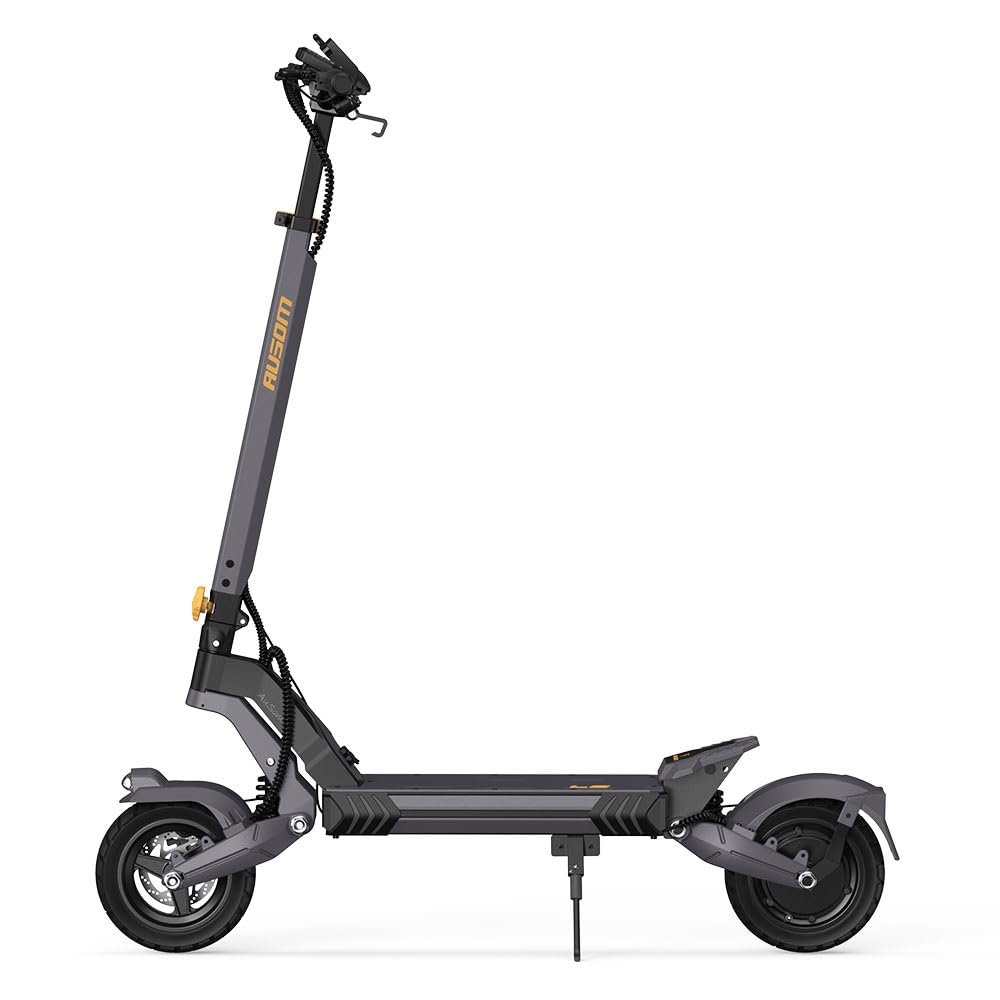
Foto: nso nso views of the Ausom Electric Scooter's additional features, including enhanced suspension, stable kickstand, anti-slip wide deck, ergonomic handle, turn signal button, and horn button, along with the LED display.
- Enhanced Suspension: Provides a smoother ride over varied terrain.
- Stable Kickstand: For convenient parking.
- Anti-Slip Wide Deck: Offers stable footing during rides.
- Ihe njikwa ergonomic: Designed for comfortable grip.
- mpi: Maka ịdọ ndị ọzọ aka ná ntị.
Nlekọta
Nlekọta oge niile na-eme ka ogologo ndụ na ọrụ nchekwa nke skuuta gị dị.
- Nlekọta batrị:
- Charge the battery regularly, even if not in use, to maintain battery health.
- Zere igbapu batrị kpamkpam.
- Debe skuuta ahụ n'ebe dị jụụ ma kpọọ nkụ, ebe anwụ na-anaghị anwụ kpọmkwem na oke okpomọkụ dị oke njọ.
- Nlekọta Taya:
- Lelee nrụgide taya tupu ịnya ụgbọ ala ọ bụla. Jikwaa PSI akwadoro maka ịrụ ọrụ na nchekwa kacha mma.
- Lelee taya maka mmebi, mmerụ ahụ, ma ọ bụ mmebi.
- Sistemu breeki:
- Regularly check brake levers, cables, and disc brakes for proper function and wear.
- Adjust brakes as needed to ensure responsive stopping.
- Nhicha:
- Jiri mgbasa ozi hichapụ skuutaamp cloth. Avoid using high-pressure water or harsh chemicals.
- Do not submerge the scooter in water.
- Ihe nkwụnye: Periodically check and tighten all screws, bolts, and connections.
Nchọpụta nsogbu
If you encounter issues with your scooter, refer to the following common problems and solutions.
| Nsogbu | Ihe nwere ike ime | Ngwọta |
|---|---|---|
| Skuta anaghị agba ọkụ | Low or depleted battery; Loose battery connection; Faulty power button | Charge the battery fully; Check battery connections; Contact support if button is faulty |
| Oke ma ọ bụ ike dị ala | Taya ndị na-anaghị afụ oke; Mmebi batrị; Ịnya elu ugwu mgbe niile; Ibu dị arọ | Inflate tires to recommended PSI; Ensure full charge; Adjust riding style; Reduce load |
| Brakes feel weak or unresponsive | Worn brake pads; Loose brake cable; Air in hydraulic system (disc brakes) | Lelee ma dochie ihe mkpuchi brek; Gbanwee nrụgide eriri brek; Chọọ ọrụ ọkachamara maka brek hydraulic |
| Mkpọtụ na-adịghị ahụkebe n'oge arụ ọrụ | Ihe ndị dị nro; Ihe ndị mebiri emebi na wiil/brek; Nsogbu moto | Inspect all fasteners; Clean wheels and brakes; Contact support for motor issues |
For issues not listed here or if troubleshooting steps do not resolve the problem, please contact Ausom customer support.
Nkọwapụta
| Njirimara | Nkọwa |
|---|---|
| Ụdị | Ausom |
| Aha Nlereanya | Ausom |
| Oke Ibu Ibu | 120 Kilogram (264 lbs) |
| Frame Ihe | Aluminom |
| Nha Wheel | 10 sentimita asatọ |
| Ihe Wheel | Rubber synthetic |
| Ụdị Wheel | Pneumatic |
| Ụdị nkwusioru | Full Suspension |
| Ụdị breeki | Front and Rear Braking (E-ABS + Disc Brakes) |
| Ụdị njikwa | Na-adịghị amị amị |
| ASIN | B0FB3TMM73 |
Mara: Nkọwapụta ga-agbanwe na-enweghị ọkwa.
Akwụkwọ ikike na nkwado
Ozi akwụkwọ ikike: For details regarding the warranty coverage for your Ausom Electric Scooter, please refer to the warranty card included with your purchase or contact your retailer.
Nkwado ndị ahịa: If you have any questions, require technical assistance, or need to report an issue, please contact Ausom customer service.
- Visit the official Ausom websaịtị maka ozi kọntaktị nkwado.
- Lee akwụkwọ ịzụrụ ihe gị maka ọwa nkwado pụrụ iche.