
eKids 115
eKids Dora Karaoke Microphone with Boombox Instruction Manual
Model: 115 | Brand: eKids
1. Okwu mmalite
Welcome to the eKids Dora Karaoke Microphone with Boombox. This device is designed to provide an interactive and engaging musical experience. It features a wired microphone, built-in music, and Bluetooth connectivity for streaming audio from compatible devices. This manual provides essential information for setup, operation, maintenance, and troubleshooting to ensure optimal performance and enjoyment.
2. Ngwaahịa gafereview
The eKids Dora Karaoke Microphone with Boombox is a portable audio device shaped like Dora's backpack, designed for children aged 3 and up. It combines a speaker with a wired microphone, allowing users to sing along to pre-loaded songs or music streamed via Bluetooth.
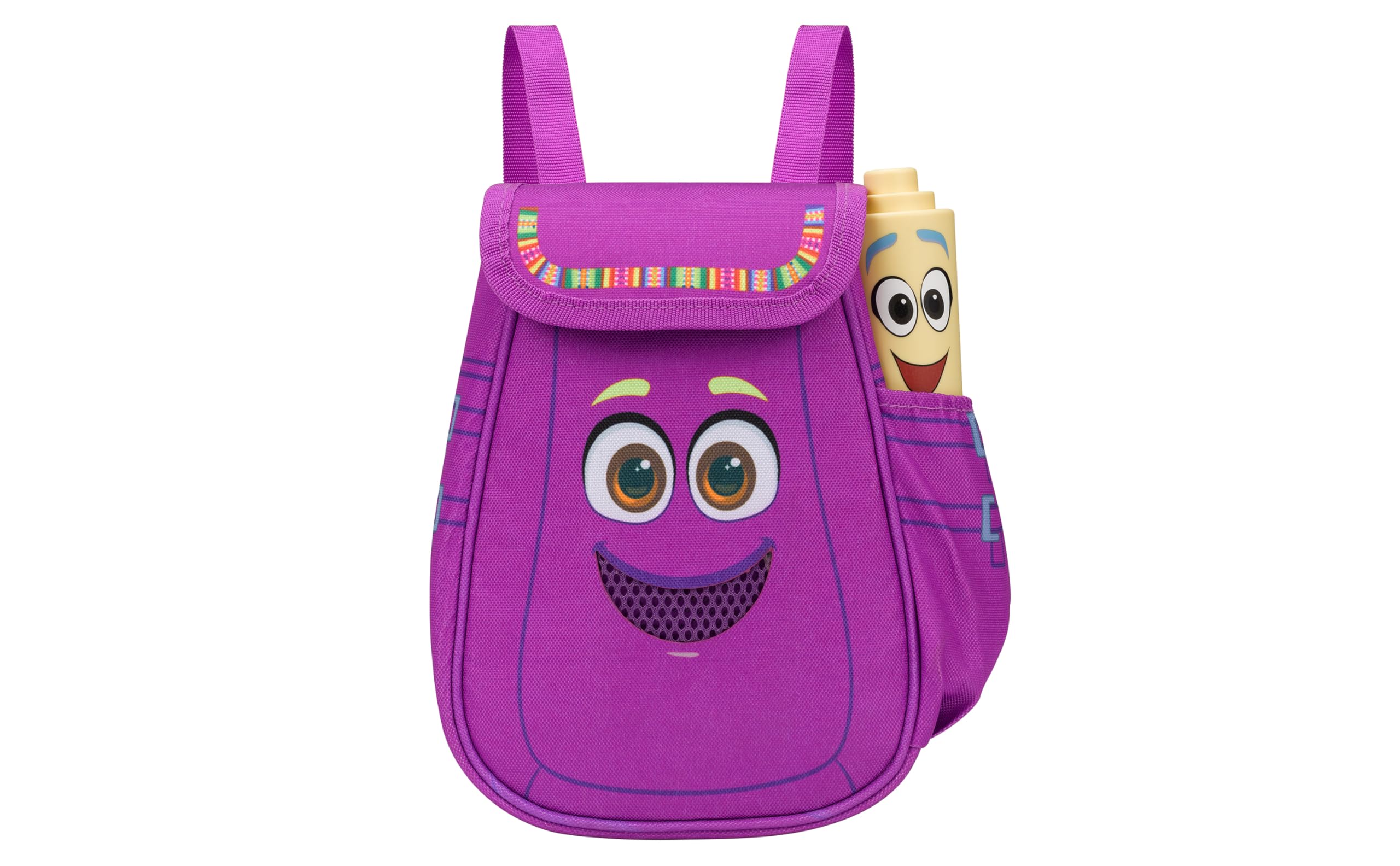
Figure 1: eKids Dora Karaoke Microphone with Boombox.
Akụkụ ndị bụ isi:
- Ọkà okwu Bluetooth: Connects to any music device via Bluetooth to stream popular karaoke playlists and more. Lightweight and portable, this karaoke boombox is designed for kids aged 3 and up.
- Igwe okwu Karaoke: Includes a wired microphone to amplify your voice for singing.
- Dora Backpack Design: Features cute and colorful graphics inspired by the popular Nickelodeon series.
- Egwu arụnyere: Contains extended clips of the songs ‘Rainforest Ritmo’, ‘Cake’, and ‘Empanada’.
- Enwere ike ibugharị: Lightweight design with a built-in handle for easy transport.
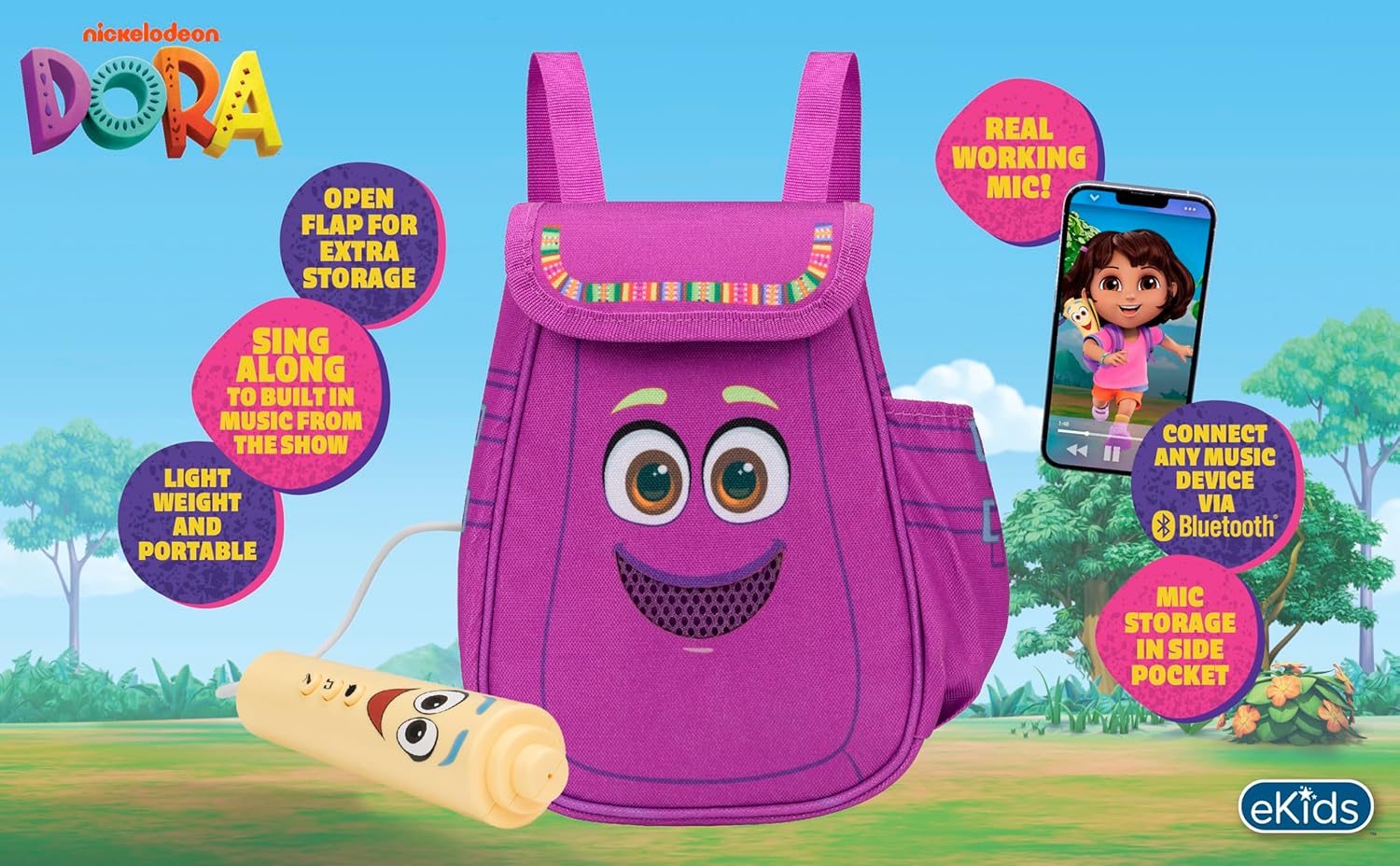
Figure 2: Visual overview of the product's key features.
3. Ihe ngwugwu
Gbaa mbọ hụ na ihe niile dị mgbe ị na-ewepụ igbe:
- Dora Karaoke Microphone with Boombox (main unit)
- Igwe okwu Wired
- Akwụkwọ ntuziaka (akwụkwọ a)
- 3 x 'AA' Batteries (included)

Figure 3: Product as packaged, showing the boombox and microphone.
4. Nhazi
4.1 Ntinye batrị
- Locate the battery compartment on the back or bottom of the boombox unit.
- Using a Phillips head screwdriver (not included), open the battery compartment cover.
- Insert 3 'AA' batteries, ensuring correct polarity (+/-).
- Dochie mkpuchi nke batrị batrị ma jiri nkedo chekwaa ya.
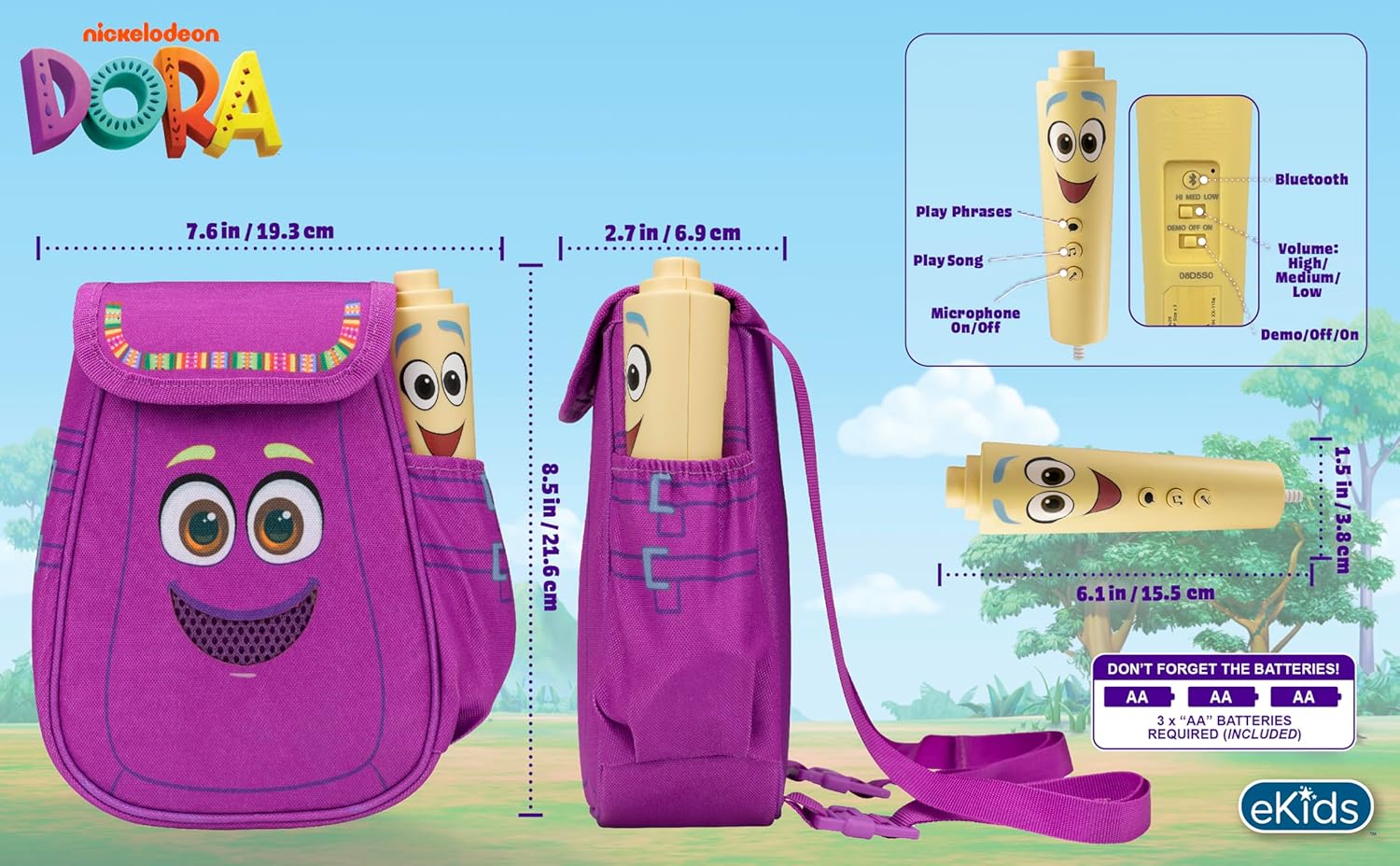
Ọgụgụ 4: N'azụ view of the boombox, indicating battery compartment and control buttons.
4.2 Njikọ igwe
The wired microphone is typically pre-connected or plugs into a dedicated port on the boombox. Ensure the microphone cable is securely plugged in.
5. Ntuziaka ọrụ
5.1 Gbanyụọ ma ọ bụ gbanyụọ
Locate the Power switch (often labeled ON/OFF or with a power symbol) on the unit. Slide it to the 'ON' position to power on the device. Slide it to 'OFF' to power off.
5.2 Playing Built-in Music
Press the designated 'Play Song' button (refer to Figure 4 for button layout) to cycle through the pre-loaded songs. The unit includes extended clips of 'Rainforest Ritmo', 'Cake', and 'Empanada'.
5.3 Iji Igwe Okwu
To use the microphone, ensure the 'Microphone On/Off' switch (refer to Figure 4) is in the 'On' position. Speak or sing into the microphone to amplify your voice through the boombox speaker.
5.4 Njikọ Bluetooth
To stream music from an external device:
- Ensure the boombox is powered on.
- Activate Bluetooth on your external music device (e.g., smartphone, tablet, computer).
- Chọọ maka available Bluetooth devices and select "eKids Dora" or a similar name.
- Once paired, you can stream audio from your device to the boombox.

Figure 5: Bluetooth connectivity allows streaming from various compatible devices.
5.5 Njikwa olu
Adjust the volume using the 'Volume: High/Medium/Low' switch on the unit (refer to Figure 4).
5.6 Ọnọdụ ngosi
The unit may include a 'Demo/Off/On' switch (refer to Figure 4). Set it to 'Demo' for a brief demonstration of features, or 'On' for full functionality.
6. Nlekọta
- Nhicha: Wipe the unit with a soft, dry cloth. Do not use abrasive cleaners or immerse the unit in water.
- Nlekọta batrị: Wepu batrị ma ọ bụrụ na agaghị eji nkeji ahụ ruo ogologo oge iji gbochie ntapu.
- Nchekwa: Debe ihe dị n'ime ya n'ebe dị jụụ ma kpọọ nkụ, ebe anwụ na-anaghị anwụ kpọmkwem na oke okpomọkụ dị oke njọ.
7. Nchọpụta nsogbu
| Nsogbu | Ngwọta |
|---|---|
| Enweghị ike | Check battery installation and ensure batteries are fresh. Confirm the power switch is in the 'ON' position. |
| Enweghị ụda sitere na ọkà okwu | Increase the volume. Ensure the microphone is switched 'ON' if using it. If using Bluetooth, check device volume and connection. |
| Igwe okwu anaghị arụ ọrụ | Ensure the microphone is securely plugged in and its 'On/Off' switch is in the 'On' position. |
| Bluetooth anaghị ejikọ | Ensure the boombox is in Bluetooth pairing mode (if applicable, check manual for specific instructions). Turn off and on Bluetooth on your external device. Move devices closer together. |
8. Nkọwapụta
- Akara: eKids
- Aha nlereanya: 115
- Agba: Dora
- Isi mmalite ike: Battery Powered (3 x 'AA' batteries)
- Ọgụgụ Ọkà Okwu: 1
- Teknụzụ Njikọta: Bluetooth, 3.5mm audio jack (for wired microphone)
- Ibu ihe: 0.52 kilogram
- Akụkụ ihe (D x W x H): 10.63"D x 2.24"W x 8.17"H
- UPC: 092298961934
- Onye nrụpụta: Nhazi ụmụaka
9. Akwụkwọ ikike na nkwado
Ngwaahịa a na-abịa na a Akwụkwọ ikike dị afọ 1 from the manufacturer, KIDdesigns. For warranty claims or technical support, please refer to the contact information provided with your purchase documentation or visit the eKids official websaịtị.
For additional product information or to explore other eKids products, visit the eKids Brand Store.
Ask a question about this manual
Ask about setup, troubleshooting, compatibility, parts, safety, or missing instructions. Manuals+ will review the question and use this page’s manual context to help answer it.