1. Okwu mmalite
This manual provides detailed instructions for the operation and maintenance of your Generic Advanced M328 Transistor and Component Tester. This device is designed for automatic identification and testing of various electronic components, including transistors, diodes, resistors, capacitors, and inductors. Its color LCD display and built-in rechargeable battery make it a convenient tool for electronics enthusiasts and professionals.
2. Ozi nchekwa
Please read and understand all safety instructions before using the device. Failure to follow these instructions may result in electric shock, fire, or damage to the device or other property.
- Do not attempt to test components that are still connected to a live circuit. Always ensure components are fully discharged before testing, especially capacitors.
- Emeghela ngwaọrụ casing. Enweghị akụkụ ndị ọrụ ga-arụ ọrụ n'ime.
- Debe ngwaọrụ ahụ pụọ na mmiri, mmiri, na oke okpomọkụ.
- Use only the specified charging cable and power adapter (if included) to charge the built-in battery.
- Tụfuo ngwaọrụ ahụ na batrị ya dịka iwu obodo si dị.
3. Ihe ngwugwu
Verify that all items listed below are present in your package.

The package includes one M328 Transistor and Component Tester.
- M328 Transistor and Component Tester (1 unit)
- Charging Cable (if applicable, not explicitly listed in product description but implied by 'built-in rechargeable battery')
4. Ngwaahịa gafereview na Atụmatụ
The M328 Transistor and Component Tester is designed for ease of use and accurate component identification. Key features include:

Zuru ezu view of the M328 tester's interface, including the ZIF socket and display.
- Automatic Component Detection: Automatically identifies components, eliminating manual input and increasing testing speed.
- Multifunctional Testing: Tests transistors, diodes, resistors, capacitors, and more, suitable for a variety of applications.
- Colorful LCD Display: High-contrast color display makes reading results quick and easy.
- Bọtịnụ dị mfe iji: Simple interface with buttons for easy operation, suitable for both beginners and experts.
- Batrị enwere ike ịchaji n'ime ya: Convenient lithium battery power includes a battery indicator for recharging.
5. Nhazi
5.1 Nchaji izizi
Before first use, ensure the built-in rechargeable battery is fully charged. Connect the device to a suitable USB power source using the provided charging cable. The battery indicator on the display will show the charging status.
5.2 Gbanyụọ/ gbanyụọ
To power on the device, press the 'TEST' button. The color LCD display will illuminate. To power off, press the 'OFF' button. The device may also automatically power off after a period of inactivity to conserve battery.
6. Ntuziaka ọrụ
The M328 tester simplifies component testing with its automatic detection capabilities.
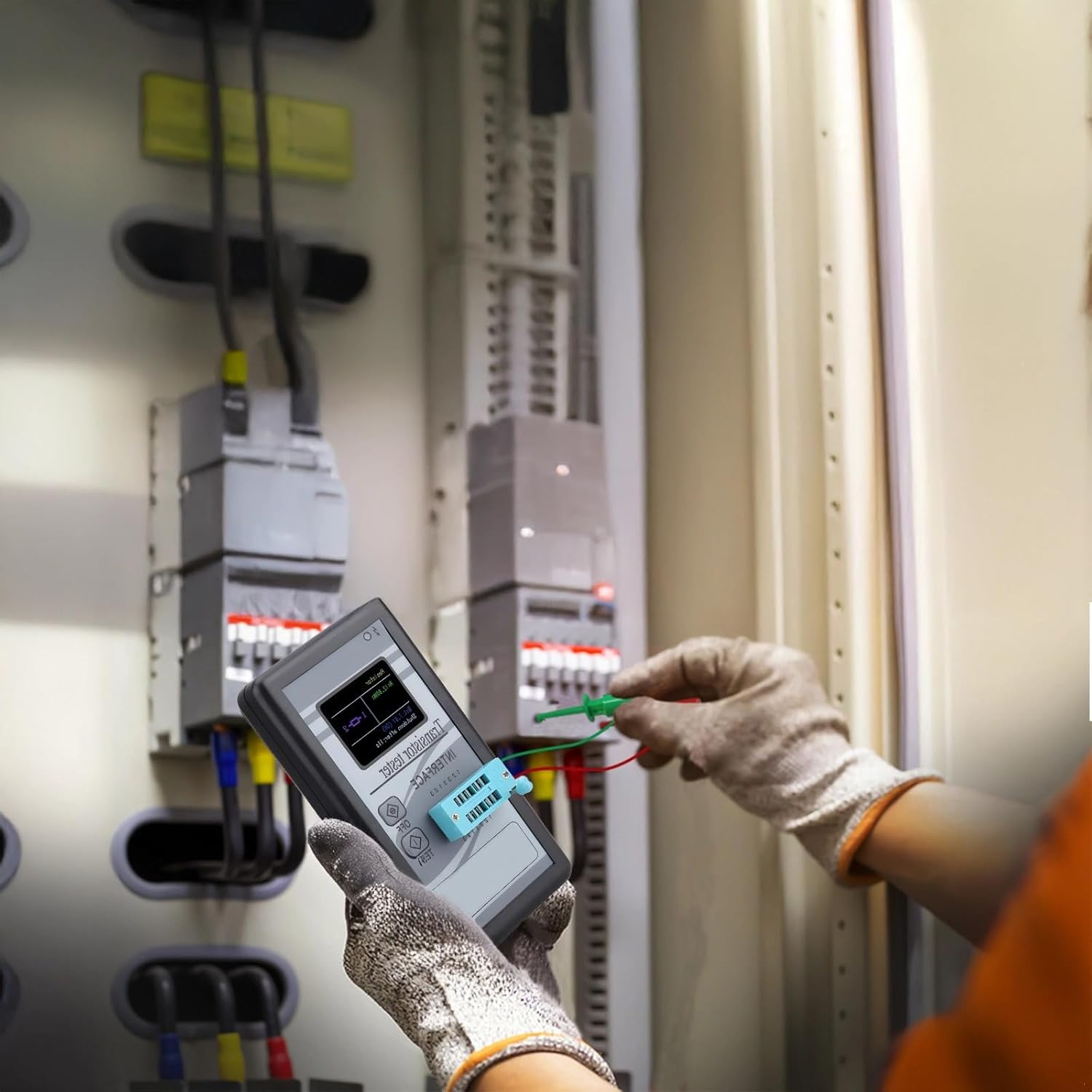
User operating the M328 Transistor and Component Tester to test an electronic component.
6.1 Ngwa ejiko
The device features a Zero Insertion Force (ZIF) socket for easy component connection. Identify the pins of your component and insert them into the corresponding numbered slots (1, 2, 3) on the ZIF socket. Ensure the component leads are fully inserted and make good contact. For two-lead components, you can use any two of the three available test points.
6.2 Initiating a Test
Once the component is securely inserted, press the 'TEST' button. The device will automatically begin the testing process. It will identify the component type and measure its parameters.
6.3 Reading Results
The test results will be displayed on the color LCD screen. The display will show the component type (e.g., NPN transistor, resistor, capacitor), pinout configuration, and measured values such as resistance, capacitance, inductance, forward voltage drop for diodes, and hFE for transistors.
7. Nlekọta
7.1 Nhicha
Jiri ákwà dị nro ma kpọọ nkụ hichaa ngwaọrụ ahụ. Ejila ihe nhicha ma ọ bụ ihe mgbaze, n'ihi na ihe ndị a nwere ike imebi iheasing and screen. Ensure no dust or debris accumulates in the ZIF socket.
7.2 Nlekọta batrị
To prolong battery life, avoid fully discharging the battery frequently. Recharge the battery when the indicator shows low power. If storing the device for an extended period, charge it to approximately 50% and recharge every few months.
7.3 Nchekwa
Store the device in a cool, dry place, away from direct sunlight and extreme temperatures. Keep it in its original packaging or a protective case to prevent damage.
8. Nchọpụta nsogbu
- Ngwaọrụ anaghị agbanye: Gbaa mbọ hụ na agbagoro batrị. Jikọọ na isi iyi ike wee nwaa ọzọ.
- No component detected: Check that the component leads are properly inserted into the ZIF socket and make good contact. Ensure the component is not damaged.
- Ọgụgụ na-ezighi ezi: Verify the component is fully discharged before testing. Ensure there are no short circuits or loose connections.
- Screen is blank or flickering: Fanyeghachi batrị ahụ. Ọ bụrụ na nsogbu ahụ anọgide, kpọtụrụ ndị ọrụ nkwado ndị ahịa.
9. Nkọwapụta
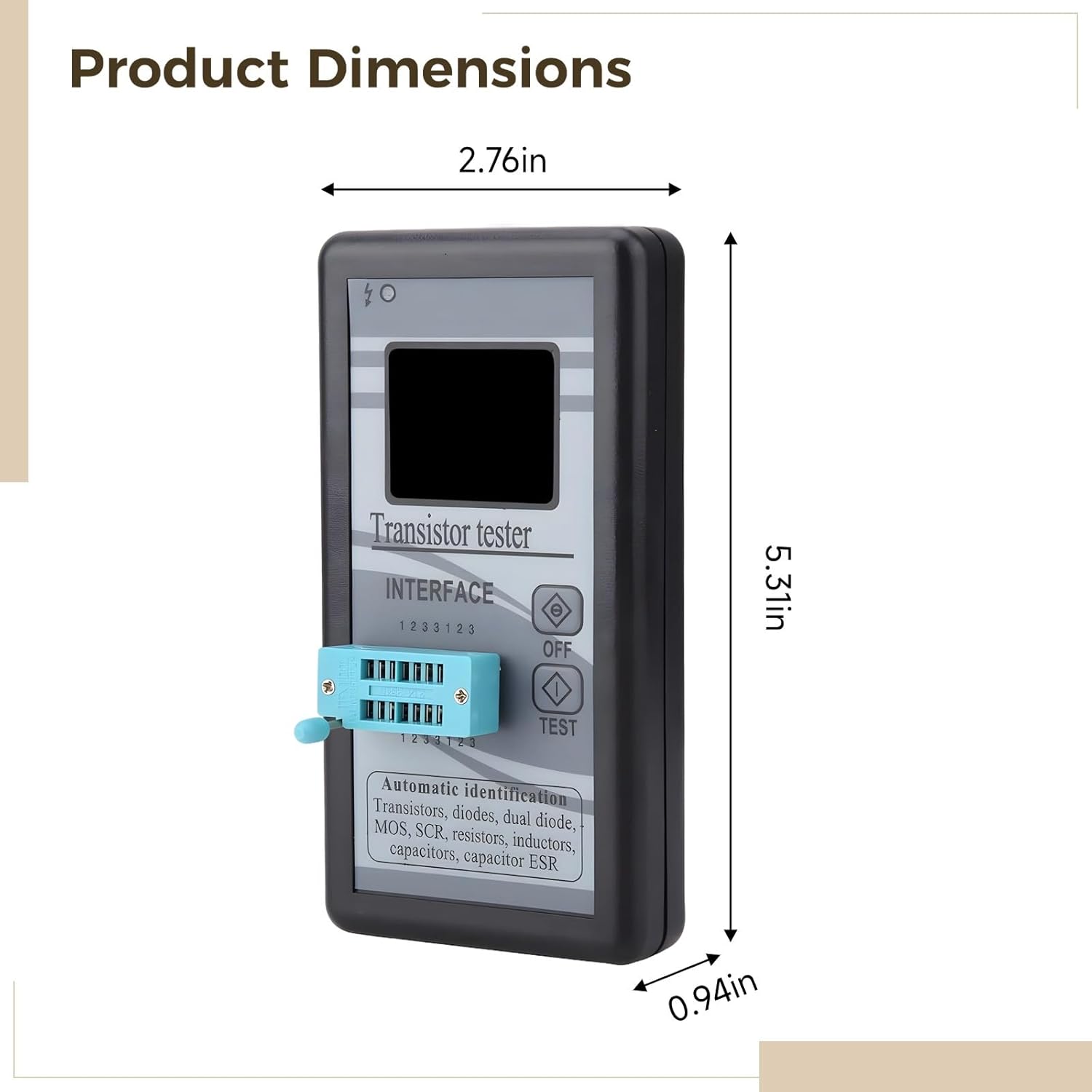
Image showing the physical dimensions of the M328 Transistor and Component Tester.
| Njirimara | Nkọwapụta |
|---|---|
| Akụkụ ngwaahịa | 5.51 x 3.15 x 1.18 sentimita asatọ |
| Ibu Ibu | 4.6 ounces |
| Ihe onwunwe | Acrylonitrile Butadiene Styrene (ABS) |
| Agba | Nwa |
| Ngosipụta | LCD agba |
| Batrị | Batrị Lithium a na-agbanye n'ime ya |
| Testable Components | Transistors (NPN, PNP, MOSFET, JFET), Diodes, Dual Diodes, Resistors, Capacitors, Inductors, SCRs, Triacs |
10. Akwụkwọ ikike na nkwado
This product comes with a standard manufacturer's warranty. For specific warranty details, please refer to the product packaging or contact your retailer. For technical support or inquiries, please contact the manufacturer or your point of purchase.
Biko dowe ihe akaebe nke ịzụrụ ihe maka akwụkwọ ikike.


