
1. Ozi nchekwa dị mkpa
Please read this section carefully before using your Veidoo W40 tablet to ensure safe and proper operation. Keep this manual for future reference.
Akpachara anya n'ozuzu
- Avoid exposing the tablet to extreme temperatures, direct sunlight, or high humidity.
- Do not drop, bend, or puncture the tablet.
- Keep the tablet away from water and other liquids. If it gets wet, power it off immediately and allow it to dry completely before use.
- Use only accessories approved by Veidoo. Unauthorized accessories may damage the tablet or pose safety risks.
- Do not attempt to disassemble, repair, or modify the tablet yourself. Contact customer support for assistance.
Nchekwa batrị
- The tablet contains a non-removable lithium-ion battery. Do not attempt to replace it yourself.
- Ewepụla batrị ahụ ọkụ ma ọ bụ oke okpomọkụ.
- Dispose of the tablet and its battery responsibly, following local regulations.
Nchaji nchekwa
- Charge the tablet using the provided USB-C cable and a compatible power adapter.
- Do not charge the tablet in damp ọnọdụ.
- Unplug the charger when the tablet is fully charged or not in use.
2. Ngwaahịa gafereview
The Veidoo W40 is an 11-inch Android tablet designed for versatile use, featuring an Octa-Core processor, ample storage, and modern connectivity options.
Atụmatụ igodo
- Ngosipụta: 11-inch In-Cell HD Touch Screen with 1280x800 resolution.
- Ihe nhazi: 2.0 GHz Octa-Core processor for smooth performance.
- Ebe nchekwa & Nchekwa: 8GB RAM (4GB + 4GB expandable) and 128GB internal storage, expandable up to 1TB via MicroSD card.
- Sistemụ nrụọrụ: Android 14.
- Igwefoto: 2MP front camera and 5MP rear camera.
- Njikọta: WiFi 6 (802.11ax) and Bluetooth 5.0.
- Batrị: Ike 5000mAh.

Image: Veidoo W40 Tablet configuration summary, highlighting key features like Android 14, 11-inch In-Cell display, 1280x800 resolution, Octa-Core processor, 8GB RAM, 128GB ROM, 5000mAh battery, WiFi 6, Bluetooth 5.0, and dual cameras.
3. Kedu ihe dị na Igbe ahụ
The standard package for your Veidoo W40 tablet typically includes the following items:
- Veidoo W40 11-inch Android Tablet
- USB-C eriri USB
- Ihe nkwụnye ọkụ
- Akwụkwọ ntuziaka onye ọrụ
Note: Contents may vary slightly depending on region or retailer.
4. Mmalite (Ntọala)
4.1 Ịchaji mbadamba nkume
- Jikọọ eriri USB-C na ọdụ chaja nke mbadamba.
- Jikọọ nsọtụ nke ọzọ nke eriri USB-C na ihe nkwụnye ọkụ.
- Tinye nkwụnye ọkụ n'ime oghere mgbidi.
- Allow the tablet to charge fully before first use. The battery indicator on the screen will show charging status.
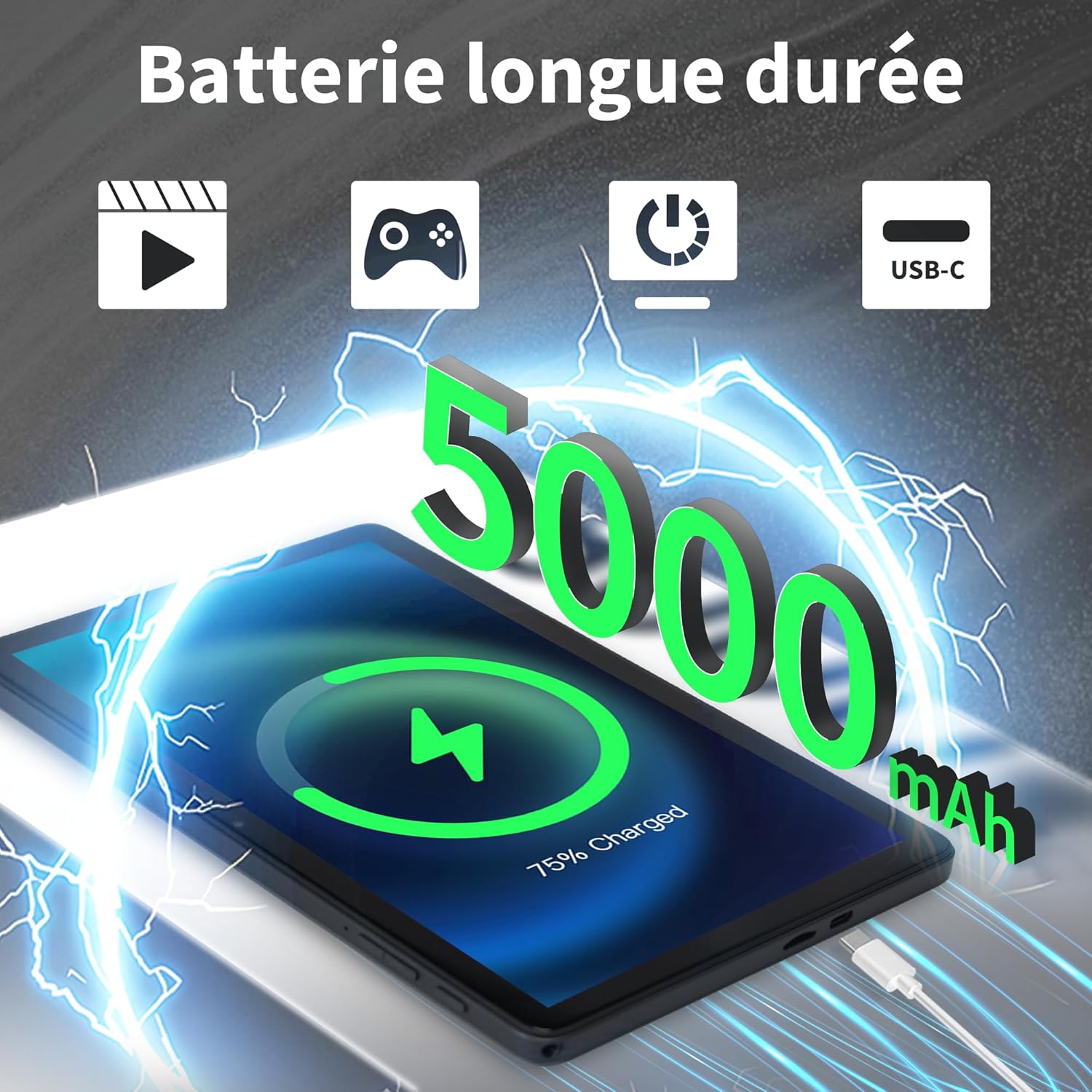
Image: Veidoo W40 Tablet connected to a USB-C charger, showing the battery icon and 5000mAh capacity.
4.2 Gbanyụọ/ gbanyụọ
- Iji gbanye: Press and hold the Power button until the Veidoo logo appears on the screen.
- Iji gbanyụọ: Pịa ma jide bọtịnụ Ike ruo mgbe menu nhọrọ ike pụtara. Họrọ "Gbanyụọ ọkụ" wee gosi.
- Ka Malitegharịa ekwentị: Site na menu nhọrọ ike, họrọ "Malitegharịa" ma kwenye.
4.3 Ọkachamara Mbido Mbido
Ozugbo agbanyere ya na mbụ, mbadamba ahụ ga-eduzi gị site na usoro ntọala mbụ:
- Họrọ asụsụ ọkacha mmasị gị.
- Jikọọ na netwọk Wi-Fi.
- Nabata usoro na ọnọdụ.
- Banye na akaụntụ Google gị ma ọ bụ mepụta nke ọhụrụ. Nke a dị mkpa iji budata ngwa na Google Play Store.
- Set up screen lock (PIN, pattern, or password) and other security features.
- Review and adjust other settings as prompted.
4.4 Ịtinye kaadị MicroSD
The tablet supports expandable storage up to 1TB using a MicroSD card.
- Chọta oghere kaadị MicroSD n'akụkụ mbadamba nkume ahụ.
- Gently insert the MicroSD card into the slot with the gold contacts facing down until it clicks into place.
- The tablet will detect the card and may prompt you to format it for use as portable or internal storage. Follow the on-screen instructions.
5. Basic Ọrụ
5.1 Mmegharị aka
- Kpatụ: Metụ ihuenyo ahụ otu ugboro iji họrọ ihe ma ọ bụ mepee ngwa.
- Metụ & Jide: Press and hold an item to access contextual menus or drag items.
- Mịpụta: Dọrọ mkpịsị aka gị gafee ihuenyo ahụ iji pịgharịa gaa na peeji ma ọ bụ ndepụta.
- Tuo: Jiri mkpịsị aka abụọ bugharịa ma ọ bụ pụta na foto na web ibe.
5.2 Jikọọ na Wi-Fi
- Gaa na Ntọala > Netwọk & ịntanetị > Wi-Fi.
- Gbanwee Wi-Fi On.
- Họrọ netwọk Wi-Fi nke ịchọrọ na listi ahụ.
- Tinye paswọọdụ ma ọ bụrụ kpaliri wee pịa Jikọọ.
5.3 Ijikọ na ngwaọrụ Bluetooth
- Gaa na Ntọala > Ngwa ejikọrọ > Mmasị njikọ > Bluetooth.
- Gbanwee Bluetooth On.
- Gbaa mbọ hụ na ngwaọrụ Bluetooth gị nọ na ọnọdụ njikọta.
- Select the device from the list of available devices and follow any on-screen prompts to complete pairing.
5.4 Iji igwefoto
The tablet features a 2MP front camera and a 5MP rear camera.
- Mepee Igwefoto ngwa.
- Kpatụ akara ngosi igwefoto ka ịgbanwee n'etiti igwefoto ihu na azụ.
- Pịa bọtịnụ mkpọchi iji see foto ma ọ bụ malite/kwụsị ndekọ vidiyo.
- Access photos and videos in the Gallery app.

Image: Tablet cameras (2MP front, 5MP rear) with example photos, demonstrating its capability to capture moments.
5.5 Ijikwa Nchekwa
The tablet comes with 128GB of internal storage and supports up to 1TB expandable storage.
- Gaa na Ntọala > Nchekwa ka view ojiji nchekwa.
- You can free up space by uninstalling unused apps, deleting old photos/videos, or moving files na kaadị MicroSD.

Image: Tablet storage illustration, showing how photos, videos, and music can be stored on the 128GB ROM and expanded with 8GB RAM.
5.6 Installing/Uninstalling Apps
- Wụnye ngwa: Mepee Ụlọ ahịa Google Play ngwa, chọọ ngwa ịchọrọ, wee pịa Wụnye.
- Wepụ ngwa: Touch and hold the app icon on the home screen or app drawer, then drag it to "Uninstall" or select "App info" and tap "Uninstall". Alternatively, go to Ntọala > Ngwa > select the app > Wepu ya.

Image: Tablet in use for various activities such as watching movies, playing games, working, and video calls, demonstrating its versatility.
6. Nlekọta na nlekọta
6.1 Na-ehicha mbadamba nkume
- Jiri akwa dị nro na-enweghị lint hichaa ihuenyo na ahụ nke mbadamba ihe.
- Maka isi ike smudges, ntakịrị dampen akwa na mmiri ma ọ bụ ihe nchacha ihuenyo e mere maka ngwá electronic.
- Zere iji kemịkalụ siri ike, ihe nchacha abrasive, ma ọ bụ aerosol sprays.
6.2 Battery Optimization
To maximize battery life (5000mAh):
- Belata nchapụta ihuenyo.
- Gbanyụọ Wi-Fi na Bluetooth mgbe ị naghị eji ya.
- Mechie ngwa ndabere.
- Enable battery saver mode in Settings.
- Zere oke okpomọkụ mgbe ị na-achaji ma na-eji ya.
6.3 Mmelite ngwanrọ
Na-enyocha ma wụnye mmelite ngwanrọ mgbe niile iji hụ na arụmọrụ na nchekwa kacha mma.
- Gaa na Ntọala > Sistemu > Mmelite sistemụ.
- Soro ntuziaka dị na ihuenyo iji lelee ma wụnye mmelite ọ bụla dị.
6.4 nrụpụta nrụpụta
Ntọgharị ụlọ ọrụ ga-ehichapụ data niile dị na mbadamba gị ma weghachi ya na ntọala ụlọ ọrụ mbụ ya. Kwadobe data dị mkpa tupu ị gaa n'ihu.
- Gaa na Ntọala > Sistemu > Tọgharịa nhọrọ.
- Họrọ Hichapụ data niile (ntọgharị ụlọ ọrụ).
- Kwenye mkpebi gị ma tinye PIN/ụkpụrụ/paswọọdụ gị ma ọ bụrụ na achọrọ ya.
7. Nchọpụta nsogbu
If you encounter issues with your Veidoo W40 tablet, try the following solutions:
Mbadamba anaghị agbanyụ
- Ensure the tablet is sufficiently charged. Connect it to a power source and wait a few minutes before attempting to power on.
- Pịa ma jide bọtịnụ Ike maka sekọnd 10-15 iji mee ka ọ malitegharịa.
Okwu njikọ Wi-Fi
- Hụ na enyere Wi-Fi aka na Ntọala.
- Malitegharịa ekwentị Wi-Fi gị.
- Chezọ netwọkụ dị na ntọala mbadamba ma jikọọ ọzọ.
- Gbaa mbọ hụ na ị nọ na nso nso nke mgbama Wi-Fi.
Slow Performance or App Crashes
- Mechie ngwa ndabere ndị a na-ejighị.
- Clear the cache of problematic apps (Settings > Apps > [App Name] > Storage & cache > Clear cache).
- Malitegharịa ekwentị ahụ.
- Hụ na e nwere ebe nchekwa zuru oke.
- Check for system and app updates.
Ihuenyo anaghị aza
- Malitegharịa mbadamba ahụ site n'iji bọtịnụ Ike.
- Hụ na ihuenyo ahụ dị ọcha ma ghara inwe ihe ruru unyi.
8. Nkọwapụta
Below are the technical specifications for the Veidoo W40 11-inch Android Tablet:
| Njirimara | Nkọwapụta |
|---|---|
| Nlereanya | W40 |
| Ngosipụta nha | 11 sentimita asatọ |
| Mkpebi ihuenyo | 1280 x 800 pixels (In-Cell HD Touch Screen) |
| Nhazi | 2.0 GHz Octa-Core (Onye mmeri niile) |
| RAM | 8GB (4GB + 4GB Expand) |
| Nchekwa ime (ROM) | 128GB |
| Nchekwa enwere ike ịgbasa | Ruo 1TB site na kaadị MicroSD |
| Sistemụ nrụọrụ | Android 14 |
| Igwefoto ihu | 2MP |
| Igwefoto azụ | 5MP |
| Wi-Fi | WiFi 6 (802.11ax) |
| Bluetooth | Bluetooth 5.0 |
| Ike batrị | 5000mAh |
| Akụkụ (LxWxH) | 9.57 x 6.34 x 0.31 sentimita asatọ |
| Ibu | 1.13 pound |
| Agba | Agba ntụ |

Image: Octa-Core processor illustration, highlighting the 2.0 GHz speed and performance benefits.
9. Akwụkwọ ikike na nkwado
Ozi akwụkwọ ikike
Your Veidoo W40 tablet is covered by a standard manufacturer's warranty. Please refer to the warranty card included in your package or visit the official Veidoo website for detailed terms and conditions regarding warranty coverage, duration, and claims process.
Nkwado ndị ahịa
If you require technical assistance, have questions about your product, or need to report an issue, please contact Veidoo customer support. For inquiries, you may consult via email. Contact details are typically available on the official Veidoo websaịtị ma ọ bụ site na ikpo okwu ịzụrụ ihe.