
Okwu mmalite
Thank you for choosing the WIWU MW-003 MagSafe Wallet. This product is designed to enhance your mobile experience by providing secure card storage, RFID protection, and a versatile adjustable stand. This manual provides detailed instructions for setup, operation, and maintenance to ensure optimal performance and longevity of your device.
Njirimara ngwaahịa
- Advanced RFID Shielding: The wallet features a soft, anti-magnetic lining designed to block 13.56 MHz RFID signals, protecting your cards from unauthorized scanning and data theft.
- Strong Magnetic Attachment: Equipped with 32 N52 magnets, the wallet securely attaches to MagSafe-compatible phone cases, maintaining a strong hold even during active use.
- Minimalist 5-Card Capacity: Crafted from sustainable PU leather with a slim 0.39-inch profile, this wallet can store up to 5 cards, offering quick access with a single push.
- Internal Storage & Multi-Angle Stand: Includes internal pockets for small items like SIM cards or a card pin. The adjustable magnetic stand supports viewing angles from 15-160°, suitable for various uses like video viewing ma ọ bụ igodo.
- Ndakọrịta Universal: Seamlessly attaches to iPhone 12-16 series without additional accessories. A detachable MagSafe ring is included for compatibility with all Android and other iPhone models.
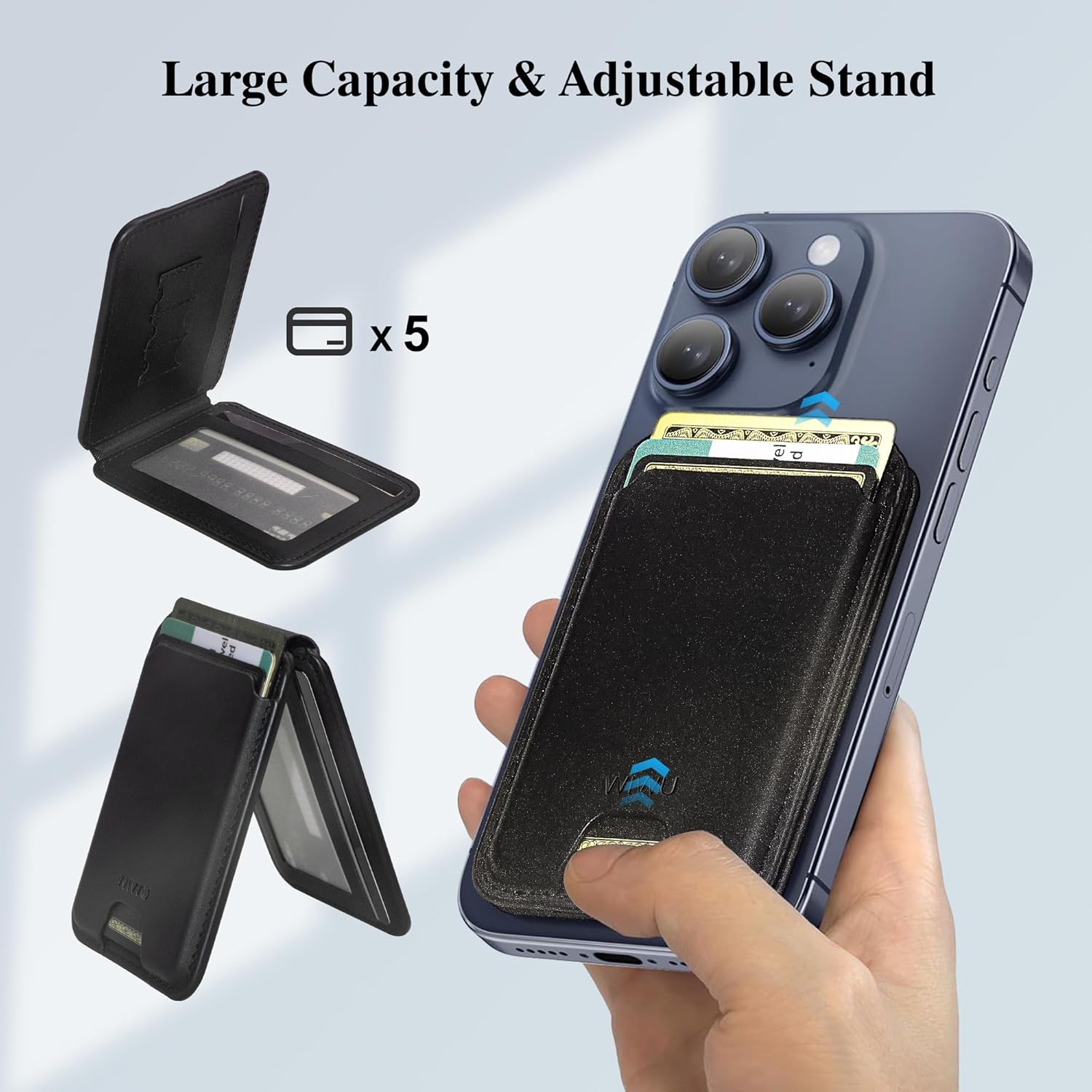
This image illustrates the wallet's ability to hold up to 5 cards and its integrated adjustable stand feature.

The wallet incorporates RFID shielding technology to protect your cards from unauthorized scanning and data theft.
Ihe ngwugwu
- 1 x WIWU MW-003 MagSafe Wallet
- 1 x Detachable MagSafe Ring (for non-MagSafe compatible devices)
Ntọala na nwụnye
- For MagSafe-Compatible iPhones (12-16 Series): Simply align the WIWU MW-003 MagSafe Wallet with the MagSafe area on the back of your iPhone or MagSafe-compatible case. The strong magnets will automatically snap it into place.
- For Android Phones and Non-MagSafe iPhones:
- Clean the back surface of your phone or phone case thoroughly to ensure proper adhesion.
- Peel off the protective film from the adhesive side of the included detachable MagSafe ring.
- Carefully center and press the MagSafe ring onto the back of your phone or case. Ensure it is firmly attached.
- Once the MagSafe ring is installed, align the WIWU MW-003 MagSafe Wallet with the ring. The magnets will secure it.

The WIWU MagSafe Wallet securely attaches to the back of a MagSafe-compatible smartphone or case, providing convenient access to cards.

This image displays the wallet's compatibility with various iPhone models (12-16 series) and Android phones when used with the included MagSafe ring.
Ntuziaka ọrụ
Inserting and Accessing Cards
- Open the wallet flap.
- Slide up to 5 cards into the designated card slots. Ensure cards are fully inserted to prevent them from falling out.
- For quick access, gently push the bottom of the wallet to slide cards out.
- Utilize the internal pockets for smaller items like SIM cards or a card pin.
Using the Adjustable Stand
- To activate the stand, gently fold the wallet open at its hinge.
- Adjust the angle of the stand to your preferred viewing position (15-160°).
- The stand supports both portrait and landscape orientations for hands-free viewing, video calls, or navigation.
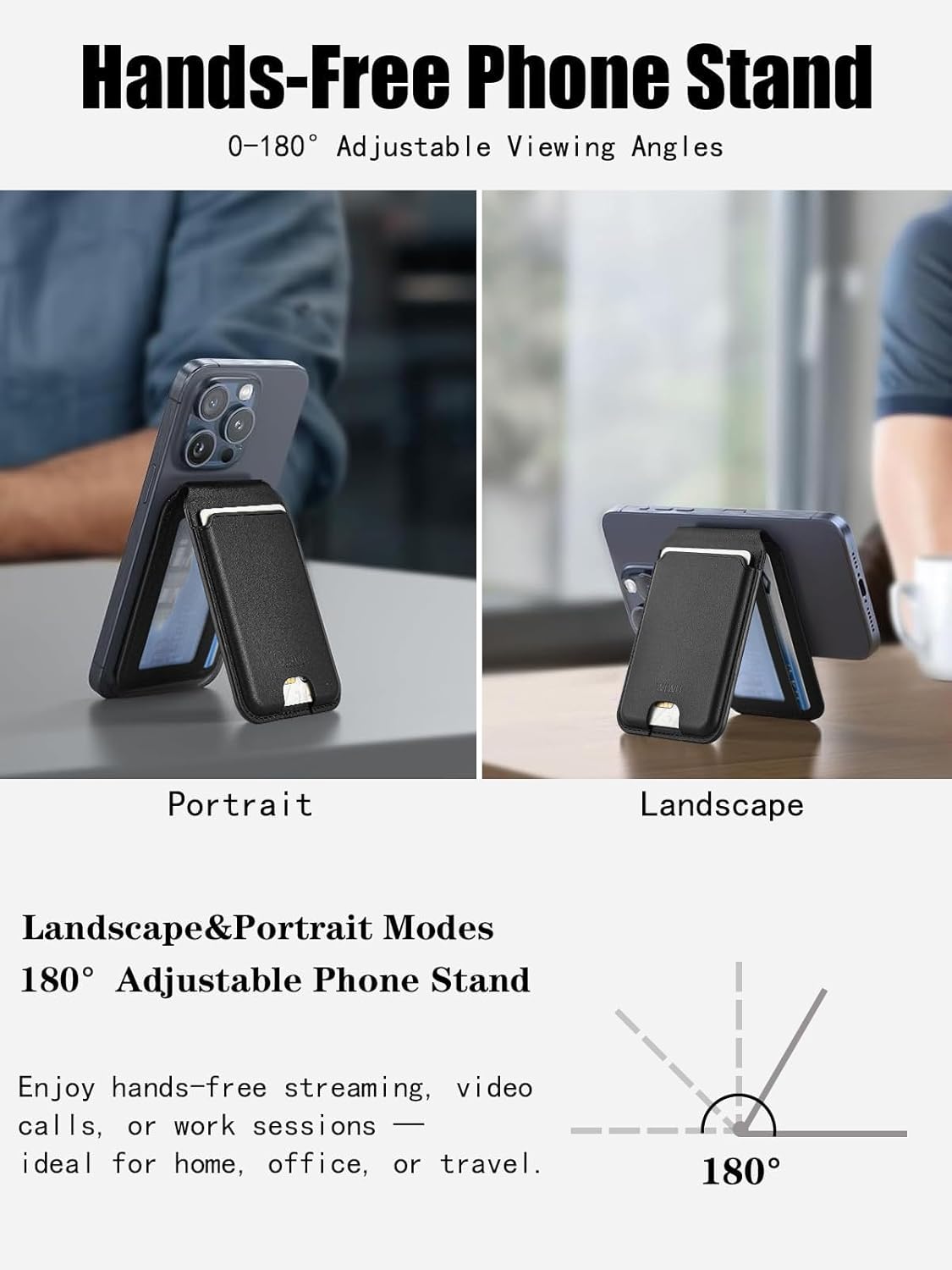
The adjustable stand feature allows the phone to be propped up in both portrait and landscape modes for versatile viewing.
This video provides a visual guide on how to attach the wallet, store cards, and utilize the adjustable stand feature.
Nlekọta
To maintain the appearance and functionality of your WIWU MW-003 MagSafe Wallet, follow these guidelines:
- Clean the wallet with a soft, damp akwa . Zere iji kemịkalụ siri ike ma ọ bụ ihe nchacha.
- Do not expose the wallet to extreme temperatures or direct sunlight for extended periods.
- Avoid overfilling the card slots, as this may stretch the material and affect its magnetic attachment or card retention.
- Regularly check the magnetic ring (if used) for secure adhesion to your device.
Nchọpụta nsogbu
| Okwu | Ngwọta enwere ike |
|---|---|
| Wallet does not attach securely to phone. | Ensure your phone or case is MagSafe-compatible. If not, use the included MagSafe ring and ensure it is properly installed and adhered. Clean the surfaces to remove any dust or debris. |
| Cards are difficult to insert or remove. | Avoid overfilling the wallet. It is designed for up to 5 cards. New leather may be stiff; it will loosen with use. |
| Stand is unstable or collapses. | Ensure the wallet is fully opened at the hinge to form a stable triangular base. Adjust the angle carefully. |
| RFID blocking seems ineffective. | Ensure sensitive cards are placed in the internal, dedicated RFID-protected slots. External slots may offer less protection. |
Nkọwapụta
| Njirimara | Nkọwa |
|---|---|
| Nọmba nlereanya | MW-003 |
| Akụkụ ngwaahịa | 0.39 x 2.56 x 3.98 sentimita (1.0 x 6.5 x 10.1 cm) |
| Ibu Ibu | 2.4 ounce (68 grams) |
| Ihe onwunwe | PU Akpụkpọ anụ |
| Ike kaadị | Ruo kaadị iri abụọ |
| Ike Igwe Ọdụdọ | 32 N52 Magnets (approx. 4200gf) |
| guzo n'akuku | 15-160° adjustable |
| Mgbochi RFID | 13.56 MHz signals |

Detailed measurements and weight of the WIWU MagSafe Wallet, emphasizing its ultra-slim and lightweight design.

A visual representation highlighting the strong magnetic hold of the WIWU MagSafe Wallet, showing it is significantly stronger than typical magnetic wallets.
Akwụkwọ ikike na nkwado
WIWU products are manufactured to high-quality standards. For warranty information, product support, or to contact customer service, please visit the official WIWU store or websaịtị. Debe nnata nzụta gị maka nkwupụta akwụkwọ ikike ọ bụla.
Gaa leta WIWU Store on Amazon maka ozi ndị ọzọ.