
1. Okwu mmalite
This manual provides detailed instructions for the installation, operation, and maintenance of your Ulecoce Keyless Entry Door Lock Deadbolt with Handle Set. This smart lock offers multiple access methods and enhanced security features for your home or office.

Image 1.1: The Ulecoce Keyless Entry Door Lock Deadbolt with Handle Set in satin nickel finish, installed on a dark door.
2. Akụrụngwa Ngwaahịa
- Ntinye enweghị igodo: Supports 100 user codes (97 user, 3 admin), one-time codes, and 2 backup physical keys.
- Smart Access Management: Generate and share temporary or permanent codes for family, house sitters, or guests.
- Nchekwa emelitere: Features auto-lock, one-touch locking, anti-peeping code input, and low battery alerts.
- Ogologo oge: Designed to withstand extreme temperatures (-4℉ to 140℉) and is IP54 waterproof.
- Ike: Operates on 4 AA batteries (not included) with an approximate 180-day lifespan.

Foto 2.1: Ofeview of the Ulecoce Keyless Entry Door Lock Set highlighting its main features.
3. Nkọwapụta
| Njirimara | Nkọwa |
|---|---|
| Ụdị | Ulecoce |
| Aha Nlereanya | WZ-U18L-S-0513-TP |
| Ụdị mkpọchi | Mbido |
| Ihe onwunwe | Ọla |
| Agba | Nickel Nickel |
| Akụkụ ihe (L x W x H) | 1 x 1 x 1 sentimita asatọ |
| Ibu Ibu | 3.36 pound |
| Atụmatụ pụrụ iche | Anti-Peeping Password, Auto-Lock, Keyless Entry, One-Touch Lock |
| Akwadoro ojiji | Ọnụ ụzọ ihu |
| Isi Iyi Ike | Batrị 4 AA (anaghị etinye ya) |
| Okpomọkụ na-arụ ọrụ | -4℉ ruo 140℉ (-20℃ ruo 60℃) |
| Iru mmiri na-arụ ọrụ | 0% ruo 95% |
| Ngosi nke enweghị mmiri | IP54 |
| Asambodo | Asambodo ANSI Klas 3 |
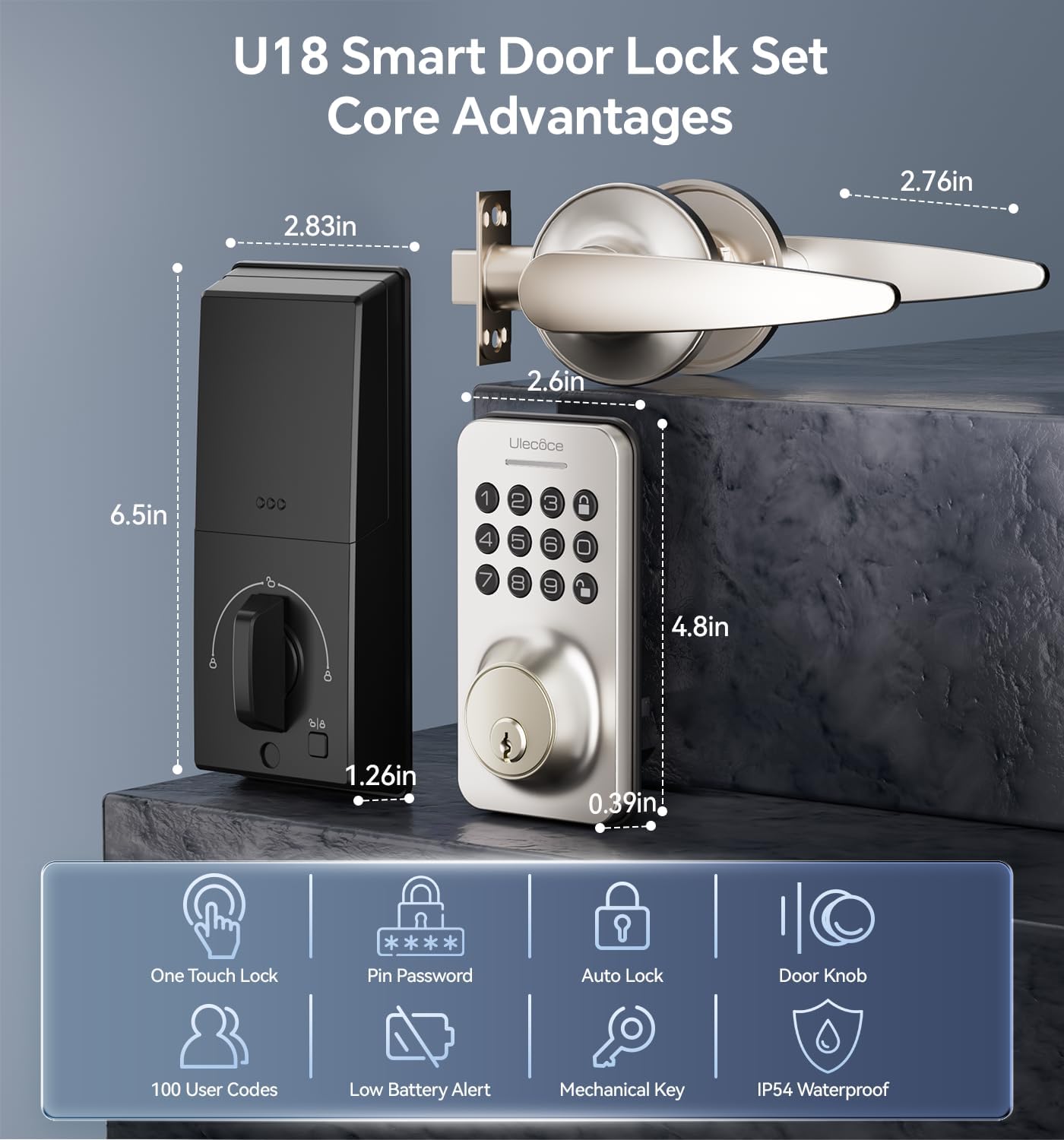
Image 3.1: Dimensions and key features of the Ulecoce U18 Smart Door Lock Set.

Image 3.2: ANSI Grade 3 certification and durability test results for the Ulecoce smart lock.
4. Ntọala na nwụnye
The Ulecoce Keyless Entry Door Lock is designed for easy installation, requiring only a screwdriver. No additional drilling or professional locksmith services are typically needed. It is compatible with both left and right-hand doors.
4.1 Lelee tupu ntinye
Before beginning installation, ensure your door meets the compatibility requirements for latch hole and backset dimensions.
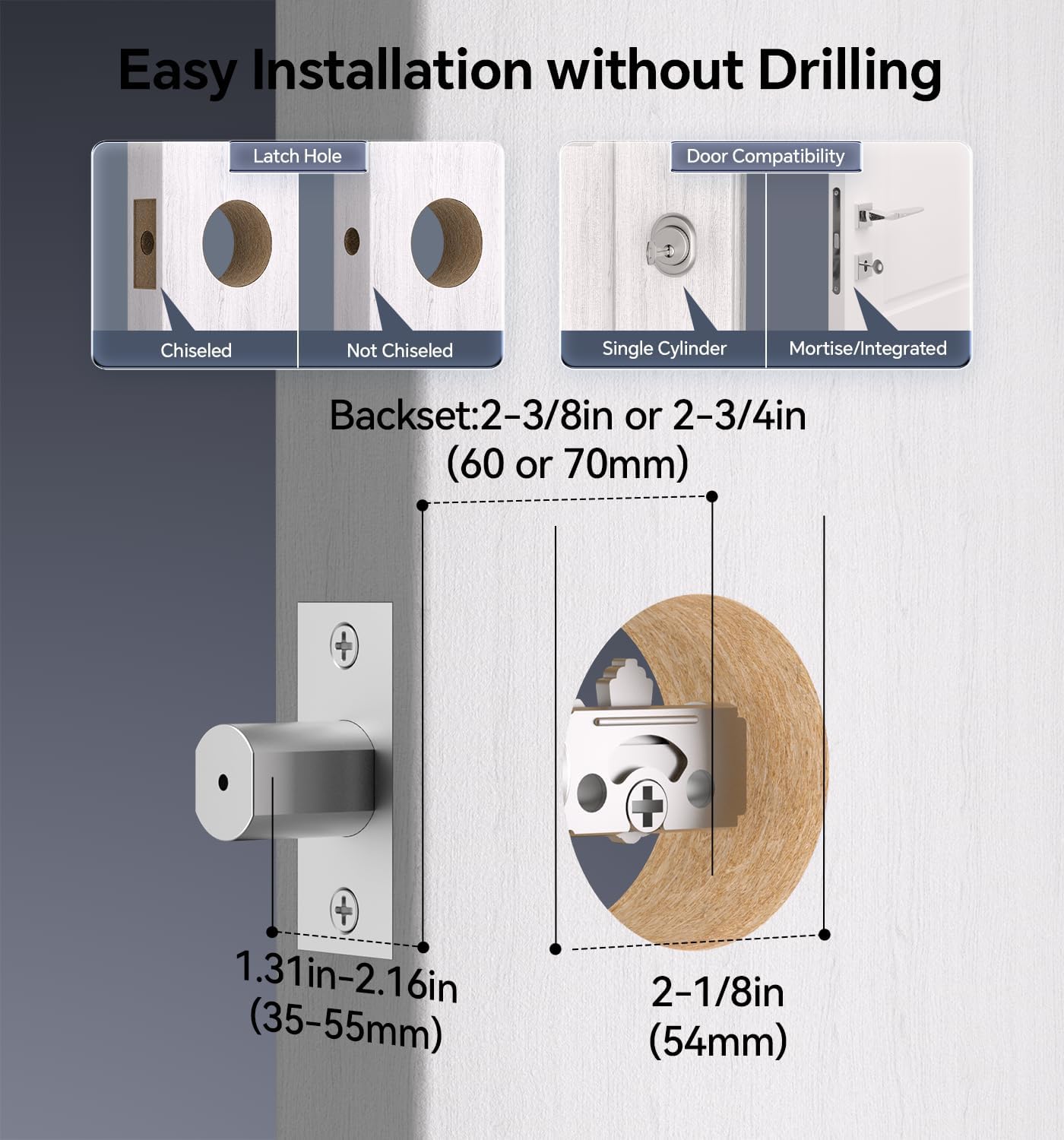
Image 4.1: Door compatibility and latch hole requirements for installation.

Image 4.2: Check door dimensions and lock measurements before purchase.
4.2 Nzọụkwụ nwụnye
- Prepare the door: Ensure the door is properly prepped with the correct bore hole and backset.
- Install the latch and strike plate.
- Wụnye mgbakọ ahụigodo mpụga.
- Install the interior assembly, connecting the cable.
- Secure the lock with screws.
- Insert 4 AA batteries (not included) into the battery compartment.
- Test the lock's functionality.

Image 4.3: Installation process using a screwdriver.

Image 4.4: The lock is compatible with both left and right-hand door orientations.
5. Ntuziaka ọrụ
The Ulecoce smart lock offers various convenient ways to unlock and manage access.
5.1 Ụzọ mmeghe
- Koodu igodo: Enter your programmed user code on the keypad.
- One-Time Codes: Mepụta koodu nwa oge maka ojiji otu.
- Igodo Anụ ahụ: Use the provided backup keys for manual unlocking.
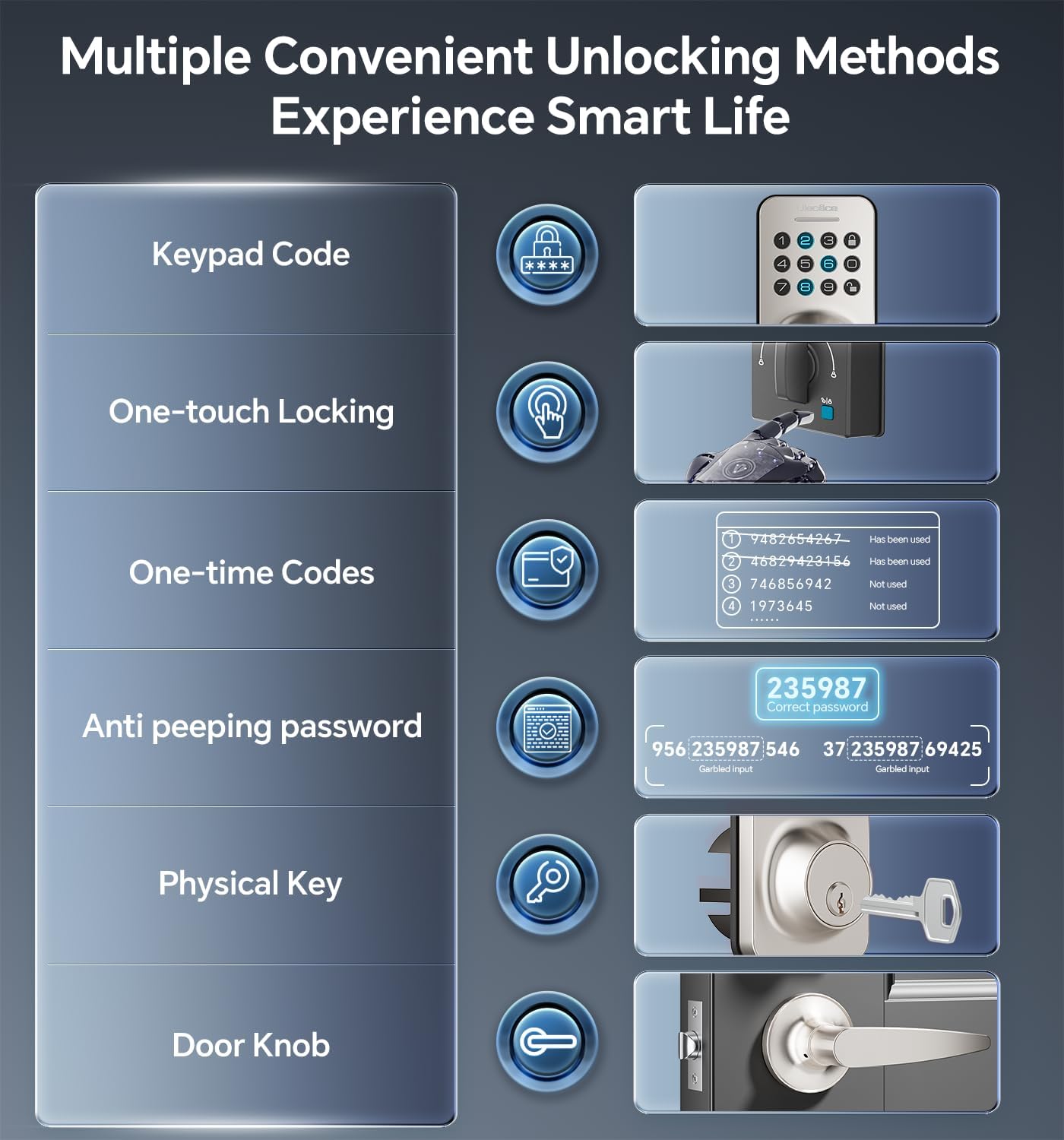
Image 5.1: Multiple methods available for unlocking the door.
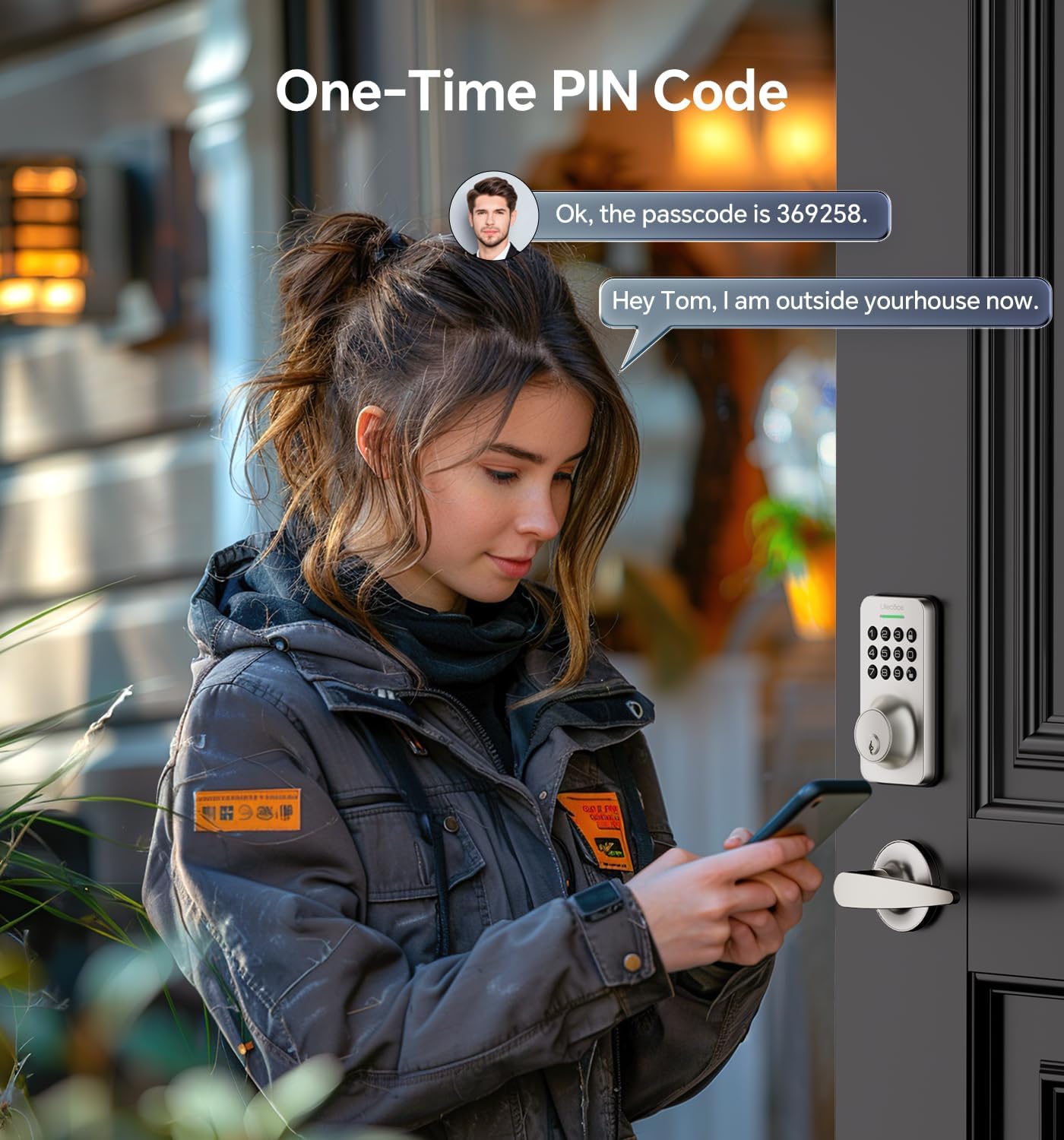
Image 5.2: Using a one-time PIN code for temporary access.
5.2 Paswọọdụ Mgbochi Ịmepụ Ihe
To prevent others from guessing your code, you can enter random digits before or after your actual passcode. The lock will recognize the correct consecutive sequence within the input.
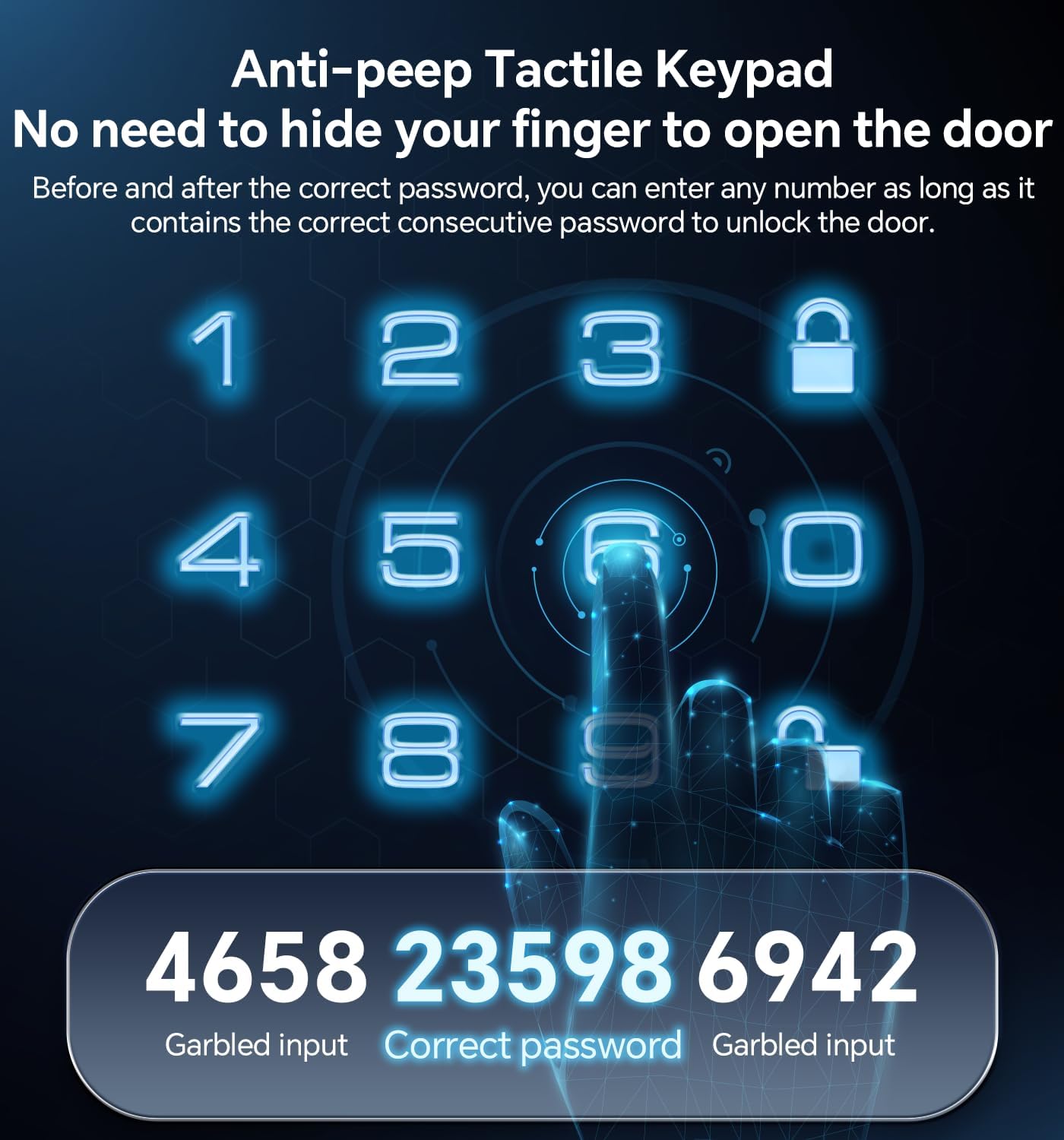
Foto 5.3: Ọpụample of using the anti-peeping password feature.
5.3 Auto-Lock and One-Touch Locking
- Mkpọchi onwe: The lock can be programmed to automatically lock after a set period (10-30 seconds) once the door is closed.
- Mkpọchi otu mmetụ: A dedicated button on the interior assembly allows for quick manual locking.

Image 5.4: The auto-lock feature provides convenience and security.
6. Nlekọta
6.1 nnọchi batrị
The lock is powered by 4 AA batteries (not included). When the battery level is low, the lock will provide an alert. Replace all four batteries promptly to ensure continuous operation.

Image 6.1: Low battery indicator and backlit keypad for visibility.
6.2 Nhicha
Clean the lock's exterior with a soft, dry cloth. Avoid using abrasive cleaners or solvents, as these can damage the finish or electronic components.
7. Nchọpụta nsogbu
- Mkpọchi anaghị aza: Lelee ọkwa batrị ma dochie ya ma ọ bụrụ na ọ dị mkpa. Hụ na igodo ahụ dị ọcha ma ghara inwe ihe ruru unyi.
- Koodu anaghị arụ ọrụ: Verify the code is entered correctly. Ensure the anti-peeping feature is used as intended. If issues persist, reset the code or use a physical key.
- Mkpọchi akpaaka anaghị emetụ aka: Check the auto-lock settings to ensure it is enabled and the timer is set appropriately.
- Igodo anụ ahụ anaghị arụ ọrụ: Ensure the key is fully inserted and turned correctly. Check for any obstructions in the keyway.
For further assistance, please refer to the Warranty & Support section.
8. Akwụkwọ ikike na nkwado
Ulecoce provides a Akwụkwọ ikike ngwaahịa afọ 3 and lifetime after-sales service for this product. Our customer support team is available 24/7 via email to assist with any questions or concerns you may have.
Please feel free to contact us for support.