
1. Okwu mmalite
This manual provides essential information for the proper setup, operation, and maintenance of your Parsonver PSSW3 Smartwatch. Please read it thoroughly to ensure optimal performance and longevity of your device.
Kedu ihe dị na igbe:
- 1x Parsonver PSSW3 Smartwatch
- 1 x eriri chaja
- 1x Akwụkwọ ntuziaka onye ọrụ

Image: The contents of the Parsonver PSSW3 Smartwatch box, showing the smartwatch, charging cable, and user manual.
2. Nhazi
2.1 Ịchaji elekere smart
Before first use, fully charge your smartwatch. Connect the magnetic charging cable to the charging contacts on the back of the watch and plug the USB end into a power source. A full charge typically takes approximately 2 hours.
Image: The Parsonver PSSW3 Smartwatch being charged with its magnetic charging cable.
2.2 Ngwa nwụnye na ijikọ
- Download the 'InFoWear' app from your smartphone's app store (compatible with iOS 12.0/Android 6.0 or above).
- Open the app and follow the on-screen instructions to create your profile, entering personal information such as nickname, gender, date of birth, height, and weight. This data helps the watch provide accurate health and fitness tracking.
- Enable Bluetooth on your smartphone and within the app, search for your Parsonver PSSW3 Smartwatch to pair.
2.3 Hazie ihu nche
The InFoWear app offers over 200 watch faces. Navigate to the 'Dial Center' within the app to browse and select your preferred watch face. You can also create custom DIY dials.

Image: A smartphone displaying the 'Dial Center' in the InFoWear app, showcasing numerous watch face options, alongside the smartwatch with a customized face.
3. Ịrụ ọrụ smartwatch
3.1 Nsoro ụzọ
- Mkpu ala: Ịma ọkwa ịnweta.
- Swipe elu: Access quick settings and shortcuts.
- Sụgharịa akaekpe/aka nri: Toggle through various health metrics and features.
3.2 Nlekọta ahụike
The PSSW3 Smartwatch features advanced optical sensors for 24/7 health tracking:
- Nlekota obi obi: Na-enyocha obi gị mgbe niile.
- Nyocha ọbara oxygen (SpO2): Na-enyocha ọkwa oxygen dị n'ọbara.
- Nlekota Ọkwa Nrụgide: Na-enye nghọta na ọkwa nrụgide gị.
- Nleba anya ụra: Analyzes deep, light, and REM sleep stages to help improve rest.
- Women's Health Monitoring: Offers predictions and reminders for menstrual cycles.
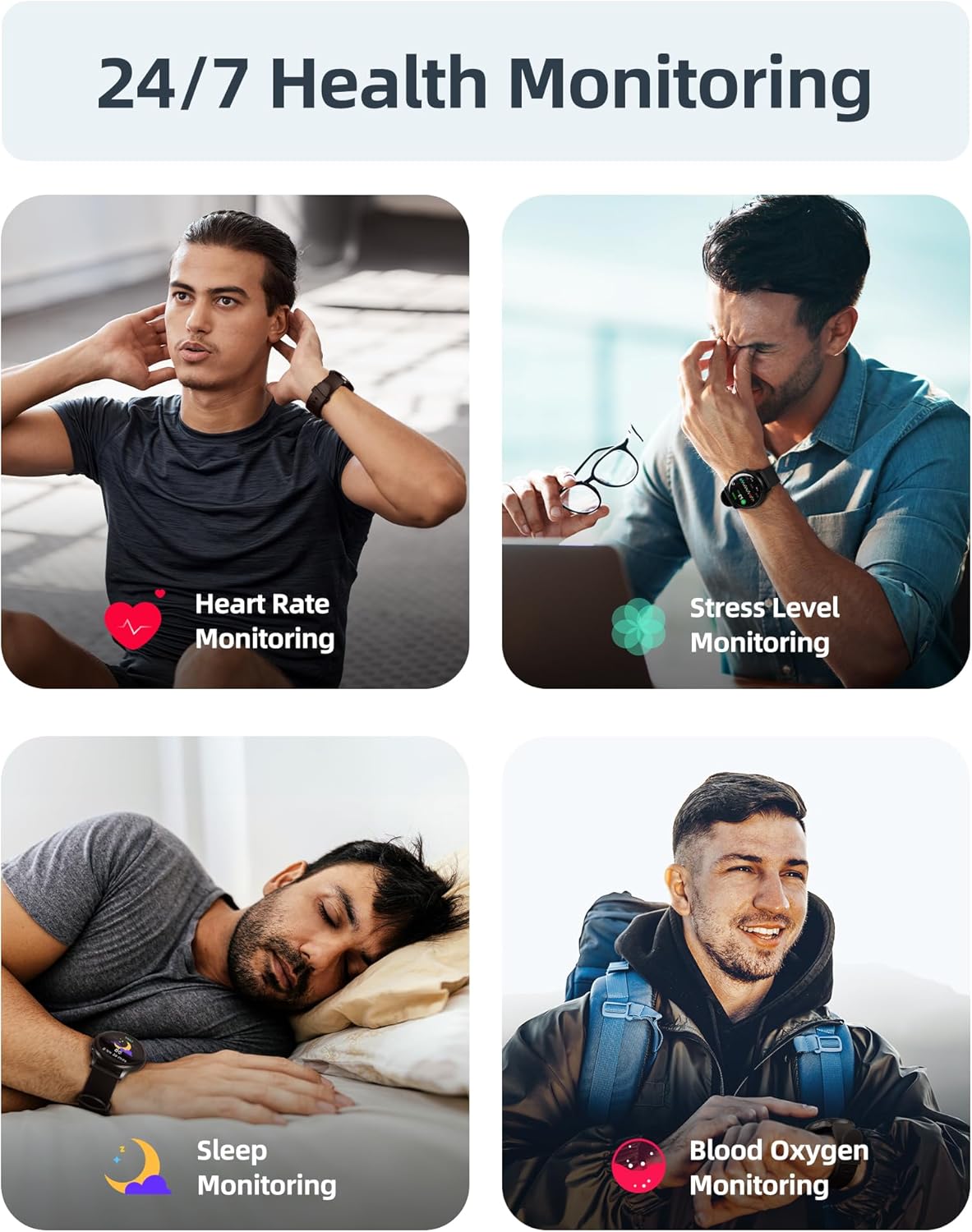
Image: Visual representation of the smartwatch's 24/7 health monitoring capabilities, including heart rate, SpO2, stress, and sleep tracking.
3.3 Ụdị Egwuregwu na Nlele Ọrụ
The smartwatch supports over 100 sports modes and features an upgraded 6-axis sensor for precise tracking of steps, calories, distance, and pace. It can also auto-detect running activities.

Image: A person engaged in cycling, demonstrating the smartwatch's ability to track over 100 sports modes and provide detailed activity data.
3.4 Bluetooth Calling & Smart Notifications
With Bluetooth 5.3, the smartwatch allows you to answer and make calls directly from your wrist using its noise-cancelling speaker. Receive instant alerts for messages, social media, and emails.
Note: Direct SMS reply from the watch is not supported on iOS devices.

Image: A user interacting with the smartwatch for calls and notifications, highlighting its Bluetooth connectivity features.
3.5 Other Smart Features
The PSSW3 Smartwatch includes additional functionalities:
- Mmelite ihu igwe
- Reminders (drink water, stand up)
- Pomodoro timer, stopwatch, timer
- Music and camera control
- Alarm, Find My Phone, Brightness Adjustment, Calculator

Image: A visual summary of additional smart features available on the Parsonver PSSW3 Smartwatch.
4. Water Resistance (5ATM)
The Parsonver PSSW3 Smartwatch is 5ATM waterproof, meaning it can withstand pressures equivalent to a depth of 50 meters. This makes it suitable for:
- Pool training
- Open-water swims
- Beach workouts
- Rainy-day runs
- Showering (cold water)
Important: Avoid operating buttons underwater or wearing the watch in hot showers, saunas, or steam rooms to prevent damage and maintain water resistance.
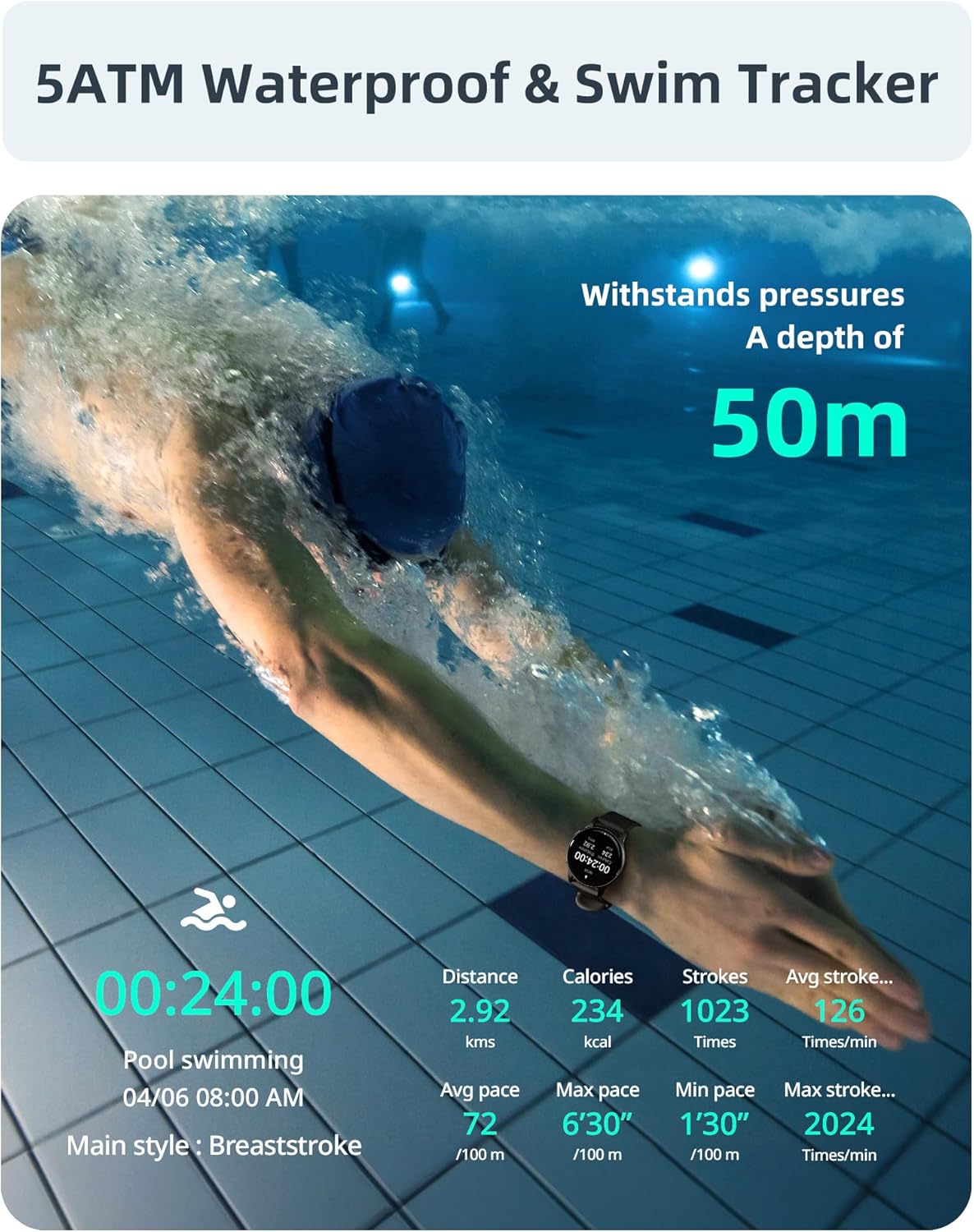
Image: A swimmer demonstrating the 5ATM waterproof capability and swim tracking features of the smartwatch.
Video: 5ATM Swim Smartwatch Features
Video Description: This video demonstrates the 5ATM waterproofing of the Parsonver PSSW3 Smartwatch, showing it submerged in water and highlighting its durability for swimming and water sports. It also showcases various features and the comfortable liquid silicone strap.
5. Nlekọta
5.1 Nlekọta n'ozuzu
- Jiri ákwà dị nro ma kpọọ nkụ hichaa elekere ahụ mgbe niile.
- Mgbe i jiri mmiri nnu sachaa elekere ahụ, jiri mmiri dị ọcha sachaa ya ma kpoo ya nke ọma.
- Avoid exposing the watch to extreme temperatures or harsh chemicals.
5.2 Ndochi eriri
The smartwatch features a 22mm universal liquid silicone strap, which is soft, comfortable, and hypoallergenic. The strap is easily removable and replaceable by pulling the small pin on the underside of the strap connection.

Foto: nkọwa zuru ezu view of the smartwatch's lightweight body and the comfortable, anti-allergenic liquid silicone strap.
6. Nchọpụta nsogbu
- Okwu Njikọta: Ensure Bluetooth is enabled on both your phone and watch. Restart both devices and try pairing again.
- Ọgụgụ na-ezighi ezi: Ensure the watch is worn snugly on your wrist. For heart rate and SpO2, remain still during measurement.
- Mgbapu batrị: Frequent use of all health options and high brightness settings can increase battery consumption. Adjust settings as needed.
- Amamọkwa anaghị apụta: Verify that the InFoWear app has all necessary permissions enabled on your smartphone. Check app notification settings.
7. Nkọwapụta
| Njirimara | Nkọwapụta |
|---|---|
| Nọmba nlereanya | PSSW3 |
| Akụkụ ngwaahịa | 10.63 x 3.35 x 0.71 sentimita asatọ |
| Ibu Ibu | 37 grams (1.31 ounces) |
| Mmiri Nguzogide | 5ATM (up to 50m) |
| Nha ihuenyo | 1.27 Inches (360x360 HD) |
| Ike batrị | 230 ndeamp Oge awa |
| Ndụ Batrị (Kachasị) | 5-7 Days (typical use) |
| Oge Njikere | Ụbọchị 40 |
| Oge Nchaji | Awa 2 |
| Njikọta | Bluetooth 5.3 |
| Ndakọrịta sistemụ arụmọrụ | iOS 12.0/Android 6.0 or above |
| Ihe eriri eriri | Liquid Silicone (22mm universal) |
| Ihe mmetụta | Upgraded 6-axis sensor, Optical heart rate sensor |
8. Akwụkwọ ikike na nkwado
Parsonver offers 24/7 customer support for any inquiries or assistance you may need with your PSSW3 Smartwatch. Please refer to the contact information provided in your product packaging or visit the official Parsonver websaịtị maka nkọwa nkwado.