
1. Okwu mmalite
This manual provides essential information for setting up, operating, and maintaining your ASUS AiO V470 Series All-in-One PC. Please read this guide thoroughly before using your device to ensure proper function and longevity.

Image: ASUS V470 AiO PC showcasing its minimalist design and thoughtful functionality.
2. Kedu ihe dị na Igbe ahụ
Chọpụta na ihe niile dị na nkwakọ ngwaahịa:
- ASUS AiO V470 All-in-One PC
- Ahụigodo ikuku
- Igwe ikuku ikuku
- Ihe nkwụnye ọkụ
- Akwụkwọ (Nduzi Mmalite Ngwa Ngwa, Kaadị Akwụkwọ ikike)
3. Nhazi
3.1 Mwepu na ntinye
- Carefully remove the All-in-One PC and accessories from the packaging.
- Place the PC on a stable, flat surface with adequate ventilation around the unit.
- Ensure the area is free from direct sunlight, heat sources, and excessive dust.
3.2 Njikọta Peripherals
- Njikọ ike: Connect the power adapter to the DC-in port on the back of the PC, then plug the power cord into a wall outlet.
- Igodo na òké ikuku: Insert batteries into the wireless keyboard and mouse. The devices are pre-paired; if not, follow the instructions provided with the peripherals for pairing.
- Ngwa mpụga: Connect any external devices such as printers, external hard drives, or additional monitors to the appropriate ports.
4. Akụkụ na Ọdụ Ụgbọ Mmiri
Familiarize yourself with the various ports and components of your ASUS AiO V470 PC.

Foto: Zuru ezu view of the I/O ports for connectivity.
4.1 Side I/O Ports
- Oghere mkpọchi Kensington: Maka nchekwa ngwaọrụ gị na mkpọchi dakọtara.
- 3.5mm Combo Audio Jack: Maka ijikọ ekweisi ma ọ bụ ekweisi na igwe okwu.
- USB 2.0 Ụdị-A Port: Maka ijikọ ngwaọrụ dakọtara na USB 2.0.
4.2 Back I/O Ports
- Ọdụ ụgbọ mmiri DC: Maka ijikọ nkwụnye ọkụ.
- Ọdụ ụgbọ elu Ethernet RJ45 Gigabit: Maka njikọ netwọk ikuku.
- HDMI In 1.4 Port: For connecting external video sources to use the AiO as a monitor.
- HDMI Out 1.4 Port: Maka ijikọ ihe ngosi mpụga.
- Ọdụ USB 3.2 Gen 1 Ụdị-C: For high-speed data transfer and connecting compatible Type-C devices.
- Ọdụ USB 3.2 Gen 1 Ụdị-A 3x: For connecting high-speed USB 3.2 compatible devices.
5. Ntuziaka ọrụ
5.1 Gbanyụọ/ gbanyụọ
- Ike Na: Press the power button located on the bottom right side of the display.
- Gbanyụọ: In Windows, click Start > Power > Shut down. Alternatively, press and hold the power button for 4 seconds to force a shutdown (use only when necessary).
5.2 Ngosipụta atụmatụ
Your ASUS AiO V470 features a high-quality display designed for clarity and comfort.
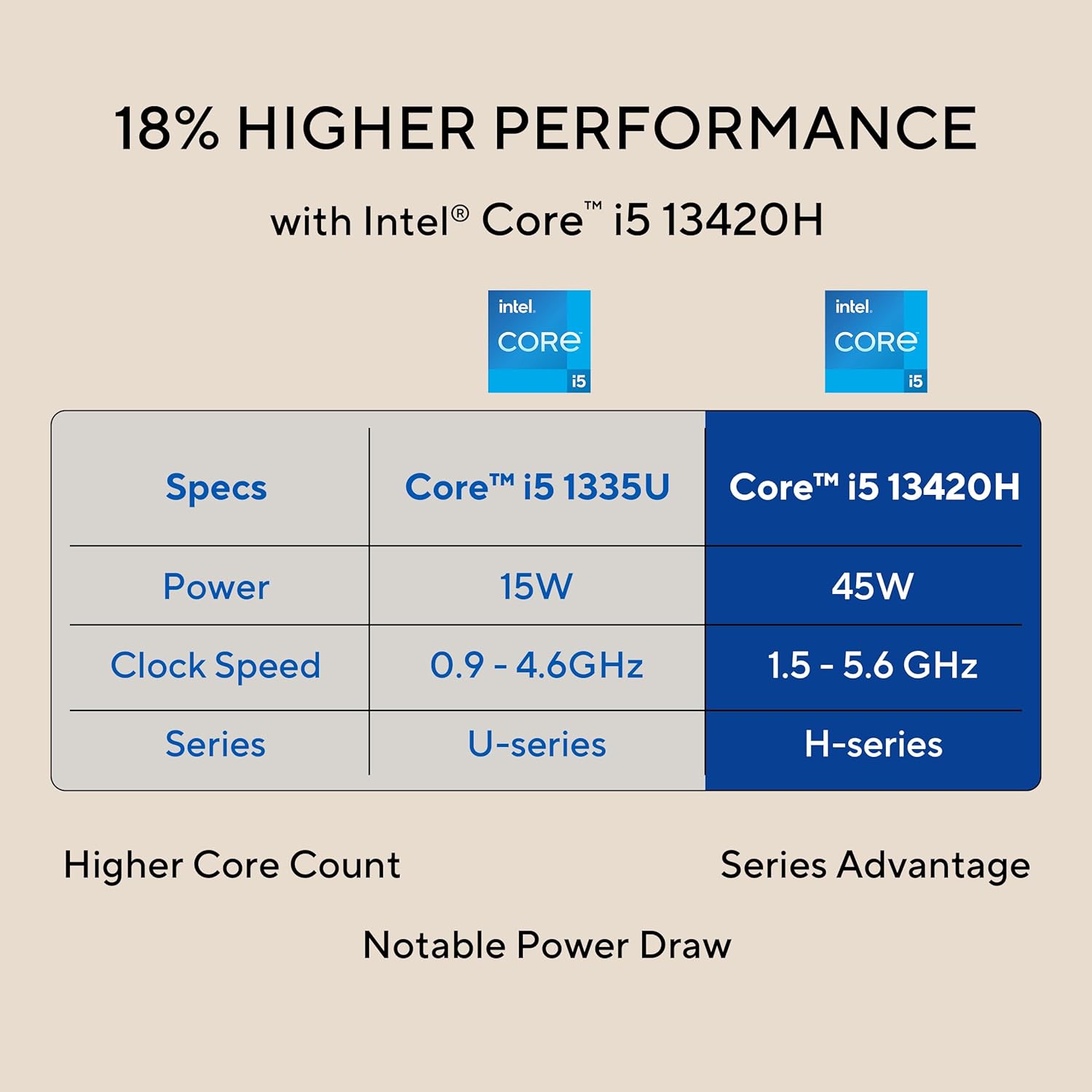
Image: The 27-inch FHD NanoEdge display with TÜV Rheinland-certified eye care.
- 27.0-inch FHD (1920 x 1080) Display: Provides clear and vibrant visuals.
- Mgbochi ọkụ: Reduces reflections for comfortable viewing.
- 100Hz ume ọhụrụ ume: Offers smoother motion for an enhanced visual experience.
- TÜV Rheinland-certified Eye Care: Designed to reduce blue light emissions and flicker for eye comfort during extended use.
5.3 Camera and Audio Features
The integrated camera and audio system enhance your communication and multimedia experience.

Image: Retractable camera for privacy and security features.
- Retractable 1080p HD Camera: Push to hide the camera for instant privacy.
- Mkpuchi mkpọtụ AI: Reduces background noise during video calls and recordings for clearer audio.
- 5W x 2 Speakers with Dolby Atmos: Delivers immersive and high-quality sound.

Image: Advanced and immersive sound experience with integrated speakers.
5.4 Njikọta
Your AiO PC offers robust connectivity options.
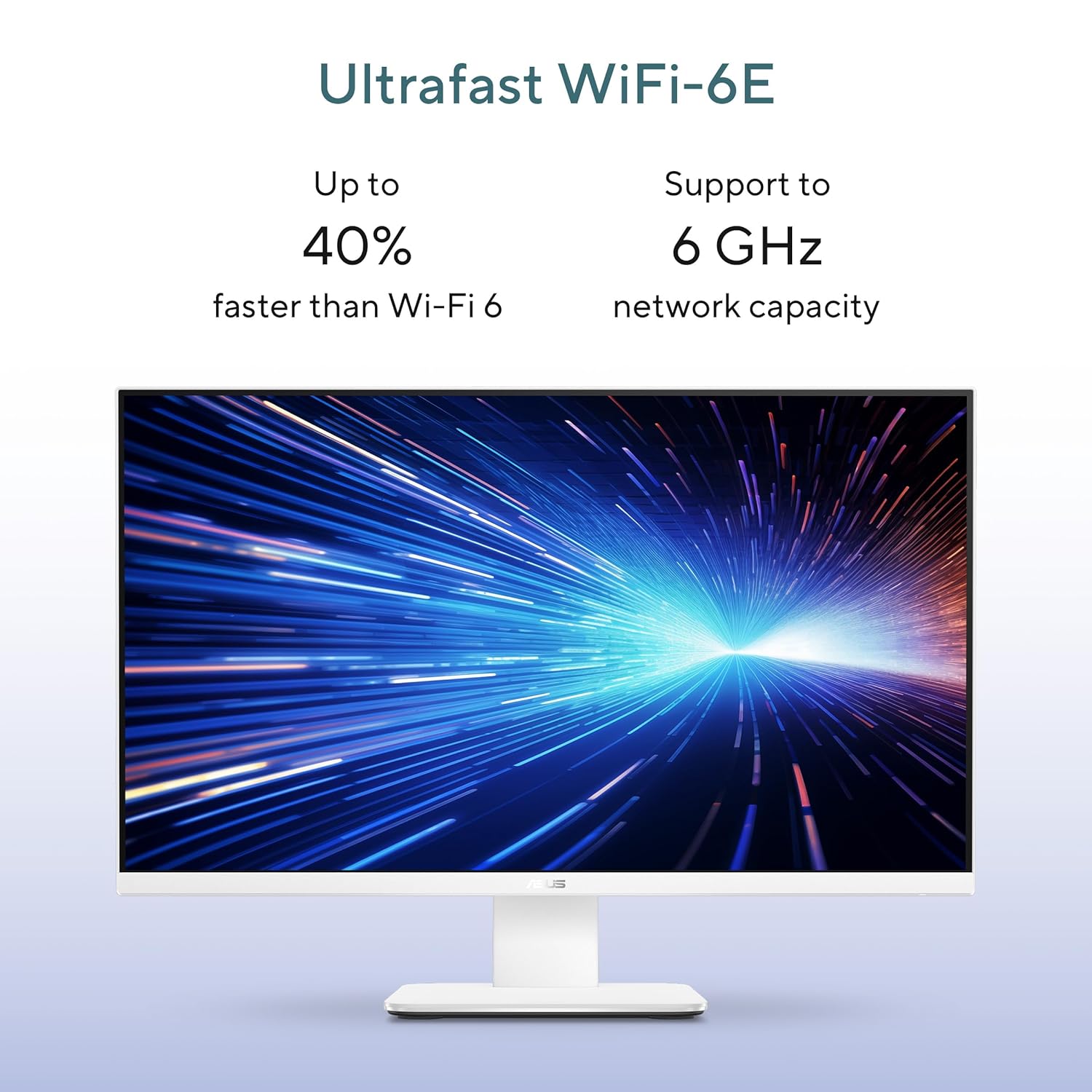
Image: Ultrafast Wi-Fi 6E for high-speed wireless connectivity.
- Wi-Fi 7: Maka ohere ịntanetị ikuku dị elu.
- gigabit Ethernet: For stable and fast wired network connections.
- Bluetooth: For connecting wireless peripherals like headphones and speakers.
6. Nlekọta
Proper maintenance ensures the longevity and optimal performance of your ASUS AiO V470 PC.
- Na-ehicha ihe ngosi: Jiri ákwà dị nro, nke na-enweghị ihe e ji ehicha ihe nke e mere maka ngwa eletrọniki.ampen the cloth slightly with water or a screen cleaner, then gently wipe the screen. Avoid harsh chemicals.
- Nhicha Chassis: Use a soft, dry cloth to wipe down the exterior. For stubborn marks, a slightly damp A pụrụ iji ákwà mee ihe, wee jiri nke kpọrọ nkụ mee ihe.
- Igwe ikuku: Ensure that the ventilation openings are not blocked to prevent overheating. Regularly check for dust accumulation and gently clean with compressed air if necessary.
- Mmelite ngwanrọ: Mee ka sistemụ arụmọrụ gị na draịva gị dị ọhụrụ iji hụ na nchekwa na arụmọrụ dị.
- Ndabere data: Na-echekwa data dị mkpa mgbe niile na draịvụ mpụga ma ọ bụ nchekwa igwe ojii.
7. Nchọpụta nsogbu
Akụkụ a na-ekwu maka nsogbu ndị ị nwere ike izute.
7.1 Enweghị ike
- Gbaa mbọ hụ na ejikọrọ ihe nkwụnye ọkụ na PC na oghere mgbidi.
- Chọpụta na oghere mgbidi ahụ na-arụ ọrụ site na itinye na ngwaọrụ ọzọ.
- Lelee ihe nkwụnye ọkụ maka mmebi ọ bụla a na-ahụ anya.
7.2 Ihe ngosi
- If the screen is blank, ensure the PC is powered on and not in sleep mode.
- If using an external video source via HDMI In, ensure the correct input is selected (refer to your PC's on-screen display settings).
- Adjust brightness settings in Windows.
7.3 Peripheral Not Responding
- For wireless keyboard/mouse, check battery levels and ensure they are within range.
- For wired devices, ensure they are properly connected to the correct USB ports.
- Gbalịa ijikọ ihe mkpuchi ahụ na ọdụ ụgbọ USB dị iche.
8. Nkọwapụta
Detailed technical specifications for your ASUS AiO V470 PC.

Image: Key performance specifications including processor, memory, and storage.
| Njirimara | Nkọwapụta |
|---|---|
| Nhazi | Intel Core i5-13420H (2.1 GHz, up to 4.6 GHz, 8 cores, 12 threads, 12MB Cache) |
| Sistemụ nrụọrụ | Windows 11 Ụlọ |
| Ngosipụta | 27.0-inch FHD (1920 x 1080), 16:9, 300nits, 100Hz, Anti-glare, TÜV Rheinland-certified Eye Care |
| Eserese | Ihe eserese Intel UHD jikọtara ọnụ |
| Ebe nchekwa | 16GB DDR5 RAM |
| Nchekwa | 1TB M.2 NVMe PCIe 4.0 SSD |
| Igwefoto | Retractable 1080p HD Camera |
| Audio | 5W x 2 Speakers, AI Noise Cancellation, Dolby Atmos |
| Njikọ ikuku | Wi-Fi 7, Bluetooth |
| Njikọ ikuku | RJ45 Gigabit Ethernet |
| ọdụ ụgbọ mmiri I/O | 1x USB 2.0 Type-A, 3x USB 3.2 Gen 1 Type-A, 1x USB 3.2 Gen 1 Type-C, 1x HDMI In 1.4, 1x HDMI Out 1.4, 1x 3.5mm Combo Audio Jack, 1x DC-in, 1x Kensington Lock Slot |
| Akụkụ (W x D x H) | 61.3 x 1.7 x 44.7 cm |
| Ibu | 9 kilogram |
| Akụkụ ndị dị n'akụkụ | Wireless Keyboard, Wireless Mouse |
9. Akwụkwọ ikike na nkwado
Your ASUS AiO V470 PC comes with comprehensive warranty and support services.

Image: ASUS 4A Guarantee and support contact details.
9.1 Ozi akwụkwọ ikike
This genuine ASUS AiO PC includes a 1-year Global Warranty na ihe Onsite Domestic Warranty from ASUS. The warranty covers manufacturing defects and does not cover physical damage. To activate your warranty, please register your product on the official ASUS websaịtị.
9.2 Nkwado ndị ahịa
For product-related queries or immediate assistance, please contact ASUS support:
- Nọmba na-anaghị akwụ ụgwọ: 1800-2090365 (Monday - Saturday, 09:00 AM - 06:00 PM)
- Email: rc_india@asus.com
- Service Center Information: Visit the ASUS support website for an extensive network of over 180 service centers across India: https://www.asus.com/in/support/Service-Center/India