
Samsung QE55QN85FAU
Samsung Neo QLED 4K Vision AI Smart TV 55-inch QE55QN85FAUXZT User Manual
Model: QE55QN85FAU
1. Okwu mmalite
This manual provides essential information for the safe and efficient use of your Samsung Neo QLED 4K Vision AI Smart TV, model QE55QN85FAUXZT. Please read these instructions thoroughly before operating your TV and retain them for future reference.
Your new Samsung Neo QLED TV features a 55-inch display with a NQ4 AI Gen2 Processor, offering 4K AI Upscaling for vivid and realistic colors. It includes advanced audio technologies like Dolby Atmos & OTS Lite for an immersive sound experience, and smart features such as Smart Hub, Gaming Hub, and SmartThings for comprehensive entertainment and home management.
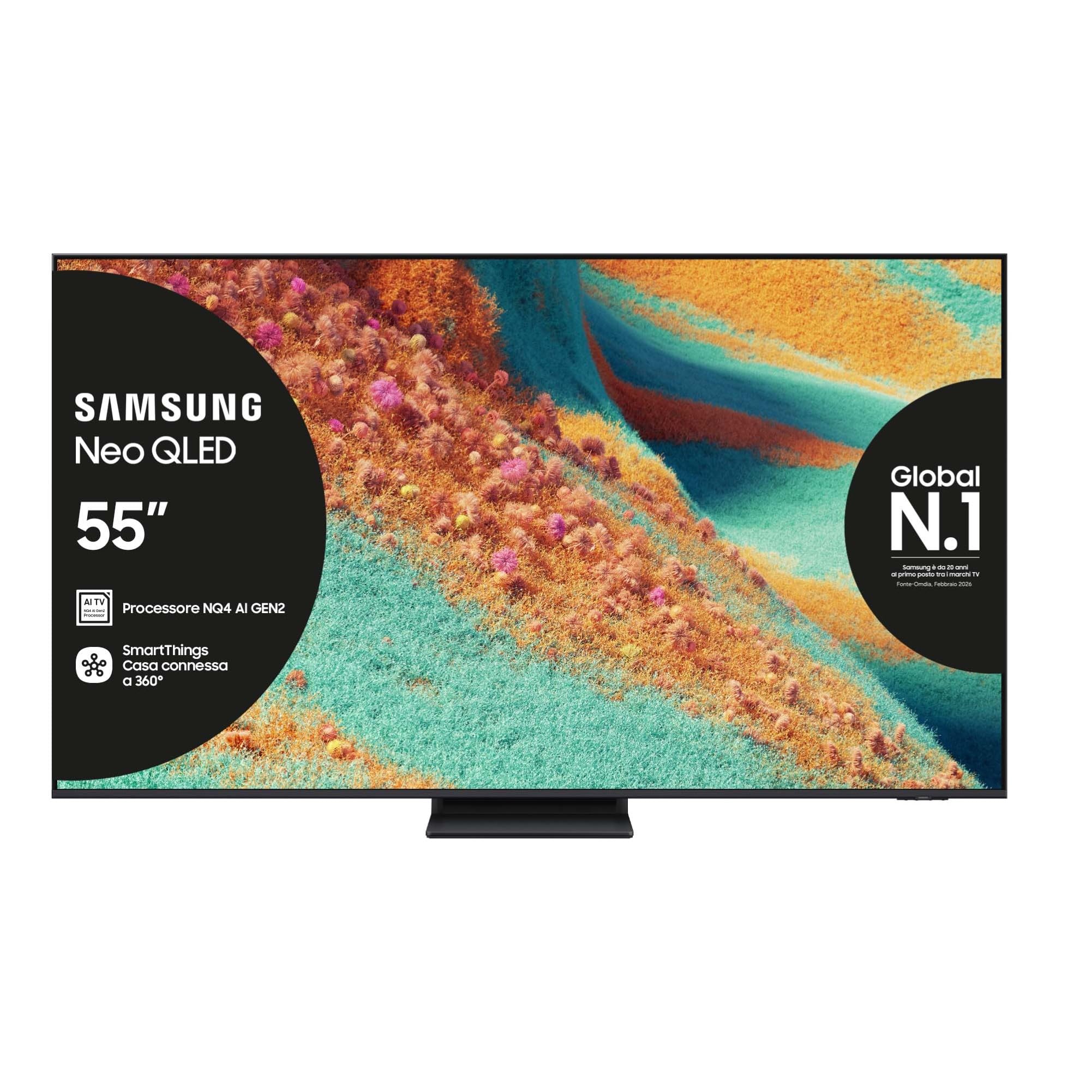
N'ihu view of the Samsung Neo QLED 4K Vision AI Smart TV 55-inch.

Akụkụ view of the Samsung Neo QLED 4K Vision AI Smart TV 55-inch, highlighting its slim design.
2. Nhazi
2.1 Unboxing na ngwugwu ọdịnaya
Carefully unpack your TV and check that all components are present. The package should include:
- 1x Samsung Smart TV 55" Serie QN85F
- 2x Remote Controls (one solar-powered, one standard)
- Igwe ọkụ ọkụ
- Akwụkwọ ntuziaka (akwụkwọ a)

Contents of the TV package, including the power cable, user manual, solar remote, and standard remote.
2.2 Nwụnye anụ ahụ
Place the TV on a stable, flat surface or mount it on a wall using a compatible VESA mount (200 x 200 mm). Ensure adequate ventilation around the TV.

Detailed dimensions of the 55-inch TV, including width, height, and depth with stand.
2.3 Njikọta Peripherals
Connect your external devices to the appropriate ports on the back of the TV. The TV features multiple connectivity options:
- ọdụ ụgbọ mmiri HDMI: 4 ports for connecting devices like Blu-ray players, game consoles, or set-top boxes. One port supports eARC.
- ọdụ ụgbọ mmiri USB: 2 ports (1x USB 3.0, 1x USB 2.0) for connecting USB storage devices.
- Ọdụ ụgbọ mmiri Ethernet (LAN): Maka njikọ ịntanetị ejikọrọ.
- Antenna (ANT) Input: Maka ijikọ eriri ala ma ọ bụ eriri.
- Apụọ ọdịyo dijitalụ anya: Maka ijikọ na ụda ụda ma ọ bụ nnata ọdịyo.

Rear panel of the TV displaying the HDMI, USB, LAN, and antenna input ports.
2.4 Mmalite Ike-On na Ntọala Netwọk
After connecting the power cable, press the power button on the remote control. Follow the on-screen instructions to complete the initial setup, including language selection, network connection (Wi-Fi or Ethernet), and channel scanning.
3. Ntuziaka ọrụ
3.1 Ojiji njikwa anya
Your TV comes with two remote controls. The solar-powered remote offers convenient charging via ambient light, while the standard remote provides traditional battery operation. Both remotes allow full control over TV functions, including navigation, volume, channel selection, and smart features.

The remote control interacting with the Samsung Vision AI Companion interface, demonstrating voice command capabilities.
3.2 Smart Features (Smart Hub, Gaming Hub, SmartThings)
Access a world of entertainment and smart home control through your TV's integrated smart features:
- Smart Hub: Your central portal for streaming apps (Disney Plus, Netflix, Prime Video, YouTube), live TV, and connected devices.
- Ebe egwuregwu: Provides access to cloud gaming services and optimizes settings for a smooth gaming experience (Motion Xcelerator 144 Hz).
- Ihe Smart: Control compatible smart home devices directly from your TV, creating a connected living environment.

The Smart Hub interface displaying various streaming content and navigation options.

The Gaming Hub interface, optimized for gaming with various game titles displayed.

The SmartThings interface showing control options for various smart home devices.
3.3 Foto na teknụzụ ụda
Your TV incorporates advanced technologies for an enhanced viewAhụmịhe ịge ntị na ntị:
- NQ4 AI Gen2 Processor & 4K AI Upscaling: Utilizes artificial intelligence to optimize picture quality, enhancing details and colors to near-4K resolution, regardless of the original source.
- Quantum Matrix Plus: Precisely controls the TV's Mini LEDs for ultra-fine light and dark areas, delivering exceptional contrast and detail.
- Neo Quantum HDR+: Provides extraordinary brightness and vivid colors, enhancing the dynamic range of content.
- Dolby Atmos & OTS Lite: Object Tracking Sound Lite creates a 3D audio experience where sound follows the action on screen, complemented by Dolby Atmos for immersive surround sound.
- Adaptive Sound Pro: Automatically calibrates sound based on the content and room acoustics for optimal audio delivery.
- Q-Symphony: Synchronizes the TV's speakers with a compatible Samsung soundbar (not included) for a richer, more expansive soundstage.

The NQ4 AI Gen2 Processor, the brain behind the TV's advanced AI features and 4K upscaling.

Visual representation of 4K AI Upscaling, showing how lower resolution content is enhanced.

Quantum Matrix Plus technology illustrated with a surfing scene, highlighting precise light control.

Comparison showing the enhanced brightness and color of Neo Quantum HDR+ versus standard dynamic range (SDR).

Dolby Atmos and OTS Lite audio technology creating a three-dimensional sound experience with a wave scene.

Object Tracking Sound Lite (OTS Lite) visually represented with sound waves emanating from a train on screen.

Adaptive Sound Pro adjusting audio based on different content types, from nature sounds to sports commentary.
4. Nlekọta
4.1 Ihicha TV
Iji hichaa ihuenyo ahụ, jiri nwayọọ hichaa ya na akwa dị nro na-enweghị lint. Maka akara ndị isi ike, ntakịrị dampJiri mmiri ma ọ bụ ihe nhicha ihuenyo pụrụ iche kpuchie ákwà ahụ. Zere iji kemịkalụ siri ike, ihe ndị na-emebi emebi, ma ọ bụ fesa ya ozugbo na ihuenyo ahụ.
Clean the TV's frame and stand with a soft, dry cloth. Ensure the TV is unplugged before cleaning.
4.2 Nlekọta n'ozuzu
- Zere idobe TV na ìhè anyanwụ kpọmkwem ma ọ bụ nso ebe okpomọkụ.
- Ensure proper ventilation by not blocking the TV's vents.
- Protect the screen from sharp objects or excessive pressure.
- Kwụpụ TV n'oge oké ifufe ọkụ ma ọ bụ mgbe ọ ga-adị ogologo oge.
5. Nchọpụta nsogbu
Ọ bụrụ na ị hụ nsogbu na TV gị, lee usoro ndị a na-emekarị iji dozie nsogbu tupu ịkpọtụrụ onye na-akwado gị.
5.1 No Power / No Picture
- Lelee ma eriri ọkụ eletrik ahụ ejikọtara ya na TV na ebe a na-etinye ya na mgbidi.
- Hụ na ihe mkpuchi mgbidi ahụ na-arụ ọrụ site na ịpịnye ngwaọrụ ọzọ.
- Press the power button on the remote control or directly on the TV.
5.2 Poor Picture Quality
- Hụ na ahọpụtara isi iyi ntinye nke ọma.
- Check the quality of the signal from your antenna or external device.
- Hazie ntọala foto (ìhè, ọdịiche, nkọ) na menu TV.
- Rụba nke ahụ ama viewing from extreme horizontal angles may show some image degradation, which is characteristic of certain display technologies.
5.3 Enweghị ụda
- Welite olu site na iji akara anya.
- Lelee ma ọ bụrụ na agbachiri TV.
- Ensure external audio devices (soundbars, receivers) are properly connected and powered on.
- Lelee ntọala mmepụta ọdịyo na menu TV.
5.4 Remote Control anaghị arụ ọrụ
- For the solar remote, ensure it has sufficient light exposure to charge.
- For the standard remote, replace the batteries if necessary.
- Gbaa mbọ hụ na enweghị ihe mgbochi n'etiti igwe anya na TV.
6. Nkọwapụta
| Njirimara | Nkọwa |
|---|---|
| Aha Nlereanya | QE55QN85FAU |
| Nha ihuenyo | 55 sentimita asatọ |
| Ngosipụta teknụzụ | QLED |
| Mkpebi | 4K (3840 x 2160) |
| Ọnụego ume ọhụrụ | 120 Hz (Motion Xcelerator 144 Hz) |
| Nhazi | NQ4 AI Gen2 processor |
| Akwadoro usoro HDR | Neo Quantum HDR+ |
| Ọnọdụ mmepụta ọdịyo | Surround (2.1 Channel) |
| Surround Sound Format | Dolby Atmos |
| Njikọta | Bluetooth, Ethernet, HDMI (ọdụ ụgbọ mmiri 4), USB (ọdụ ụgbọ mmiri 2), Wi-Fi |
| Sistemụ nrụọrụ | Tizen |
| Usoro njikwa | App, Remote, Voice (Amazon Alexa, Google Assistant, SmartThings) |
| Ọnụ ego nke VESA | 200 x 200 mm |
| Akụkụ ngwaahịa (LxWxH) | 122.8P x 24.7l x 76.1H cm (with stand) |
| Ibu Ibu | 18 kilogram |
| Agba | Eclipse Silver |
| Mba onye si | Slovakia |
6.1 Ike ike
The TV's energy efficiency information is provided on the energy label.
EU Energy Label for model QE55QN85FAU. For detailed information, refer to the Ebe nchekwa data EPREL.
7. Akwụkwọ ikike
This Samsung TV comes with a Akwụkwọ ikike onye nrụpụta afọ 2. Please retain your proof of purchase for warranty claims. The warranty covers manufacturing defects under normal use conditions. For full terms and conditions, please refer to the warranty card included in your package or visit the official Samsung support websaịtị.
8. Nkwado
For further assistance, technical support, or to download the full user manual, please visit the official Samsung support websaịtị ma ọ bụ rụtụ aka na ntuziaka PDF nyere:
- Budata akwụkwọ ntuziaka onye ọrụ (PDF)
- Gaa leta Ụlọ ahịa Samsung na Amazon maka ozi ngwaahịa na ihe mgbakwunye.
You can also contact Samsung customer service for personalized support.
Ask a question about this manual
Ask about setup, troubleshooting, compatibility, parts, safety, or missing instructions. Manuals+ will review the question and use this page’s manual context to help answer it.