
Okwu mmalite
This manual provides detailed instructions for the safe and efficient operation of your Kuephom PM24 Portable CD Player with Speakers. Please read this manual thoroughly before using the device and retain it for future reference.
The Kuephom PM24 is a versatile audio device offering multiple playback options including CD, Bluetooth, FM Radio, USB, and TF card. It features built-in stereo speakers, a rechargeable battery for portability, and a remote control for convenient operation.

Image: The Kuephom PM24 Portable CD Player, showcasing its design with an open CD lid, remote control, and an indicator for its rechargeable battery.
Ihe ngwugwu
Chọpụta na ihe niile dị na ngwugwu:
- Kuephom PM24 Portable CD Player with Speakers x 1
- Ịchaji eriri x 1
- Ime Remote x 1
- Akwụkwọ ntuziaka onye ọrụ x 1
Ngwaahịa gafereview
The PM24 offers a range of features for diverse audio playback. Familiarize yourself with the device's components and capabilities.

Image: A visual representation of the PM24's key features, including CD/MP3 playback, Bluetooth connectivity, USB and TF card support, FM radio, audio input, headphone jack, remote control, rechargeable battery, and sleep timer.
Akụkụ ndị bụ isi:
- CD/MP3 Playback: Supports standard audio CDs and MP3 files from CD-R/RW discs.
- Njikọ Bluetooth: Ngwugwu ọdịyo ikuku site na ngwaọrụ dakọtara.
- USB & TF Card Support: Play MP3/WMA audio files directly from USB flash drives or TF cards (up to 32GB).
- Igwe Redio: Built-in FM tuner with retractable antenna and programmable presets.
- Ntinye inyeaka: Connect external audio sources via a 3.5mm audio cable.
- Jack ekweisi: Maka ige ntị nkeonwe.
- Njikwa anya: Ọrụ zuru oke maka ọrụ dị mfe.
- Batrị enwere ike ịchaji: Provides portable power for extended use.
- Oge ụra: Automatically turns off the device after a set period.
- Ndị na-ekwu okwu stereo: Integrated speakers for clear audio output.
Melite
1. Ịchaji ngwaọrụ
Before first use, fully charge the PM24. Connect the provided charging cable to the DC 5V input port on the device and the other end to a standard USB power adapter (not included) or a computer USB port.
- Ọkụ na-egosi nchaji ga-enwu n'oge ịchaji.
- Ụgwọ zuru ezu na-ewekarị ihe dịka awa 4.
- The device provides approximately 5-8 hours of playback on a full charge, depending on volume and mode.

Image: Visual representation of the PM24's rechargeable nature, highlighting its play time and charge time.
2. Gbanyụọ / gbanyụọ
Pịa ma jide IKE button on the device or remote control to turn the unit on or off.
3. Nwụnye batrị dịpụrụ adịpụ
The remote control requires 2 AAA batteries (not included). Open the battery compartment on the back of the remote and insert the batteries, observing the correct polarity (+/-).
Ntuziaka ọrụ
1. Iji Remote Control
The remote control allows for convenient operation of all functions from a distance.

Image: A user interacting with the PM24 using the remote control, illustrating various functions accessible from the remote.
- Bọtịnụ ike: Gbanyụọ ma ọ bụ gbanyụọ ngwaọrụ.
- Bọtịnụ ụkpụrụ: Switches between CD, Bluetooth, FM, USB, TF, and AUX modes.
- Bọtịnụ Kwụsị/Kwụsị: Na-amalite ma ọ bụ kwụsịtụ ọkpụkpọ.
- Bọtịnụ egwu gara aga/ na-esote: Ọ na-agafe n'okporo ụzọ/ọdụ gara aga ma ọ bụ nke na-esote.
- Mpịakọta +/- bọtịnụ: Na-edozi ọkwa olu.
- Repeat/Shuffle Button: Changes playback repeat modes (e.g., repeat one, repeat all, shuffle).
- Bọtịnụ ụra: Activates and sets the sleep timer.
2. CD playback
- Open the CD compartment lid.
- Carefully place a CD (audio CD or MP3 CD) onto the spindle with the label side facing up.
- Mechie mkpuchi akụkụ CD.
- Pịa MODE button until "CD" mode is selected.
- CD ahụ ga-amalite ịkpọ na akpaghị aka. Ọ bụrụ na ọ bụghị, pịa bọtịnụ ahụ. KWURU/Kwụsịa bọtịnụ.

Image: Icons illustrating various CD playback options such as sequential play, random play, repeating a single track, repeating all tracks, and the play memory function.
3. Ọnọdụ Bluetooth
- Pịa MODE button until "BT" (Bluetooth) mode is selected. The display will show "bt" and flash, indicating it's in pairing mode.
- Na ngwaọrụ Bluetooth gị (smartphone, tabletị, wdg), gbanye Bluetooth wee chọọ ngwaọrụ dịnụ.
- Select "PM24" from the list of devices.
- Once paired, the "bt" indicator will stop flashing, and you can stream audio wirelessly to the PM24.

Image: A smartphone screen showing a successful Bluetooth connection to the PM24, with the player's display confirming 'bt' mode.
4. Ọnọdụ redio FM
- Extend the telescopic antenna on the back of the unit for optimal reception.
- Pịa MODE button until "FM" mode is selected.
- Pịa ma jide KWURU/Kwụsịa button to initiate an automatic station scan. The radio will scan and save available stations.
- Jiri ihe OZO gara aga/Osote bọtịnụ ịnyagharịa site na ebe echekwara.

Image: A user enjoying FM radio on the PM24, with visual cues indicating different radio frequencies.
5. Ịkpọghachi kaadị USB/TF
- Insert a USB flash drive into the USB port or a TF card into the TF card slot. Ensure the card is inserted correctly.
- Pịa MODE button until "USB" or "TF" mode is selected.
- The device will automatically detect and begin playing MP3/WMA audio files from the inserted storage.
- Jiri ihe OZO gara aga/Osote buttons to navigate between files.

Foto: nso nso view of the USB and TF card slots on the PM24, indicating their function for playing media from external storage.
6. Auxiliary Input (AUX)
- Connect one end of a 3.5mm audio cable (not included) to the AUX IN port on the PM24.
- Connect the other end to the headphone jack or audio output of an external audio device (e.g., smartphone, MP3 player).
- Pịa MODE bọtịnụ ruo mgbe ahọpụtara ọnọdụ "AUX".
- Jikwaa ọkpụkpọ egwu na olu site na ngwaọrụ ọdịyo mpụga gị.
7. Ọrụ ngụ oge ụra
The sleep timer allows the device to automatically turn off after a set period.
- While the device is playing, press the Ụra bọtịnụ na remote njikwa.
- Pịa ugboro ugboro Ụra button to cycle through available timer settings (e.g., 10, 20, 30, 60, 90 minutes).
- The selected time will be displayed. The device will automatically power off once the timer expires.

Image: A visual demonstration of the sleep timer function, showing the PM24 on a nightstand while a person sleeps.
8. Iji ekweisi
For private listening, connect 3.5mm headphones (not included) to the EGO EGO on the device. The built-in speakers will automatically mute when headphones are connected.
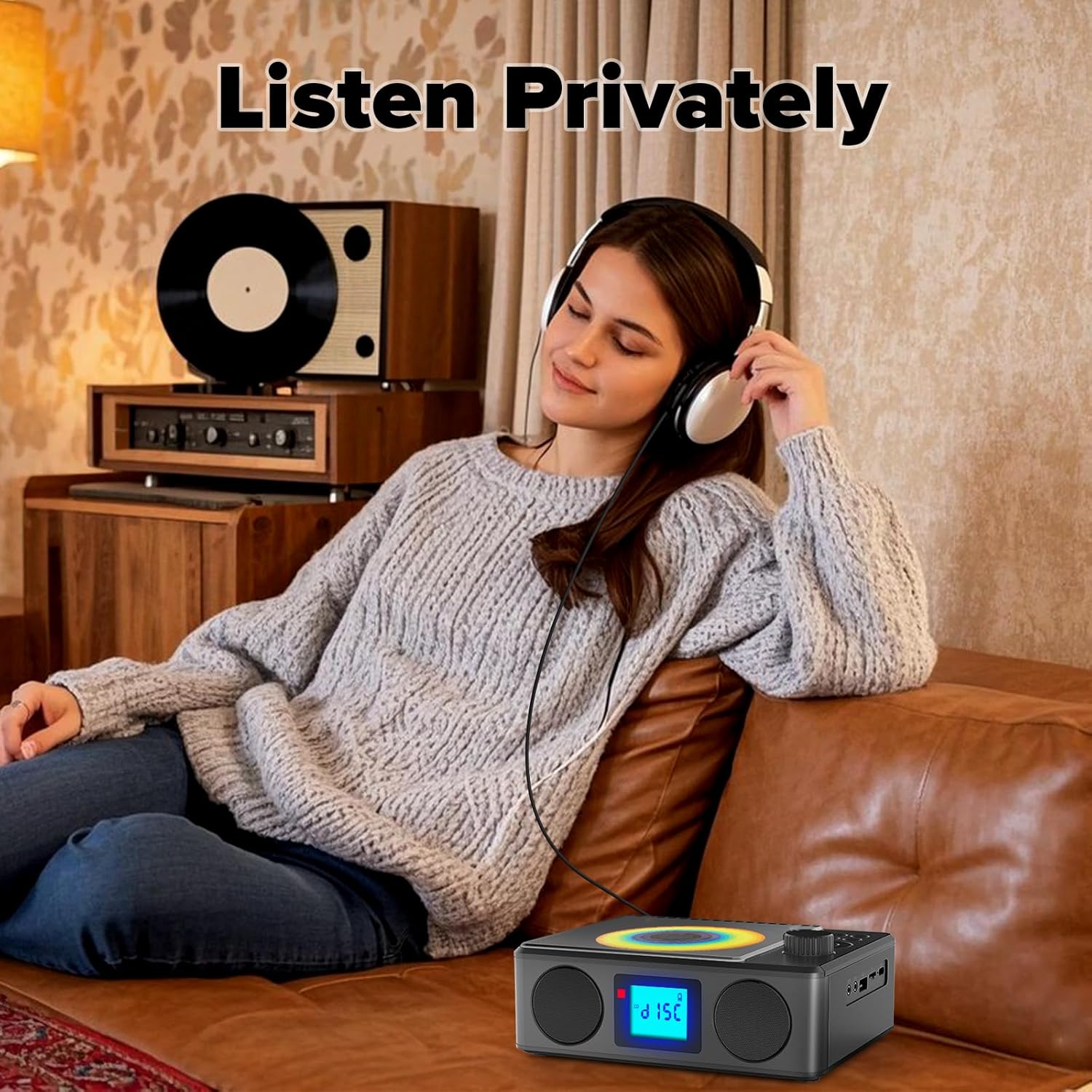
Image: A user enjoying private audio through headphones connected to the PM24.
Nlekọta
- Nhicha: Use a soft, dry cloth to clean the exterior of the device. Do not use abrasive cleaners or solvents.
- Nlekọta CD: Jiri ákwà dị nro nke na-enweghị ihe e ji ehicha CD hichaa CD ruru unyi, na-ehicha ya site n'etiti gaa n'ihu.
- Nchekwa: Mgbe ọ naghị eji ya ogologo oge, chekwaa ngwaọrụ ahụ n'ebe dị jụụ na ebe kpọrọ nkụ na-adịghị na ìhè anyanwụ kpọmkwem na oke okpomọkụ.
- Batrị: To prolong battery life, avoid fully discharging the battery frequently. Charge the device regularly, even if not in use.
Nchọpụta nsogbu
| Nsogbu | Ihe nwere ike ime | Ngwọta |
|---|---|---|
| Ngwaọrụ anaghị agbanwu ọkụ. | Batrị agwụla. | Connect the charging cable and allow the device to charge. |
| Enweghị ụda sitere na ndị ọkà okwu. | Olu dị oke ala ma ọ bụ gbachiri agbachi. Ekweisi ejikọtara. | Increase volume. Disconnect headphones. |
| CD na-awụli elu ma ọ bụ anaghị egwu egwu. | CD ruru unyi, kpụchaa ya, ma ọ bụ tinye ya n'ụzọ na-ezighi ezi. | Clean the CD. Ensure it is placed correctly. Try another CD. |
| Njikọ Bluetooth ada ada. | Device is too far, not in pairing mode, or already paired. | Ensure PM24 is in BT mode and flashing. Move devices closer. Disconnect from other devices. |
| Nnabata redio FM na-adịghị mma. | Antenna anaghị agbatị ma ọ bụ ebe mgbaàmà adịghị mma. | Fully extend the telescopic antenna. Reposition the device for better signal. |
| Njikwa anya anaghị arụ ọrụ. | Batteries are depleted or inserted incorrectly. Obstruction between remote and device. | Replace batteries, check polarity. Remove obstructions. Ensure remote is pointed at the device. |
Nkọwapụta
- Ụdị: PM24
- Akara: Kuefom
- Akụkụ ngwaahịa: 7.5 x 6.3 x 2.5 sentimita (19.05 x 16.00 x 6.35 cm)
- Ibu ihe: 1.96 pound (0.89 n'arọ)
- Teknụzụ Njikọta: Enyemaka, Bluetooth, USB
- Agba: Nwa
- Ụdị ọkà okwu: Stereo
- Batrị: 1 Batrị na-abụghị ọkọlọtọ (gụnyere)
- Oge egwuregwu: 5-8 awa (ihe dị ka.)
- Oge ịkwụ ụgwọ: Oge 4 (ihe dị ka.)
Akwụkwọ ikike na nkwado
Kuephom products are designed for reliability and performance. For warranty information or technical support, please refer to the contact details provided on the product packaging or visit the official Kuephom websaịtị.
Biko dowe ihe akaebe nke ịzụrụ ihe maka akwụkwọ ikike.