
1. Okwu mmalite
Daalụ maka ịzụrụasing the ARRIS MN82 PRO LC79 RC Rock Crawler. This 1/12 scale 4x4 Toyota LC79 Off Road RC Pickup Truck is designed for enthusiasts seeking a realistic and high-performance off-road experience. This manual provides essential information for the safe and effective operation, maintenance, and troubleshooting of your new RC crawler. Please read it thoroughly before first use.
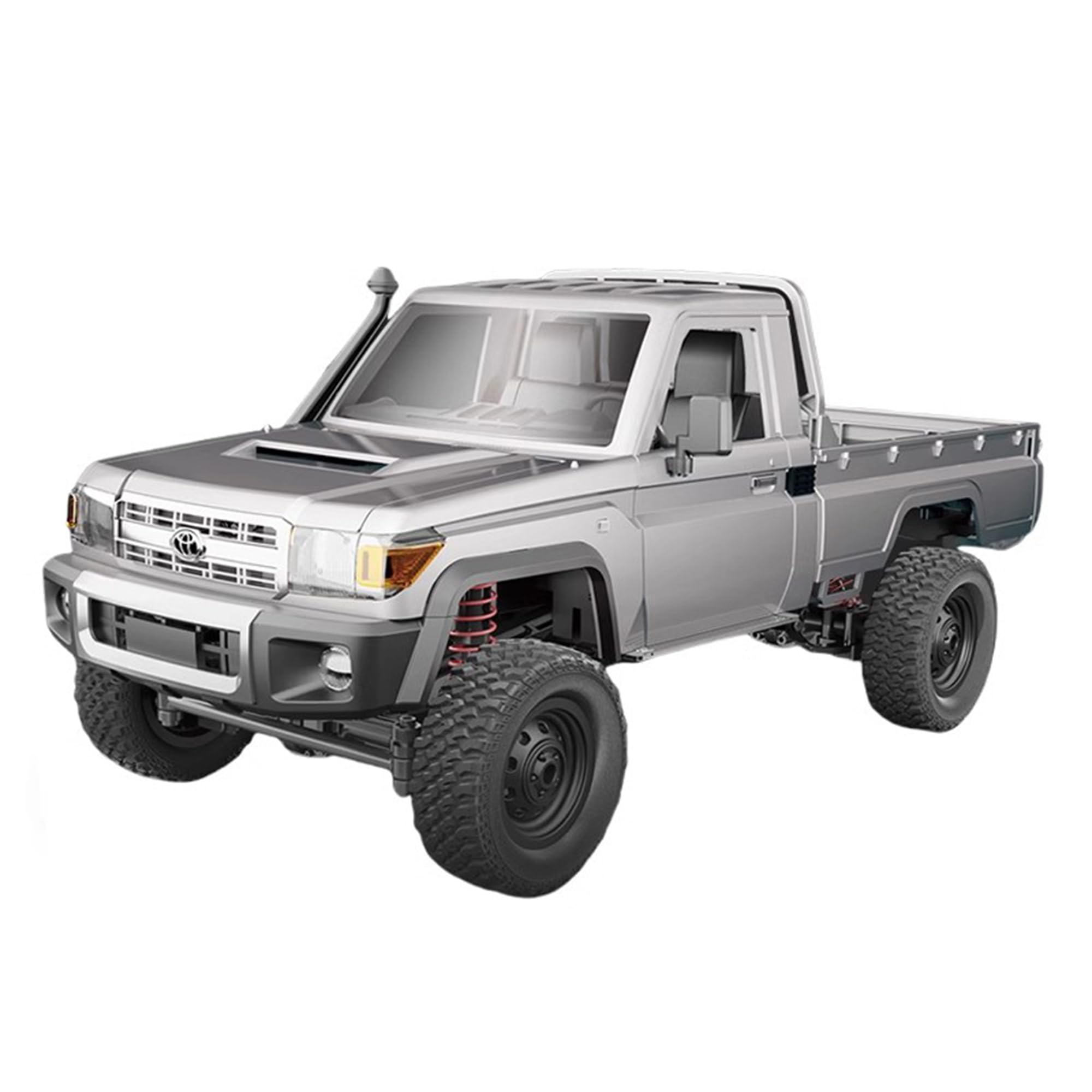
Image: The ARRIS MN82 PRO LC79 RC Rock Crawler, a 1/12 scale model of the Toyota LC79 pickup truck, shown in silver.
2. Ozi nchekwa
- Nkwanye afọ: This product is recommended for adults aged 16 and above. Adult supervision is advised for younger users.
- Nchekwa batrị: Use only the provided charger and battery. Do not overcharge or short-circuit the battery. Disconnect the battery when not in use. Store batteries in a cool, dry place away from flammable materials.
- gburugburu arụ ọrụ: Operate the RC crawler in open areas, away from people, pets, and obstacles. Avoid operating near water unless the product is specifically designed for waterproof use.
- Nlekọta: Na-enyocha ụgbọala ahụ mgbe niile ma ọ bụrụ na e nwere ihe mebiri emebi ma ọ bụ akụkụ ndị na-adịghị mma. Na-arụzi ya dịka akọwara n'akwụkwọ ntuziaka a.
- Mgbanwe: Do not modify the product in any way not specified by the manufacturer. Unauthorized modifications may void the warranty and compromise safety.
3. Ihe ngwugwu
Your ARRIS MN82 PRO LC79 RC Rock Crawler package includes the following items:
- 1x MN82 PRO LC79 RC Rock Crawler (1/12 Scale)
- 1x 2.4GHz Remote Controller
- 1x 7.4V 500mAh Lithium-Ion Polymer Battery
- USB USB Nchaji USB 1x
- 1x Akwụkwọ ntuziaka
- Additional assembly parts (e.g., side mirrors, windshield wipers, decorative elements)
- Ihe mmado eji achọ mma

Image: The product box for the ARRIS MN82 PRO LC79 RC Rock Crawler, showing the truck and various included components.
4. Nhazi
4.1. Ịchaji batrị
- Connect the provided USB charging cable to the 7.4V 500mAh Li-Po battery.
- Plug the USB end of the cable into a compatible USB power source (e.g., computer USB port, USB wall adapter).
- The indicator light on the charging cable will show the charging status (refer to charger instructions for specific light indications).
- Charging typically takes approximately 1-2 hours. Do not leave the battery unattended while charging.
4.2. Remote Controller Battery Installation
The remote controller requires 2 AA batteries (not included).
- Mepee oghere batrị dị n'azụ ihe njikwa anya.
- Fanye batrị AA 2, na-ahụ polarity ziri ezi (+/-).
- Mechie oghere batrị ahụ nke ọma.
4.3. RC Crawler Battery Installation
- Open the hood of the RC crawler.
- Connect the fully charged 7.4V 500mAh Li-Po battery to the vehicle's power connector.
- Carefully place the battery inside the compartment and close the hood.
4.4. Na-agbakwunye Ngwa
Attach the side mirrors, windshield wipers, and any other decorative elements or graphics as desired, following the visual guides in the manual or product images.
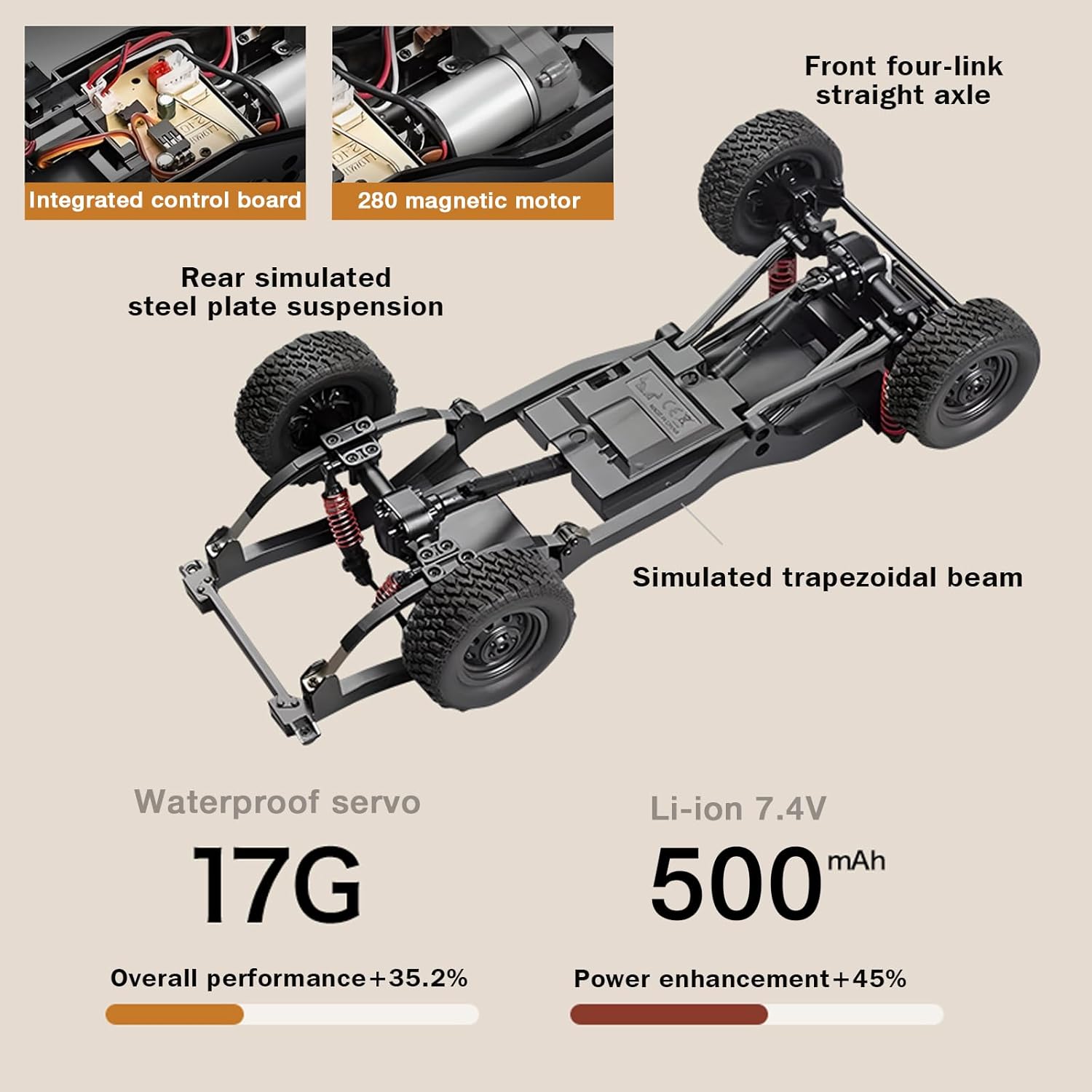
Foto: Ihe gbawara view of the RC crawler's chassis, highlighting the integrated control board, 280 magnetic motor, rear simulated steel plate suspension, simulated trapezoidal beam, 17G waterproof servo, and Li-ion 7.4V 500mAh battery.
4.5. Pairing Remote Controller and Vehicle
- Turn on the RC crawler using the power switch located on the underside of the chassis.
- Turn on the remote controller. The indicator light on the remote will flash.
- Wait for a few seconds. The indicator light on the remote will become solid, indicating successful pairing.
Vidiyo: Ihe osise zuru ezuview of the MN-82S RC Crawler, including unboxing, assembly of small parts like mirrors and wipers, battery installation, and initial power-up. This video demonstrates the physical setup of the vehicle.
5. Ntuziaka ọrụ
5.1. Njikwa ntọala
- Oche: Pull the trigger on the remote controller to move forward. Push the trigger forward to reverse. The throttle is proportional, allowing for precise speed control.
- Nduzi: Turn the steering wheel on the remote controller left or right to steer the vehicle. The steering is also proportional for accurate maneuvering.
5.2. Speed Modes (Two-Speed Switching)
The MN82 PRO features a unique two-speed switching function, allowing you to adapt to different terrains and driving styles. Refer to your remote controller for the specific button to switch between speeds. Typically, one press changes the gear, indicated by a light on the remote.
- Ọsọ dị ala: Ideal for rock crawling, precise maneuvering, and overcoming challenging obstacles.
- Oke ọsọ: Suitable for faster driving on less demanding terrain.
5.3. Sistemụ ọkụ
The RC crawler is equipped with a realistic linkage lighting system. Use the designated button on your remote controller to cycle through or activate different lighting functions:
- Controllable Headlights
- Ọkụ azụ
- Tụgharịa akara
- Double Flash (Hazard Lights)
- Ìhè breeki
- Reversing Light

Image: A visual representation of the MN82 PRO's advanced lighting system, detailing each functional light.
Video: The MN 82 RC Rock Crawler demonstrating its 4x4 capabilities, proportional throttle, and steering on various terrains, including climbing a 46-degree incline. This video highlights the vehicle's performance and control.
Video: The MN82 Remote Control Rock Crawler showcasing its high torque 280 motor and all-terrain capabilities, including navigating rocky and grassy environments. This video emphasizes the power and versatility of the RC truck.
6. Nlekọta
- Nhicha: After each use, especially in dusty or muddy conditions, clean the vehicle with a soft brush or cloth. Avoid using water directly on electronic components.
- Nlekọta batrị: Always fully charge the battery before storage and discharge it to about 50% if storing for extended periods. Do not store fully charged or fully discharged.
- Nyocha: Regularly check for loose screws, damaged parts, or worn tires. Replace any damaged components promptly.
- mmanu mmanu: Periodically lubricate moving parts such as gears and universal joints with appropriate RC lubricant to ensure smooth operation and longevity.
7. Nchọpụta nsogbu
| Nsogbu | Ihe nwere ike ime | Ngwọta |
|---|---|---|
| Ụgbọ ala anaghị aza n'ime ime obodo. | Low battery in vehicle or remote; Not paired; Power switch off. | Charge vehicle battery; Replace remote batteries; Ensure both are powered on and paired. |
| Vehicle runs slowly or lacks power. | Low vehicle battery; Obstruction in drivetrain; Incorrect speed mode. | Recharge vehicle battery; Check for debris; Switch to high-speed mode if applicable. |
| Ịkwọ ụgbọ ala anaghị arụ ọrụ nke ọma maọbụ anaghị anabata ya. | Damaged servo; Loose steering components; Interference. | Inspect servo and connections; Tighten loose parts; Move to an area with less interference. |
| Ọkụ anaghị arụ ọrụ. | Loose connection; Damaged LED; Low battery. | Check light connections; Replace damaged LEDs; Ensure vehicle battery is charged. |
8. Nkọwapụta
| Njirimara | Nkọwapụta |
|---|---|
| Aha ika | ARRIS |
| Aha Nlereanya | MN 82PRO |
| Ọnụ ọgụgụ | 1:12 |
| Ụgbọala | 4x4 Mid-Drive Transmission |
| moto | 280 moto magnetik |
| Servo | 17g Waterproof Servo |
| Batrị | 7.4V 500mAh Lithium-Ion Polymer |
| Ndụ batrị | 45 nkeji (ihe dị ka.) |
| Ọsọ | 8km/h (approx.) |
| Arụmọrụ ịrị elu | ≤45° Ramp |
| Ngosipụta Ngosipụta | 2.4G / 50m |
| Ike ịdọrọ | 1.5kg |
| Ibu Ibu | 3kg |
| Power & Steering | ≤30° |
| Ụdị ihe | Plastic |
| Akụkụ akụkụ | 14.17 x 6.3 x 6.3 sentimita asatọ |
| Atụmatụ ndị ọzọ | Anti-Skid, Flashing Light, Realistic Sound, Remote Controlled, Shock Resistant |
9. Akwụkwọ ikike na nkwado
For warranty information, technical support, or any inquiries regarding your ARRIS MN82 PRO LC79 RC Rock Crawler, please refer to the contact information provided on the product packaging or visit the official ARRIS website. Our support team is ready to assist you with any issues that may arise.