
1. Okwu mmalite
Welcome to your new TCL TP200K Portable Bluetooth Party Speaker. This manual provides essential information for the proper setup, operation, and maintenance of your device. Please read it thoroughly before use and retain it for future reference.
Kedu ihe dị na igbe:
- TCL TP200K Portable Bluetooth Party Speaker
- Ụdọ ọkụ
- Ntuziaka mmalite ngwa ngwa
- Akwụkwọ ikike na ozi nchekwa

2. Ozi nchekwa
Please observe the following safety guidelines to ensure safe operation and to prevent damage to your speaker.
IPX4 Splash-Proof Rating
The TCL TP200K speaker is rated IPX4, indicating resistance to water splashes from any direction. This makes it suitable for outdoor use where light splashes may occur. However, it is not waterproof and should not be submerged in water or exposed to direct, high-pressure water jets. Ensure all port covers are securely closed before exposure to moisture.

3. Ngwaahịa gafereview
The TCL TP200K is a portable party speaker engineered to deliver powerful audio and dynamic visual effects. Its design includes a versatile carry handle for easy transportation and flexible placement.
Akụkụ ndị bụ isi:
- 220W Maximum Output Power: Provides clear highs and deep bass for a full audio experience.
- Ndụ batrị nke awa 12: Enjoy extended music playback. (Note: Battery life is based on 25% volume with static light effects. Actual performance may vary based on usage conditions.)
- 5 RGB Dynamic Light Show Presets: Create a vibrant atmosphere with integrated lighting effects.
- Bass agbam ume: Enhances low frequencies for a more impactful sound.
- IPX4 Splash-Proof: Offers protection against water splashes.
- Njikọ Bluetooth 5.4: Enables stable wireless music streaming.
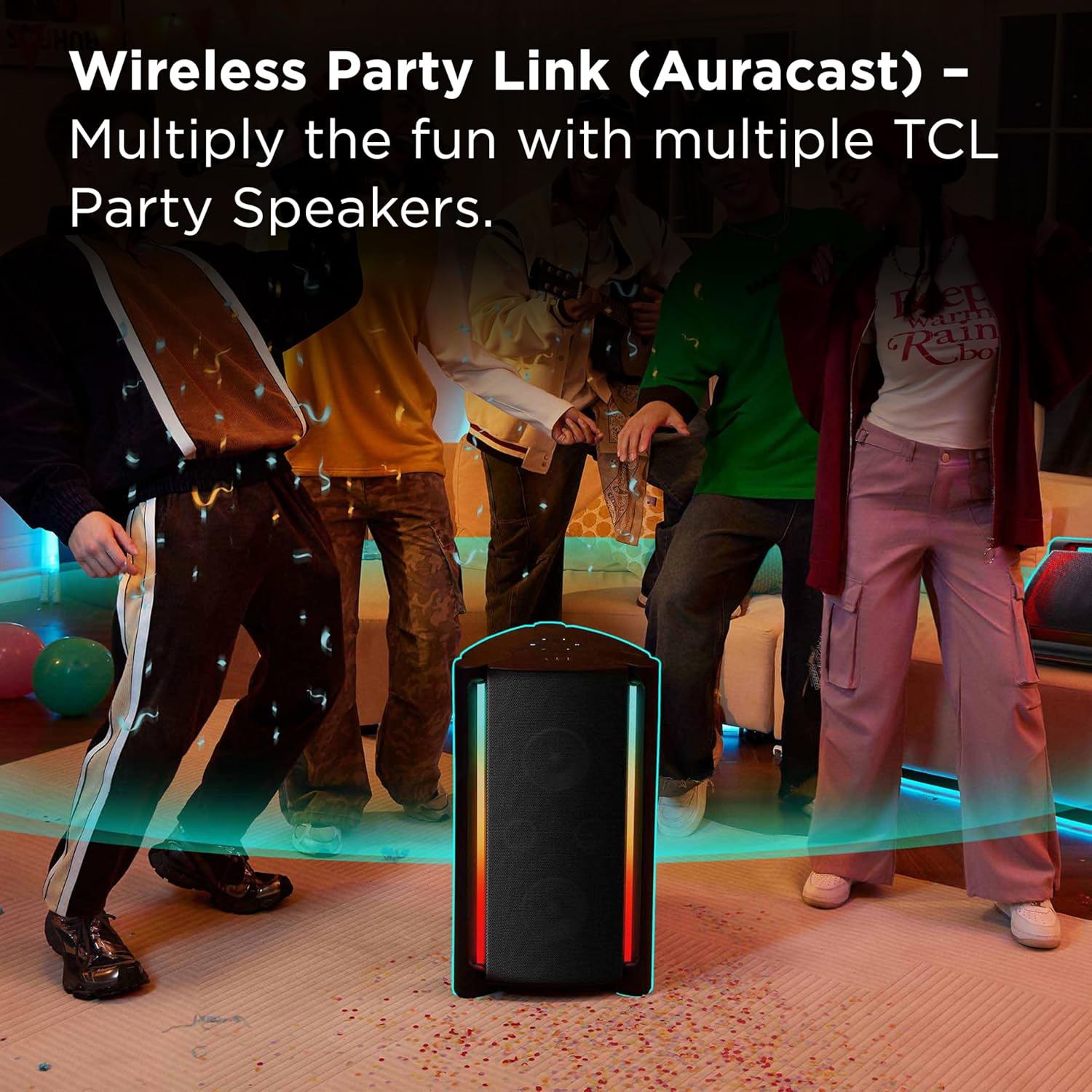
- Wireless Party Link (Auracast): Connect multiple compatible speakers for a synchronized audio experience.
- Ezi ikuku stereo (TWS) ijikọ: Pair two TP200K speakers for dedicated left and right stereo channels.
- Microphone and Guitar Inputs: Allows for karaoke and live instrument connection.
- USB playback: Kpọọ ọdịyo files ozugbo site na ngwaọrụ nchekwa USB.


4. Nhazi
Ịchaji Ọkà Okwu
Before initial use, fully charge the speaker. Connect the provided power cord to the speaker's power input and then to a wall outlet. The charging indicator will display the current battery status. A full charge ensures maximum playback time.
Ịgbanyụ/ Gbanyụọ
To turn the speaker on or off, press and hold the power button located on the control panel until the indicator lights activate or deactivate.
Njikọ Bluetooth
- Turn on the speaker. The Bluetooth indicator will flash, signifying that the speaker is in pairing mode.
- On your Bluetooth-enabled device (e.g., smartphone, tablet), navigate to the Bluetooth settings.
- Chọọ maka available devices and select "TCL TP200K" from the list.
- Once successfully connected, the Bluetooth indicator on the speaker will remain solid.

5. Ọrụ
Egwu Egwu
After connecting your device via Bluetooth or inserting a USB drive, you can control music playback using either your connected device or the speaker's control panel:
- Gwuo/kwụsịtụ: Press the dedicated Play/Pause button.
- Ndozi olu: Use the '+' and '-' buttons to increase or decrease the volume.
- Sochie igodo: Jiri bọtịnụ mwụlị ka ịkwaga na egwu ọzọ ma ọ bụ nke gara aga.
Light Show Modes
The speaker features 5 RGB dynamic light show presets. Press the light button on the control panel to cycle through the available modes or to turn the lights off. Each press will change the light pattern or color sequence.

Bass Boost
Activate the Bass Boost feature by pressing the dedicated button on the control panel. This will enhance the low-frequency output, providing a deeper and more pronounced bass sound.

Karaoke Mode (Microphone & Guitar Inputs)
The speaker is equipped with input jacks for a microphone and a guitar. Connect your microphone or guitar to the respective ports. Use the dedicated controls on the speaker to adjust the volume and echo effects for your vocals or instrument. (Note: Microphone and guitar are not included.)

Ezi ikuku stereo (TWS) ijikọ
To create a true stereo soundstage, you can pair two TCL TP200K speakers together:
- Ensure both speakers are powered on and not currently connected to any Bluetooth device.
- N'otu ọkà okwu, pịa ma jide n'otu ebe TWS/LINK button until you hear an audible confirmation tone.
- Repeat this action on the second speaker.
- The speakers will automatically establish a connection with each other. Once paired, connect your audio source device to one of the speakers via Bluetooth.

Wireless Party Link (Auracast)
For a larger, multi-speaker audio setup, utilize the Wireless Party Link feature (Auracast) to connect multiple TCL Party Speakers to a single audio source. This allows for synchronized music playback across several speakers, ideal for expansive spaces or larger gatherings. Refer to the Quick Start Guide for detailed instructions on Auracast pairing procedures.
USB Audio Playback
Insert a USB flash drive containing compatible audio files into the USB port on the speaker. The speaker will automatically detect the drive and begin playing music. Use the speaker's playback controls to navigate through tracks and adjust volume.

6. Nlekọta
Nhicha
To clean the speaker, use a soft, dry cloth. Do not use abrasive cleaners, solvents, or strong chemicals, as these can damage the surface. For light dirt, a slightly damp cloth can be used, ensuring no moisture enters any ports or openings.
Nchekwa
When storing the speaker for extended periods, ensure it is fully charged and then powered off. Store it in a cool, dry place, away from direct sunlight, extreme temperatures, and excessive dust. Protect it from physical impact.
7. Nchọpụta nsogbu
If you encounter issues with your TCL TP200K speaker, refer to the table below for common problems and their solutions.
| Nsogbu | Ihe nwere ike ime | Ngwọta |
|---|---|---|
| Ọkà okwu anaghị agba ọkụ. | Batrị agwụla. | Jikọọ ọkà okwu ahụ na isi iyi ọkụ eletrik wee chajịa ya nke ọma. |
| Enweghị ike ijikọ site na Bluetooth. | Speaker is already connected to another device or not in pairing mode. | Ensure the speaker is in Bluetooth pairing mode (flashing indicator). Disconnect from any previously paired devices. Verify Bluetooth is enabled on your source device. |
| Enweghị mmepụta ụda. | Olu dị oke ala ma ọ bụ mechie ọnụ. Ahọpụtala isi mmalite ntinye na-ezighi ezi. | Increase the volume on both the speaker and your connected device. Press the 'SOURCE' button to cycle through input modes (Bluetooth, USB, AUX) until the correct source is selected. |
| Ihe ngosi ọkụ anaghị arụ ọrụ. | Light show is turned off or a static mode is selected. | Press the light button on the control panel to activate or change the light show mode. |
| Ogo ọdịyo adịghị mma. | Bluetooth interference or distance. Low battery. | Move the source device closer to the speaker. Ensure no obstacles are blocking the Bluetooth signal. Charge the speaker if the battery is low. |
8. Nkọwapụta
Below are the technical specifications for the TCL TP200K Portable Bluetooth Party Speaker.
| Njirimara | Nkọwa |
|---|---|
| Nọmba nlereanya | TP200K |
| Ụdị | TCL |
| Ike Nwepu kacha | 220 Watt |
| Teknụzụ Njikọta | Bluetooth 5.4, Auxiliary (AUX), USB |
| Ọnọdụ mmepụta ọdịyo | Stereo |
| Nkezi Ndụ batrị | Ruo awa 12 |
| Ọkwa Nguzogide mmiri | IPX4 Splash-Proof |
| Akụkụ ihe (D x W x H) | 14.07" x 14.63" x 25.68" |
| Ibu Ibu | 31.5 pound |
| Agba | Nwa |
| Usoro njikwa | Metụ aka |
| Dayameta Woofer | 6.6 sentimita asatọ |
| Dayameta nke subwoofer | 5.5 sentimita asatọ |
| UPC | 846042046305 |
9. Akwụkwọ ikike na nkwado
Ozi akwụkwọ ikike
This TCL TP200K Portable Bluetooth Party Speaker is covered by a 1-year manufacturer's limited warranty. For complete details regarding warranty coverage, terms, and conditions, please refer to the 'Warranty and Safety Information' document included in your product packaging.
Nkwado ndị ahịa
For technical assistance, troubleshooting guidance, or to inquire about warranty claims, please visit the official TCL support website. You can also find contact information for customer service in the Quick Start Guide or on the TCL website. Please have your model number (TP200K) and proof of purchase ready when contacting support.