
HW HAOWORKS A006 Voice Ampna -emegharị ihe
HW HAOWORKS A006 Voice AmpAkwụkwọ ntuziaka onye ọrụ lifier
Model: A006 Voice Ampna -emegharị ihe
Okwu mmalite
This manual provides comprehensive instructions for the HW HAOWORKS A006 Voice Amplifier with Wireless Lapel Microphone. Designed for clear and reliable audio amplification, this portable PA system is ideal for teachers, presenters, tour guides, and anyone needing to project their voice effectively. Please read this manual thoroughly before operating the device to ensure optimal performance and longevity.
Kedu ihe dị na Igbe ahụ
- 1* Amponye na-ekwu okwu
- 1* Wireless Lapel Microphone
- 1* Adjustable Strap
- 1* Ịchaji eriri
- 1 * Akwụkwọ ntuziaka

Image: The A006 Voice Amplifier and its accompanying wireless lapel microphone, showcasing the compact design of both units.
Melite
The A006 Voice Amplifier and Wireless Lapel Microphone are designed for effortless setup with automatic pairing.
- Ngwa chaja: Ensure both the amplifier speaker and the wireless lapel microphone are fully charged using the provided charging cable.
- Ike Na: Gbanwuo ihe amplifier speaker and the wireless lapel microphone. They will automatically pair with each other.
- Igwe okwu ọnọdụ: Clip the lapel microphone to your clothing, ideally near your mouth, for optimal sound pickup.
- Ọnọdụ Ampntughari: Nke amplifier can be carried using the adjustable strap or clipped to a belt. Keep it separate from the microphone to avoid audio delay or feedback.

Image: Visual guide demonstrating the three-step automatic pairing process: Power on speaker and mic, auto pairing, and connected status.
Ntuziaka ọrụ
Isi ọrụ
- Gbanyụọ/ Gbanyụọ: Press and hold the power button on both the amplifier and microphone to turn them on or off.
- Ndozi olu: Use the volume control buttons on the microphone to adjust the output level.
- Mechie ọrụ: The lapel microphone features a one-touch mute button for instant audio cutoff.

Image: Diagram illustrating the simple and intuitive controls on both the amplifier and the lapel microphone, including power, volume, and mute buttons.
Njikọta
The A006 offers versatile connectivity options:
- Bluetooth: Jikọọ amplifier to your smartphone, tablet, or other Bluetooth-enabled devices for seamless audio streaming.
- USB playback: Fanye USB flash mbanye n'ime amplifier's USB port to play audio files ozugbo.

Image: Illustration showing the amplifier's Bluetooth and USB capabilities, allowing connection to various devices for audio playback.
Ihe ngosi ojiji
The A006 Voice Amplifier is suitable for a wide range of applications:
- Nkuzi: Enhance voice projection in classrooms.
- Okwu ọha: Ensure clarity during speeches and presentations.
- Ntuziaka mgbatị ahụ: Project voice clearly in noisy environments.
- Tour Guiding: Maintain clear communication with groups.
- Nzukọ: Facilitate discussions in small to medium-sized rooms.
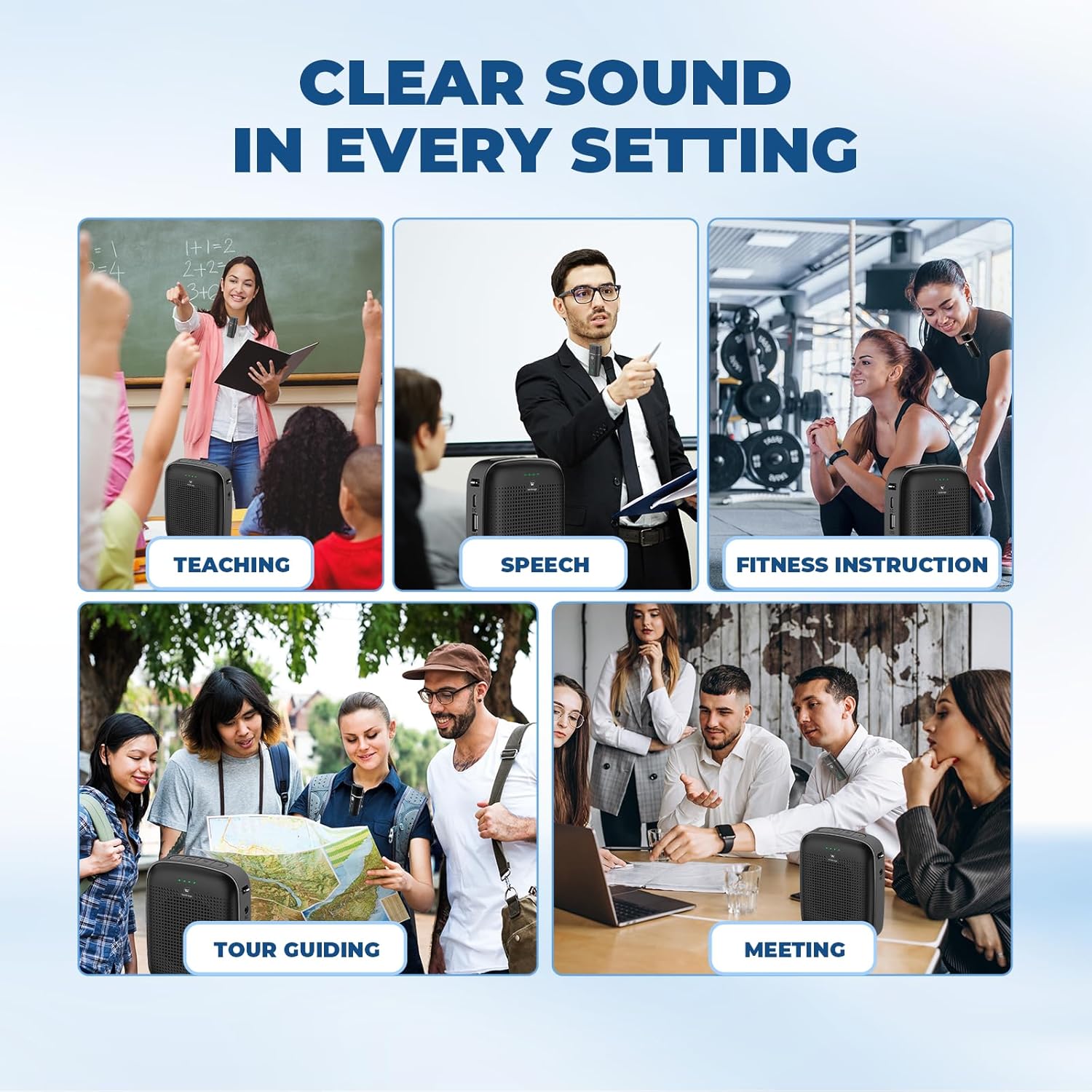
Image: Collage depicting the A006 Voice Amplifier being used in diverse professional settings, highlighting its versatility.
Nlekọta
- Nhicha: Jiri ákwà dị nro ma kpọọ nkụ hichaa ngwaọrụ ahụ. Ejila ihe nhicha ma ọ bụ ihe mgbaze.
- Nchekwa: Chekwaa amplifier and microphone in a cool, dry place away from direct sunlight and extreme temperatures.
- Nlekọta batrị: For optimal battery life, fully charge the devices before first use and recharge them regularly, even if not in frequent use. Avoid complete discharge.
Nchọpụta nsogbu
| Nsogbu | Ihe nwere ike ime | Ngwọta |
|---|---|---|
| Enweghị ụda si ampna -emegharị ihe. | Device is off; low battery; microphone not paired; volume too low. | Ensure both units are powered on; charge batteries; re-pair microphone; increase volume. |
| Sound distortion or feedback. | Microphone too close to amplifier; volume too high; interference. | Increase distance between mic and amplifier; lower volume; move away from other electronic devices. |
| Microphone not pairing. | Out of range; pairing mode not active. | Bring microphone closer to amplifier; power cycle both devices to re-initiate automatic pairing. |
| Ndụ batrị dị mkpụmkpụ. | Incomplete charging; aging battery. | Ensure full charge cycle; consider battery replacement if issues persist after proper charging. |
Nkọwapụta
| Njirimara | Nkọwa |
|---|---|
| Ụdị | HỤ HAOWORKS |
| Nọmba nlereanya | Olu A006 Ampna -emegharị ihe |
| Mpụta Wattage | 15 Watt |
| Isi Iyi Ike | Akwanyere batrị |
| Teknụzụ Njikọta | Ikuku, Bluetooth, USB |
| Ihe onwunwe | Acrylonitrile Butadiene Styrene (ABS) |
| Ibu Ibu | 12.6 ounces |
| Akụkụ ngwugwu | 5.83 x 5.24 x 2.44 sentimita asatọ |
| Amplifier Battery Runtime | 12-15 hours (2600mAh) |
| Microphone Battery Runtime | 15+ hours (400mAh) |
| Ikuku iche | Ruo mita 15 (ụkwụ 49) |
Akwụkwọ ikike na nkwado
HW HAOWORKS products are designed for durability and performance. For specific warranty details and customer support, please refer to the warranty card included with your product or visit the official HW HAOWORKS website. For any technical assistance or inquiries, please contact our customer service team.
Ask a question about this manual
Ask about setup, troubleshooting, compatibility, parts, safety, or missing instructions. Manuals+ will review the question and use this page’s manual context to help answer it.