
SOLITY GP-6000BAK
Solity GP-6000BAK Smart Door Lock
Akwụkwọ ntuziaka onye ọrụ
1. Okwu mmalite
The Solity GP-6000BAK Premium Smart Door Lock is designed to provide advanced security and convenient access to your home. Manufactured by Solity Korea, this digital lock integrates multiple authentication methods including 3D Face Recognition, Fingerprint, PIN Code, RFID Card, and a backup Mechanical Key. With built-in Wi-Fi and Bluetooth, it offers remote management via the Solity Smart Home App, real-time alerts, and enhanced security features like auto-lock and intrusion alarms. This manual provides essential information for setup, operation, and maintenance of your smart door lock.
2. Akụrụngwa Ngwaahịa
- Premium Korean Brand: High-end smart lock design for superior security and ease of use.
- Advanced 3D Face Recognition: Instant, touchless unlock by 3D face scan.
- Mkpisiaka mmetụta: High-speed biometric authentication for secure access.
- Ụzọ nnweta ọtụtụ: Supports Face ID, Fingerprint, PIN, RFID card, and mechanical key backup.
- Solity Smart Home App: Manage access, review entry logs, and control settings remotely.
- Njikọ Wi-Fi arụnyere n'ime ya: Control the lock from anywhere without additional devices.
- Auto Lock & Intrusion Alarm: Automatic door locking and alerts for unauthorized attempts.
- Ergonomic & Durable Design: Sleek black finish with a modern, user-friendly interface.
- Internal Double Lock Function: Disables external access for enhanced security from inside.
- Electric Shock Neutralization: Nchedo megide elu voltage ngwaọrụ.

Figure 2.1: The Solity GP-6000BAK offers six authentication methods: Smart Solity App, Face Recognition, Wi-Fi, Passcode, RFID Card, Fingerprint, and Mechanical Key.
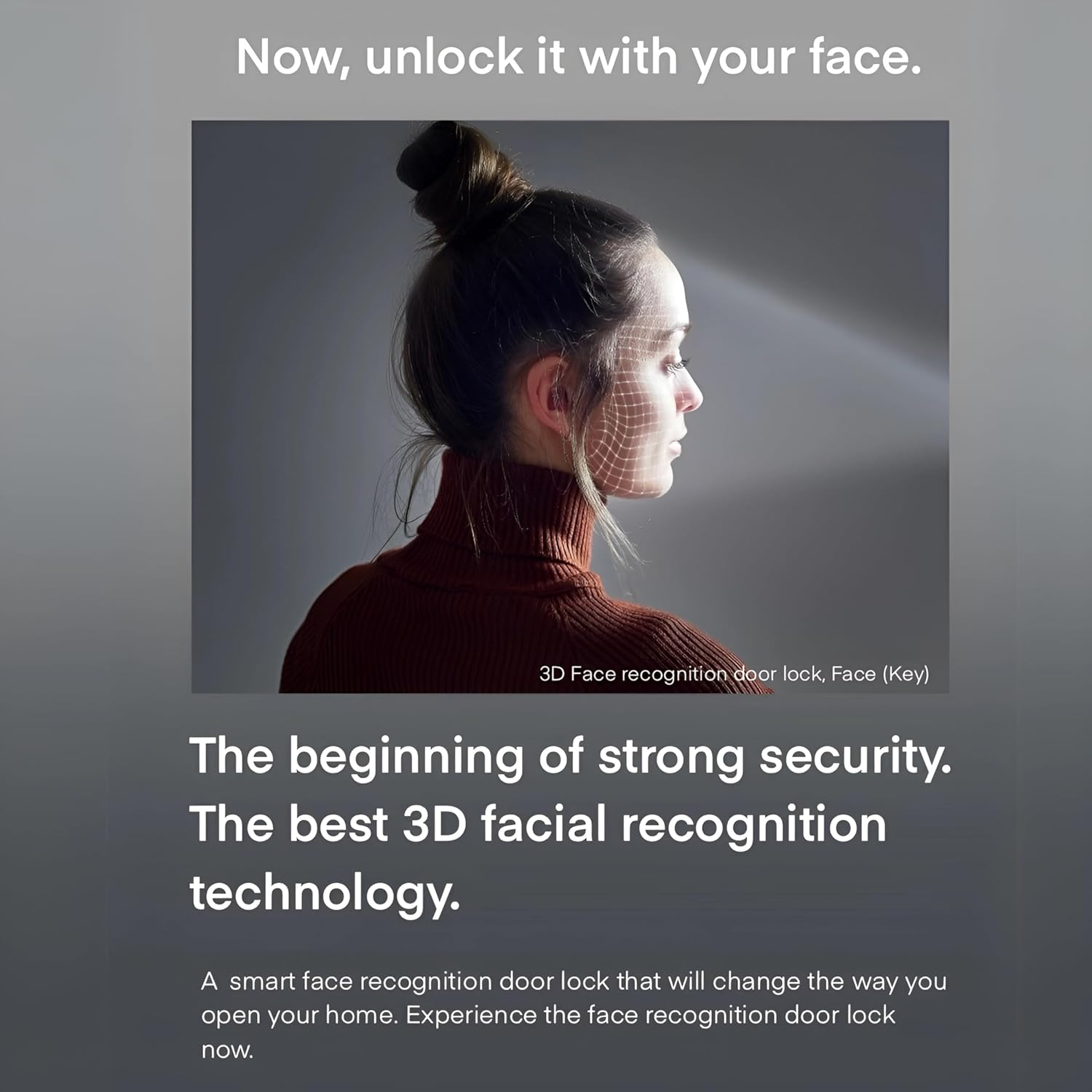
Figure 2.2: The advanced 3D facial recognition technology provides fast and secure touchless access.
3. Ihe ngwugwu
Biko chọpụta na akụrụngwa niile dị na ngwugwu:
- Solity GP-6000BAK Smart Door Lock (Main Unit and Sub Unit)
- Ahụ mkpọchi Mortise
- Mechanical Keys (2 pcs)
- RFID Cards (Quantity may vary, typically 2 pcs)
- Nwụnye kposara na ngwaike
- Akwụkwọ ntuziaka (akwụkwọ a)

Nyocha 3.1: N'eluview of the Solity GP-6000BAK Smart Door Lock and its included accessories.
4. Ntọala na nwụnye
Professional installation is highly recommended for the Solity GP-6000BAK Smart Door Lock to ensure proper functionality and security. Refer to the detailed installation guide provided in the product packaging for step-by-step instructions.
4.1 Ndepụta nbanye tupu etinyere
- Ensure your door meets the required thickness and backset specifications.
- Verify all package contents are present.
- Prepare necessary tools (e.g., screwdriver, drill).
4.2 Ntinye batrị
The lock operates on standard AA batteries. Open the battery cover on the indoor unit and insert the specified number of AA batteries, ensuring correct polarity. Replace the cover securely. A low battery warning will be indicated when replacement is needed.
4.3 Initial Setup and Registration
After physical installation, follow the on-screen prompts or refer to the quick start guide for initial setup, including setting up the master PIN code and connecting to your home Wi-Fi network via the Solity Smart Home App.
5. Ntuziaka ọrụ
5.1 Ụzọ mmeghe
- Nghọta ihu: Stand approximately 30-50 cm in front of the lock. The 3D face recognition sensor will scan your face and unlock the door within 1 second if a registered face is detected.
- Mkpisiaka: Place your registered finger flat on the fingerprint sensor. The lock will unlock upon successful recognition.
- Koodu PIN: Enter your registered PIN code on the keypad, followed by the '*' or '#' key (refer to specific model instructions).
- Kaadị RFID: Tap your registered RFID card on the card reader area of the lock.
- Igodo igwe: In case of emergency or battery depletion, insert the mechanical key into the hidden keyhole and turn to unlock.
- Solity Smart Home App: Open the app, select your lock, and tap the unlock icon. Ensure your phone has an internet connection or is within Bluetooth range.
5.2 Ụzọ Mkpọchi
- Mkpọchi akpaaka: The lock will automatically engage after a set period (configurable via app) once the door is closed.
- Mkpọchi akwụkwọ ntuziaka: Press the 'CLOSE' button on the indoor unit or use the app to manually lock the door.
5.3 Atụmatụ nchekwa
- Fake Passcode Function: Enter random numbers before or after your actual PIN code to prevent exposure of your code to onlookers.
- Intrusion and Breakage Alarm: The lock will sound an alarm if forced entry or abnormal intrusion is detected.
- Anti-Thief Function: If an incorrect password or card key is entered 5 times consecutively, an alarm will sound, and all operations will be stopped externally for 1 minute.
- Internal Double Lock Function: When activated from the inside, this function prevents external unlocking, even with a valid passcode, enhancing indoor security.

Figure 5.1: Illustrates the Fake Passcode Function and Intrusion and Breakage Alarm features.

Figure 5.2: Details on Anti-thief, Internal Double Lock, and Electric Shock Neutralization functions.
5.4 Solity Smart Home App Usage
The Solity Smart Home App allows comprehensive control and monitoring of your lock.
- Njikwa onye ọrụ: Add, modify, or delete user fingerprints, PINs, and RFID cards.
- Ndekọ nnweta: View a history of all lock and unlock events.
- Njikwa anya: Lock or unlock your door from anywhere with an internet connection.
- Ntọala: Adjust auto-lock time, volume, alarm sensitivity, and Wi-Fi settings.
- Real-time Push Notifications: Receive alerts for door activity, low battery, or intrusion attempts.

Figure 5.3: The Solity Smart Home App provides comprehensive control and monitoring.
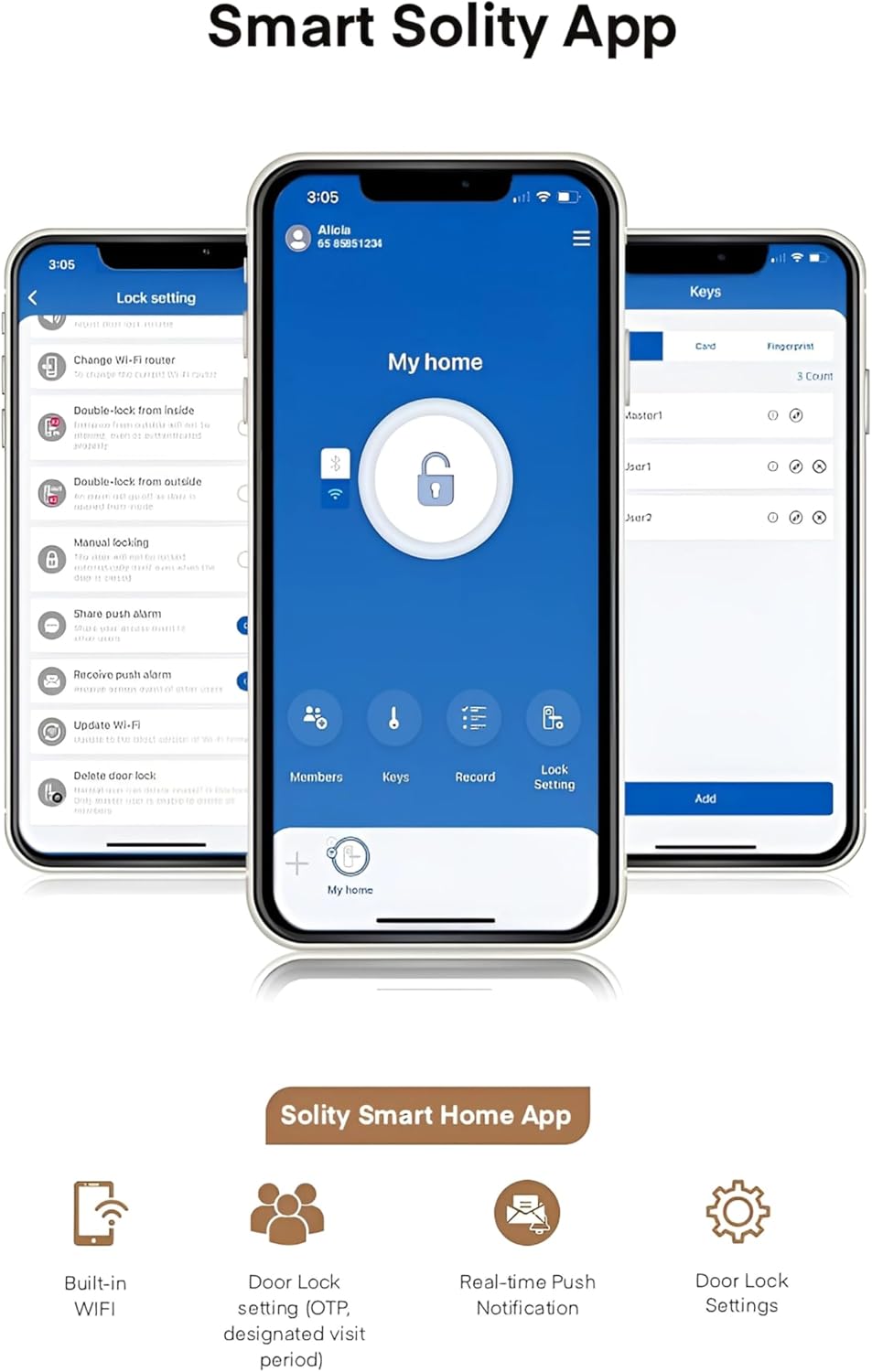
Figure 5.4: Key features of the Solity Smart Home App for enhanced smart home integration.
6. Nlekọta
6.1 nnọchi batrị
When the low battery indicator appears or you receive a notification via the app, replace all batteries with new ones of the specified type (typically AA). Do not mix old and new batteries.
6.2 Nhicha
Wipe the lock's surface with a soft, dry cloth. Avoid using abrasive cleaners, solvents, or harsh chemicals, as these can damage the finish and electronic components. Keep the fingerprint sensor and face recognition lens clean for optimal performance.
6.3 Mmelite ngwanrọ
Periodically check the Solity Smart Home App for available firmware updates. Keeping your lock's software up-to-date ensures optimal performance, security, and access to new features.
7. Nchọpụta nsogbu
- Mkpọchi anaghị aza: Check battery levels and replace if necessary. Ensure the lock is properly installed and all cables are connected.
- Authentication failure (Face/Fingerprint/PIN/RFID): Ensure your credentials are correctly registered. Clean the sensor/lens. Re-register if issues persist. For PIN, ensure correct sequence and use fake passcode function if needed.
- Oti mkpu na-ada na mberede: Check for physical obstructions or tampering. Review alarm settings in the app.
- Nsogbu njikọ ngwa: Ensure your lock is connected to Wi-Fi and your phone has internet access. Restart the app or your router if necessary.
- Anaghị akpọchi ọnụ ụzọ na-akpaghị aka: Verify the auto-lock setting in the app. Ensure the door sensor is not obstructed and the door closes completely.
For persistent issues, refer to the comprehensive troubleshooting guide on the Solity official websaịtị ma ọ bụ kpọtụrụ nkwado ndị ahịa.
8. Nkọwapụta
| Nkọwapụta | Nkọwa |
|---|---|
| Ụdị | EZIOKWU |
| Nọmba nlereanya | GP-6000BAK |
| Onye nrụpụta | EZIOKWU |
| Ihe onwunwe | Aluminom |
| Agba | OJI |
| Ibu Ibu | 2 kilogram |
| Akụkụ ngwaahịa | 2 x 9 x 38 cm |
| Atụmatụ pụrụ iche | Nchọpụta ihu |
| Ụdị mkpọchi | Biometric, Smart Lock |
| Ngwa gụnyere | Smart Lock, Mortise |
| Mba onye si | Korea, Republic of |
9. Akwụkwọ ikike na nkwado
The Solity GP-6000BAK Smart Door Lock comes with a manufacturer's warranty. Please refer to the warranty card included in your product packaging or visit the official Solity website for detailed warranty terms and conditions. For technical support, product inquiries, or service requests, please contact Solity customer service through their official channels.
Ask a question about this manual
Ask about setup, troubleshooting, compatibility, parts, safety, or missing instructions. Manuals+ will review the question and use this page’s manual context to help answer it.