Ngwaahịa gafereview
The Generic Dancing Stand 5-Tier Display Shelf, Model DS13C5, is designed to showcase your items with a unique 360-degree automatic rotation feature. Inspired by 1970s space-age aesthetics, this shelf offers adjustable tiers and a durable construction, making it a distinctive addition to any room.
Akụkụ ndị bụ isi:
- Mgbanwe 360° dị ike: Features automatic 360-degree rotation, allowing for a stunning display that rotates continuously, showcasing your favorite items in motion.
- 5-Tier Adjustable Shelves: Customizable tiers to accommodate various sizes of display items, from small trinkets to larger collectibles, offering a unique display solution.
- Space-Age Inspired Design: Evokes the futuristic and artistic vibe of 1970s space-age aesthetics, making it a perfect addition to modern and retro-inspired interiors.
- Unique Installation Art Piece: More than just a shelf, this display piece is an eye-catching work of art, ideal for adding a statement to your living room, office, or gallery space.
- Owuwu dị oke mma: Built with durable materials to ensure stability and longevity, with a sleek, minimalistic design that complements any décor style.
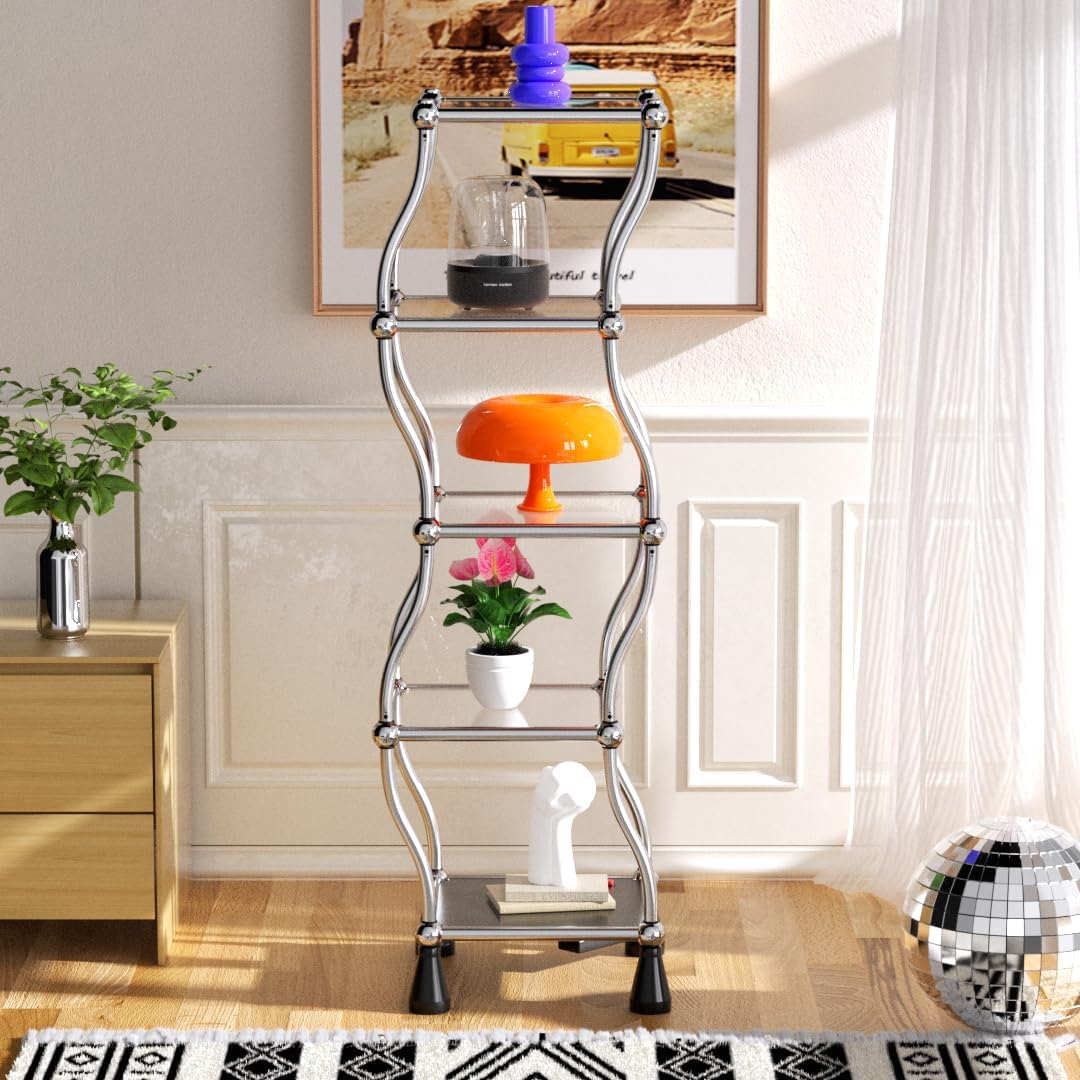
Image: The fully assembled 5-tier display shelf in a living room setting, showcasing its wavy chrome design and items on its shelves.
Ntọala na Mgbakọ
The Dancing Stand is designed for straightforward assembly. Please follow these steps carefully to ensure proper setup and functionality.
Mwepu na nlele akụrụngwa:
- Jiri nlezianya mepee nkwakọ ngwaahịa ma wepụ ihe niile.
- Verify that all parts listed in the included hardware and parts list are present. Refer to the diagram below for component identification.
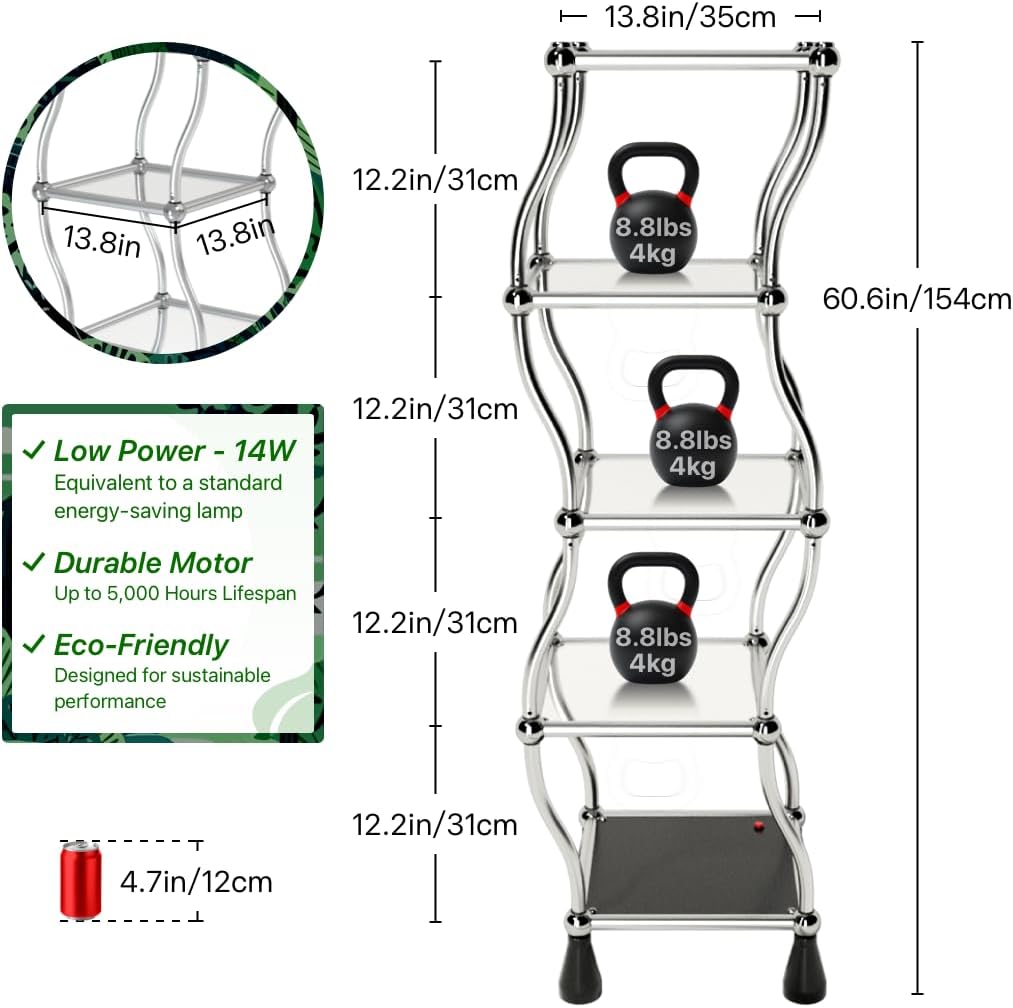
Image: A diagram illustrating the dimensions of the shelf (13.8 inches wide, 60.6 inches high) and the individual tier heights (12.2 inches), along with a small diagram of the power unit.
Nzọụkwụ Mgbakọ:
- Place the base unit on a flat, stable surface. Ensure the power button is accessible.
- Attach the first set of wavy support rods to the base unit, ensuring they are securely fastened.
- Carefully place the first glass shelf onto the support rods. Ensure it sits flush and is stable.
- Continue adding the remaining support rods and glass shelves in sequence, working your way upwards.
- Once all five tiers are assembled, gently press down on each shelf to confirm secure connections.
- Connect the power adapter to the designated port on the base unit and plug it into a standard electrical outlet.
Video: An unboxing and assembly demonstration of the Chrome Wavy Dancing Shelf, showing how to connect the components and set up the unit.
Ntuziaka ọrụ
The Dancing Stand features a simple one-button operation for its automatic rotation function.
Ịgbanyụ/ Gbanyụọ:
- Ensure the shelf is properly assembled and plugged into a power source.
- Locate the red power button on the base of the unit.
- Press the power button once to initiate the automatic 360-degree rotation. The shelves will begin to move in a dynamic, wavy pattern.
- Press the power button again to stop the rotation and power off the unit.
Placing Items on Shelves:
- Place items evenly on each shelf to maintain balance during rotation.
- Avoid placing excessively heavy items on a single shelf. Refer to the specifications for weight limits per shelf.
- Ensure items are stable and will not fall off during movement.
Video: A demonstration of the Chrome Wavy Dancing Shelf in operation, showing its 360-degree automatic rotation with various items displayed on its tiers.
Nlekọta na nlekọta
Proper maintenance will ensure the longevity and optimal performance of your Dancing Stand.
Nhicha:
- Kwupu ike tupu ihicha.
- Wipe the chrome frame with a soft, damp akwa . Zere ihe nchacha abrasive ma ọ bụ kemịkalụ siri ike nke nwere ike imebi njedebe.
- Jiri ihe nhicha iko na ákwà dị nro hichaa shelf iko.
- Ensure all parts are dry before reconnecting power.
Nchekwa:
- If disassembling for storage, follow the assembly steps in reverse.
- Store components in their original packaging or a protective container to prevent damage.
- Store in a dry environment, away from extreme temperatures.
Nchọpụta nsogbu
If you encounter any issues with your Dancing Stand, please refer to the following common problems and solutions:
| Nsogbu | Ihe nwere ike ime | Ngwọta |
|---|---|---|
| Shelf does not rotate. |
|
|
| Rotation is uneven or jerky. |
|
|
| Mkpọtụ n'oge arụ ọrụ. |
|
|
Nkọwapụta ngwaahịa
| Njirimara | Nkọwa |
|---|---|
| Nọmba nlereanya | DS13C5 |
| Ụdị | N'ozuzu |
| Ihe onwunwe | Aluminum, Cast Iron |
| Agba | Chrome |
| Akụkụ ngwaahịa | 13"D x 13"W x 60"H |
| Ọnụọgụ nke shelf | 5 |
| Ụdị shelf | Ihe na -ese n'elu mmiri |
| Ibu Ibu | 23 pound |
| Atụmatụ pụrụ iche | Adjustable, Detachable, Durable, Space Saving, 360-degree Automatic Rotation |
| Mgbakọ chọrọ | Ee |
| Ụdị nkwụnye | Ala Ugwu |
| Ojiji ime ime/n'èzí | Ime ụlọ |
Akwụkwọ ikike na nkwado
Specific warranty information for the Generic Dancing Stand 5-Tier Display Shelf (Model DS13C5) is not provided in the product details. Please refer to your purchase documentation or contact the seller directly for warranty details.
For further assistance or inquiries, please contact the seller, Dancing Stand Official, through the platform where the product was purchased.

Image: Contact information for Dancing Stand Official, including Instagram handle, WhatsApp number, and email address.