
1. Okwu mmalite
Thank you for choosing the ZIHNIC S05A Wireless AI-Translation Earphones. These earphones are designed to provide real-time language translation, high-quality audio, and comfortable wear for various activities including business, travel, and daily use. This manual provides detailed instructions on how to set up, operate, and maintain your earphones to ensure optimal performance.

Image 1.1: ZIHNIC S05A Wireless AI-Translation Earphones and Charging Case.
2. Ngwaahịa gafereview
2.1 Atụmatụ
- Real-Time AI Translation: Supports 4 modes of AI-powered language translation for seamless communication.
- High-Definition Sound: Equipped with HD sound drivers for clear audio, even in noisy environments.
- Njikọ Bluetooth 5.0: Ensures a stable and fast wireless connection up to 10 meters.
- Ndụ batrị agbatịkwuru: Up to 28 hours of total playtime with the included charging case.
- Nhazi dị mma: Features an ergonomic clip-on design for all-day wear.
- IPX5 Nkwanye mgbochi mmiri: Provides protection against sweat and light splashes.
- Njikwa mmetụ: Intuitive touch controls for managing audio and translation functions.

Image 2.1: The ergonomic clip-on design ensures comfortable and secure fit for long listening sessions.
2.2 Kedu ihe dị na igbe ahụ
- ZIHNIC S05A Wireless AI-Translation Earphones
- Akpa nchaji ikuku
- Akwụkwọ ntuziaka onye ọrụ (Akwụkwọ a)
- Charging Cable (not explicitly listed but typically included)
3. Setup and Wearing Instructions
3.1 Ụgwọ mbụ
Before first use, fully charge the earphones and the charging case. Connect the charging case to a power source using the provided charging cable. The indicator lights on the case will show the charging status.
3.2 Yiri ekwe ntị
For optimal comfort and sound quality, ensure the earphones are worn correctly.
- Take out each earbud from the charging case.
- Hang the end of the earbud over your ear bone.
- Turn the earbud and slide it behind your ear.
- Adjust the ear hook to fit securely and comfortably around your ears.

Image 3.1: Step-by-step guide on how to properly wear the ZIHNIC S05A earphones.
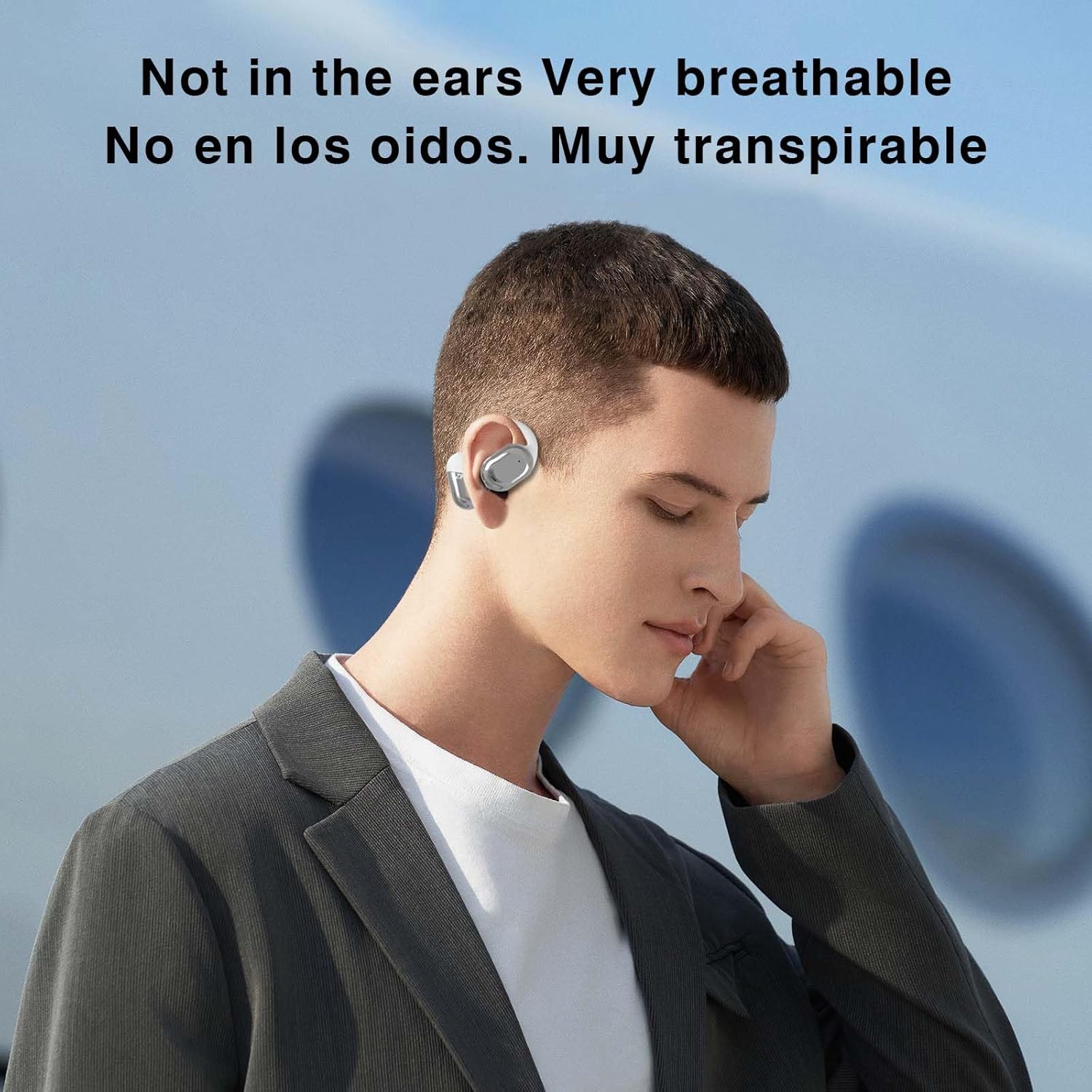
Image 3.2: The open-ear design ensures breathability and comfort for extended use.
4. Ntuziaka ọrụ
4.1 Njikọ Bluetooth
- Ensure the earphones are charged and removed from the charging case. They will automatically enter pairing mode.
- Na ekwentị gị, mbadamba, ma ọ bụ ngwaọrụ ọzọ nwere Bluetooth, gaa na ntọala Bluetooth.
- Chọọ maka available devices and select "ZIHNIC S05A" (or similar name) from the list.
- Ozugbo ejikọtara ya, ị ga-anụ oku olu, ekwe ntị ya ga-adịkwa njikere maka ojiji.
The Bluetooth 5.0 technology provides a stable connection within a 10-meter range.
4.2 Njikwa mmetụ
The ZIHNIC S05A earphones feature intuitive touch controls. Specific functions may vary based on the connected device and application. Common touch controls include:
- Single Mgbata: Kpọọ/kwụsịtụ egwu, zaa/kwụsị oku.
- Ugboro abụọ Mgbata: Next track (right earbud), Previous track (left earbud).
- Ogologo Pịa: Activate voice assistant, Reject call.
- Mmaji Atọ: Switch translation modes (refer to the translation app for specific mode controls).
4.3 AI Translation Modes
The earphones support multiple AI translation modes through a dedicated application on your smartphone. Download the official ZIHNIC translation app from your device's app store.
- Ntụgharị Asụsụ n'oge a: For instant, natural language conversion during conversations.
- AI Chat Mode: Engage in translated text conversations via the app.
- AI Automatic Translation: Continuous translation for lectures, presentations, or media.
- Ntụgharị Okwu Ihu na Ihu: Optimized for direct conversations with another person, displaying translated text on your phone.

Image 4.1: The earphones support translation in 134 languages with high accuracy and fast response.

Image 4.2: The earphones facilitate natural and instant language translation.

Image 4.3: AI Chat mode allows for translated text conversations through the companion application.

Image 4.4: Real-time translation in action, showing a user interacting with the translation feature.

Image 4.5: Face-to-Face Translation mode, ideal for direct conversations, with translated speech displayed.
5. Nlekọta
Proper maintenance ensures the longevity and performance of your ZIHNIC S05A earphones.
- Nhicha: Use a soft, dry cloth to clean the earphones and charging case. Avoid using abrasive materials or harsh chemicals.
- Nguzogide mmiri: The earphones are IPX5 waterproof, meaning they are resistant to sweat and light splashes. Do not submerge them in water or expose them to heavy rain. Ensure they are dry before placing them back in the charging case.
- Nchekwa: Mgbe ị na-ejighị ya, debe ekwe ntị n'ime akpa chaja ha iji chebe ha pụọ na uzuzu na mmebi. Debe ya n'ebe dị jụụ ma kpọọ nkụ.
- Nlekọta batrị: To preserve battery life, avoid fully discharging the earphones frequently. Charge them regularly, even if not in constant use.
6. Nchọpụta nsogbu
If you encounter issues with your earphones, refer to the following troubleshooting steps:
| Nsogbu | Ngwọta enwere ike |
|---|---|
| Igwe ntị anaghị ejikọta ọnụ |
|
| Enweghị ụda |
|
| Ntụgharị asụsụ anaghị arụ ọrụ |
|
| Igwe ntị anaghị akwụ ụgwọ |
|
7. Nkọwapụta
| Njirimara | Nkọwa |
|---|---|
| Aha Nlereanya | S05A |
| Teknụzụ Njikọta | Ikuku (Bluetooth) |
| Teknụzụ nzikọrịta ozi ikuku | Bluetooth 5.0 |
| Oke Bluetooth | 10 mita |
| Ọkwa Nguzogide mmiri | IPX5 (ihe mgbochi mmiri) |
| Usoro njikwa | Metụ aka |
| Ntinye ntị | Na Ntị |
| Ụdị Ihe | Na Ntị |
| Ụdị ọkwọ ụgbọ ala ọdịyo | Ọkwọ ụgbọala dị ike |
| Oke ugboro ugboro | 20 Hz - 20,000 Hz |
| Mgbochi | 32 Ohm |
| Ndụ Batrị (Mkpokọta na akpa ahụ) | Ruo awa iri abụọ |
| Ngwa gụnyere | Akpa nchaji ikuku |
| Ibu Ibu | 1.76 ounces |
| Onye nrụpụta | zinik |
8. Akwụkwọ ikike na nkwado
For warranty information and customer support, please refer to the documentation included with your purchase or visit the official ZIHNIC websaịtị. Debe ihe akaebe nke ịzụrụ maka akwụkwọ ikike.
If you require further assistance, please contact ZIHNIC customer service.