
1. Okwu mmalite
This manual provides detailed instructions for the proper use and care of your Altec Lansing Nanophones ANC 2.0 Wireless Over-Ear Bluetooth Headphones. Please read this manual thoroughly before using the product to ensure optimal performance and longevity.

Image 1.1: Altec Lansing Nanophones ANC 2.0 in Silver.
2. Ihe ngwugwu
Chọpụta na ihe niile dị na ngwugwu gị:
- Altec Lansing Nanophones ANC 2.0 Wireless Over-Ear Headphones
- USB-C eriri USB
- 3.5mm Audio USB
- Akwụkwọ ntuziaka (akwụkwọ a)

Image 2.1: Included USB-C charging cable and 3.5mm audio cable.
3. Ngwaahịa gafereview
Familiarize yourself with the headphone components and controls.
3.1 Headphone Features
- Nkagbu mkpọtụ mkpọtụ (ANC): Na-ebelata mkpọtụ gburugburu maka ahụmịhe ige ntị nke ukwuu.
- Nhazi a na-agbanwe agbanwe: Allows for compact storage and portability.
- Adjustable Headband & Soft Ear Cushions: Ensures a comfortable fit for extended wear.
- Igwe okwu agbakwunyere: Maka oku na-enweghị aka na iwu onye enyemaka olu.
- Nchaji USB-C: For fast and convenient power replenishment.
- Ndakọrịta ihe enyemaka olu: Access Siri or Google Voice with ease.

Image 3.1: Key features of the Nanophones ANC 2.0 headphones.
3.2 Njikwa na ọdụ ụgbọ mmiri
Locate the following controls on your headphones:
- Bọtịnụ ike: On/Off, Play/Pause, Answer/End Call.
- Mgbakwunye olu/Bọtịnụ egwu na-esote: Pịa mkpirisi maka ibuli olu, ogologo pịa maka egwu ọzọ.
- Mbelata olu/Bọtịnụ egwu gara aga: Pịa obere oge maka mbelata olu, pịa ogologo oge maka egwu gara aga.
- Bọtịnụ ANC: Activates/Deactivates Active Noise Cancellation.
- Ọdụ ụgbọ mmiri USB-C: Maka ijikọ eriri nchaji.
- Jack Audio: 3.5mm Maka njikọ waya.
- Ihe ngosi LED: Na-egosi ike, njikọta, na ọnọdụ chaja.

Foto 3.2: Akụkụ view illustrating the location of controls and ports.
4. Nhazi
4.1 Ịchaji ekweisi
- Connect the small end of the USB-C charging cable to the USB-C port on the headphones.
- Connect the large end of the USB-C charging cable to a USB power source (e.g., wall adapter, computer USB port).
- Ihe ngosi LED ga-acha ọbara ọbara n'oge a na-achaji ma gbanyụọ ya mgbe a na-achaji ya nke ọma.
- Ụgwọ zuru ezu na-ewe ihe dịka awa 2-3.
Mara: Ensure the headphones are fully charged before first use for optimal battery life.
4.2 Gbanyụọ/ gbanyụọ
- Iji gbanye: Press and hold the Power Button for 3 seconds. The LED indicator will flash blue.
- Iji gbanyụọ: Press and hold the Power Button for 3 seconds. The LED indicator will turn off.
4.3 Njikọ Bluetooth
- Gbaa mbọ hụ na agbanyụrụ ekweisi.
- Press and hold the Power Button for 5-7 seconds until the LED indicator flashes red and blue alternately. This indicates pairing mode.
- Na ngwaọrụ gị (smartphone, tabletị, kọmpụta), mee ka Bluetooth nwee ike wee chọọ ngwaọrụ dị.
- Select "Nanophones ANC 2.0" from the list of devices.
- Once paired, the LED indicator will flash blue slowly.
- Ọ bụrụ na a kpaliri maka paswọọdụ, tinye "0000".
Mara: Ekweisi ndị a ga-anwa ijikọghachi na ngwaọrụ ikpeazụ ejikọtara na akpaghị aka mgbe agbanyere ya.
5. Ntuziaka ọrụ
5.1 Nghaghachi egwu
- Gwuo/kwụsịtụ: Obere pịa bọtịnụ Ike.
- Olu elu: Pịa obere bọtịnụ Mpịakọta Elu.
- Olu ala: Pịa obere bọtịnụ Mbelata Olu.
- Track na-esote: Pịa bọtịnụ Mpịakọta Elu ruo ogologo oge.
- Gara aga Track: Pịa bọtịnụ Mbelata Olu ruo ogologo oge.
5.2 Oku ekwentị
- Azịza/Kwụsị Oku: Obere pịa bọtịnụ Ike.
- Jụ oku: Pịa bọtịnụ ike ogologo.
- Nọmba Ikpeazụ emegharịgharịrị: Double-press the Power Button.
5.3 Nkagbu mkpọtụ mkpọtụ (ANC)
- Mee ka ANC rụọ ọrụ: Press the ANC Button. The ANC LED indicator will light up.
- Gbanyụọ ANC: Press the ANC Button again. The ANC LED indicator will turn off.
Mara: Using ANC will reduce battery life. The headphones provide up to 20 hours of playtime with ANC active, and up to 30 hours without ANC.
5.4 Onye enyemaka olu
- Mee ka onye enyemaka olu rụọ ọrụ: Triple-press the Power Button to activate Siri or Google Voice (depending on your connected device).
- You can then issue commands through the headphone's microphone.
5.5 Njikọ wired
- Insert one end of the 3.5mm audio cable into the headphone's audio jack.
- Insert the other end into your audio device's 3.5mm output.
- The headphones can be used in wired mode even if the battery is depleted.
6. Nlekọta
6.1 Nhicha
- Jiri akwa dị nro hichaa ekweisi.
- Ejila ihe mkpocha abrasive, mmanya, ma ọ bụ ihe mgbaze kemịkal.
- Zere ịbanye mmiri n'ime oghere ọ bụla.
6.2 Nchekwa
- Store the headphones in a cool, dry place away from extreme temperatures.
- When not in use, fold the headphones to protect them and save space.
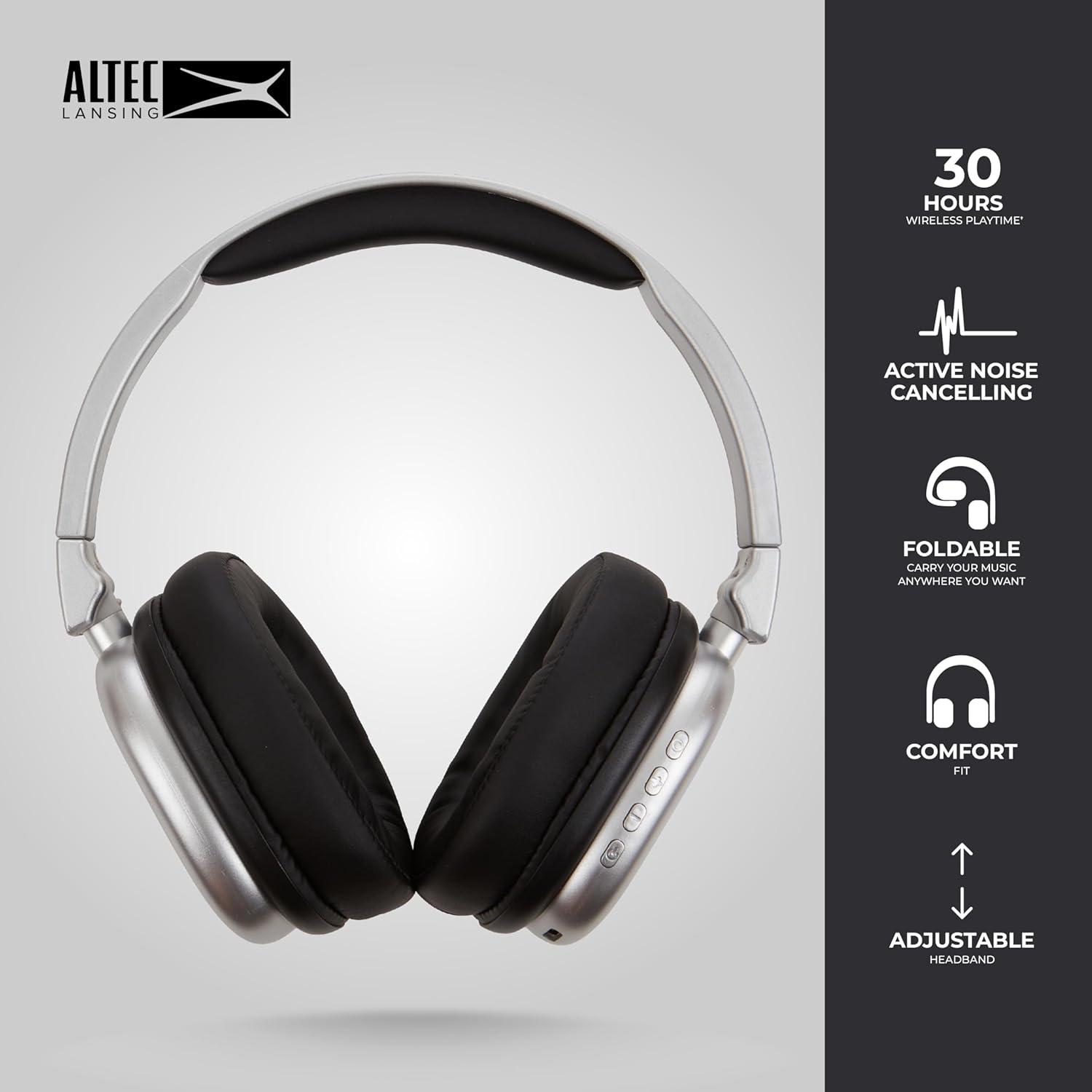
Image 6.1: The foldable design aids in compact storage.
7. Nchọpụta nsogbu
| Nsogbu | Ngwọta |
|---|---|
| Igwe ekweisi anaghị agba ọkụ. | Hụ na ekweisi ndị ahụ chajị. Jiri eriri USB-C jikọọ na isi iyi ike. |
| Enweghị ike ijikọ site na Bluetooth. |
|
| Enweghị ụda ma ọ bụ obere olu. |
|
| Active Noise Cancellation not working. | Ensure the ANC button has been pressed and the ANC LED indicator is lit. |
8. Nkọwapụta
| Aha Nlereanya | Nanophones ANC 2.0 |
| Nọmba nlereanya | MZX5501-MSIL-STK-6 |
| Ụdị | Altec Lansing |
| Njikọta | Wireless (Bluetooth 4.1), Wired (3.5mm) |
| Ntinye ntị | Ntị karịa |
| Njikwa mkpọtụ | Nkagbu mkpọtụ nọ n'ọrụ |
| Ndụ batrị | Up to 30 hours (wireless), Up to 20 hours (with ANC) |
| Nchaji ọdụ ụgbọ mmiri | USB-C |
| Ụdị ọkwọ ụgbọ ala ọdịyo | Dynamic Driver (1.5" Neodymium) |
| Oke ugboro ugboro | 20Hz - 20,000Hz |
| Ibu | 7.05 ounces |
| Ihe onwunwe | Plastic |
9. Akwụkwọ ikike na nkwado
9.1 Akwụkwọ ikike nke onye nrụpụta
This product is covered by a manufacturer's warranty. Please refer to the warranty card included in your package or visit the official Altec Lansing websaịtị maka nkọwa na usoro akwụkwọ ikike.
9.2 Nkwado ndị ahịa
For technical assistance, troubleshooting, or product inquiries, please contact Altec Lansing customer support through their official websaịtị ma ọ bụ ozi kọntaktị enyere na nkwakọ ngwaahịa gị.
Websaịtị: www.edemere.com