
Okwu mmalite
Thank you for choosing the Citizen Vagary Smartwatch X04A-002VY. This device combines modern technology with a stylish design, offering a range of features to enhance your daily life. This manual provides essential information for setting up, operating, and maintaining your smartwatch to ensure optimal performance and longevity.
The Vagary men's Smart Watch features a 51 mm black ABS case, a 1.5-inch TFT-LCD digital screen with various view options, and a blue silicone strap with a pin buckle. It is designed for durability with IP68 water resistance and offers a battery life of up to 7 days.
Ozi nchekwa
Please read all safety instructions before using the device to prevent injury or damage. Keep the device away from extreme temperatures, direct sunlight, and moisture. Do not attempt to disassemble or repair the device yourself. Use only approved chargers and accessories. Consult a medical professional before starting any new fitness regimen, especially if you have pre-existing health conditions.
Ihe ngwugwu
Gbaa mbọ hụ na ihe niile dị na ngwugwu:
- Citizen Vagary Smartwatch X04A-002VY
- Blue Silicone Strap (pre-attached or separate)
- Ịchaji eriri
- Ntuziaka mmalite ngwa ngwa (ọ bụrụ na etinyere ya)
Melite
1. Ịchaji smartwatch
Before first use, fully charge your smartwatch. Connect the charging cable to the charging port on the back of the watch and plug the other end into a USB power adapter (not included) or a computer's USB port. The screen will indicate charging status. A full charge typically takes approximately 2 hours.
2. Gbanyụọ / gbanyụọ
- Iji gbanye: Pịa ma jide bọtịnụ dị n'akụkụ ruo mgbe ihuenyo ahụ ga-enwu.
- Iji gbanyụọ: Pịa ma jide bọtịnụ dị n'akụkụ, wee họrọ 'Kwado Gbanyụọ' na ihuenyo ahụ.
3. Ngwa nwụnye na ijikọ
To unlock the full functionality of your smartwatch, you need to install the dedicated Verfyfit ngwa na smartphone gị.
- Budata ya Verfyfit app from your smartphone's app store (Google Play Store for Android).
- Gbaa mbọ hụ na agbanyere Bluetooth na ekwentị gị.
- Mepee Verfyfit app and follow the on-screen instructions to create an account or log in.
- In the app, select 'Add Device' or similar option. The app will search for your smartwatch.
- Select 'X04A-002VY' from the list of available devices to pair. Confirm the pairing request on both your smartphone and smartwatch if prompted.
Once paired, the smartwatch will synchronize data with your phone, and you can customize settings through the app.
Ntuziaka ọrụ
Nsoro ụzọ
The smartwatch features a 1.5-inch TFT-LCD digital touchscreen. Swipe left, right, up, or down to navigate through menus and features. Tap to select an option. The side button typically serves as a 'back' or 'home' button.
Atụmatụ igodo
- Health Parameter Detection: Monitor your heart rate, sleep duration, distance covered, and step count. Access these features through the health menu on the watch or the Verfyfit ngwa.
- Njikwa igwefoto: Use your smartwatch as a remote shutter for your smartphone's camera. Activate this feature via the app.
- Ịza oku: Receive and answer calls directly from your wrist when connected to your smartphone.
- Onye enyemaka olu Alexa: Utilize the integrated Alexa voice assistant for various commands and queries.
- Nleba anya ụra: Automatically tracks your sleep patterns, providing insights into sleep quality.
- GPS agbakwunyere: Track your outdoor activities and routes with the built-in GPS.
- Ụdị egwuregwu 100: Choose from a wide range of sports modes to accurately track your workouts and fitness data.
- Udaolu: Customize alert sounds for notifications and calls.
Mgbochi mmiri (IP68)
The smartwatch is rated IP68 for water resistance, meaning it can withstand immersion in water up to 1 meter deep for a limited time. It is suitable for daily use, such as washing hands or light rain. Avoid prolonged immersion, hot water, or use during swimming or diving, as this may compromise the seal.
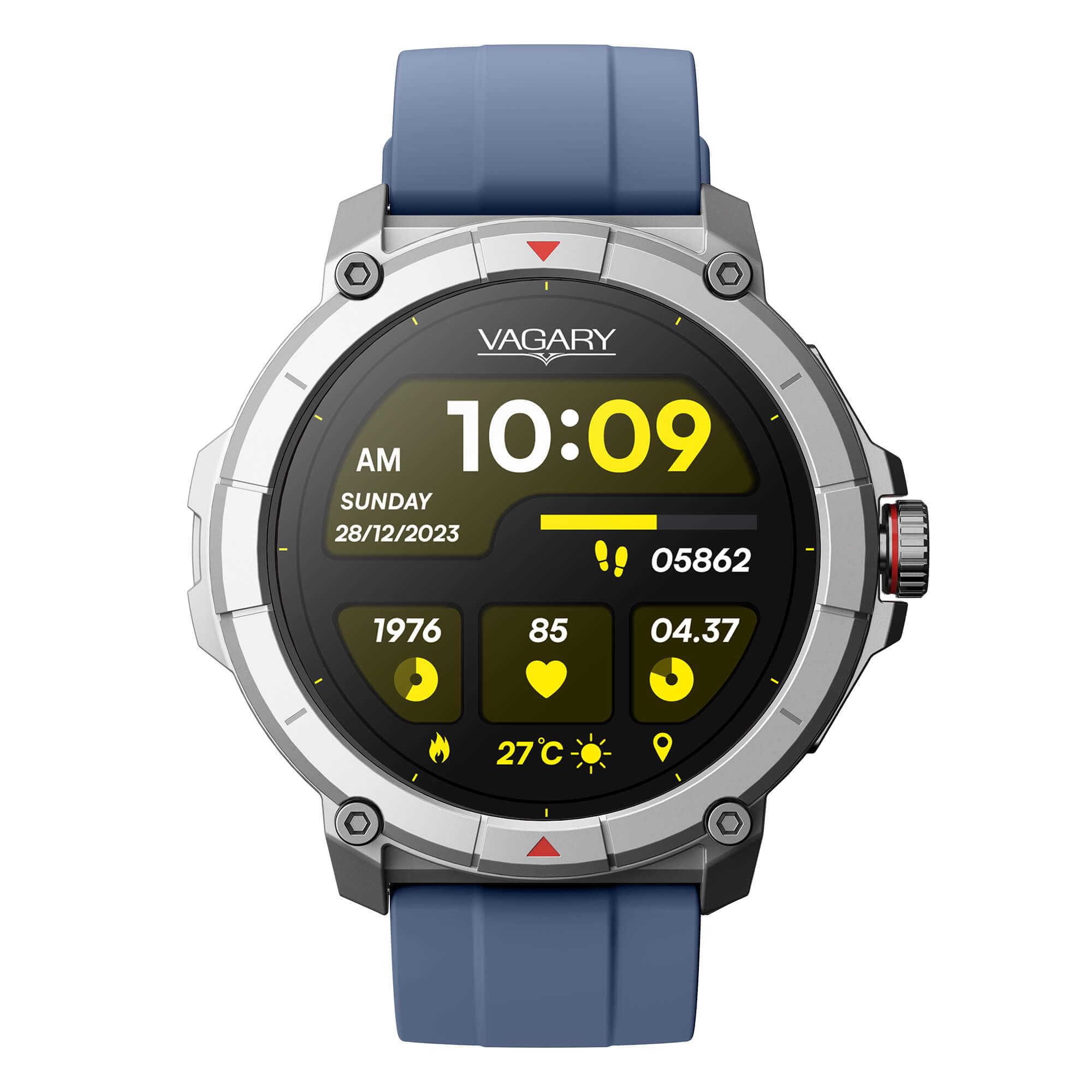
N'ihu view of the Citizen Vagary Smartwatch X04A-002VY, featuring a black case and a blue silicone strap.
Nlekọta
Nhicha
Regularly clean your smartwatch and strap to prevent skin irritation and maintain appearance. Use a soft, damp cloth to wipe the screen and case. For the silicone strap, mild soap and water can be used. Ensure the device is completely dry before charging or prolonged use.
Nlekọta batrị
The smartwatch has an average battery life of 7 days. To maximize battery longevity, avoid fully discharging the battery frequently. Charge the device when the battery level is low. Store the device in a cool, dry place if not used for extended periods.
Nchọpụta nsogbu
- Ngwaọrụ anaghị agbanwu: Ensure the device is fully charged. If it still doesn't turn on, try a different charging cable or power source.
- Enweghị ike ijikọ na smartphone: Make sure Bluetooth is enabled on both devices. Ensure the smartwatch is within range of your phone. Restart both devices and try pairing again. Check if the Verfyfit emelitere ngwa ahụ ka ọ bụrụ ụdị kachasị ọhụrụ.
- Data ahụike ezighi ezi: Ensure the smartwatch is worn snugly on your wrist, not too tight or too loose. Clean the sensors on the back of the watch.
- Ndụ batrị dị mkpụmkpụ: Reduce screen brightness, disable unnecessary notifications, and limit continuous heart rate monitoring if not needed. Ensure background app usage is optimized.
- Ihuenyo anaghị anabata: Restart the smartwatch by holding the side button. If the issue persists, contact support.
Nkọwapụta
| Nọmba nlereanya | X04A-002VY |
| Ụdị | Nwa amaala |
| Ngosipụta nha | 1.5 sentimita asatọ |
| Ụdị ngosi | Ngosipụta TFT-LCD |
| Ihe gbasara ikpe | ABS |
| Ihe eriri eriri | Silicone (Blue) |
| Mmiri Nguzogide | IP68 (up to 1 meter depth) |
| Nkezi Ndụ batrị | Ụbọchị 7 |
| Njikọta | Bluetooth, Wi-Fi, GPS |
| Sistemụ nrụọrụ | Yiri OS |
| Ngwa dakọtara | Smartphones (Android), Laptops, Tablets, PCs |
| Atụmatụ pụrụ iche | Health monitoring (Heart Rate, Sleep, Steps, Distance), Camera Control, Call Answering, Alexa Voice Assistant, Integrated GPS, 100 Sports Modes |
| Ụdị mmechi | Kechie |
| User Interface Interaction | Igwe okwu |
Ozi akwụkwọ ikike
The Citizen Vagary Smartwatch X04A-002VY comes with a limited warranty. Please refer to the warranty card included in your product packaging or visit the official Citizen website for detailed terms and conditions regarding coverage, duration, and service procedures. Keep your proof of purchase for warranty claims.
Nkwado
For further assistance, technical support, or service inquiries, please contact Citizen customer support. You can typically find contact information on the official Citizen websaịtị ma ọ bụ na akwụkwọ enyere na ngwaahịa gị.