
DOQAUS Life 4
DOQAUS Life 4 Bluetooth Headphones User Manual
Ụdị: Ndụ 4
1. Okwu mmalite
Thank you for choosing DOQAUS Life 4 Bluetooth Headphones. This manual provides instructions for the proper setup, operation, and maintenance of your headphones. Please read this manual thoroughly before use to ensure optimal performance and longevity of your device.
Ihe ngwugwu
- DOQAUS Life 4 Bluetooth Headphones
- USB-C eriri USB
- 3.5mm Audio USB
- Akwụkwọ ntuziaka onye ọrụ
2. Ozi nchekwa
To prevent damage to your headphones or injury to yourself, please observe the following safety precautions:
- Ewepụla ekweisi na oke okpomọkụ, iru mmiri, ma ọ bụ gburugburu na-emebi emebi.
- Zere idobe ma ọ bụ idobe ekweisi na mmetụta siri ike.
- Akwụsịla ma ọ bụ nwaa ịrụkwa ekweisi n'onwe gị. Nke a ga-emebi akwụkwọ ikike.
- Clean the headphones with a soft, dry cloth only. Do not use liquid cleaners.
- Ịge ntị ogologo oge n'ogo dị elu nwere ike imebi ihe ntị. Gbanwee olu ka ọ bụrụ ọkwa dị mma.
- Debe ebe ụmụaka na-apụghị iru.
3. Ngwaahịa gafereview
The DOQAUS Life 4 headphones are designed for comfort and high-quality audio. They feature 40mm drivers for clear sound and Bluetooth 5.4 technology for stable wireless connectivity.
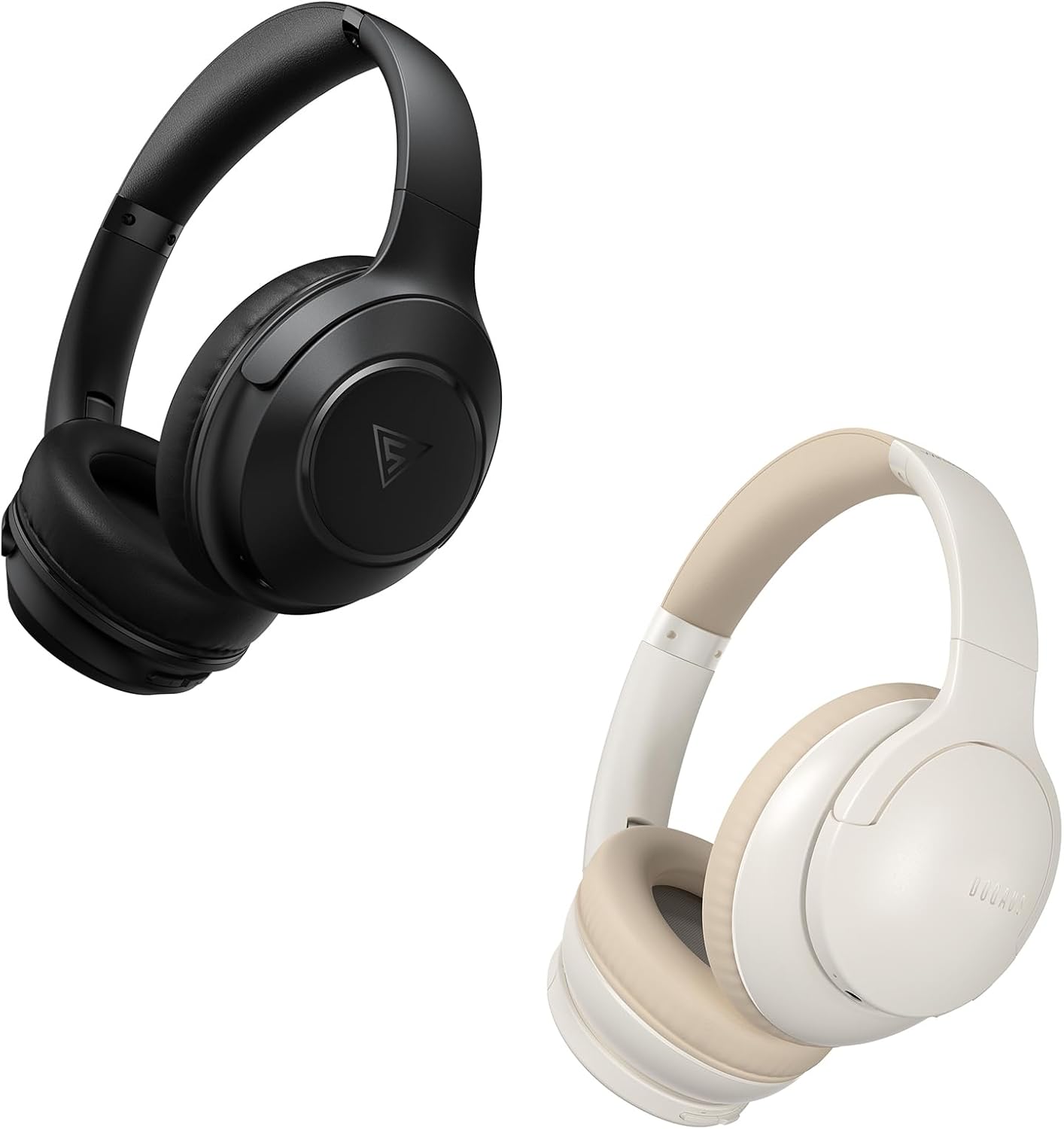
Image: DOQAUS Life 4 Bluetooth Headphones, showing both black and white color variants. These over-ear headphones feature soft earcups and an adjustable headband for comfortable wear.

Foto: Ihe dị n'ime view of the DOQAUS Life 4 headphone, highlighting the advanced Bluetooth 5.4 wireless technology chip for stable and fast connections.

Image: A close-up of the DOQAUS Life 4 headphone earcup, illustrating the 40mm large-aperture driver responsible for powerful HD sound quality.

Image: A person wearing the DOQAUS Life 4 headphones, illustrating their comfortable design suitable for all-day wear.
4. Nhazi
4.1 Nchaji izizi
Before first use, fully charge your headphones. Connect the USB-C charging cable to the charging port on the headphones and the other end to a USB power source (e.g., computer, wall adapter). The LED indicator will show charging status.
- A full charge provides up to 90 hours of playtime in Bluetooth mode.
- A quick 10-minute charge can provide approximately 5 hours of listening time.

Image: The DOQAUS Life 4 headphones displayed with text indicating "90-HOURS PLAYTIME" and "10 minutes of charging for 5 hours of listening," highlighting the extended battery life.
4.2 Njikọ Bluetooth
- Gbaa mbọ hụ na agbanyụrụ ekweisi.
- Press and hold the Power button until the LED indicator flashes blue and red alternately, indicating pairing mode.
- Na ngwaọrụ gị (smartphone, tabletị, kọmpụta), mee ka Bluetooth nwee ike wee chọọ ngwaọrụ dị.
- Select "DOQAUS Life 4" from the list of found devices.
- Ozugbo ejikọtara ya, ihe ngosi LED ga-eji nwayọọ nwayọọ na-acha anụnụ anụnụ.
Njikọ ọtụtụ ebe: The DOQAUS Life 4 headphones support connecting to two Bluetooth devices simultaneously. After connecting to the first device, disable Bluetooth on that device, then pair with the second device. Re-enable Bluetooth on the first device, and the headphones should connect to both.
4.3 Njikọ waya (Ụdị AUX)
To use the headphones in wired mode, connect one end of the 3.5mm audio cable to the AUX port on the headphones and the other end to your audio source. The headphones will automatically switch to wired mode, and Bluetooth functionality will be disabled.

Image: The DOQAUS Life 4 headphones demonstrating both wireless Bluetooth connectivity with a smartphone and a wired connection using a 3.5mm audio cable, illustrating versatile connection options.
5. Ntuziaka ọrụ
5.1 Njikwa ntọala
- Gbanyụọ/ Gbanyụọ: Pịa ma jide bọtịnụ ike maka sekọnd iri na ise.
- Gwuo/kwụsịtụ: Pịa bọtịnụ Multi-function ozugbo.
- Olu elu: Pịa bọtịnụ "+".
- Olu ala: Pịa bọtịnụ "-".
- Track na-esote: Press and hold the "+" button for 2 seconds.
- Gara aga Track: Press and hold the "-" button for 2 seconds.
- Azịza/Kwụsị Oku: Pịa bọtịnụ Multi-function ozugbo.
- Jụ oku: Pịa ma jide bọtịnụ ọtụtụ ọrụ maka sekọnd iri na abụọ.
- Mee ka onye enyemaka olu rụọ ọrụ: Pịa bọtịnụ Multi-function ugboro abụọ.
Ụdị EQ 5.2
The DOQAUS Life 4 headphones feature three equalizer (EQ) modes to optimize your listening experience for different music styles. Press the EQ button to cycle through the modes:
- Heavy Bass Mode: Enhances low-frequency sounds for a deeper bass experience.
- Ụdị olu: Optimizes mid-range frequencies for clearer vocals.
- Ụdị Nhazi: Na-enye ọkachamara ụda na-anọpụ ichefile suitable for various genres.

Image: A collage demonstrating the three EQ music modes of the DOQAUS Life 4 headphones: Heavy Bass, Vocal, and Balanced. The image shows the headphones and individuals enjoying music, indicating the versatility of sound profiles.
6. Nlekọta
6.1 Nhicha
- Jiri akwa dị nro, kpọrọ nkụ, hichaa ekweisi.
- Ejila ihe mkpocha abrasive, mmanya, ma ọ bụ ihe mgbaze kemịkal.
- Ensure charging ports and audio jacks are free of dust and debris.
6.2 Nchekwa
- Chekwaa ekweisi n'ebe dị jụụ, kpọrọ nkụ na-adịghị na ìhè anyanwụ kpọmkwem na oke okpomọkụ.
- If storing for an extended period, charge the headphones periodically to maintain battery health.
7. Nchọpụta nsogbu
| Nsogbu | Ihe nwere ike ime | Ngwọta |
|---|---|---|
| Igwe ekweisi anaghị agba ọkụ. | Batrị dị ala. | Chajie ekweisi nke ọma. |
| Enweghị ike ijikọ na ngwaọrụ. | Headphones not in pairing mode; Bluetooth disabled on device; device too far. | Ensure headphones are in pairing mode (flashing blue/red). Enable Bluetooth on your device. Move device closer to headphones. |
| Enweghị ụda. | Olu dị oke ala; ekweisi anaghị ejikọ; isi iyi ọdịyo na-ezighi ezi. | Increase volume. Verify Bluetooth connection or 3.5mm cable connection. Check audio output settings on your device. |
| Ogo ụda adịghị mma. | Weak Bluetooth signal; incorrect EQ mode. | Move closer to your device. Try switching EQ modes. |
8. Nkọwapụta
- Ụdị: Ndụ 4
- Ụdị Bluetooth: 5.4
- Nha ọkwọ ụgbọ ala: 40mm
- Oge egwuregwu: Up to 90 hours (Bluetooth mode)
- Nchaji ngwa ngwa: Ana m akwụ ụgwọ nkeji 10 maka awa 5 oge egwuregwu
- Ụdị ọdịyo akwadoro: A2DP, AVRCP, HSP, HFP, SBC, AAC
- Njikọta: Bluetooth, 3.5mm AUX
9. Akwụkwọ ikike na nkwado
DOQAUS Life 4 headphones come with a 30-day return policy and an 18-month replacement warranty. For any inquiries or support needs, please contact our customer service team. All inquiries are typically processed within 24 hours.
For further assistance, please refer to the contact information provided with your purchase or visit the official DOQAUS websaịtị.
Ask a question about this manual
Ask about setup, troubleshooting, compatibility, parts, safety, or missing instructions. Manuals+ will review the question and use this page’s manual context to help answer it.